Under the Organization tab on the left side of the screen select categories.
Add a new Category by selecting the blue "+" on the right side of the screen.
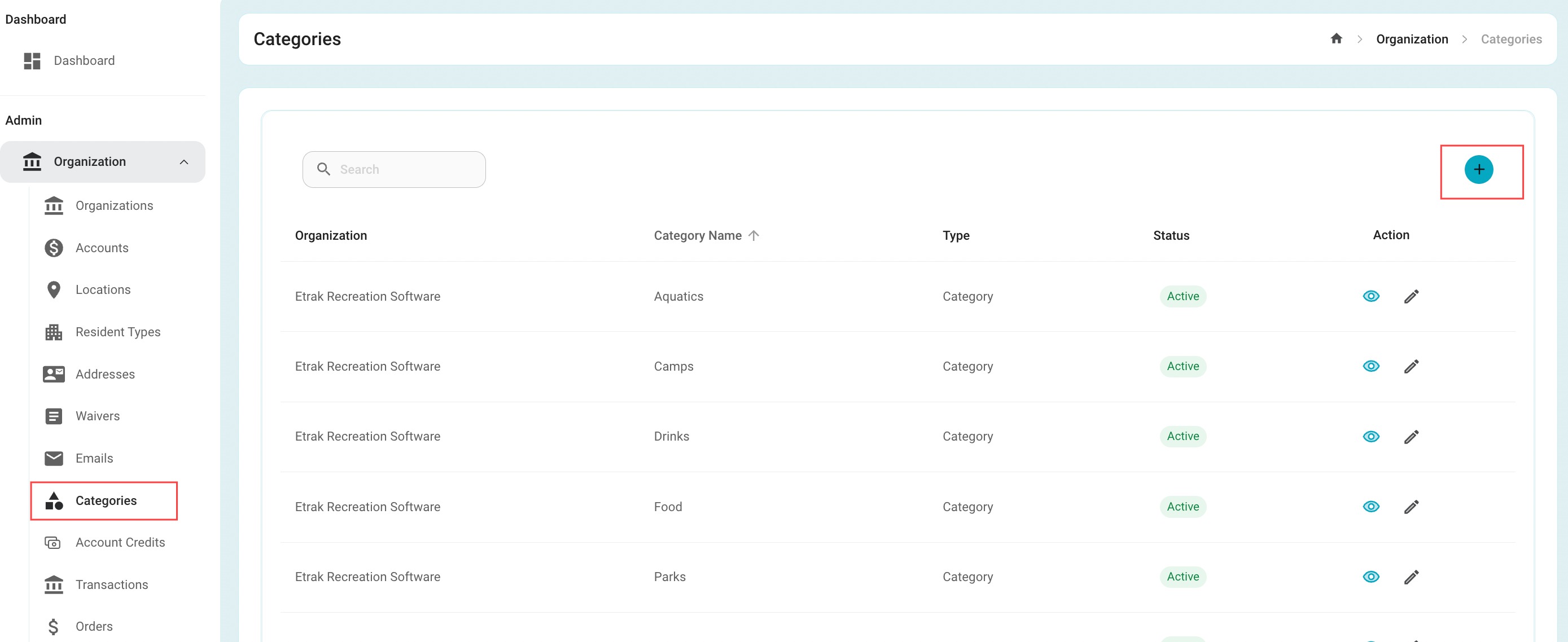
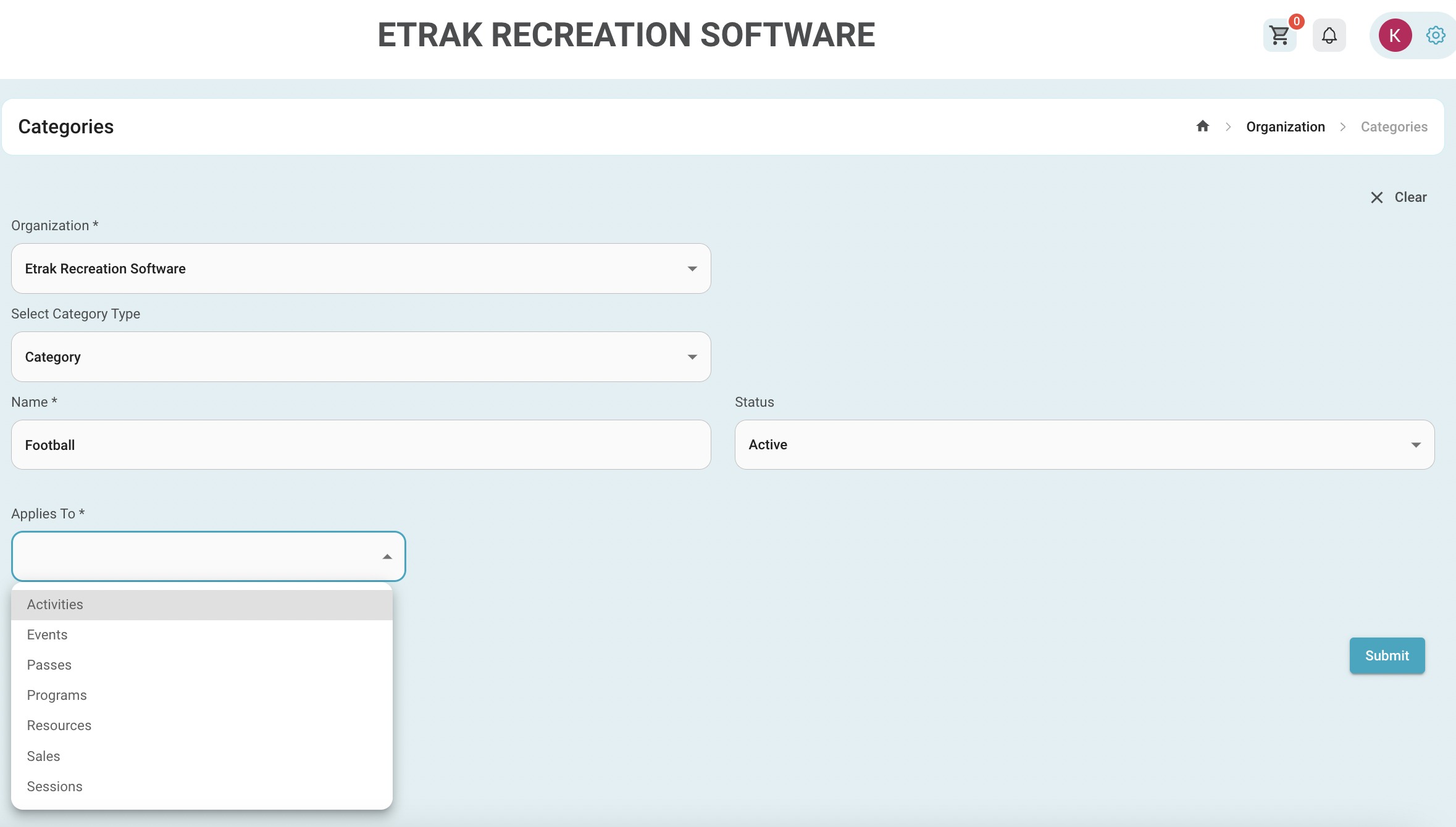
Select the category type; category or tag
Category name: this will display in the category under selected picture
Specify the offering this category applies, this is multi-select.
Add an image to make the category field more aesthetically appealing and to differentiate one category from another. If no image is uploaded a default image of the Organization logo will appear.
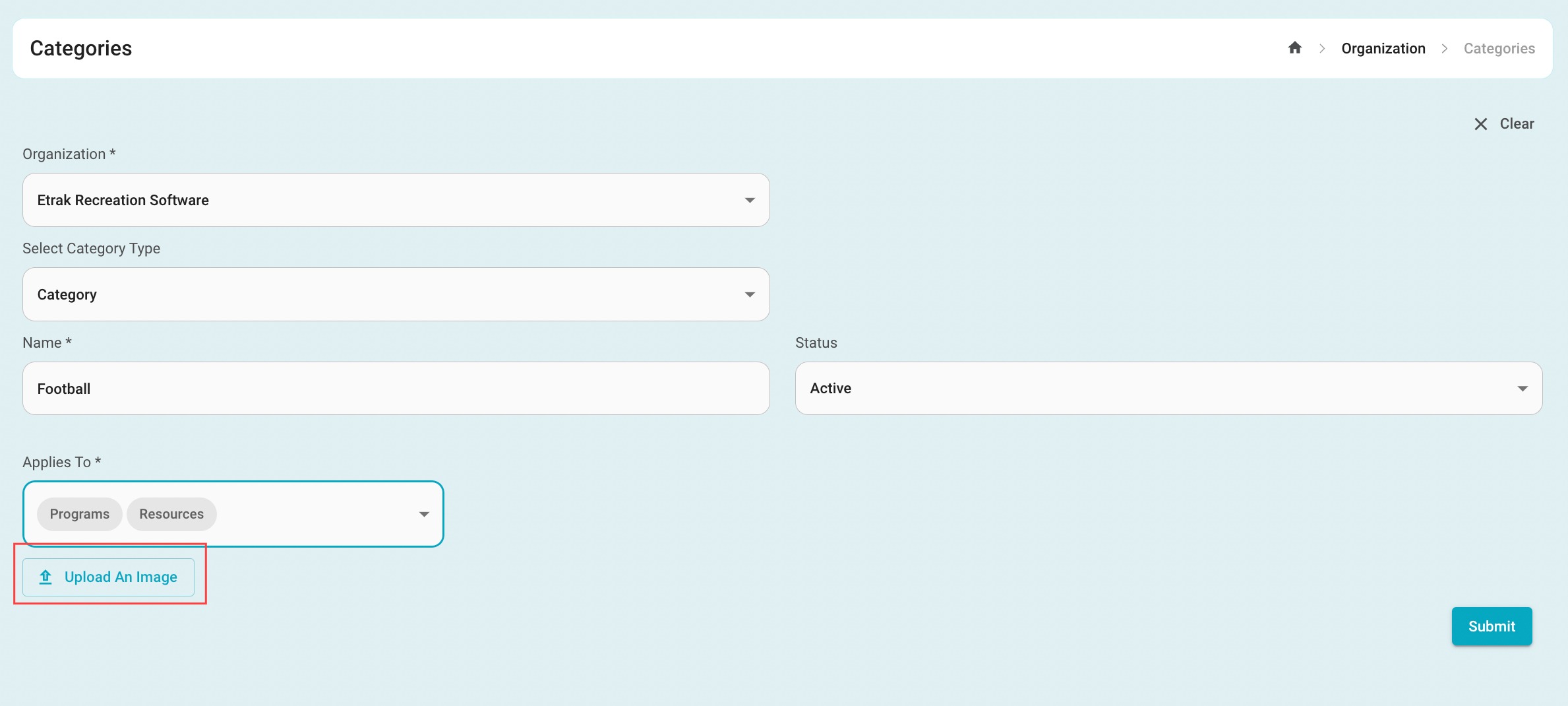
Hit submit. The screen will refresh. More categories can be added or the process is complete
Success!
Was this article helpful?
That’s Great!
Thank you for your feedback
Sorry! We couldn't be helpful
Thank you for your feedback
Feedback sent
We appreciate your effort and will try to fix the article