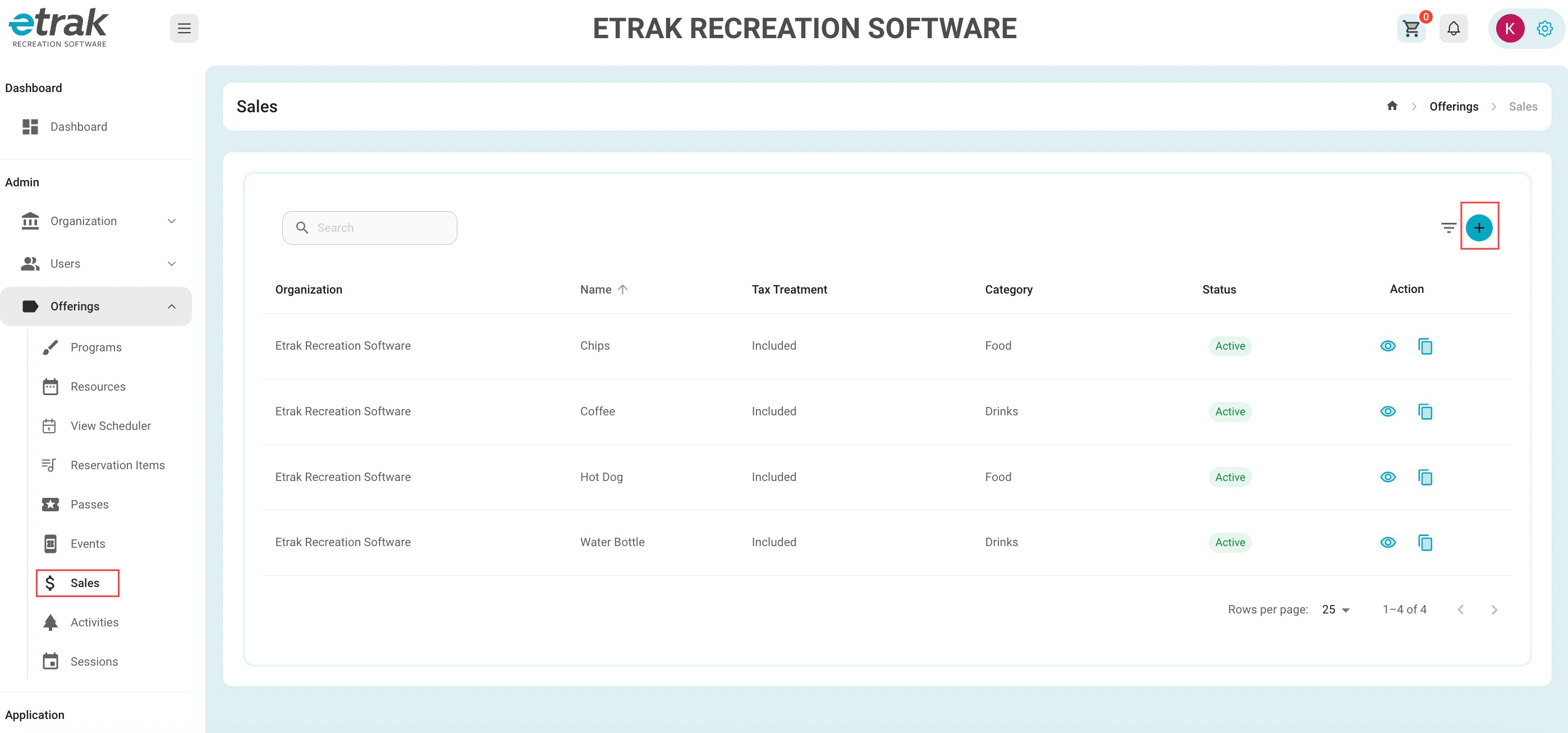
Select 'Sales' from the offerings tab on the left side of the screen.
Select the blue circle with the '+' sign.
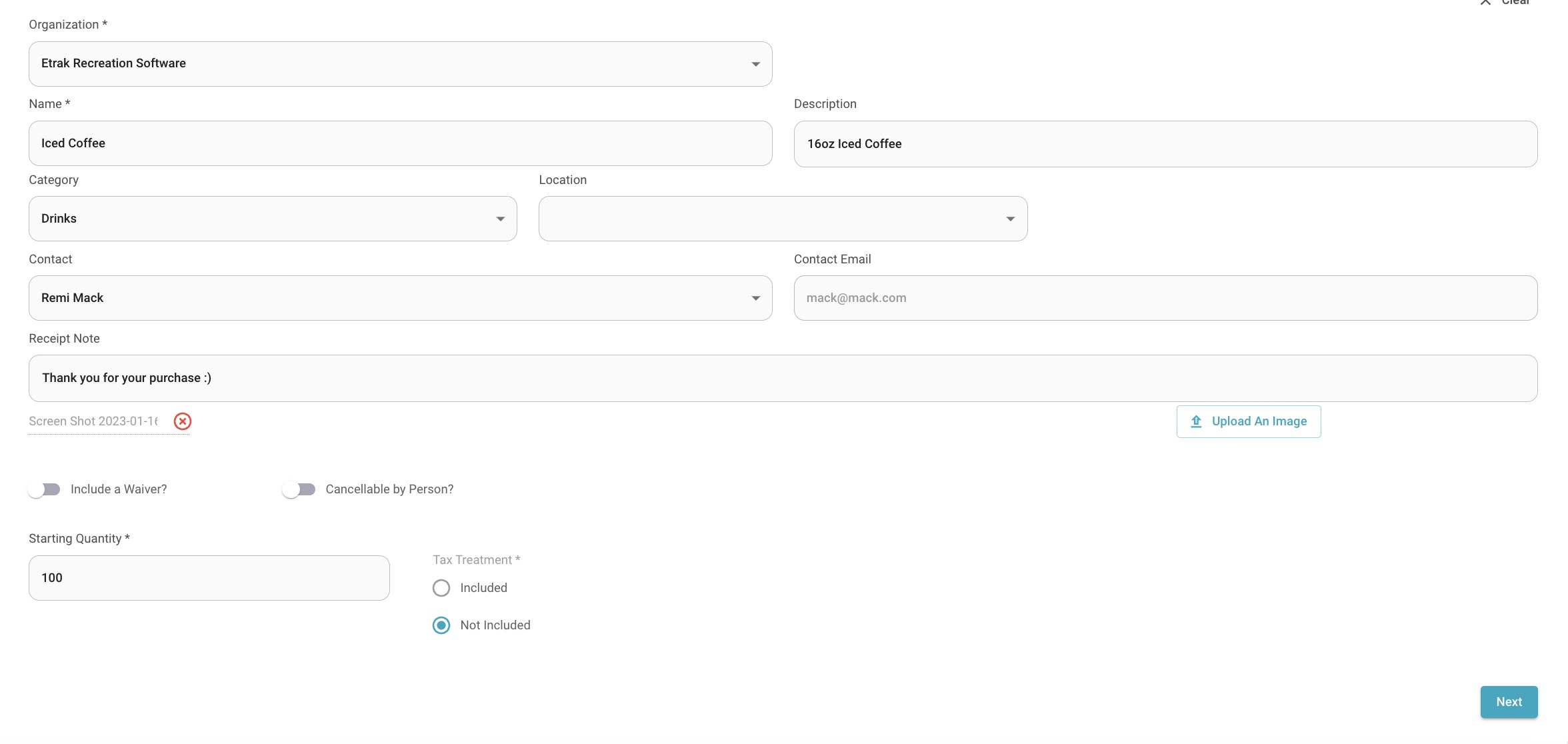
| Offering Name | Description | Category | Location |
| Contact Name | Receipt Note | Upload An Image | Waiver |
| Cancellable by Person | Quantity | Tax Treatment |
Hit ‘Next’ to enter sale item fee information.
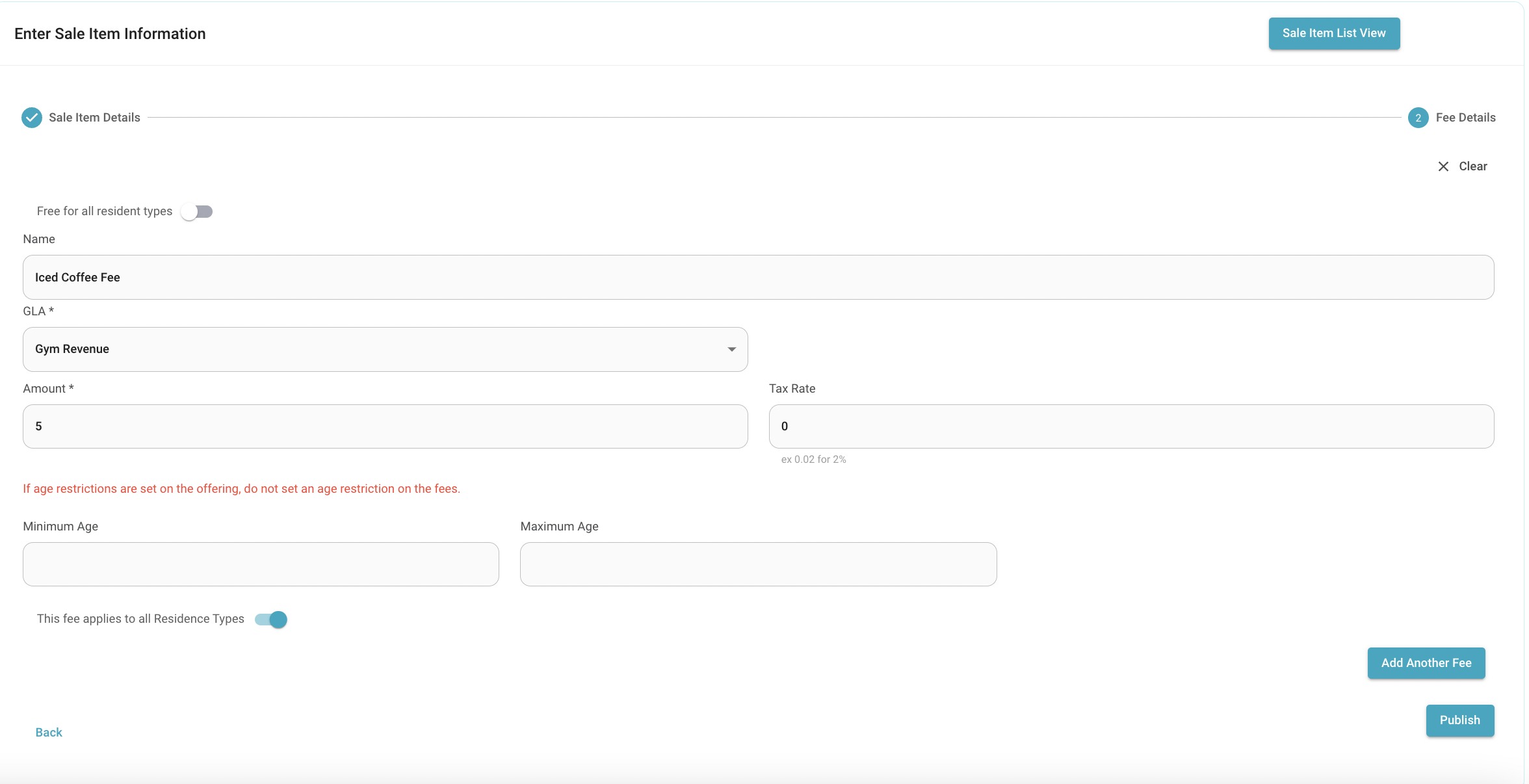
If the fee has different rates for resident types unselect the toggle and select the specific resident type fee you are currently creating then add another fee for the other resident type.
Select ‘Add Another Fee’ to create another price point or hit ‘Publish’ if complete.
Success!
Was this article helpful?
That’s Great!
Thank you for your feedback
Sorry! We couldn't be helpful
Thank you for your feedback
Feedback sent
We appreciate your effort and will try to fix the article