Reservation Items – Phase 1
Additional enhancements will be released in the coming weeks.
Overview:
A new Reservation Items feature has been added under the Offering tab, allowing for improved management, sale, and tracking of items tied to reservations.
Setup Steps:
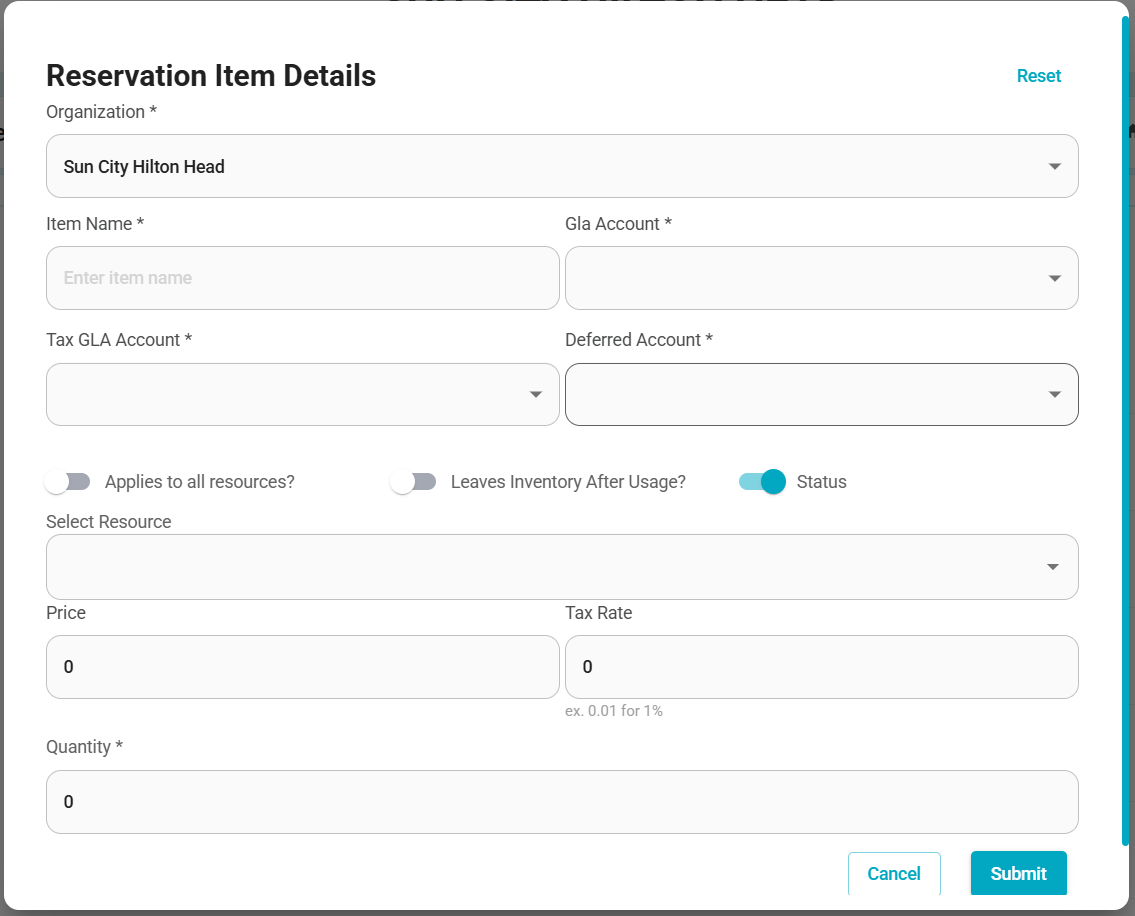
Navigate to the Offering tab and set up your Reservation Items.
Leaves inventory after usage:
When enabled, the item will not return to inventory after use (ideal for one-time or consumable items).
By default, this toggle is off, meaning the item will return to inventory once the reservation ends.
Editing & Inventory Management:
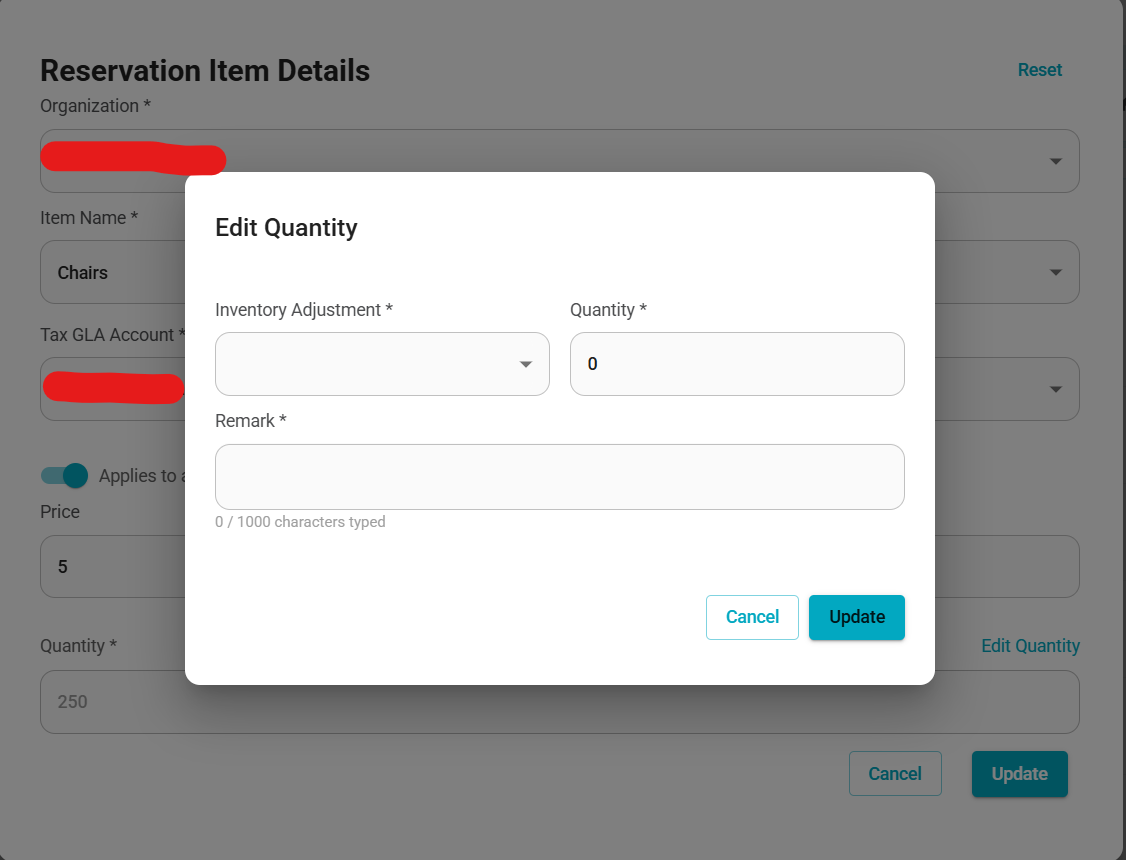
Use the ✏️ Pencil icon to edit details, including item quantity.
Adjust inventory counts to reflect damaged items, restocks, or quantity increases as needed.
Selling Reservation Items:
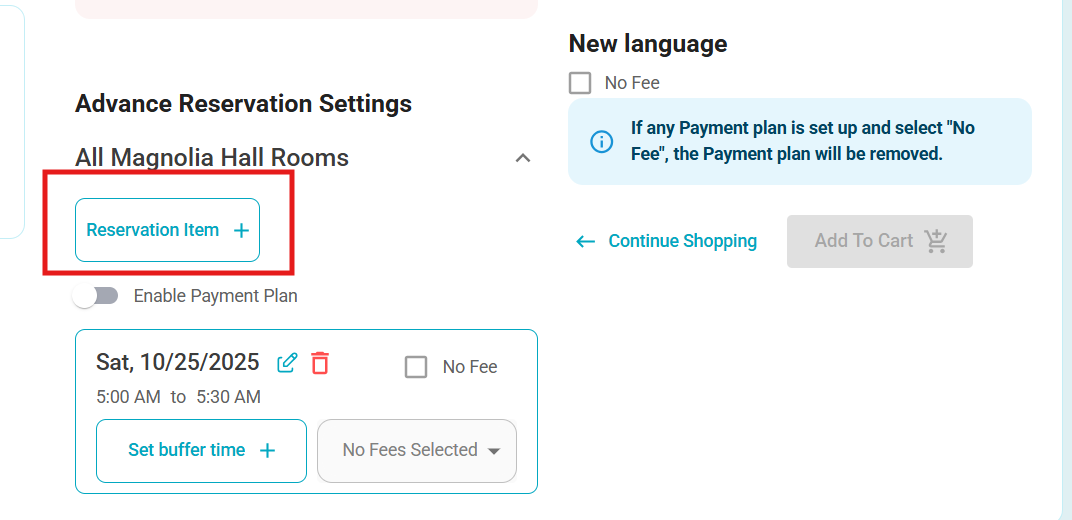
During reservation creation, use the new Reservation Item icon.
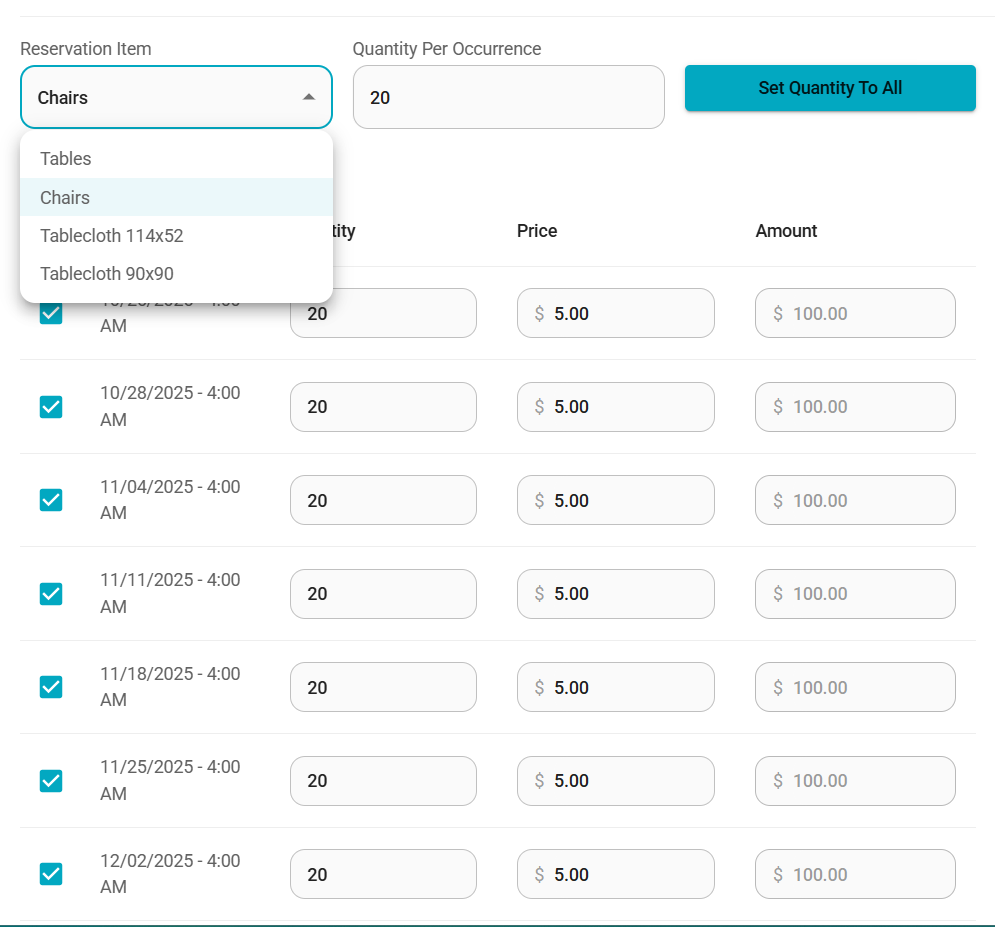
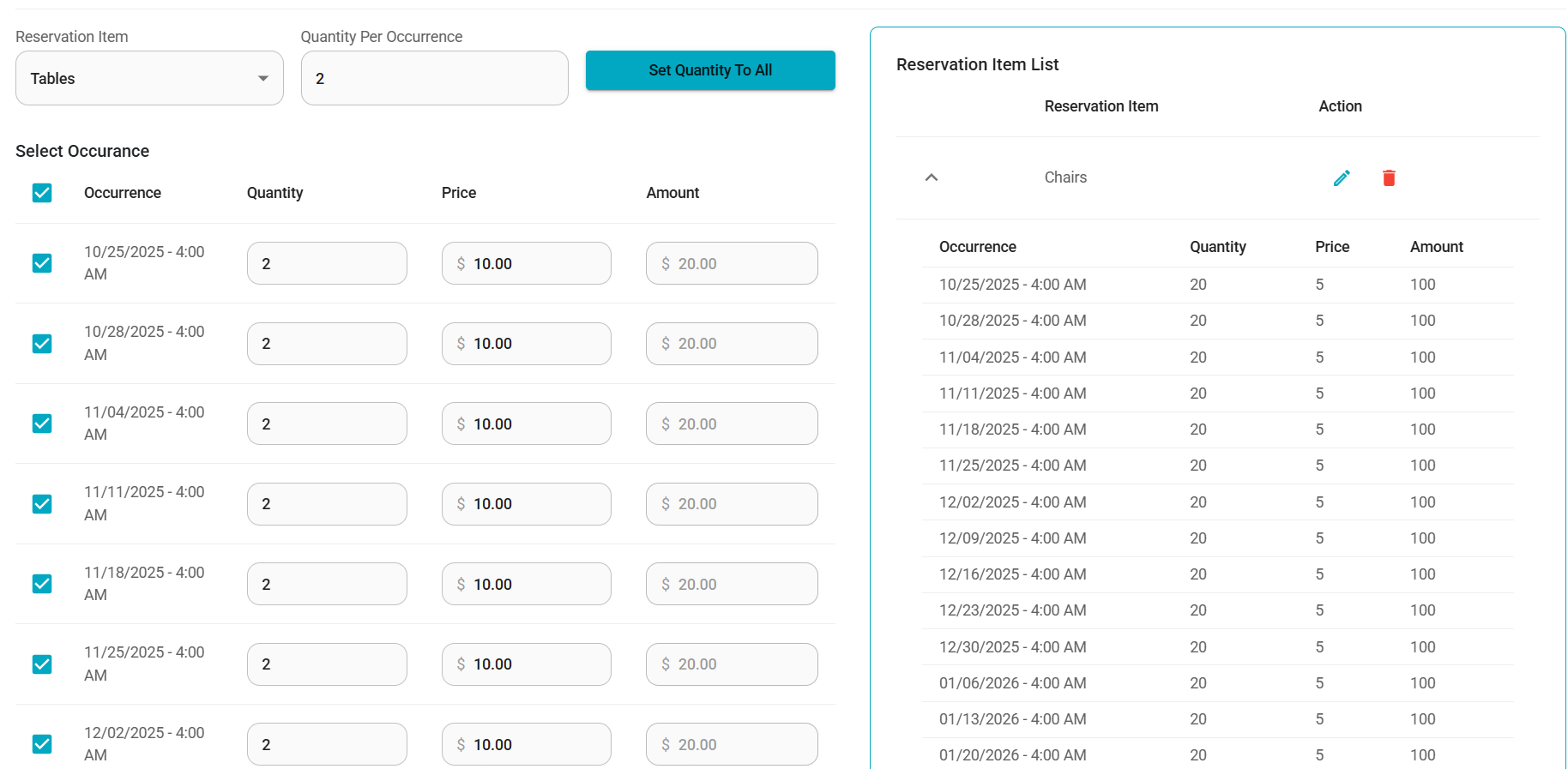
A new form will appear to:
Select the desired Reservation Item.
Enter the quantity.
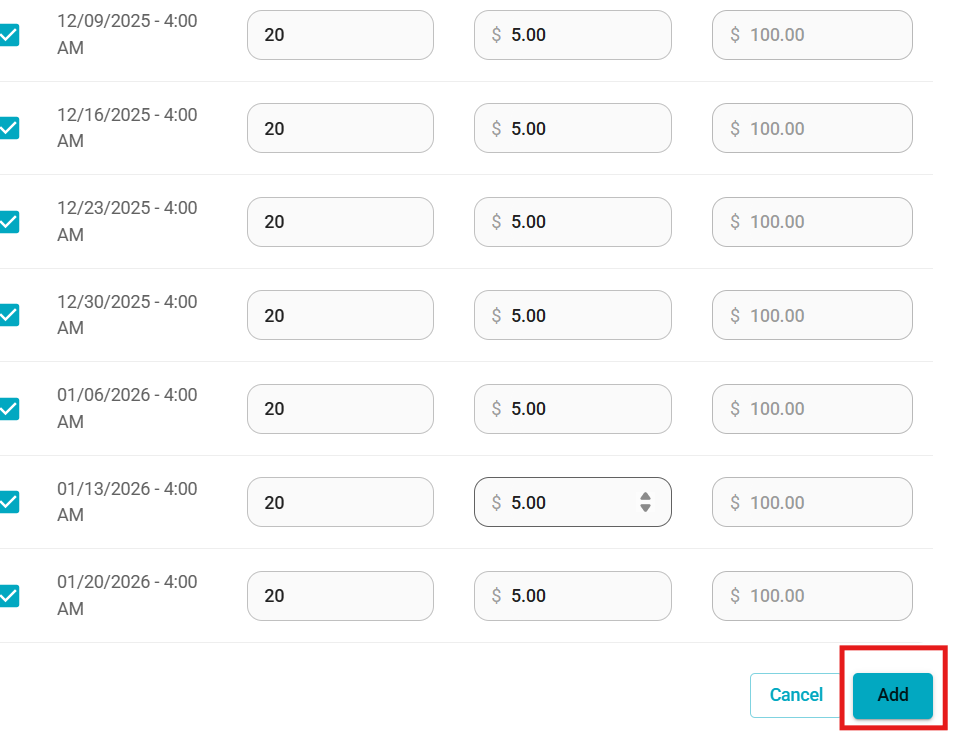
For multi-date reservations, use “Set Quantity to All” to apply quantities across all dates.
Ensure you scroll to the bottom and click the blue Add button to save your selections.
Once saved, the items will appear in the Reservation Item list, where you can make changes or remove them if needed.
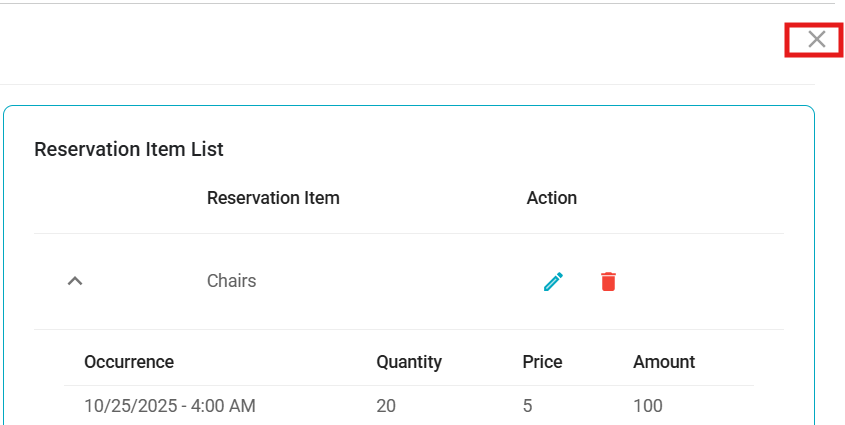
Once complete, and all items are saved, you can simply select the X button in the top right of the window to go back to your reservation creation.
Cart & Checkout:
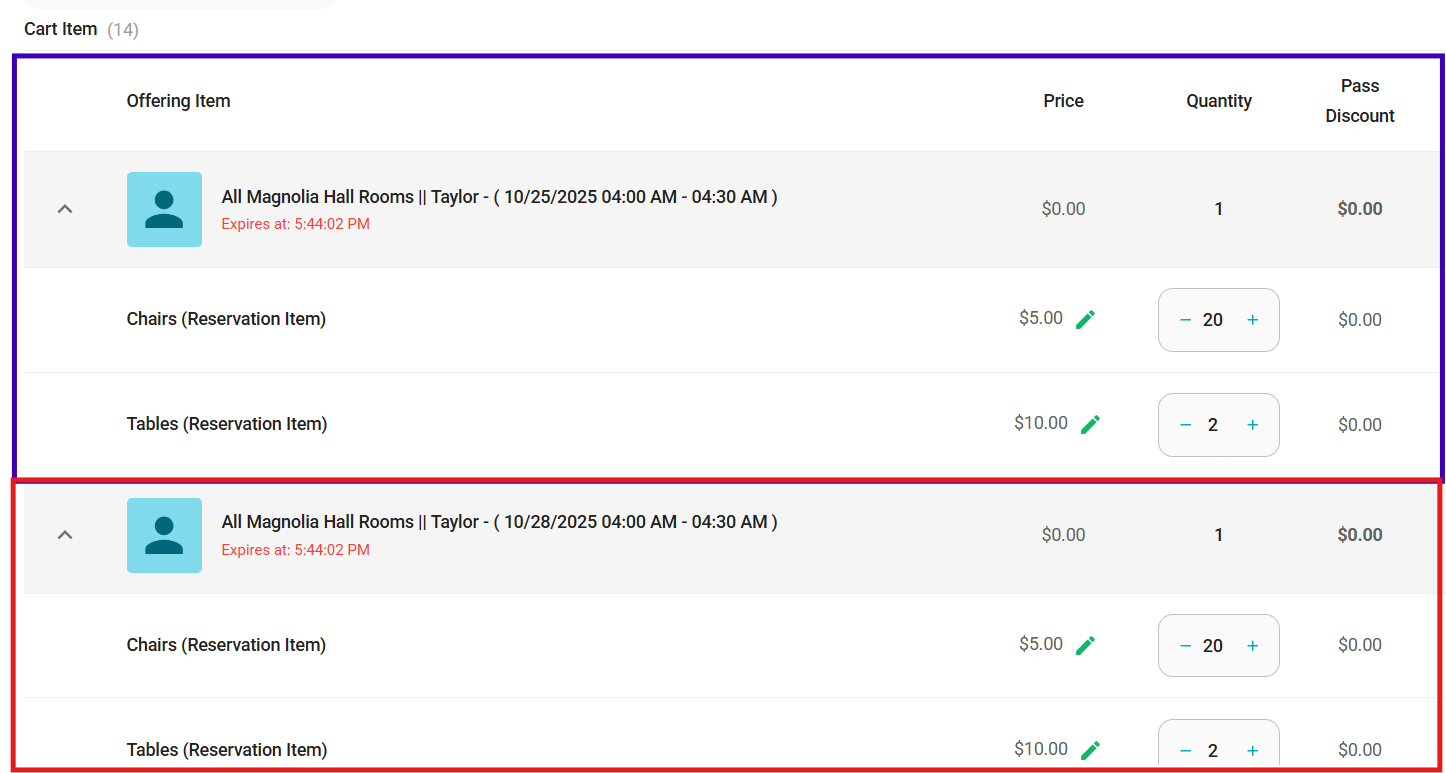
When items are added to the cart, the system now breaks down each date and its associated items.
These details will also appear on the itemized receipt (see next section).
2. Itemized Receipt – Phase 1
Additional enhancements will be released in the coming weeks.
Overview:
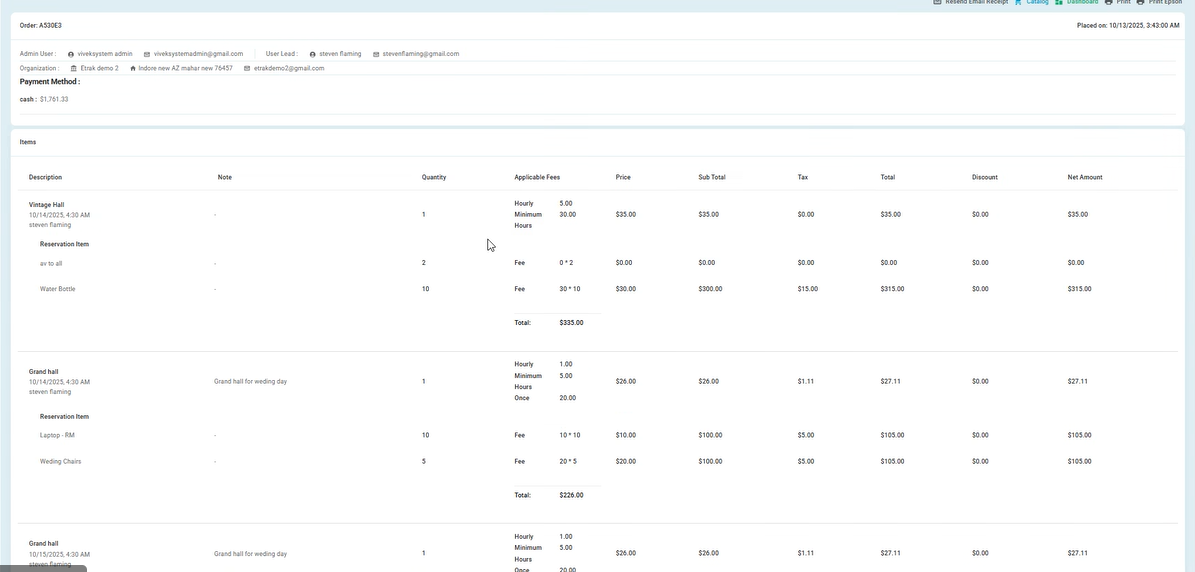
Receipts have been enhanced to display a more detailed breakdown of reservation charges.
Enhancements Include:
Clear itemization of costs within a reservation purchase.
Fees and Reservation Items are now displayed individually rather than grouped.
The new layout improves visibility into the fee structure and attached Reservation Items.
3. Shift Report Updates
Bug Fixes & Notes:
Fixed a bug that caused duplicate refund information to appear in the Total Sold Summary card.
Added a note clarifying that refunds are not currently reflected in the summary cards. This will be addressed in a future release.
4. Waivers
Bug Fix:
Resolved an issue preventing Org Admins from editing waivers. Admins can now modify waiver content as expected.
5. Seat Maps
Bug Fix:
Corrected an issue where seat numbers incremented incorrectly across events using the same seat map.
Example: Event 1 (Seats 1–20) → Event 2 incorrectly showed (Seats 21–41).
The system now correctly resets seat numbering for each event.
Was this article helpful?
That’s Great!
Thank you for your feedback
Sorry! We couldn't be helpful
Thank you for your feedback
Feedback sent
We appreciate your effort and will try to fix the article