Release Notes – 01/28/26
General Bug Fixes
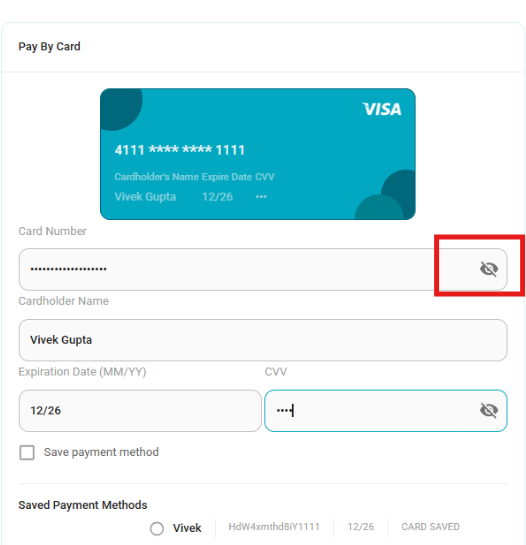
Security improvement on manual card entry form
- Card details are now masked during manual entry.
- CVV values and portions of the card number are hidden to prevent exposure of sensitive user information when screens are shared or viewed by unauthorized individuals.
General Check-in rules update:
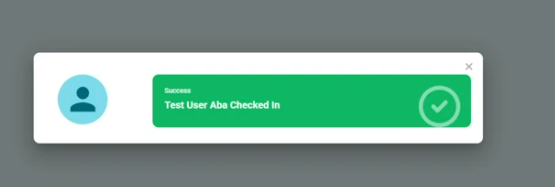
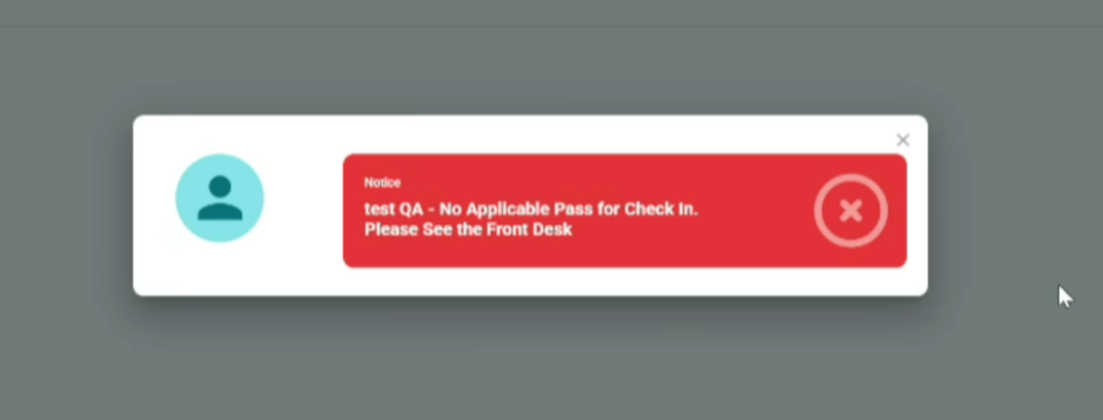
General Check-in is allowed only when there are no active activities in the organization and no offerings in the system that allow check-in.
When the user has the correct pass and there are available activities, a green confirmation message should be displayed.
When the user does not have the correct pass and there are available activities, a red error message should be displayed.
Punch deduction timing configuration - Sessions
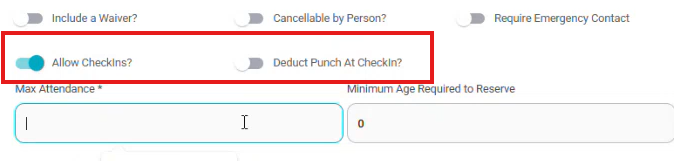
- On the Session details page, when “Allow Check-ins?” is enabled, a new toggle “Deduct Punch at Check-in?” becomes available. When enabled, the selected punch pass will be deducted at check-in.
- If “Allow Check-ins?” is enabled but “Deduct Punch at Check-in?” is not selected, on the Fees page will allow enabling “Deduct Punch at Purchase”, deducting the punch pass at the time of purchase.
- Only one deduction option can be enabled at a time. When “Deduct Punch at Check-in?” is selected, “Deduct Punch at Purchase” is automatically disabled.

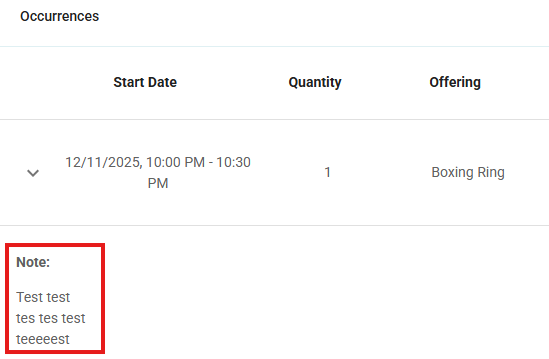
Reservation Notes formatting
- Line breaks entered during reservation note creation are now preserved when saving and viewing the note. Notes no longer display as a single paragraph and are shown with the correct formatting, consistent with the “View All Notes” section.
Enhancements
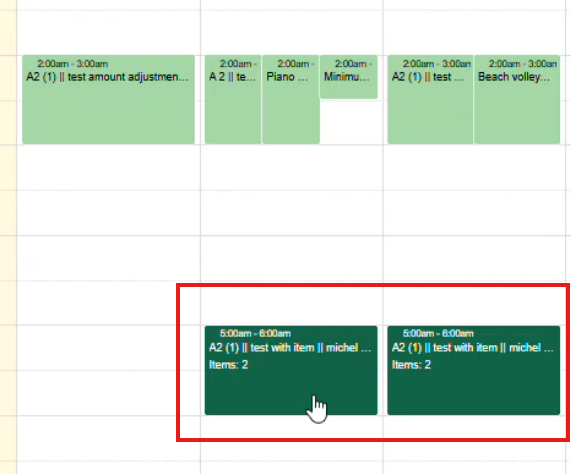
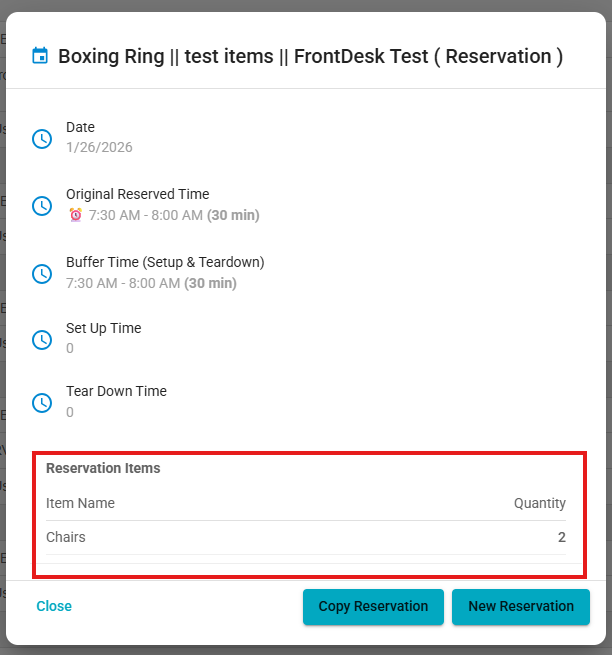
Reservation items displayed on Scheduler with Resources:
- Reservations that include items are now highlighted in dark green on the calendar and display the label “Item: X” (showing the total item quantity).
- When clicking on the reservation, the item names and quantities are shown in the reservation details.
Extended default session date range:
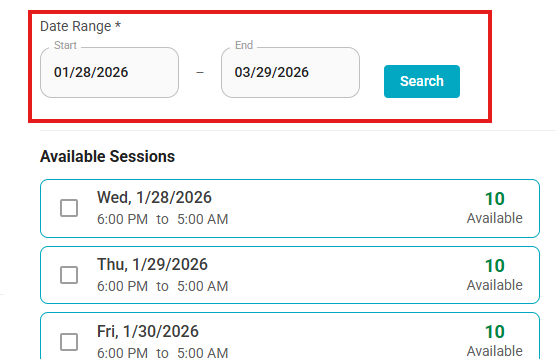
- The default date range for Sessions has been updated from 1 month to 2 months.
- Sessions available within this 2-month range are now displayed to users by default.
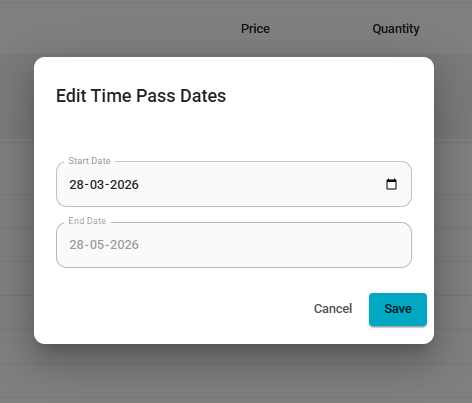
Editable Time Pass start date at checkout:
Admins can now edit the start date of a Time Pass during checkout.
If a start date is selected, the Time Pass will begin on that chosen date.
If no changes are made, the Time Pass will start on the purchase date by default.
Was this article helpful?
That’s Great!
Thank you for your feedback
Sorry! We couldn't be helpful
Thank you for your feedback
Feedback sent
We appreciate your effort and will try to fix the article