Enhancements
- User Profile - Resources Date Filter
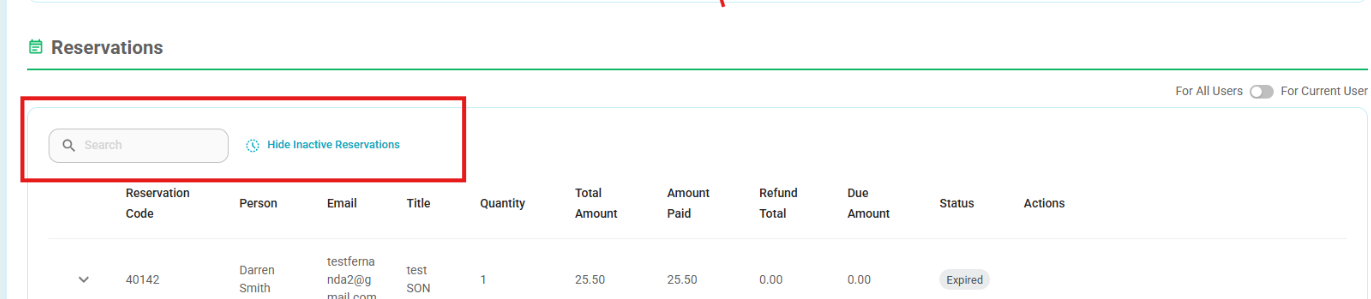
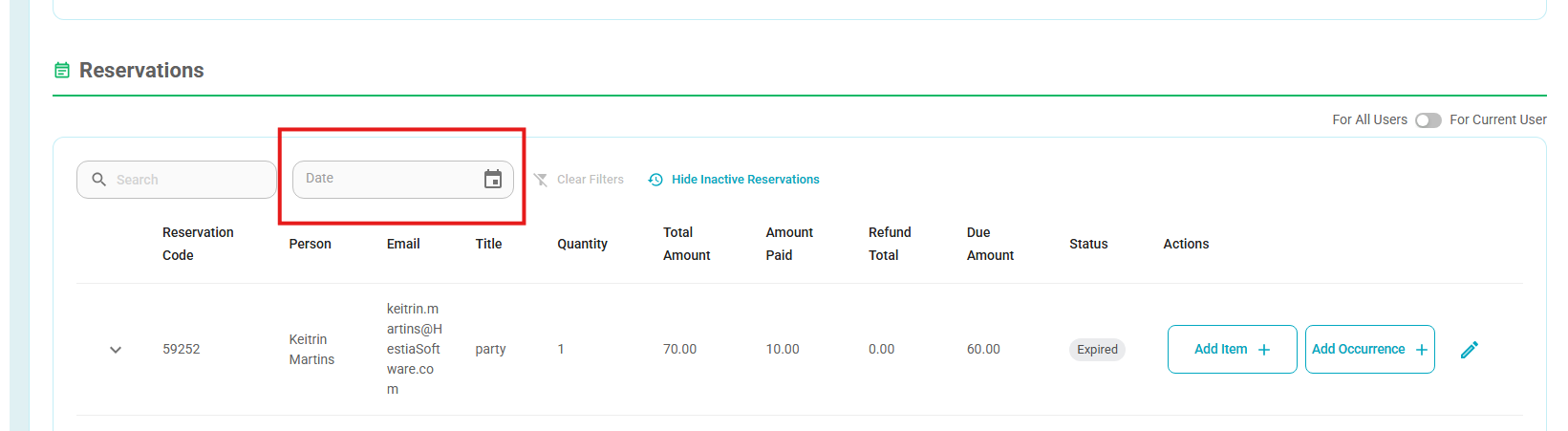
- A new Date filter is now available under User Profile → Reservations → Resources.
- You can now filter a user’s resource reservations by date and quickly view only the reservations within the selected period
Before:
After:
- User Profile - Orders date Filter
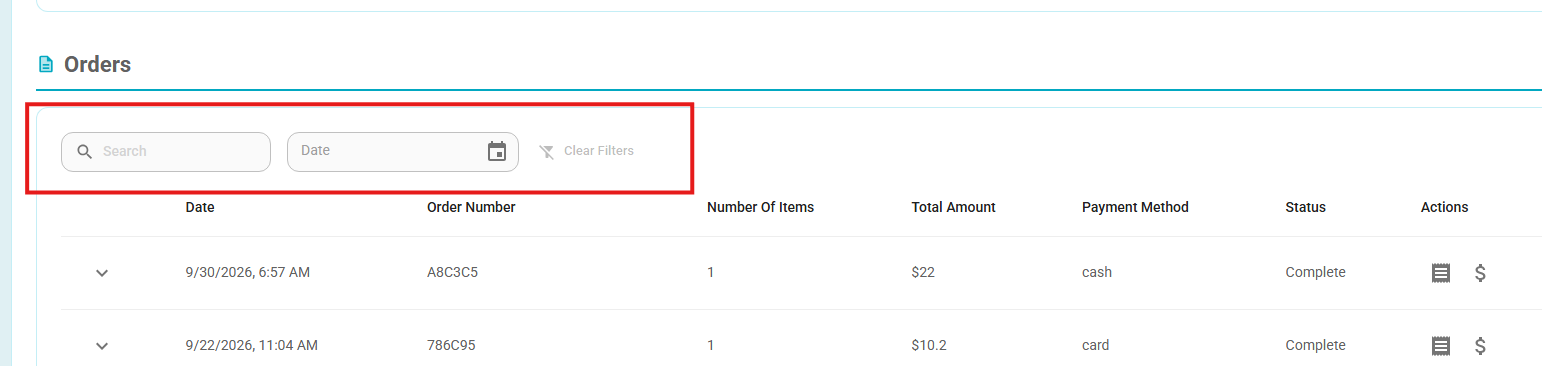
- The Orders grid on the User screen now includes search and filter options, making it easier to quickly find specific orders.
- Users can filter orders by:
- Order Number
- Date — using a date picker
- The grid will display only the orders that match the selected search criteria.
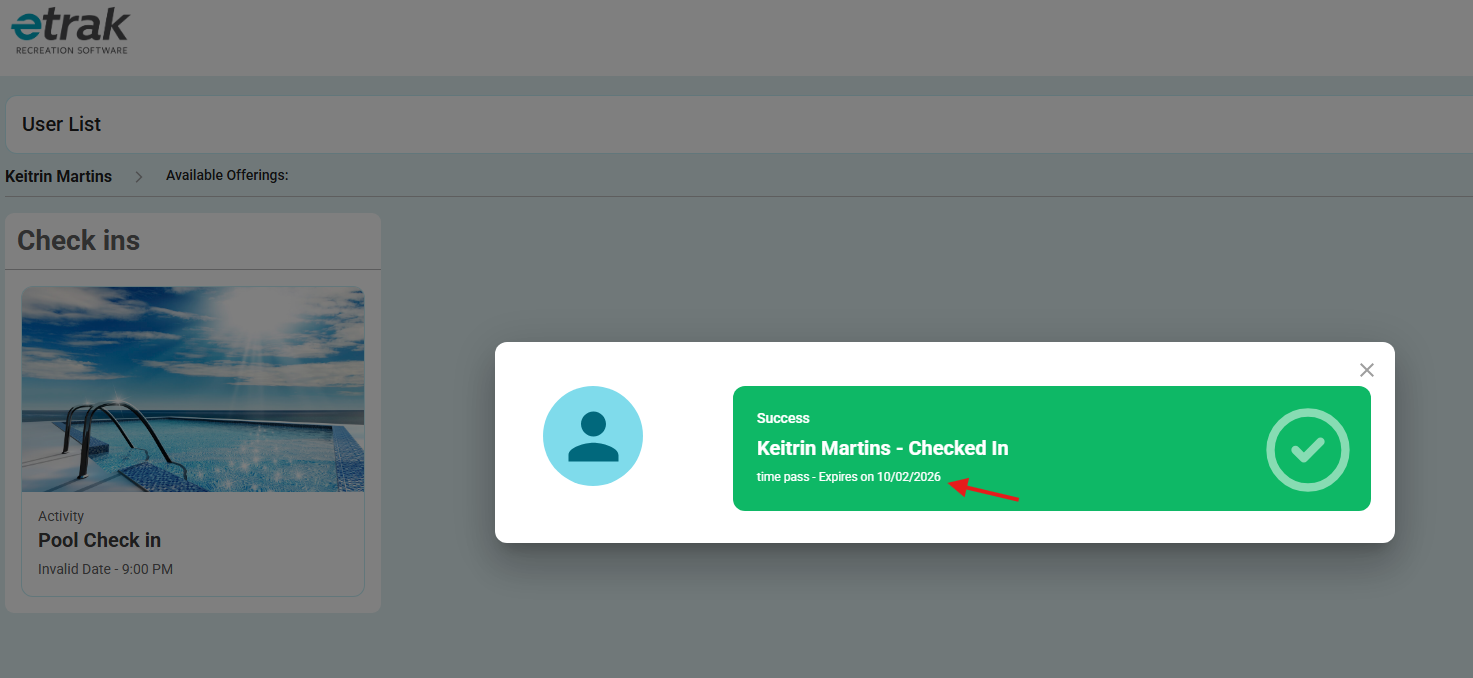
- Check-in Pass Expiration Date
- The Check-In screen now displays the expiration date for active Time Passes and Season Passes directly on the pass card.
- This makes it easier for staff members and members checking themselves in to quickly see how much validity remains without having to navigate to the member’s orders.
- Time Pass: Displays the pass expiration date.
- Season Pass: Displays the pass expiration date.
- Punch Pass: The existing remaining punch count remains unchanged.
- Expiration dates are displayed as a date only, using the organization’s time zone.
- The check-in flow and pass eligibility rules remain unchanged.
Before:
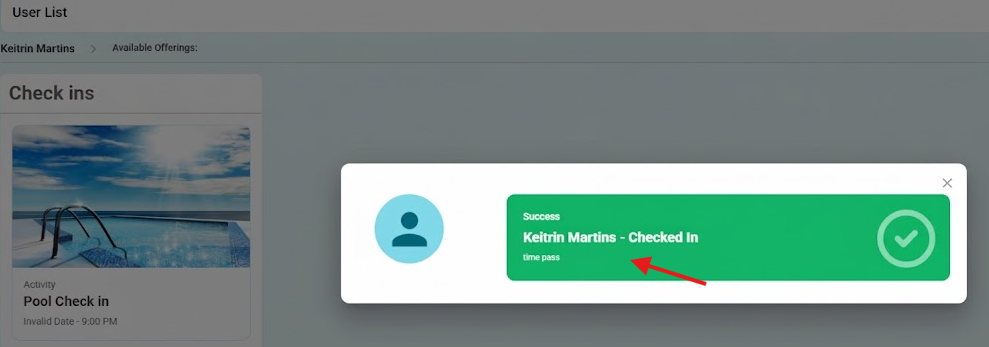
After:
Bug Fix
- Session Details – Unnecessary Purchased Sessions Request
- Removed an unnecessary request triggered when selecting users in Session Details.
- This prevents failed background requests and related errors without changing the existing behavior or functionality of the screen.
- Pass Images – Category Change
- Fixed an issue where a Pass’s uploaded image could be replaced by the Category’s default image after changing the Pass category.
- The Pass’s existing uploaded image is now retained when the category is updated.
Was this article helpful?
That’s Great!
Thank you for your feedback
Sorry! We couldn't be helpful
Thank you for your feedback
Feedback sent
We appreciate your effort and will try to fix the article