Enhancements
Enhancement – Cash Change Calculator
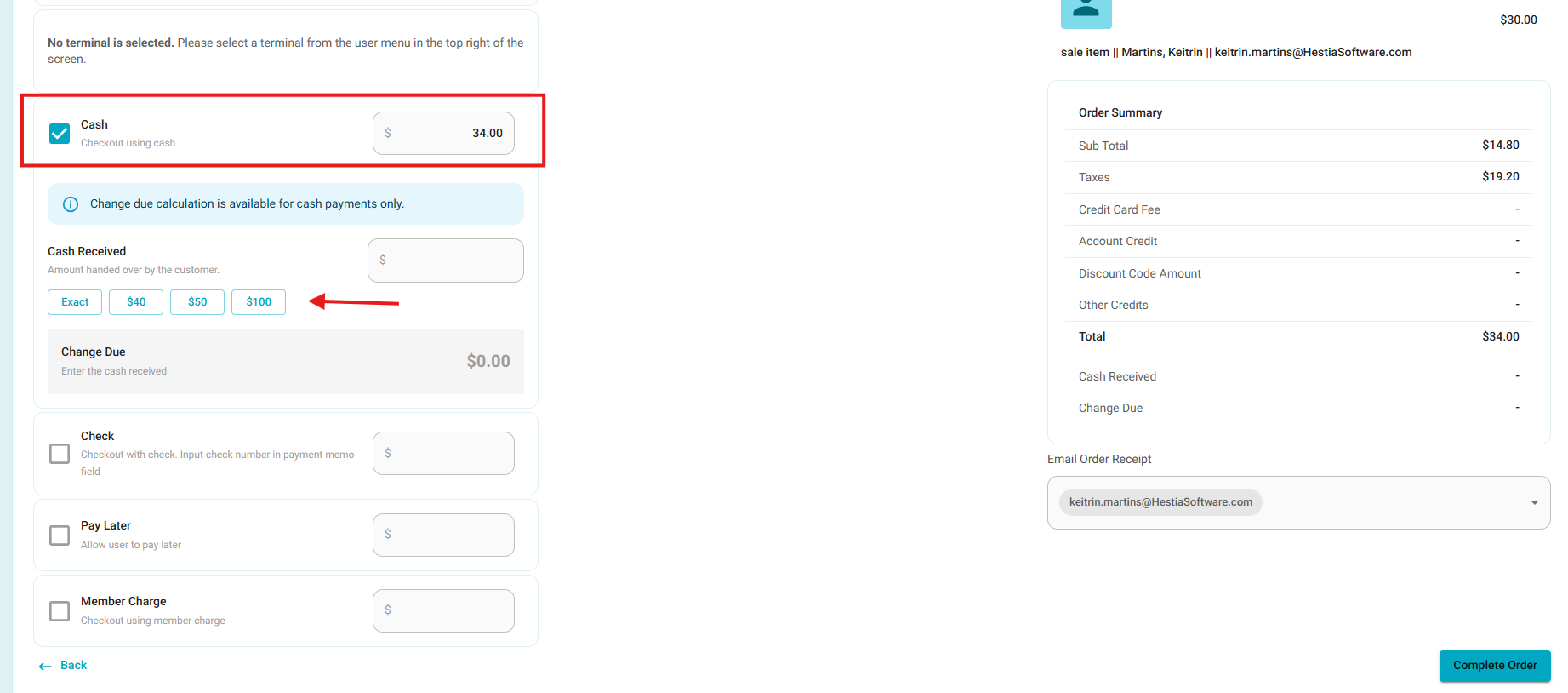
- A new Cash Change Calculator is now available on checkout and Pay Later payment screens.
- When Cash is selected, users can enter the amount received from the customer and the system automatically calculates the change due.
- The calculator includes:
- Cash Received – the amount physically received from the customer.
- Change Due – automatically calculated based on the cash amount applied.
- Quick-tender options for Exact, $20, $50, and $100.
- If your organization does not want to use the Cash Change Calculator, please contact our support team, o we can disable it through the Organization Settings.
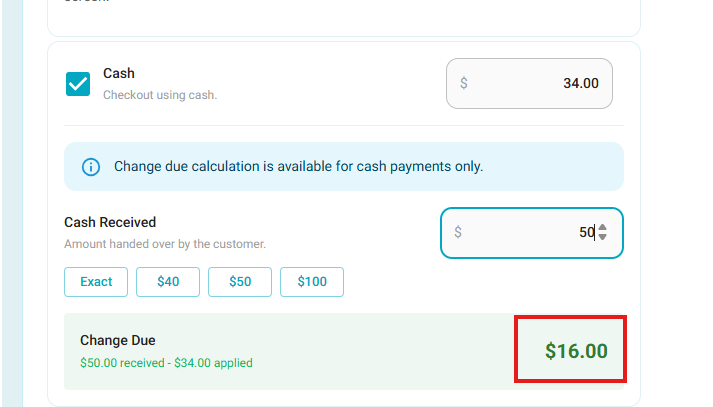
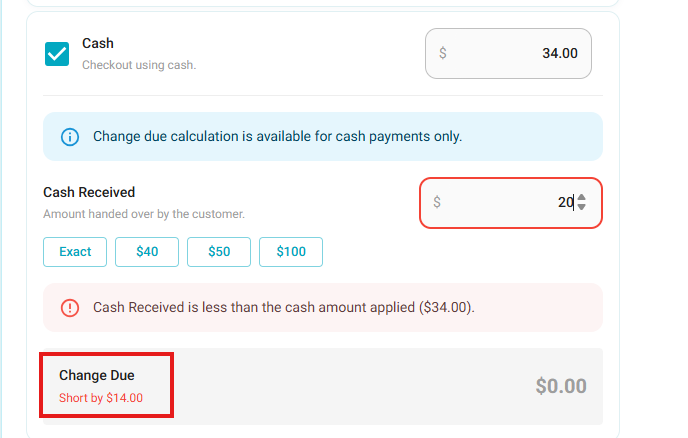
- Validation to prevent completing the payment when the amount received is less than the cash amount applied.
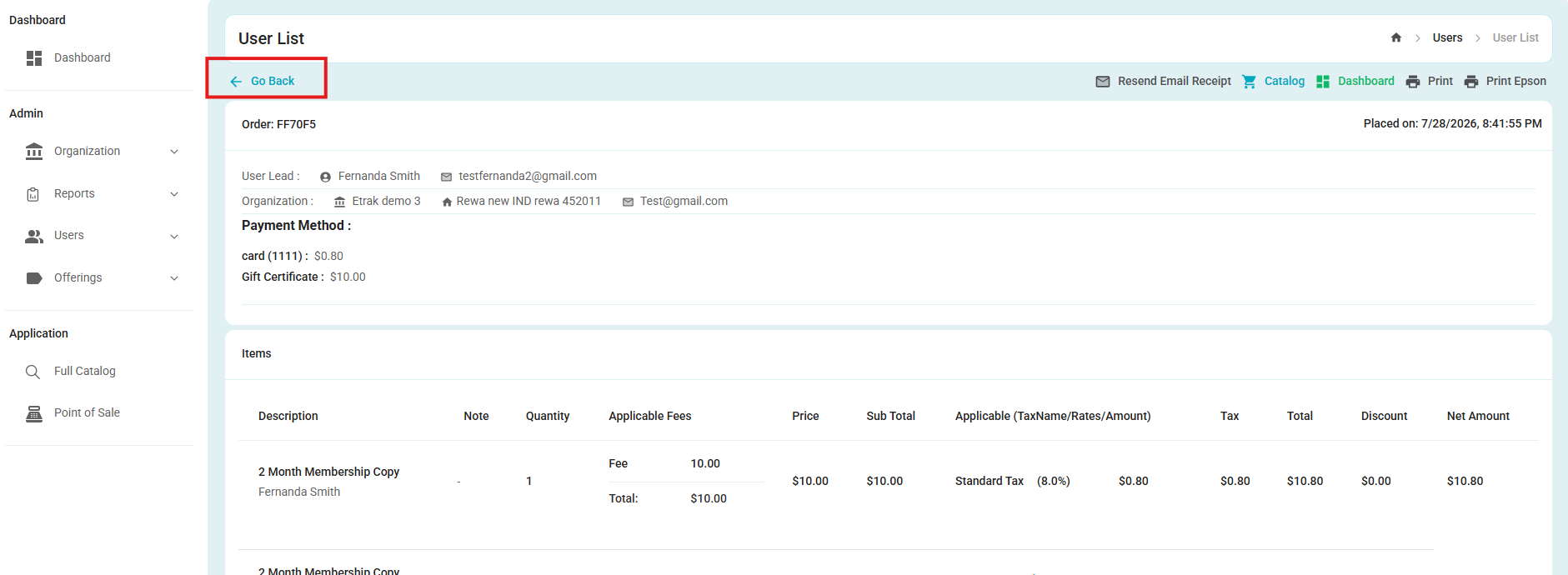
Enhancement – Return to Previous Screen from Receipt (Desktop version)
- Users can now return to the previous screen directly from the Receipt screen, allowing them to continue their workflow from where they left off.
- This enhancement applies to all Receipt types.
Enhancement – Standardized Monetary Value Formatting
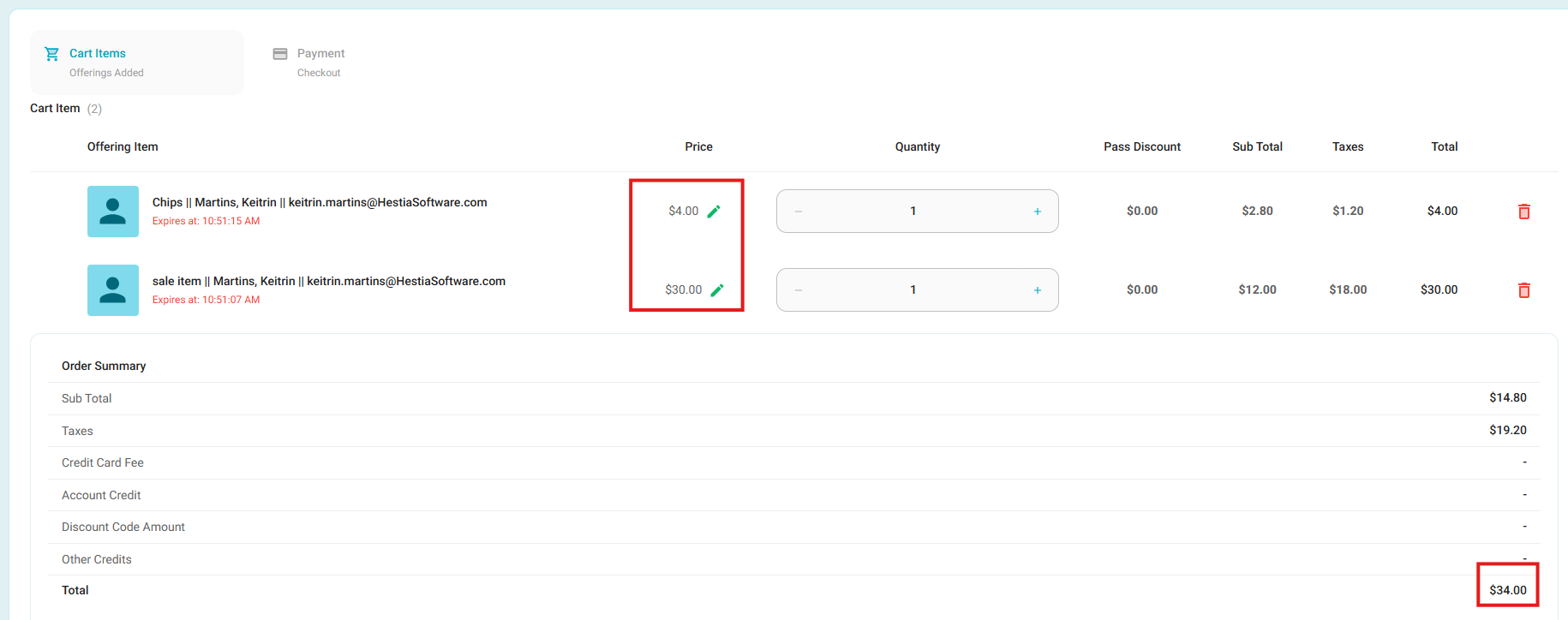
- Monetary values across eTrak are now displayed consistently using the standard currency format, including the currency symbol, thousands separators where applicable, and exactly two decimal places.
- This update applies across the system, including UI screens, reports, print layouts, exports, email notifications, and receipts.
- Values such as
$10.5are now displayed as$10.50, while zero amounts are displayed as$0.00.
Enhancement – Improved Reservation Schedule Configuration
- The Reservation Schedule configuration has been improved to make scheduling resources easier and more intuitive.
- Admins can now clearly configure:
- The same hours for every day
- Different hours for individual days
- Grouped days with shared schedules
- Optional operating periods with start and end dates
- The scheduling interface has also been updated with clearer sections, improved instructions, and better visibility of configured schedules, making it easier to understand and manage resource availability.
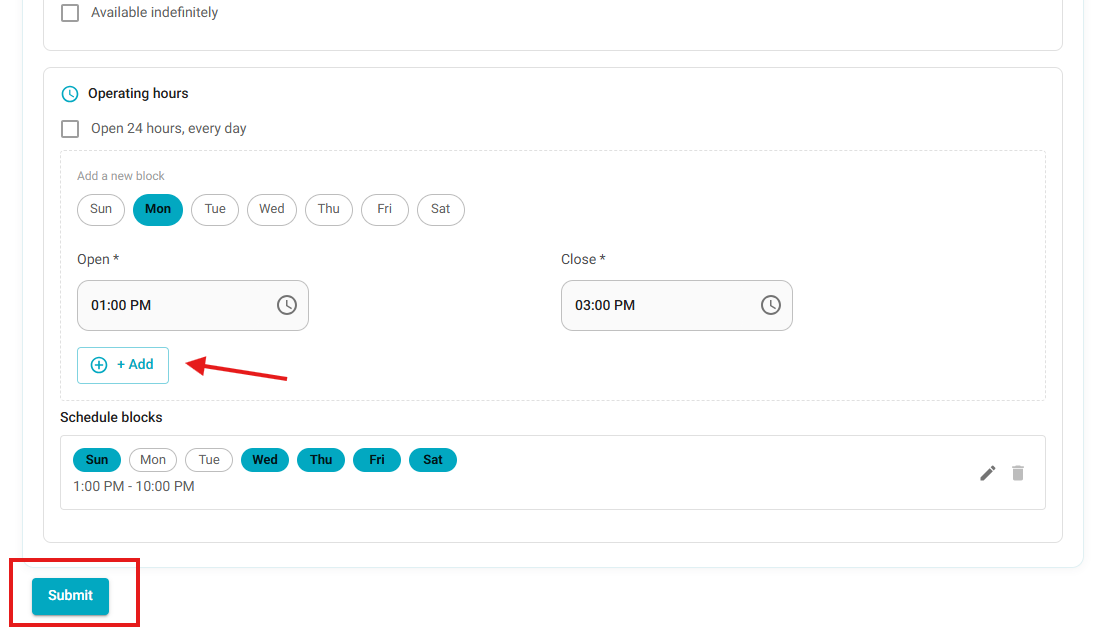
- You can add a new Schedule Block for the hours of operation here.
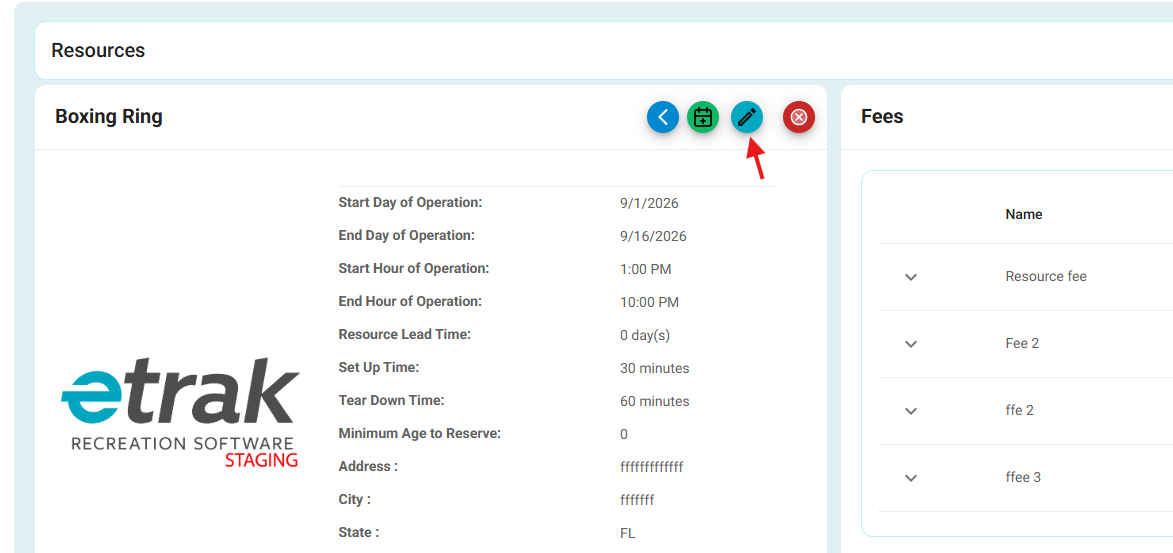
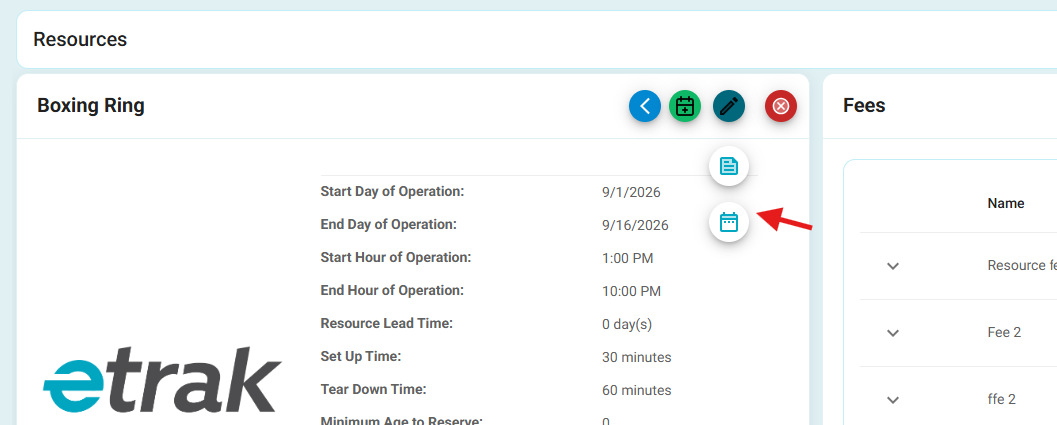
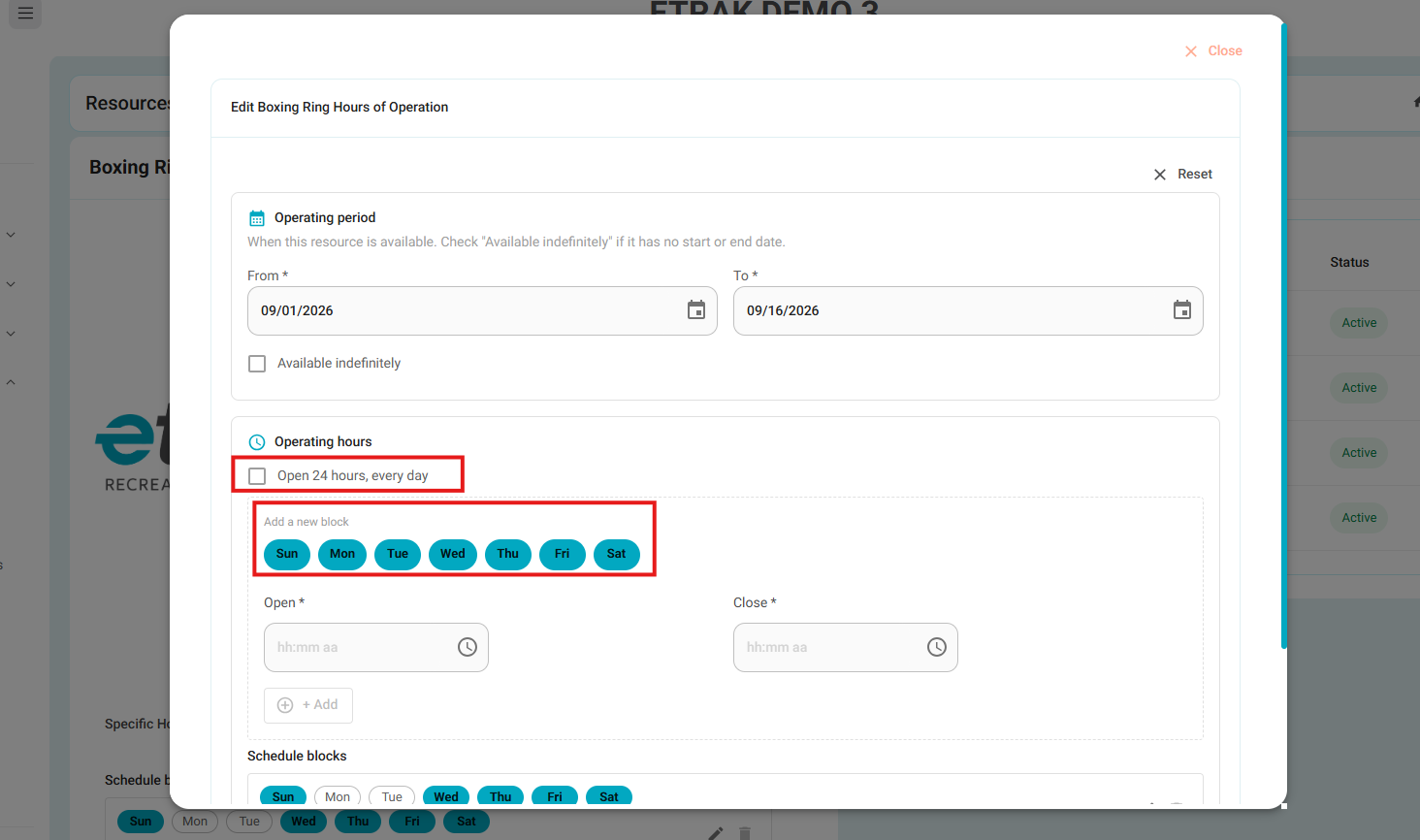
- Before clicking Submit, please make sure to click Add first.
- The schedule will then be displayed under Schedule Blocks.
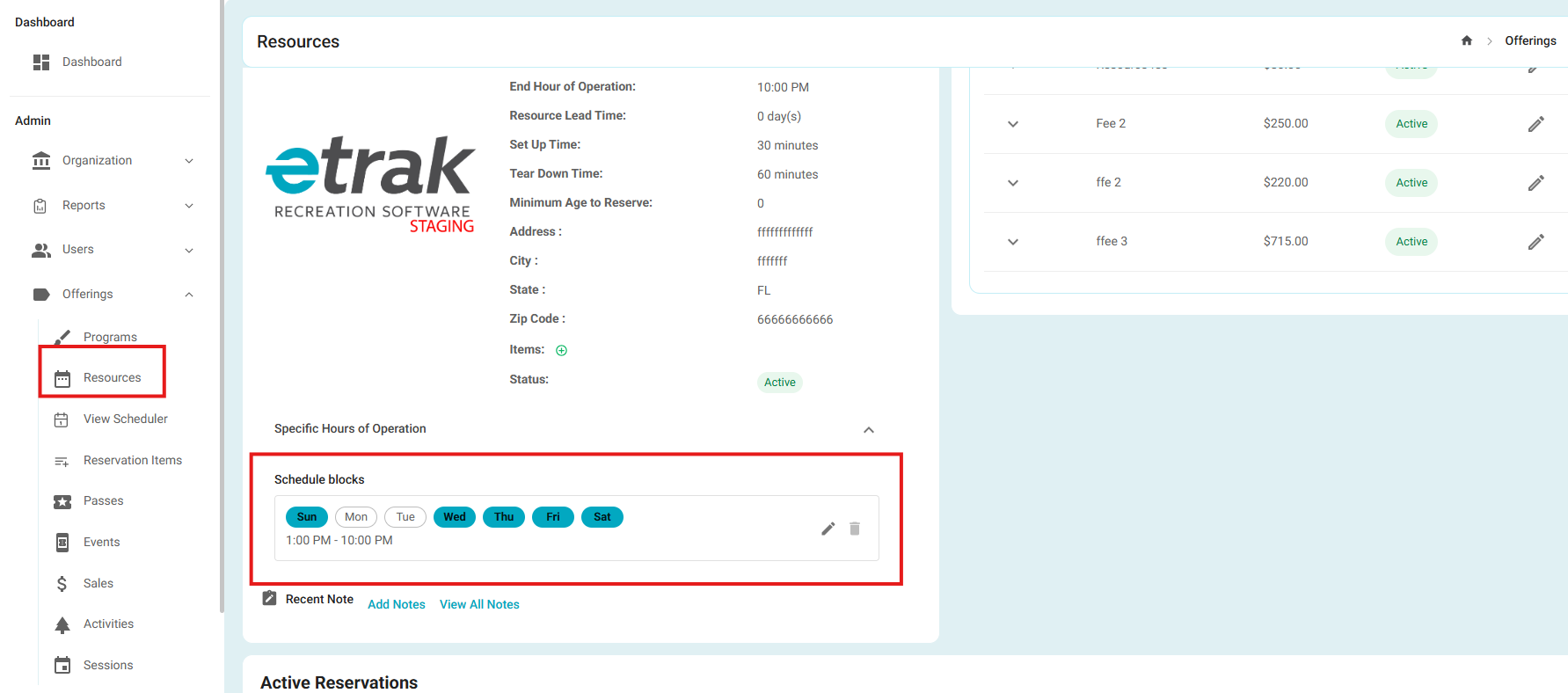
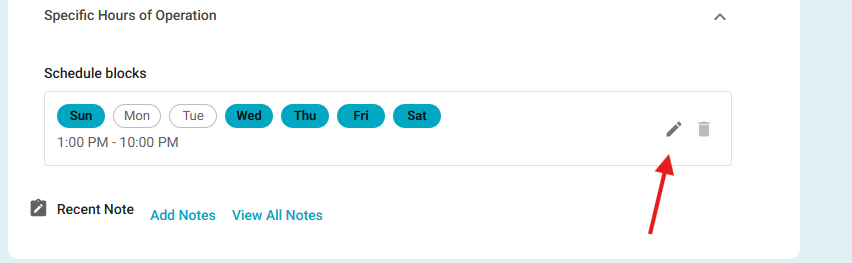
- You can edit an existing Schedule Block at any time.
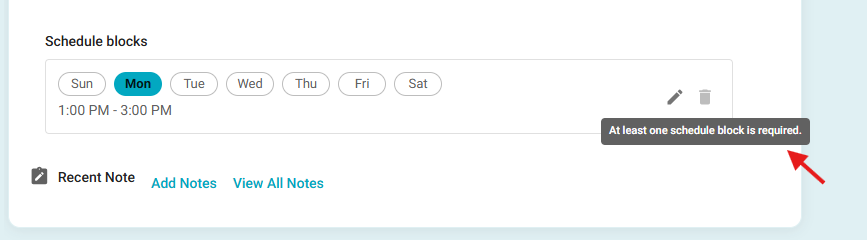
- You can delete a Schedule Block only when more than one schedule block is saved.
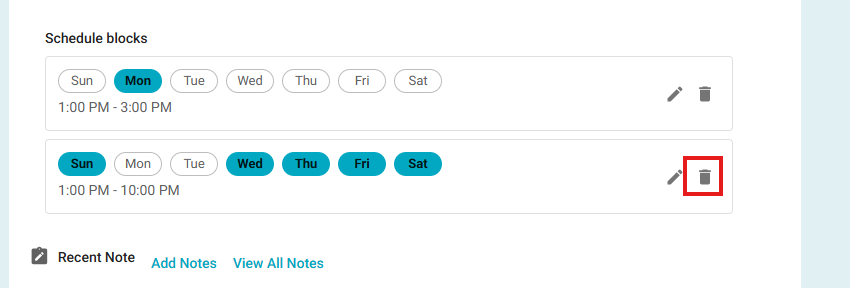
- If there is only one Schedule Block saved, the delete button will be disabled and the message shown in the screenshot below will be displayed.
Bugs
Fixed – Payment Plan Resource Change
- Fixed an issue where the Update button remained enabled after changing to a different resource, even when the payment plan installments had not been adjusted to reflect the new resource value.
- The Update button now correctly becomes disabled whenever additional installment adjustments are required, preventing users from updating a reservation with an outdated payment plan distribution.
Fixed – Payment Plan Remaining Balance and Due Amount
- Fixed an issue where cancelling an unpaid Reservation Item and adjusting a fully paid Payment Plan resulted in an incorrect remaining balance.
- The Payment Plan now correctly retains the amount due for any remaining unpaid Reservation Items and displays the corresponding Due Amount on the Payment Plan page.
Was this article helpful?
That’s Great!
Thank you for your feedback
Sorry! We couldn't be helpful
Thank you for your feedback
Feedback sent
We appreciate your effort and will try to fix the article