Bugs
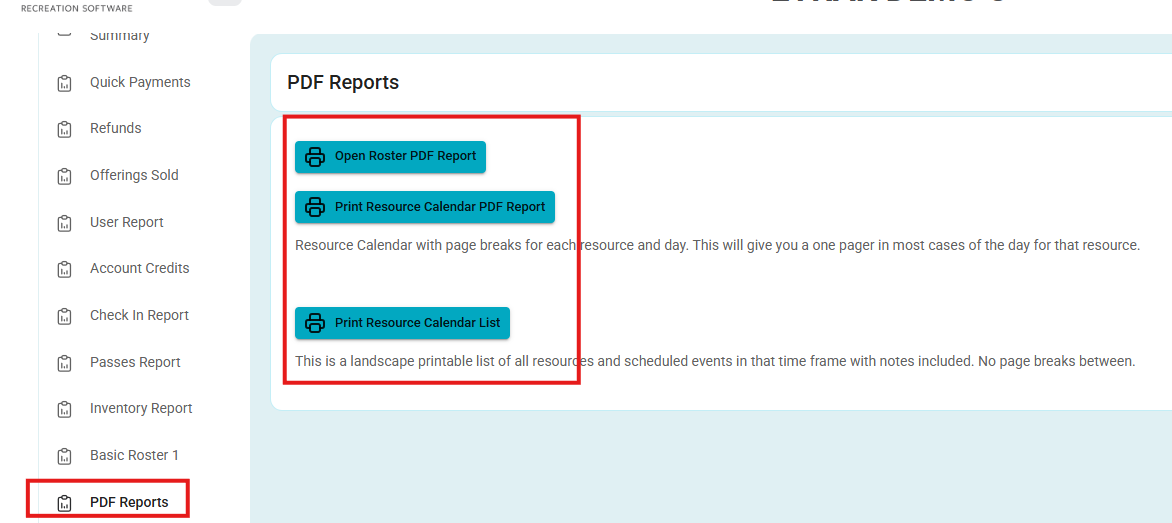
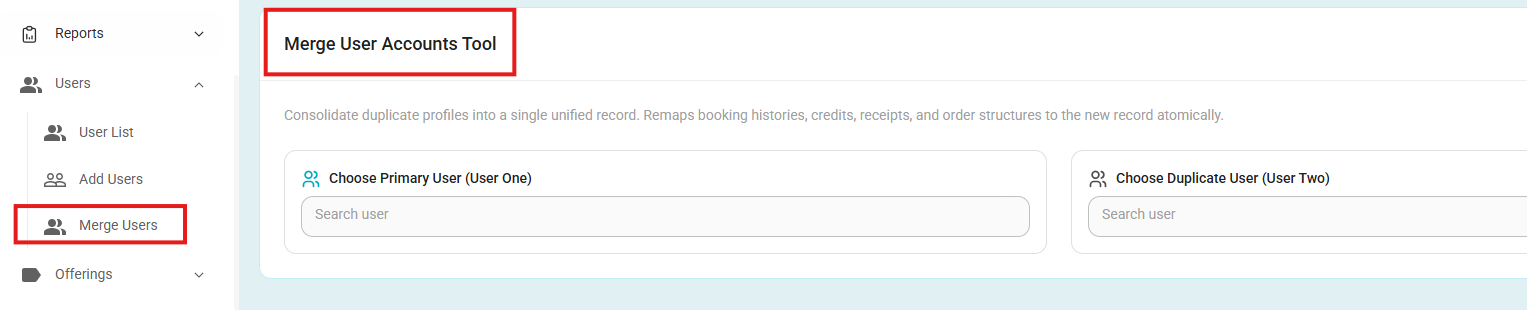
- Fixed: Front Desk Navigation
- Fixed an issue where PDF Reports and Merge Users redirected Front Desk users to the Dashboard.
- Both options now open their correct pages.
- Fixed: Operation Summary Order Total
- Fixed an issue where the Order Total in the Operation Summary was not updated after additional items were added and paid for on an existing order.
- The Order Total now reflects the cumulative amount paid, ensuring it remains consistent with refund amounts.
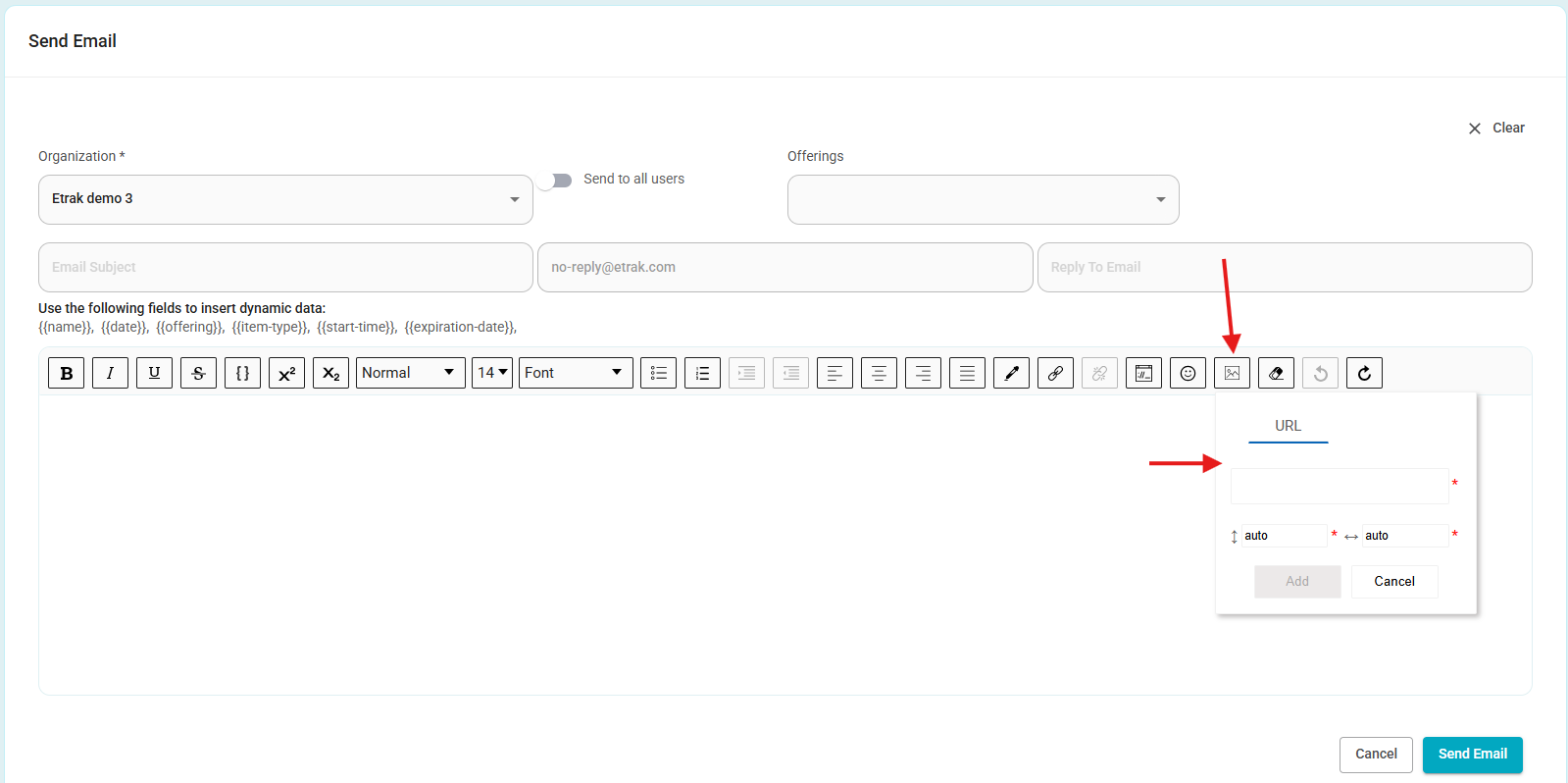
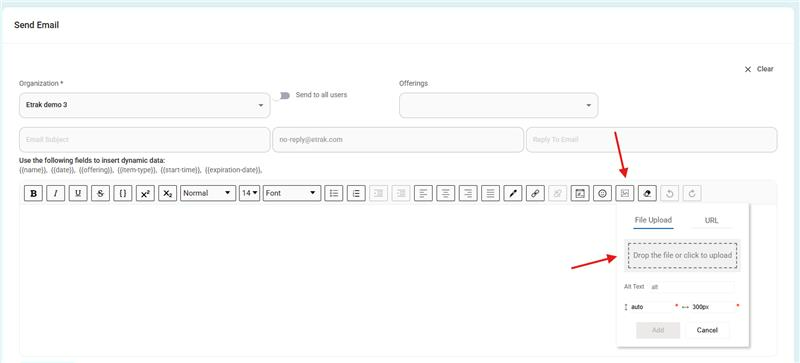
- Fixed: Email Attachments
- Fixed an issue where the attachment option in email templates only allowed users to enter a URL. Users can now browse and upload files from their computer as expected.
Before:
After:
Enhancements
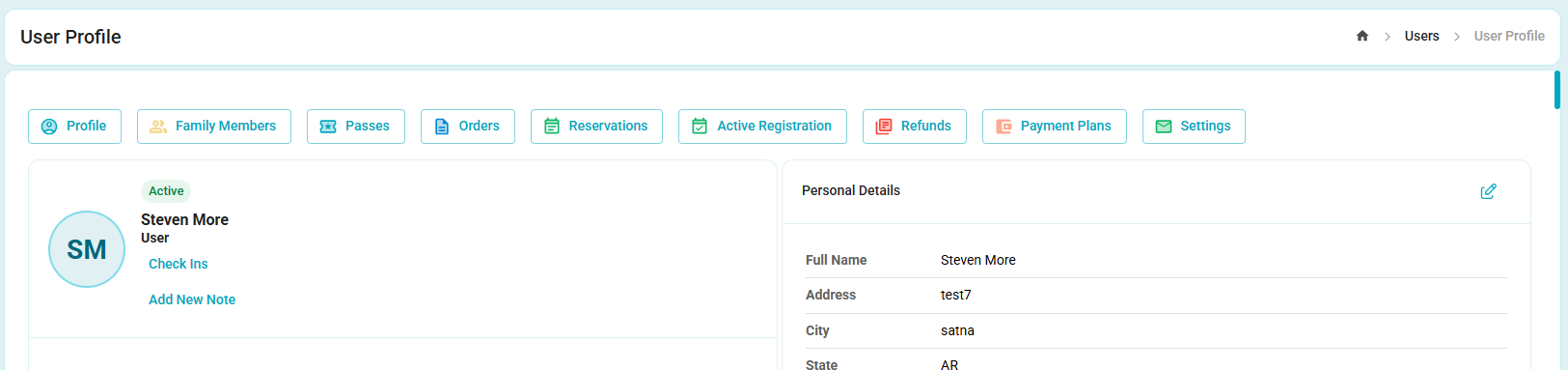
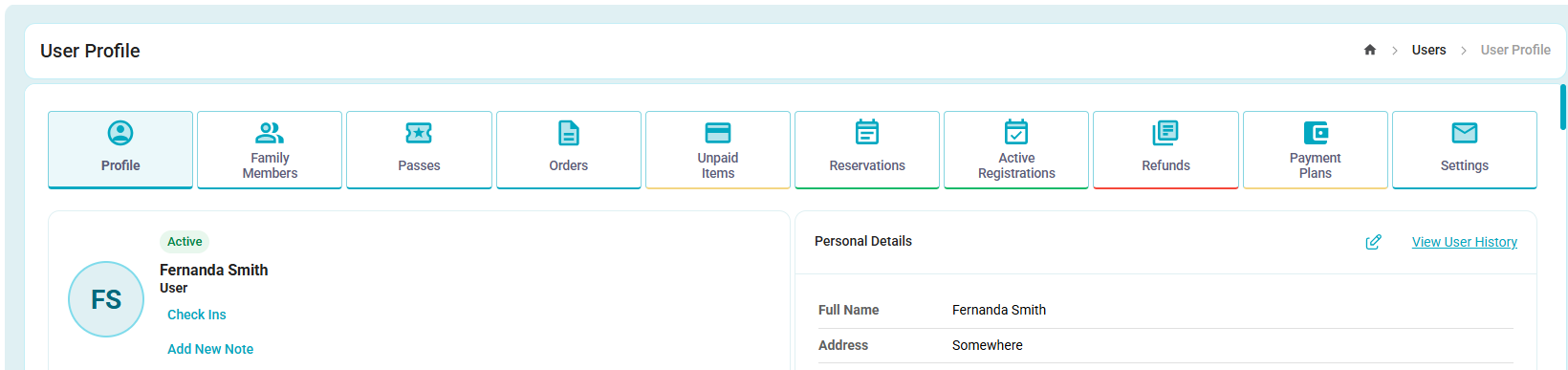
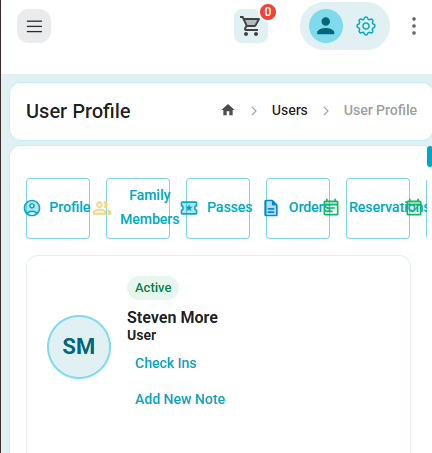
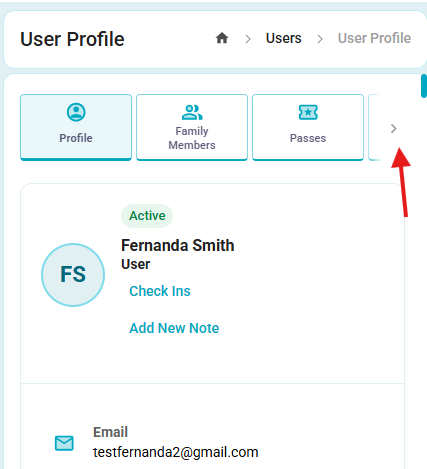
User Profile Menu Improvements
On mobile, the User Profile menu now remains on a single line and supports horizontal scrolling using navigation arrows, replacing the previous broken layout.
On desktop, navigation arrows are displayed only when needed (e.g., at higher browser zoom levels).
Menu text color has been darkened to improve readability and accessibility.
Desktop before:
After:
Mobile before:
After:
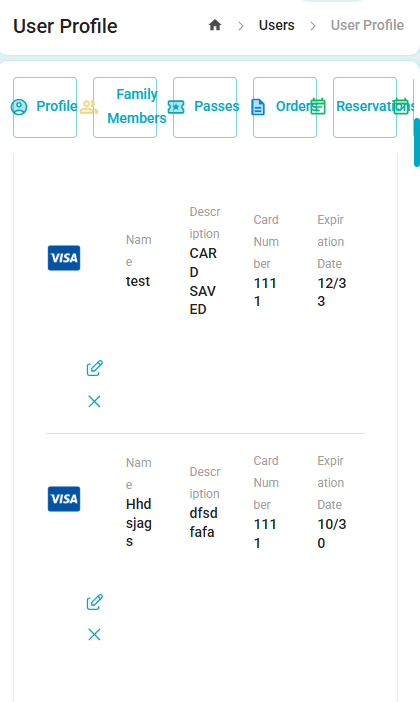
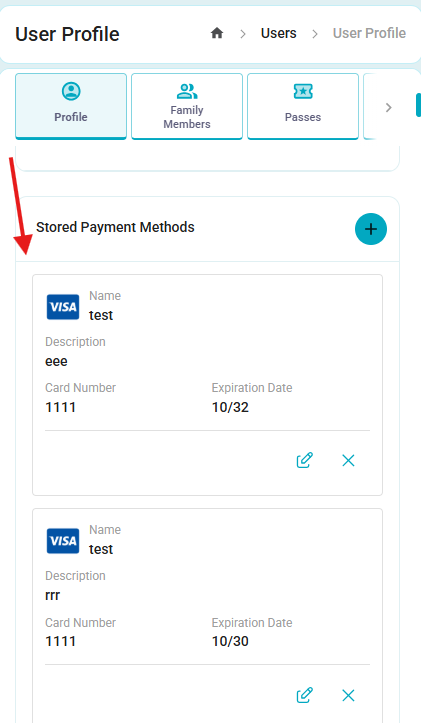
- Adapted Stored Payment Methods for Mobile
- Improved the mobile layout of the Stored Payment Methods section. Card information is now displayed correctly and consistently, including the card type, cardholder name, card description, last four digits, and expiration date.
Before:
After:
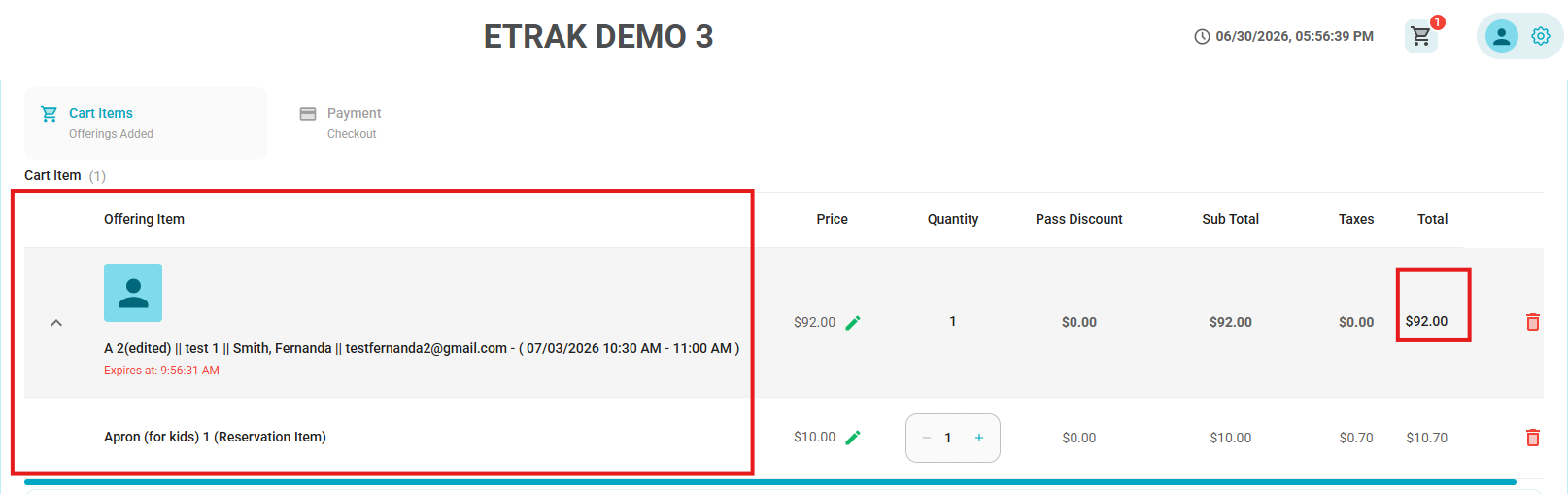
- Updated Cart Buyer Information Display
- Improved the buyer information displayed in the cart by showing names in the Last, First format, adjusted the Total amount to fit on a single line for values up to four digits (e.g., $XX.XX),
- Standardized the buyer information to always follow the format: Product Name, Last Name, First Name, Email.
Now:
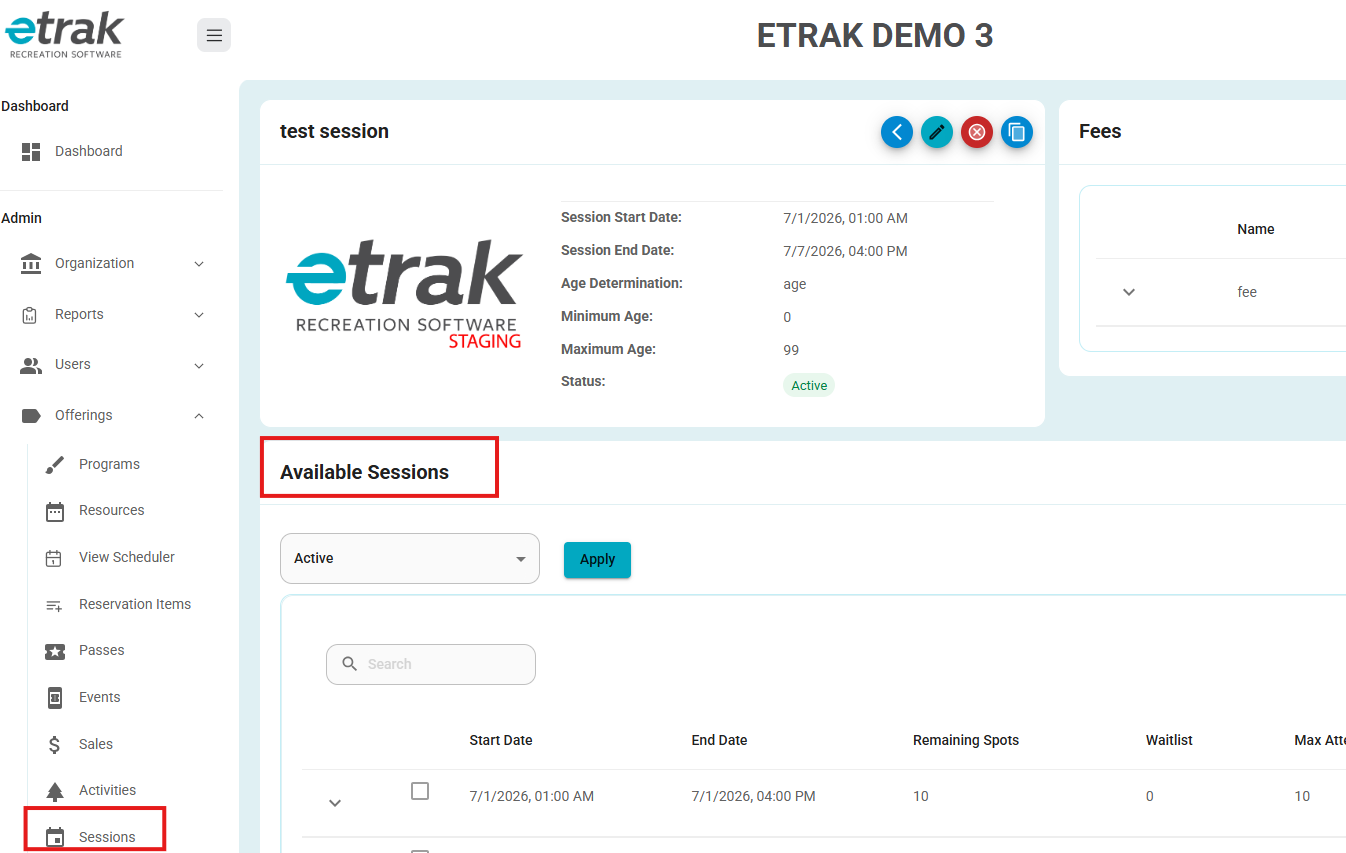
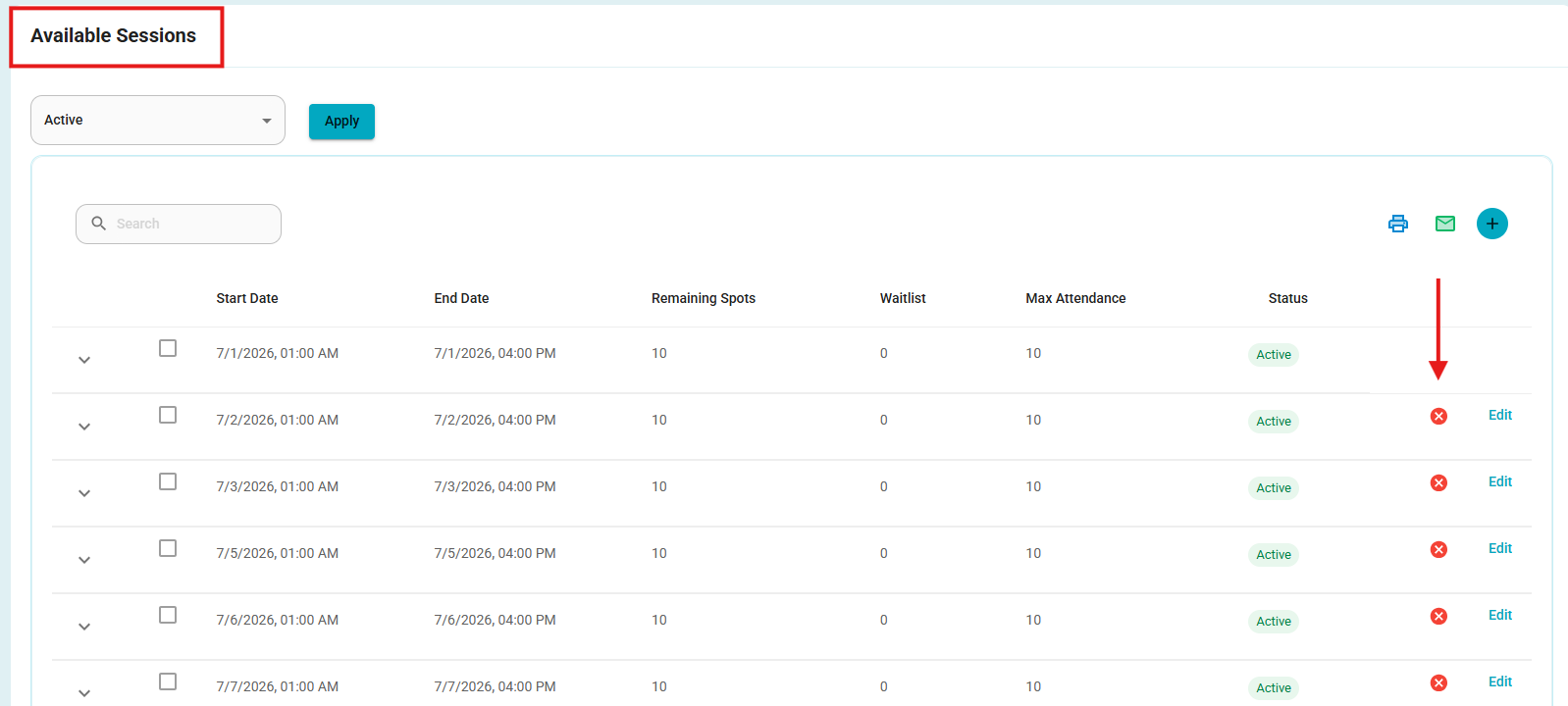
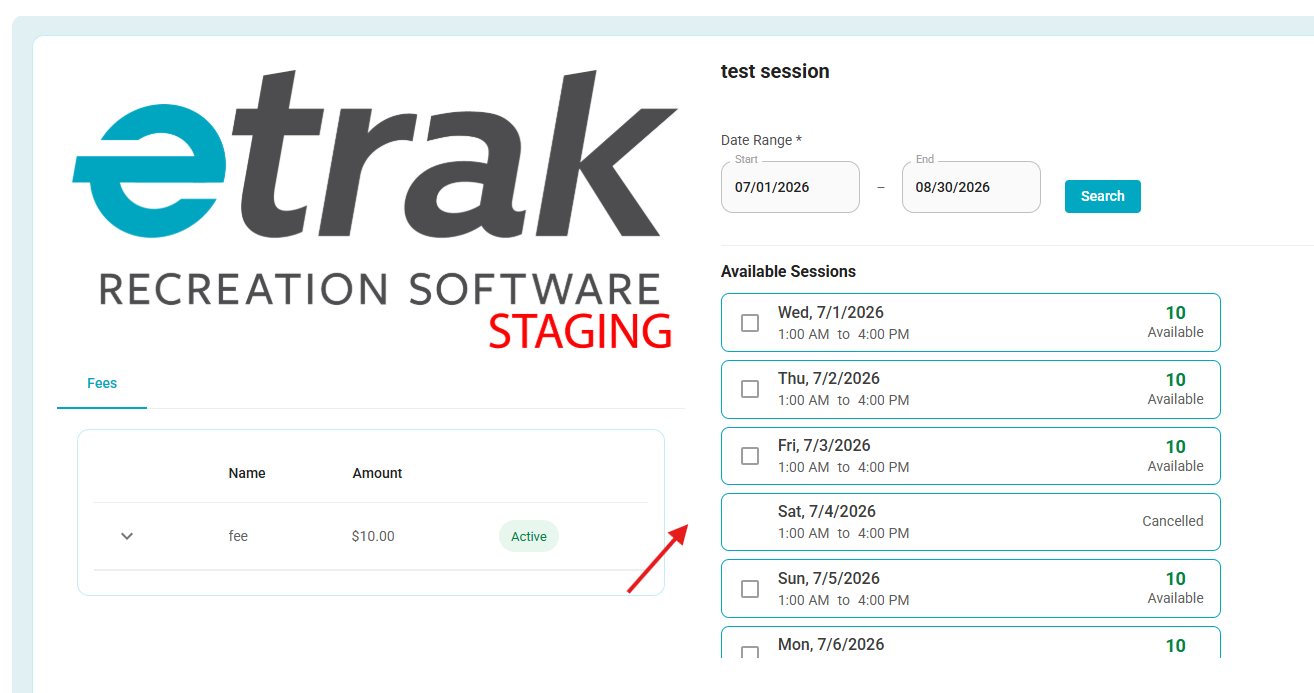
- Session Purchase – Cancelled Occurrences
- Cancelled session occurrences are now displayed on the session purchase screen with a Cancelled label.
- These occurrences are clearly distinguished from active sessions and cannot be selected or added to the cart.
- Improved Open Roster PDF Error Handling
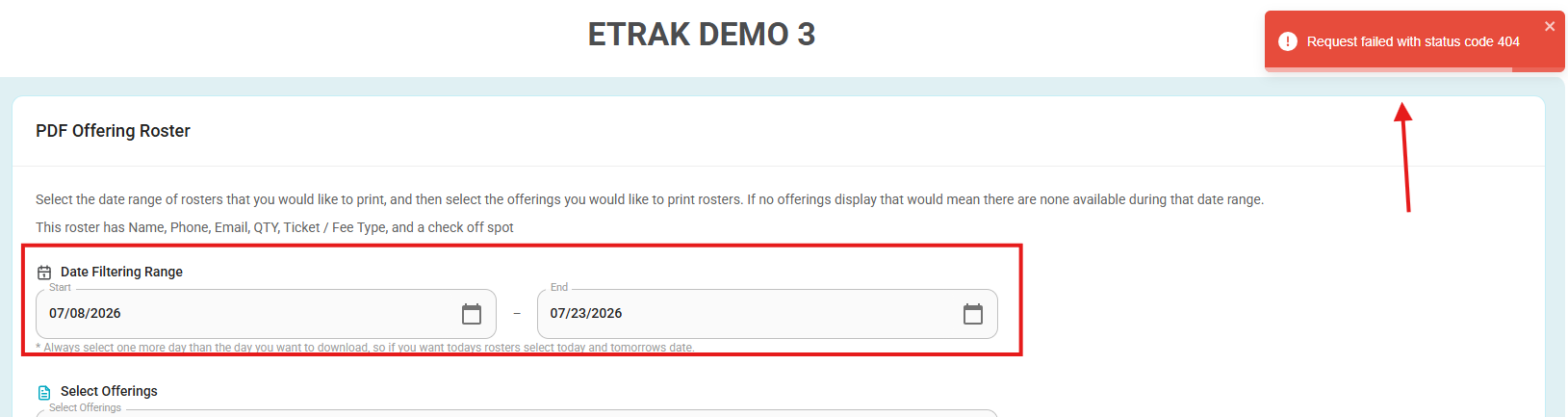
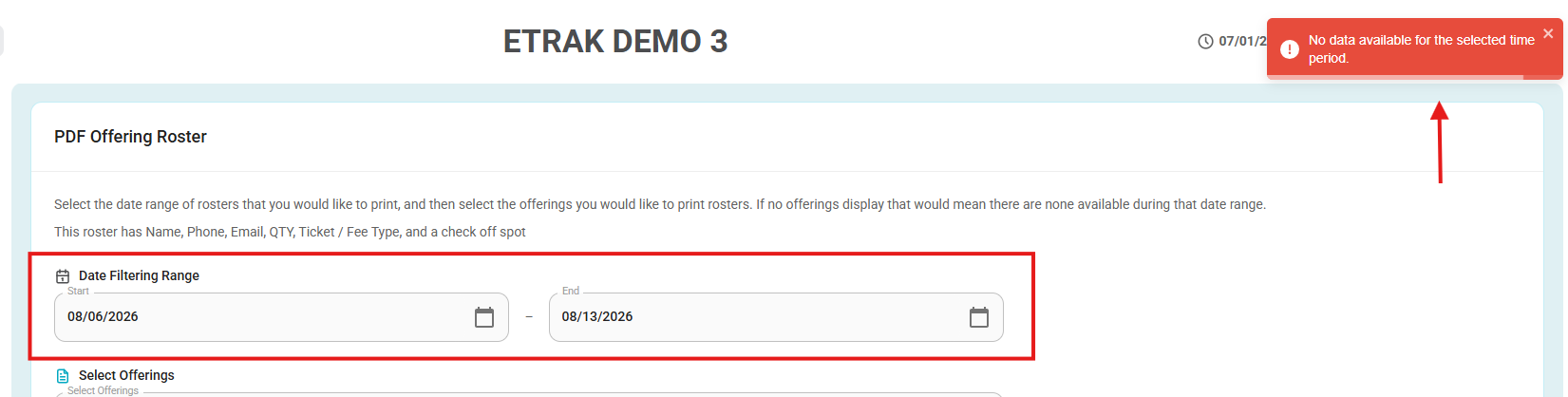
- Instead of displaying a 404 error when no roster data is available for the selected date range, the system now shows a user-friendly message informing the user that no data was found for the selected dates.
Before:
After:
Was this article helpful?
That’s Great!
Thank you for your feedback
Sorry! We couldn't be helpful
Thank you for your feedback
Feedback sent
We appreciate your effort and will try to fix the article