Enhancements
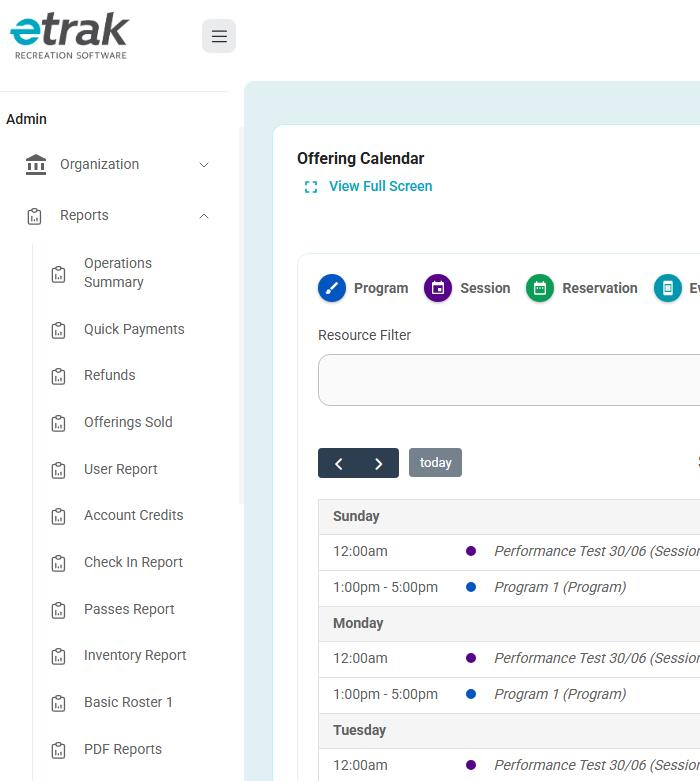
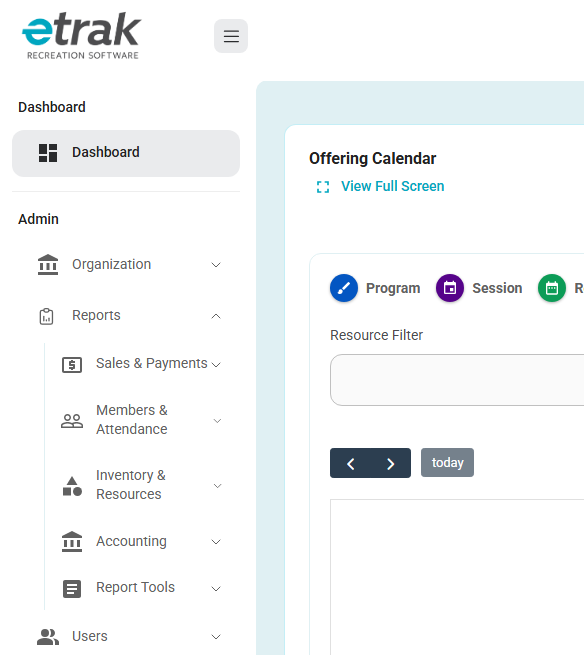
Improved Reports Menu Organization
- The Reports menu in the Admin sidebar has been reorganized into collapsible sections, making it easier to scan and quickly find the report you need.
- Reports are now grouped into:
- Sales & Payments
- Members & Attendance
- Inventory & Resources
- Accounting
- Report Tools
- Multiple sections can be expanded at the same time, and all existing reports remain available. Reports controlled by organization settings will continue to be displayed according to those settings.
- Additionally, Reservation Item Inventory Report has been renamed to Reservation Item Inventory to better fit the sidebar.
Before:
After:
Improved Discount Code Filtering
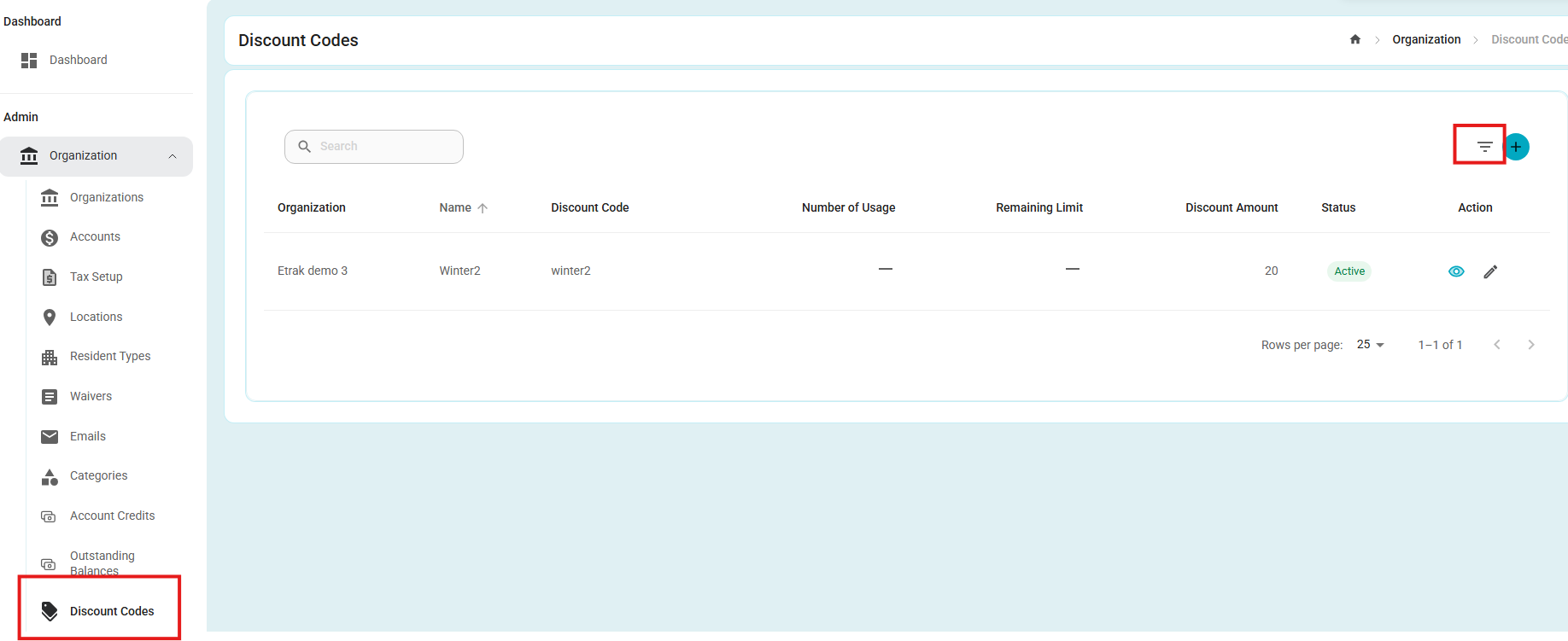
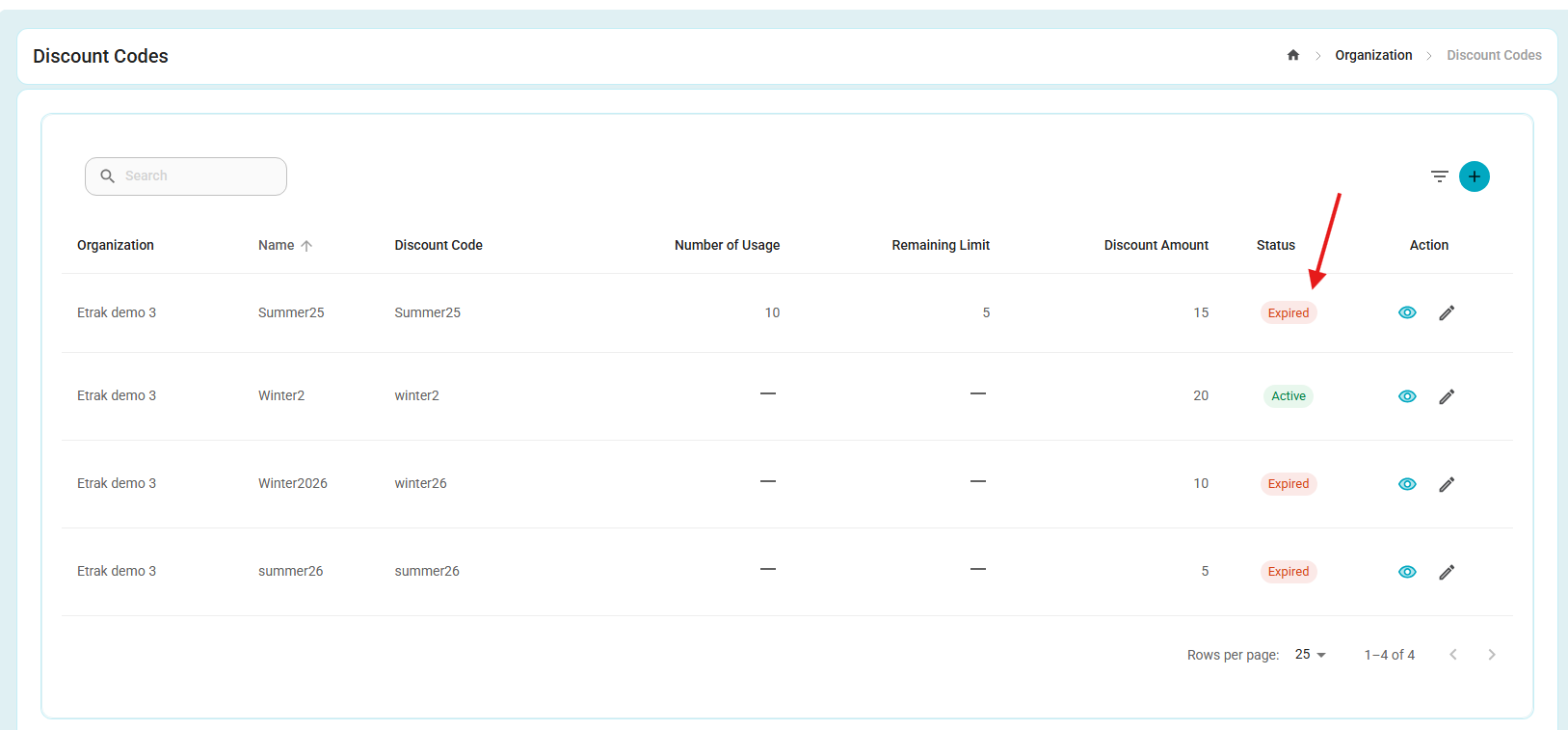
- The Discount Code page now defaults to displaying Active discount codes.
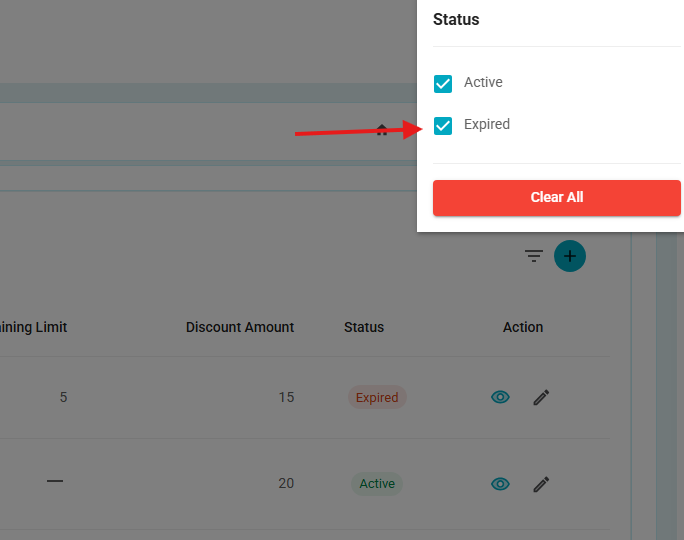
- Users can use the Filter option to switch between:
- Active — displays active discount codes.
- Expired — displays expired discount codes.
- Users can easily change the filter to view the corresponding discount codes.
- The Discount Code page now defaults to displaying Active discount codes.
Improved Outstanding Balances Invoice PDF Ordering
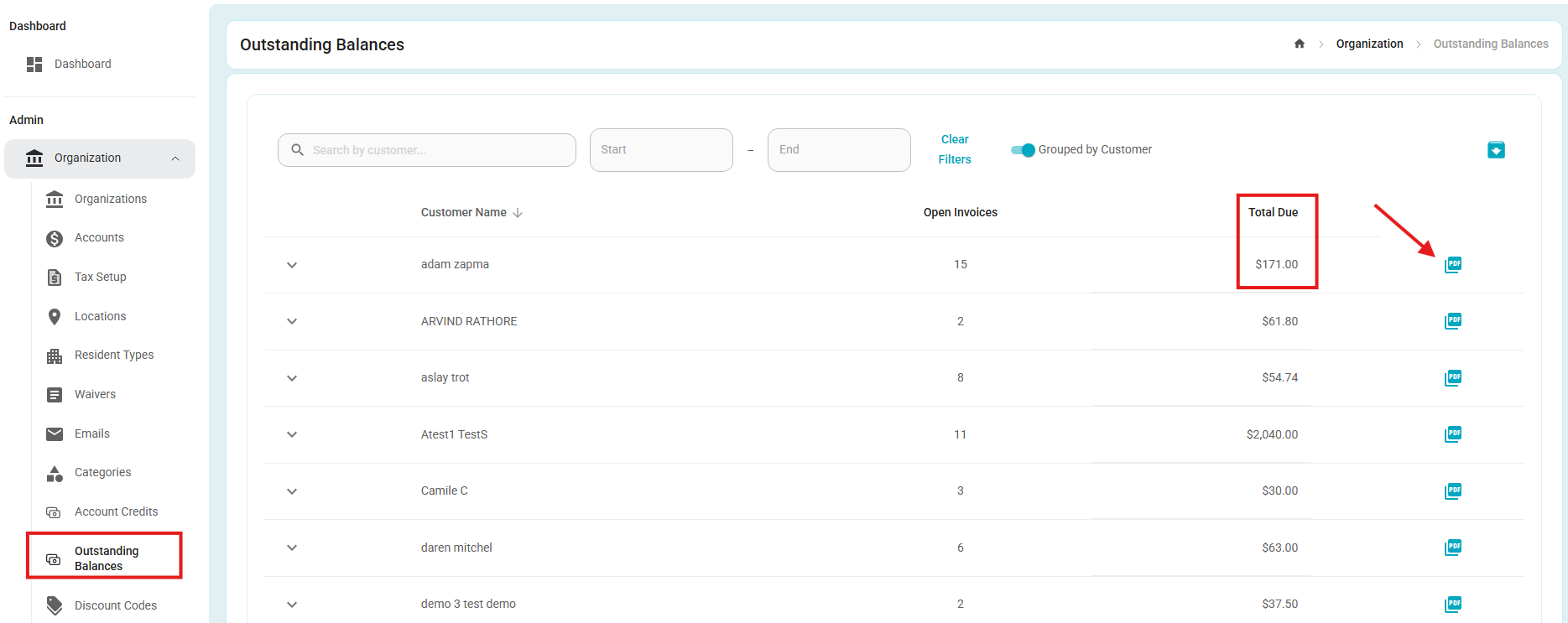
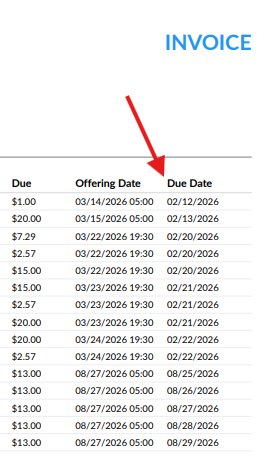
The Invoice PDF generated from the Outstanding Balances report now sorts invoice entries by Due Date in ascending order.
The earliest due dates are displayed first, followed by later due dates, making the invoice information easier to review chronologically.
All existing invoice information and formatting remain unchanged.
Bugs
Fixed Terminal Selection Persistence
- Fixed an issue where the selected terminal could be turned off or switched to a different terminal when navigating between pages, including Full Catalog and Dashboard.
- The selected terminal now remains active and selected when navigating throughout the application.
Fixed Resource Conflict Validation for Reservation Item Series
- Fixed an issue where resource conflict validation checked only the first occurrence when changing the resource for a non-POS reservation item across an entire reservation series.
- The system now validates resource conflicts for all occurrences when a resource change is applied to the entire series. If any occurrence has a conflict, the appropriate conflict message is displayed.
- Resource changes made to individual occurrences continue to validate conflicts as expected.
Was this article helpful?
That’s Great!
Thank you for your feedback
Sorry! We couldn't be helpful
Thank you for your feedback
Feedback sent
We appreciate your effort and will try to fix the article