Enhancements
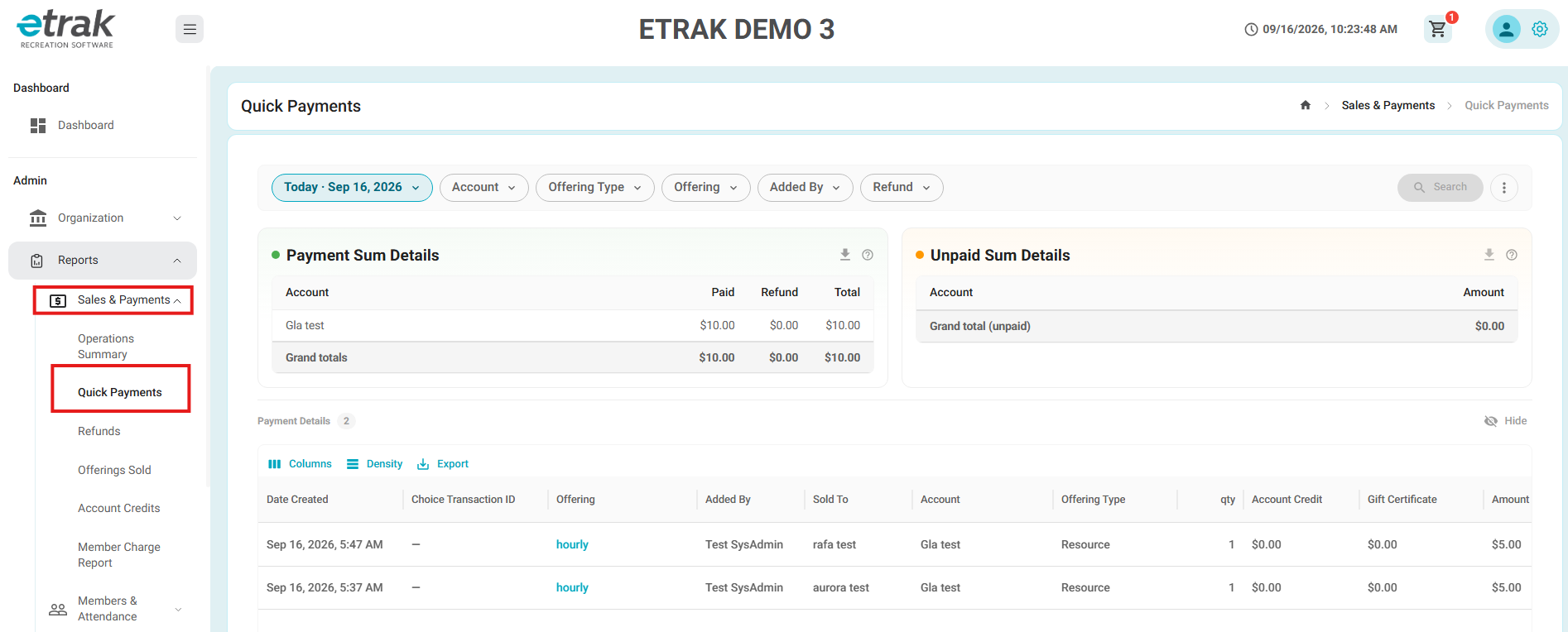
Updated Quick Payments Report UI
- Updated the Quick Payments report with a new, modernized user interface.
- Existing filters, payment summaries, unpaid amounts, and payment details remain available.
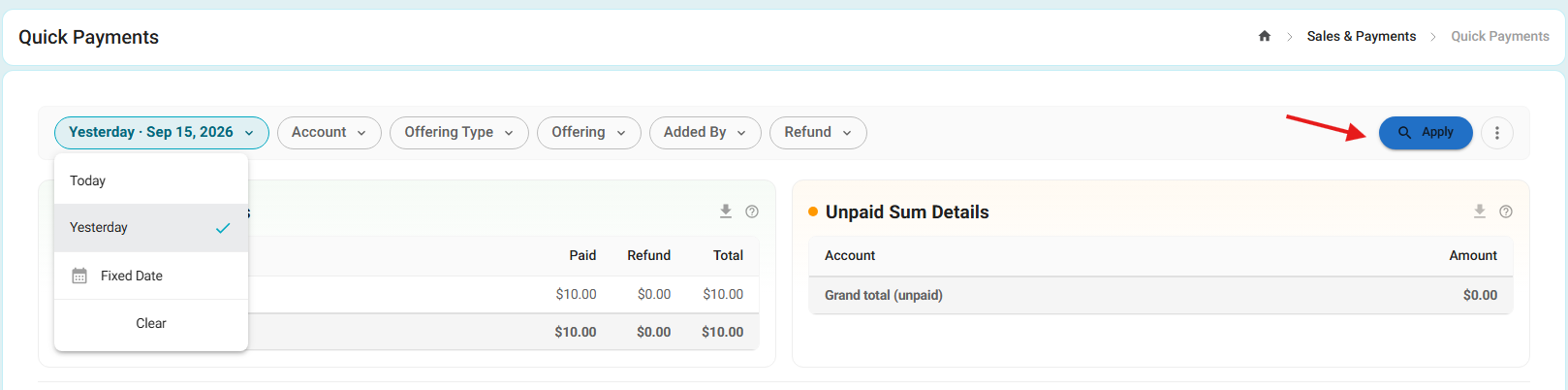
- Added an Apply button to make filter selections easier to review and apply.
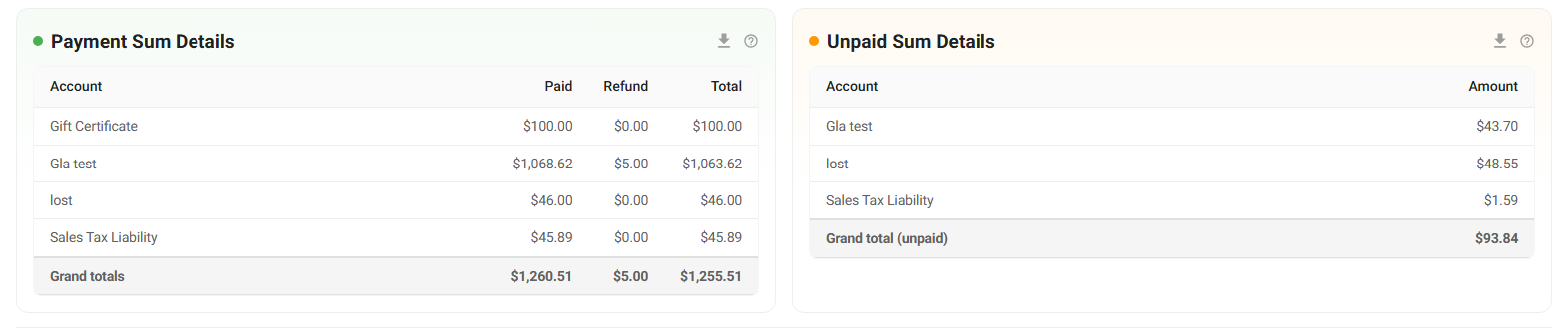
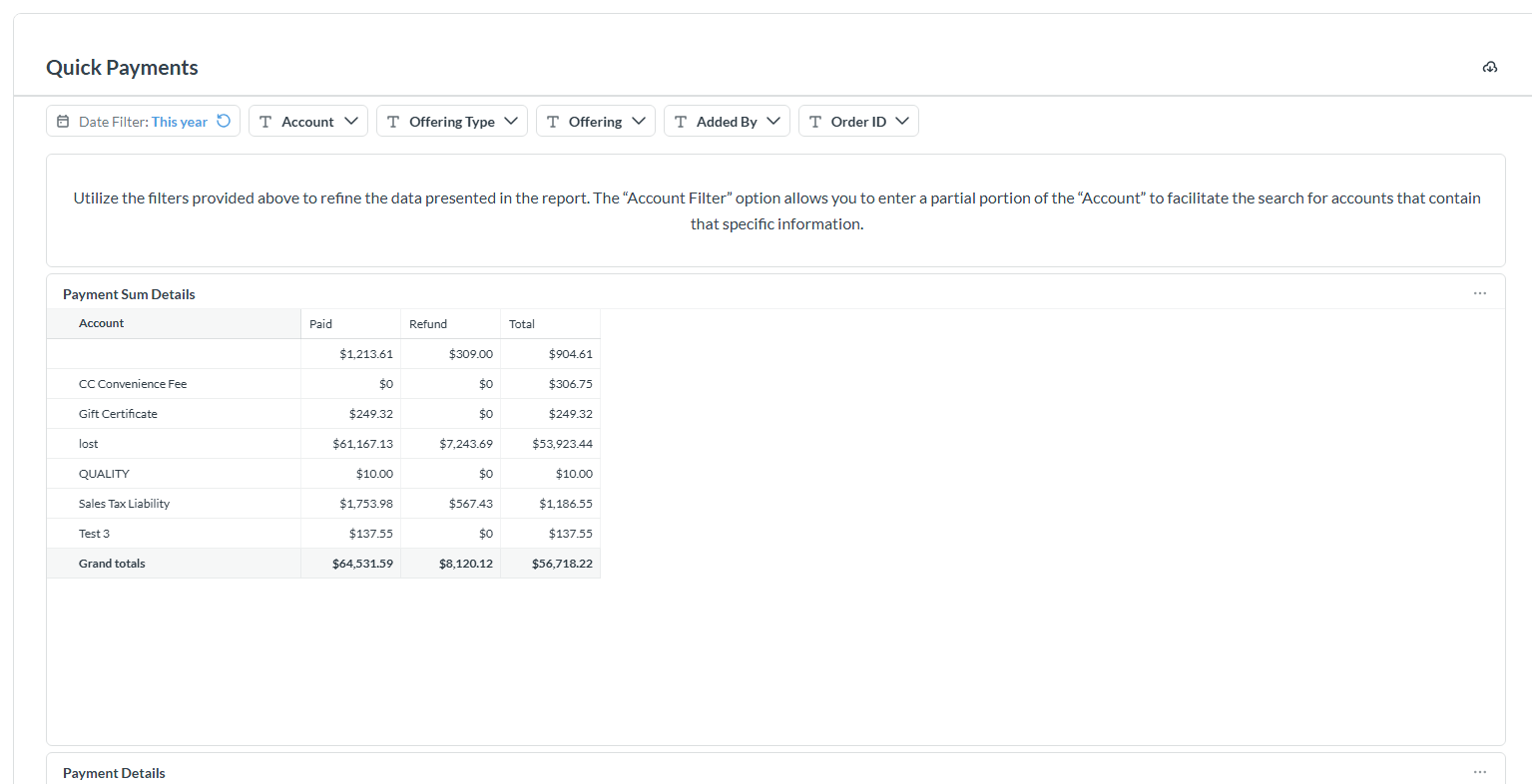
- Payment Sum Details section displaying paid, refunded, and total amounts by account.
- Unpaid Sum Details section providing a summary of unpaid amounts by account.
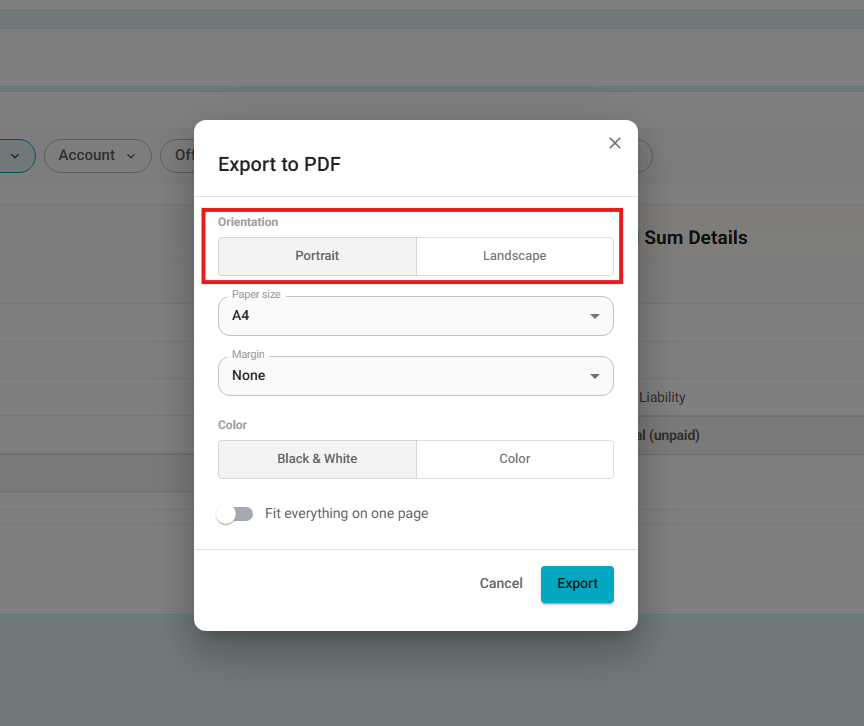
- Admins can still download the report as a PDF, with the new option to choose between Portrait and Landscape orientation.
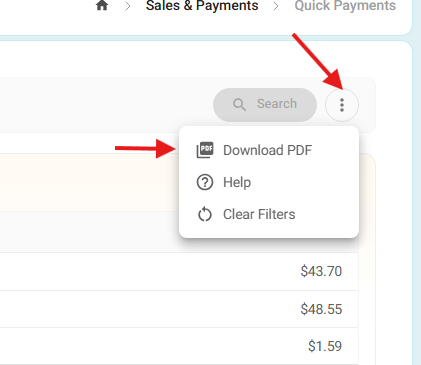
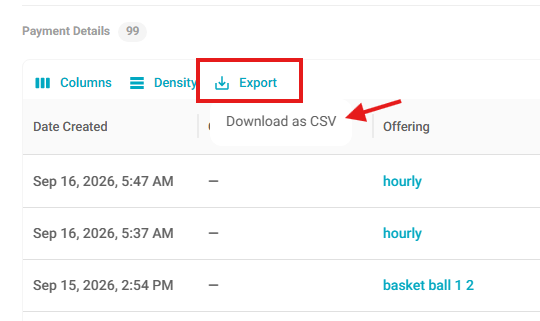
- Admins can also export as CSV.
Previous Quick Payments Report UI:
Was this article helpful?
That’s Great!
Thank you for your feedback
Sorry! We couldn't be helpful
Thank you for your feedback
Feedback sent
We appreciate your effort and will try to fix the article