Enhancements
- Offering Check-in Summary Report
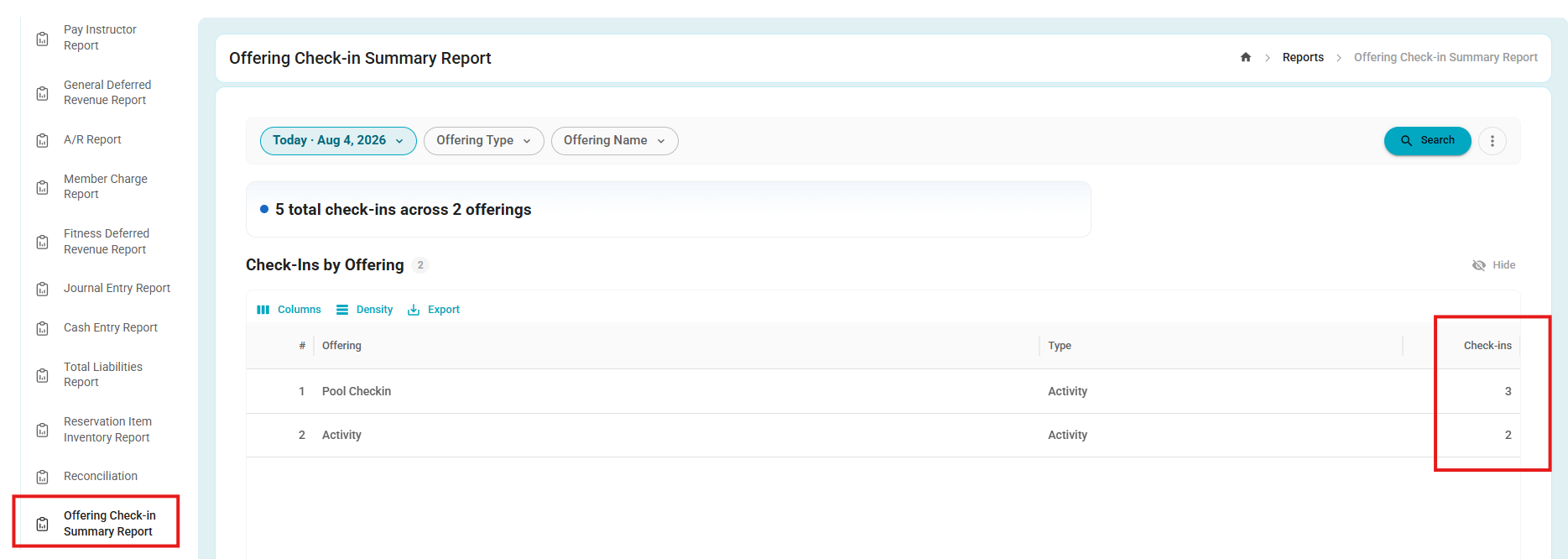
- A new Offering Check-in Summary Report is now available, providing a summary of check-in activity across offerings and date range.
- The report displays the total number of check-ins for each offering, includes the offering type, and ranks offerings from the highest to the lowest number of check-ins, making it easy to identify the most attended activities.
- Admins can also filter the report by offering type to quickly analyze attendance across different types of offerings.
- Total Liabilities Report
- The Total Liabilities Report has been redesigned with a new Timeline View, making it easier to follow the complete lifecycle of each order.
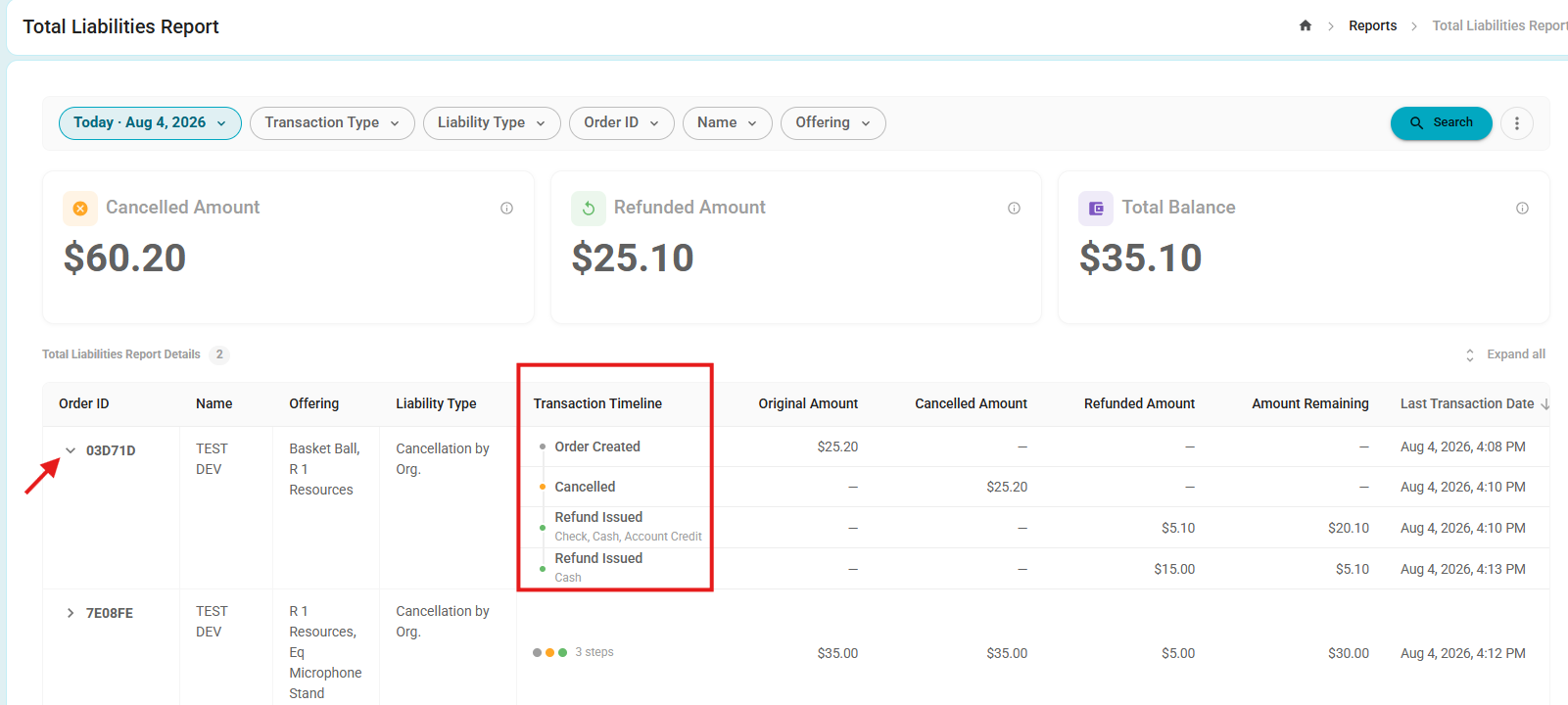
- Transactions are now grouped by Order ID, allowing users to view key events, such as order creation, cancellations, and refunds, in a single, chronological timeline.
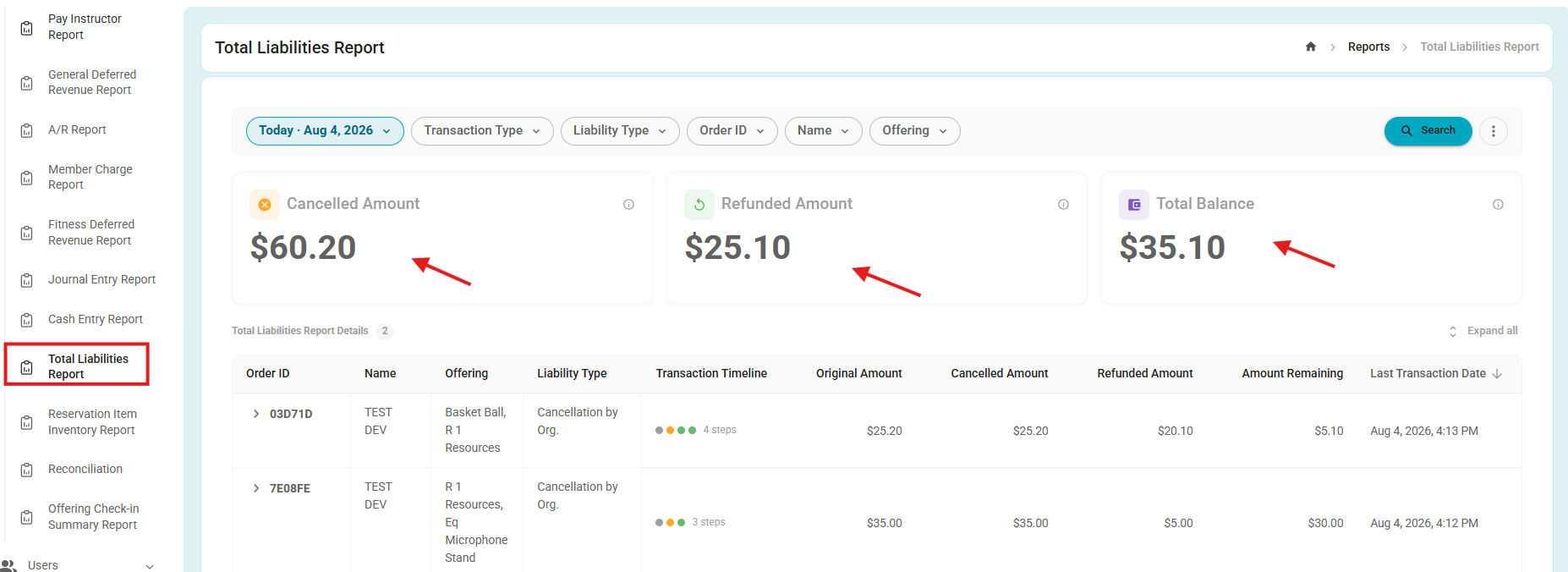
- Admins can also expand an order to view additional transaction details and a detailed timeline of all related activities.
- All existing filters and reporting capabilities remain unchanged, ensuring the same data and functionality are available while presenting the information in a more organized and intuitive layout.
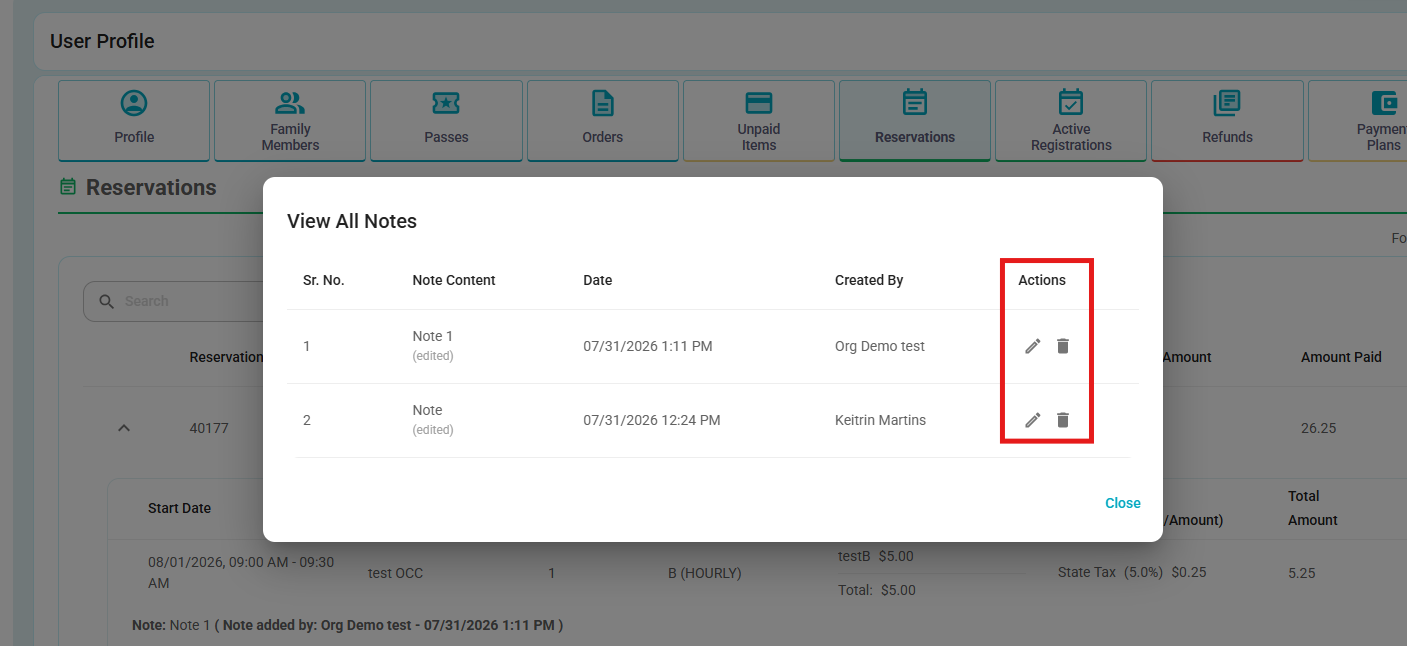
- Reservation Notes – Edit & Delete
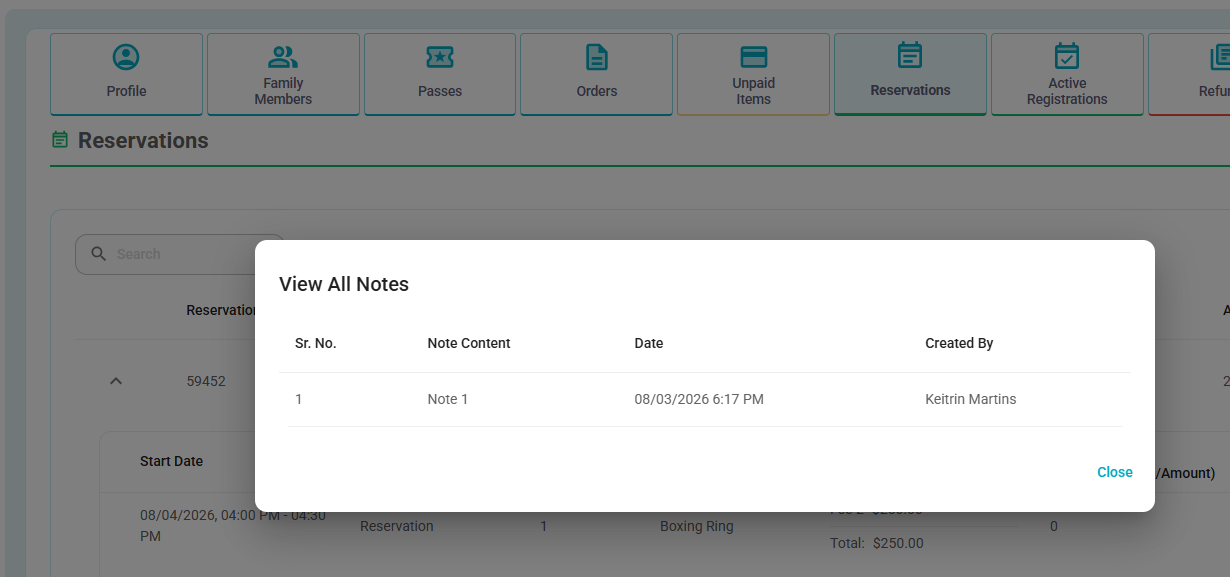
- Reservation notes can now be edited or deleted after they are created.
- Users may only edit or delete their own notes; notes created by other users cannot be modified or removed.
- When a note is edited, it is marked with an Edited status to indicate that the content has been updated.
- When a note is deleted, it is also removed from PDF Reports → Print Resource Calendar List.
Before:
After:

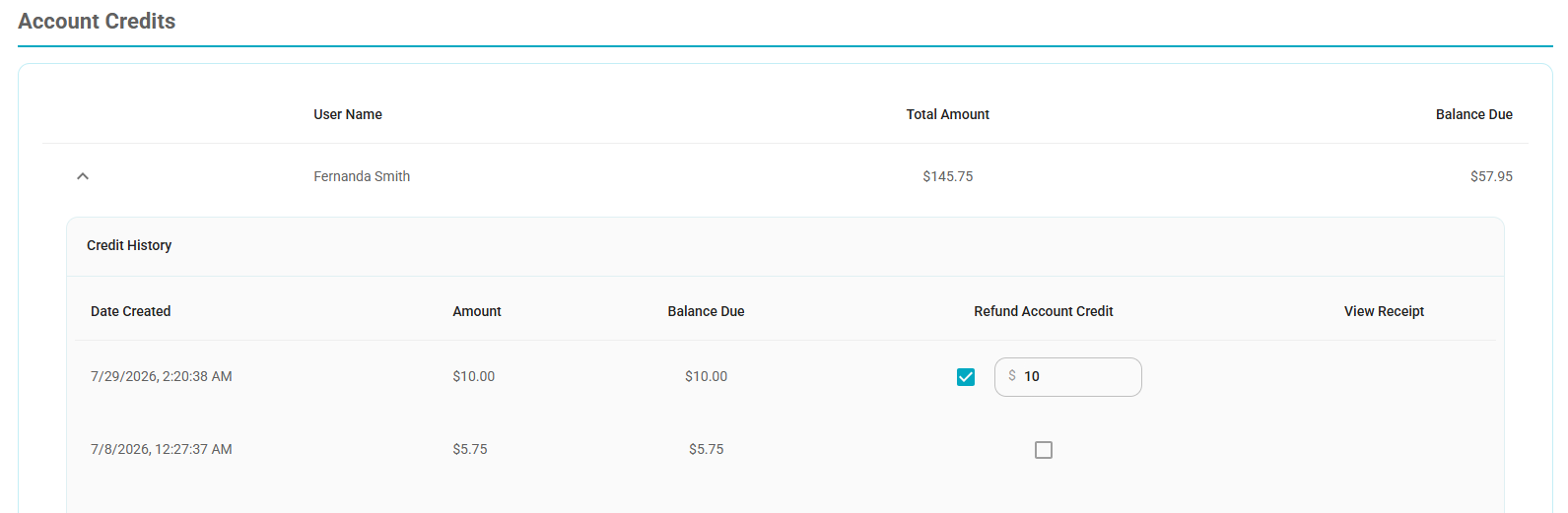
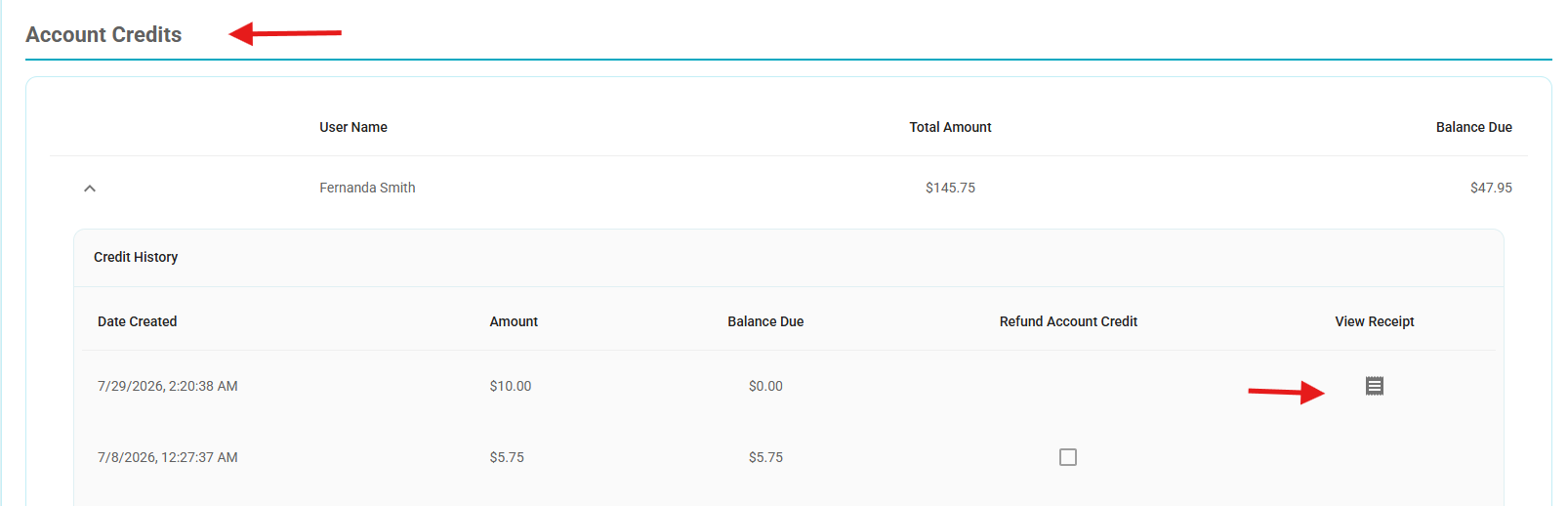
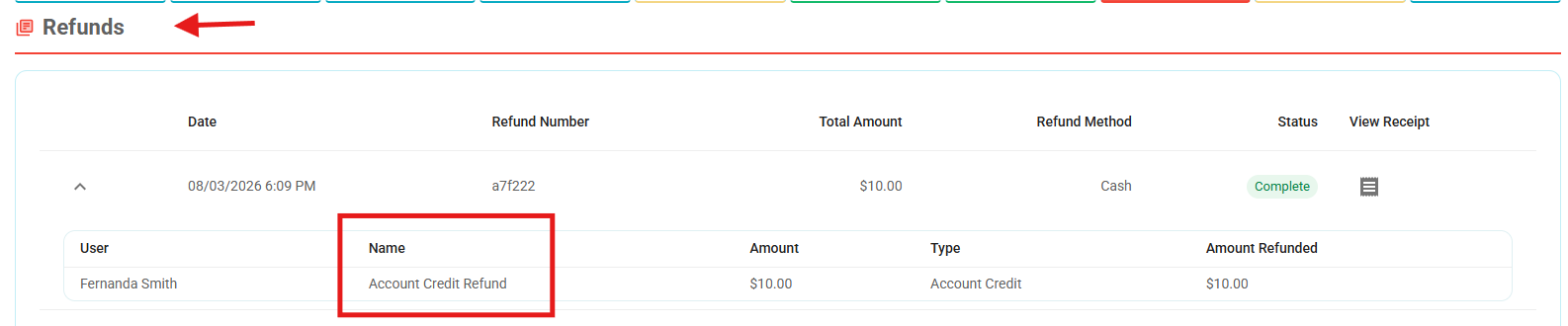
- Account Credit Refund Receipts
- Refunds issued from Account Credit to Cash or Check now automatically generate a receipt.
- The receipt is available under Account Credits and can also be accessed from the Refunds section.
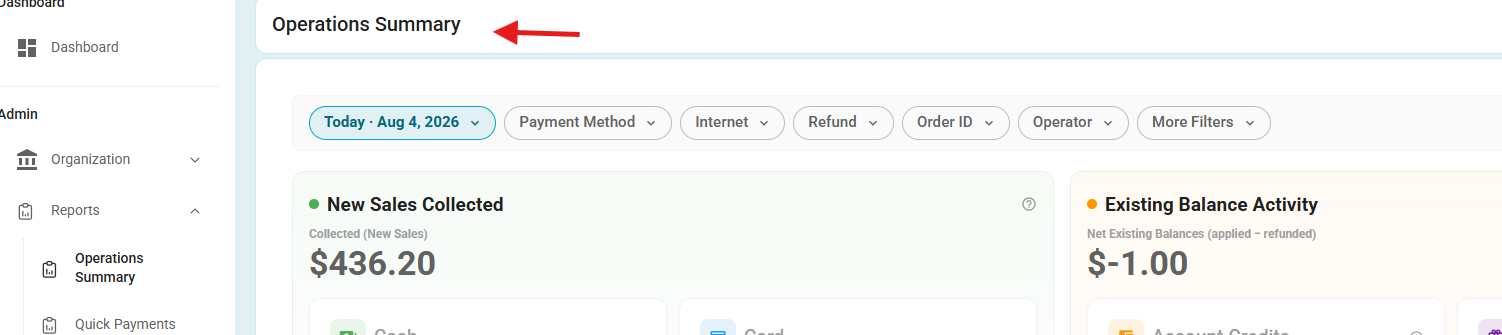
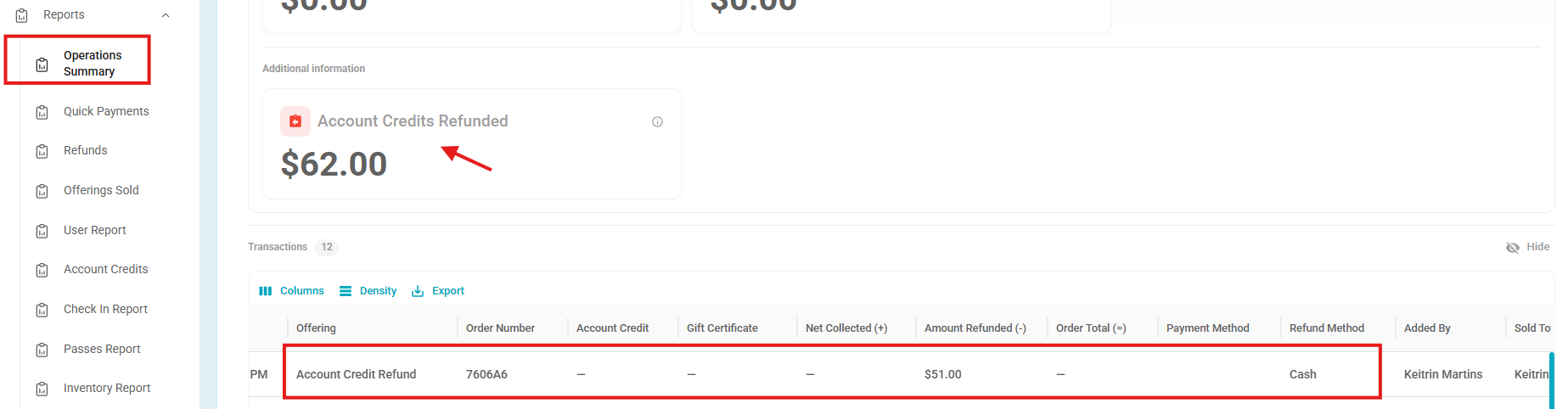
- Operations Summary Report – Account Credit Refunds
- The Operations Summary report now includes refunds issued from Account Credit to Cash or Check, providing greater visibility into these refund transactions.
Bug Fixes
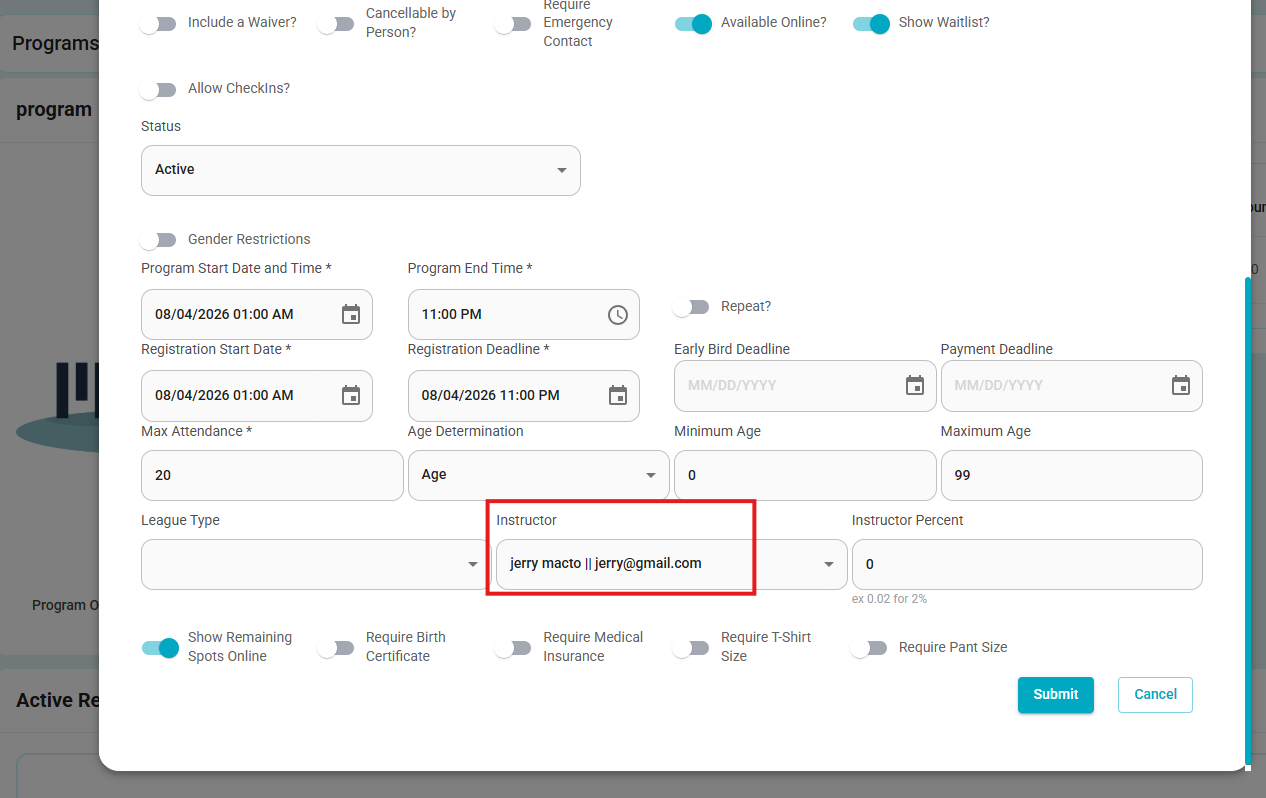
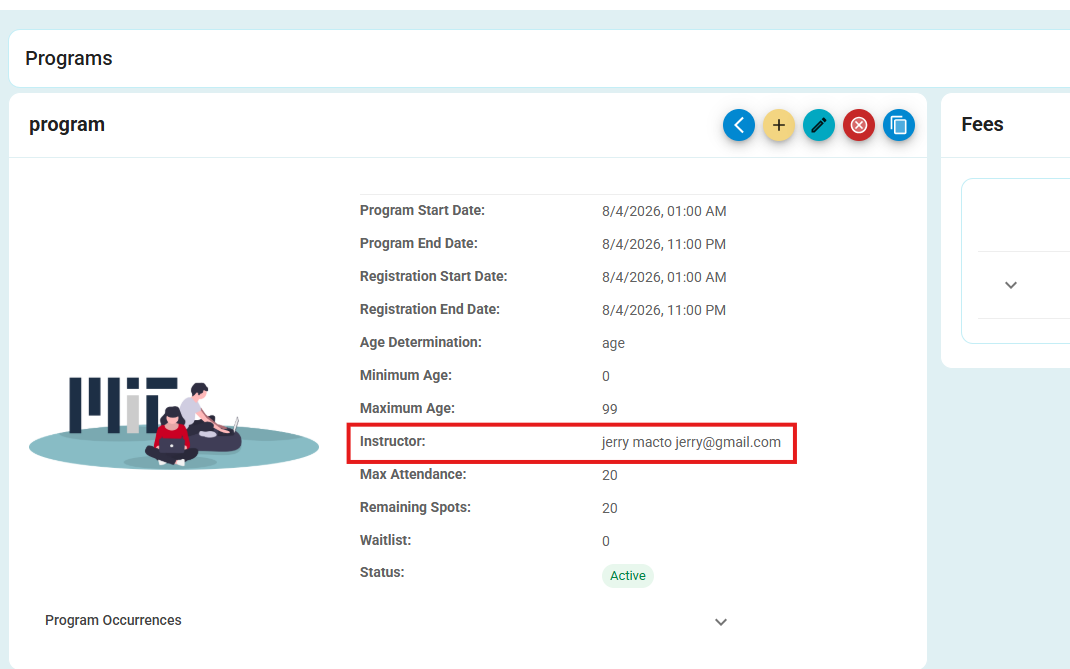
- Program Details – Instructor Information
- Resolved an issue where the Instructor field displayed the program contact's information instead of the assigned instructor.
- The Instructor field now correctly displays the user configured as the program instructor, while the Contact field continues to display the designated program contact.
Was this article helpful?
That’s Great!
Thank you for your feedback
Sorry! We couldn't be helpful
Thank you for your feedback
Feedback sent
We appreciate your effort and will try to fix the article