Email templates are set up manually but trigger the system to send emails out automatically in certain situations.
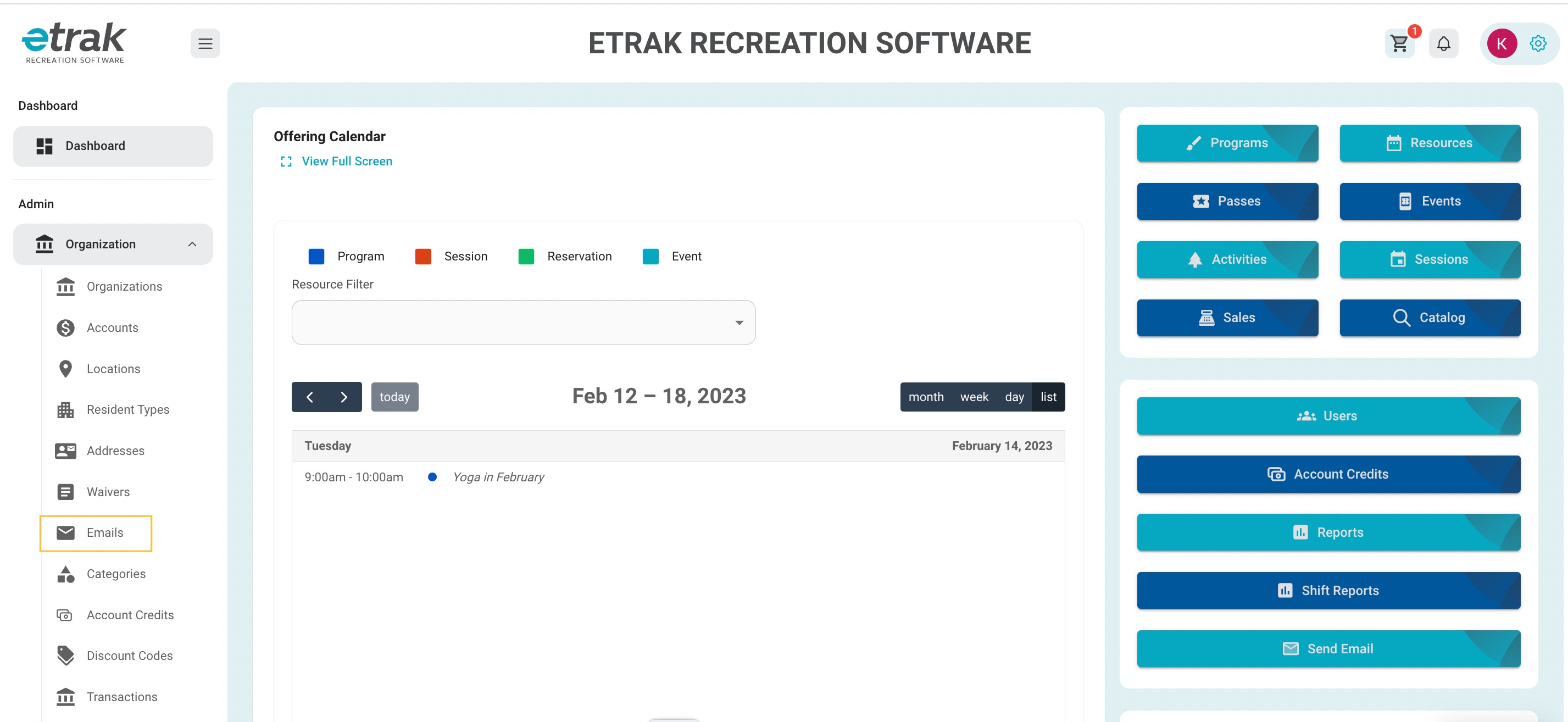
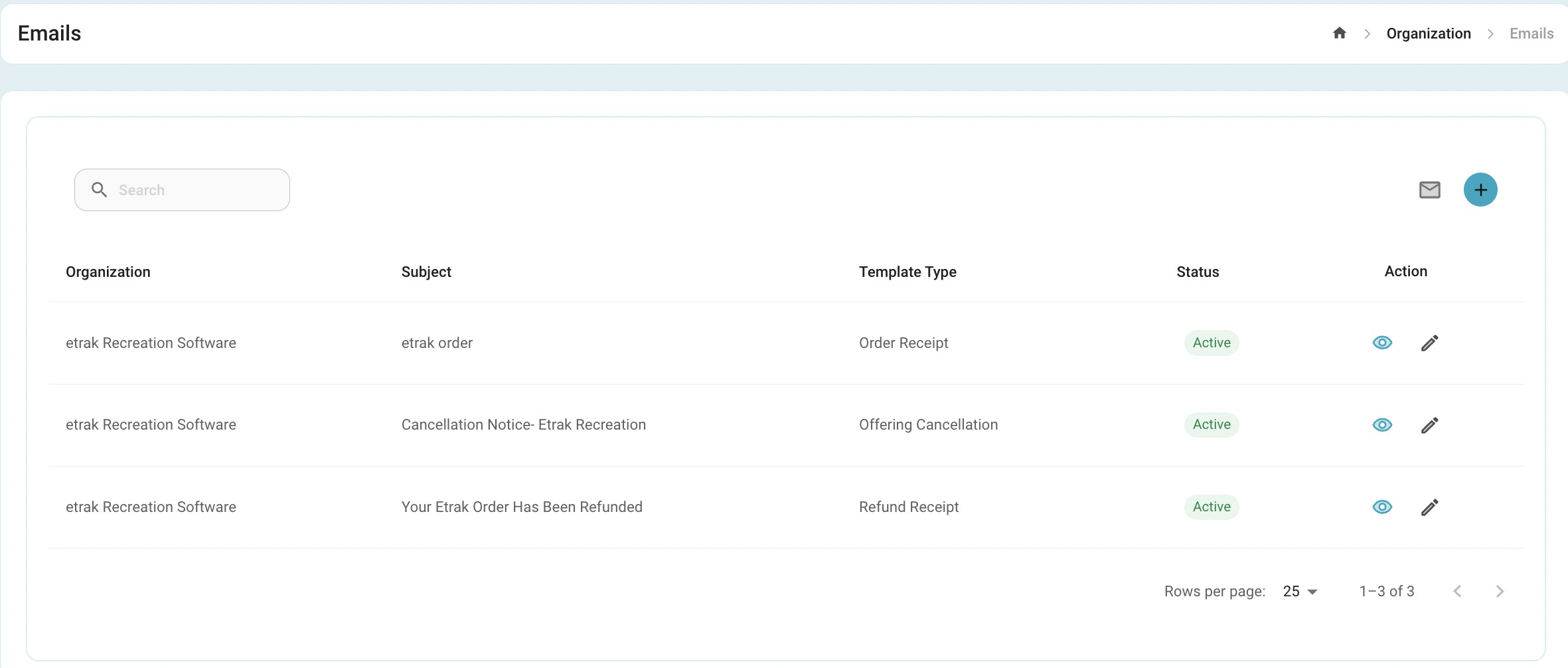
When on the dashboard select the 'Organization' tab on the left side of the screen then select 'Emails'
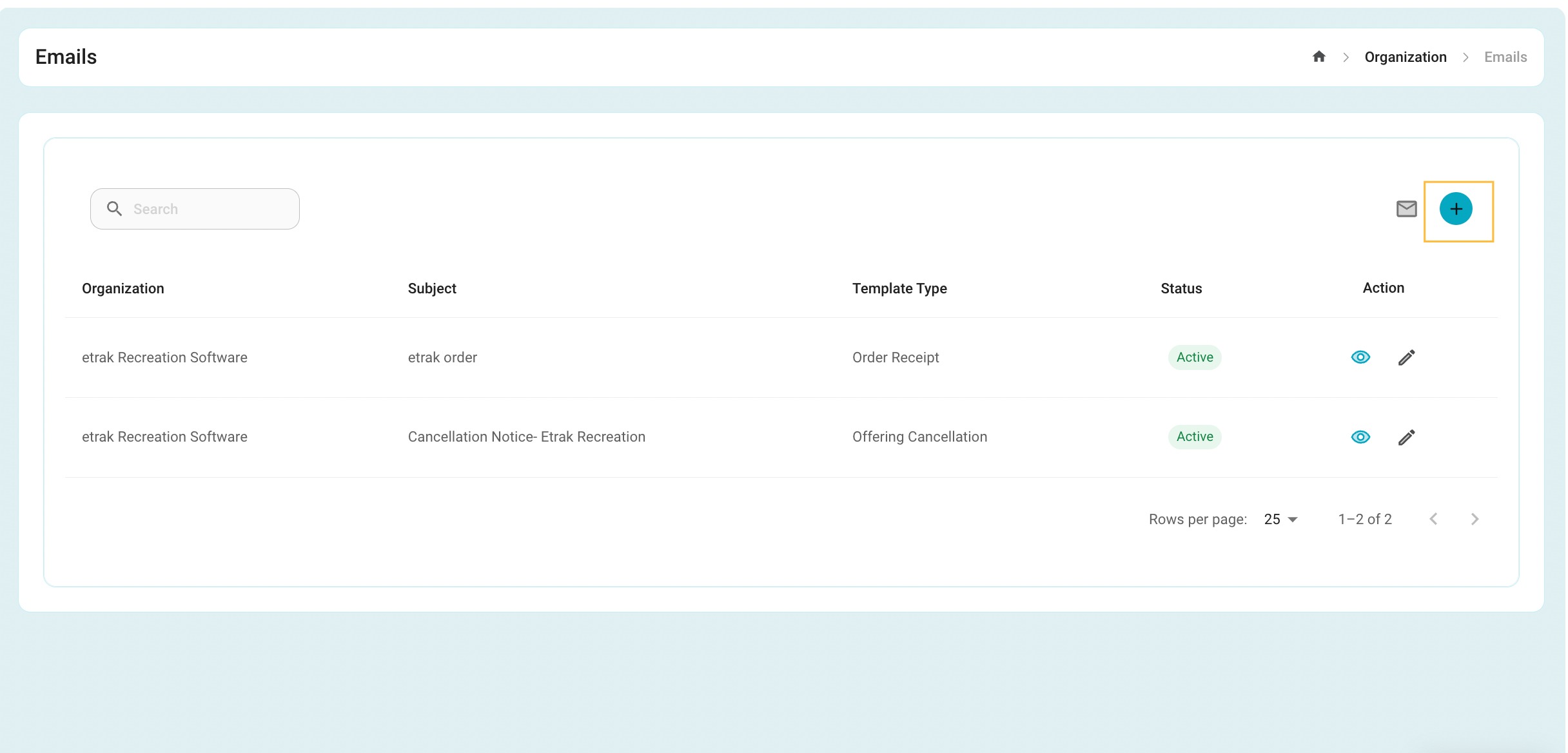
To add a new email template select the blue ‘+’ button in the upper right hand corner.
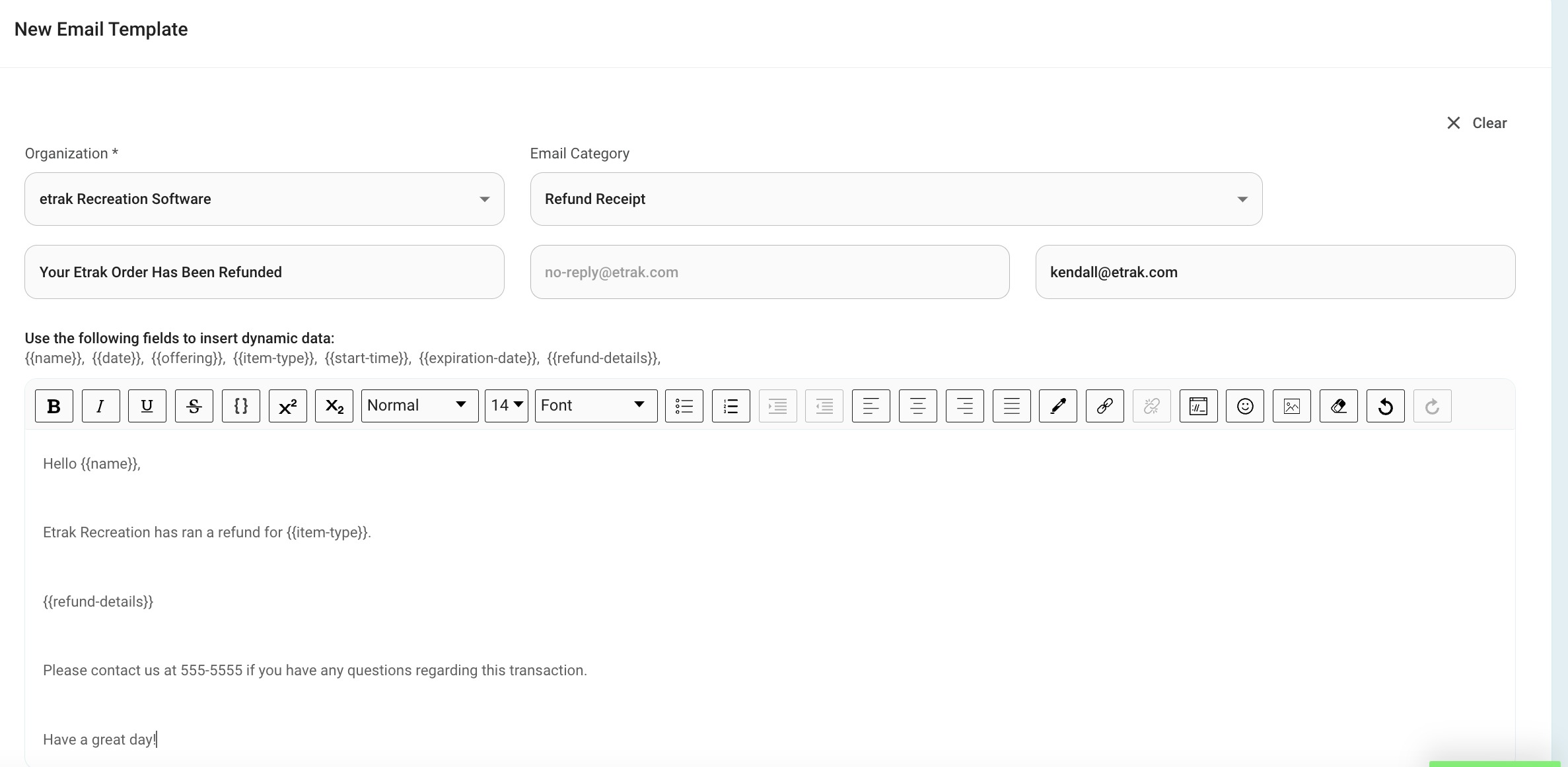
Press ‘Submit’ to save this template.
Once the template is saved it will display on the list and will be active until set otherwise.
To edit the template click on the corresponding pencil icon.
The template can be made inactive through the edit feature.
Was this article helpful?
That’s Great!
Thank you for your feedback
Sorry! We couldn't be helpful
Thank you for your feedback
Feedback sent
We appreciate your effort and will try to fix the article