Bug Fixes
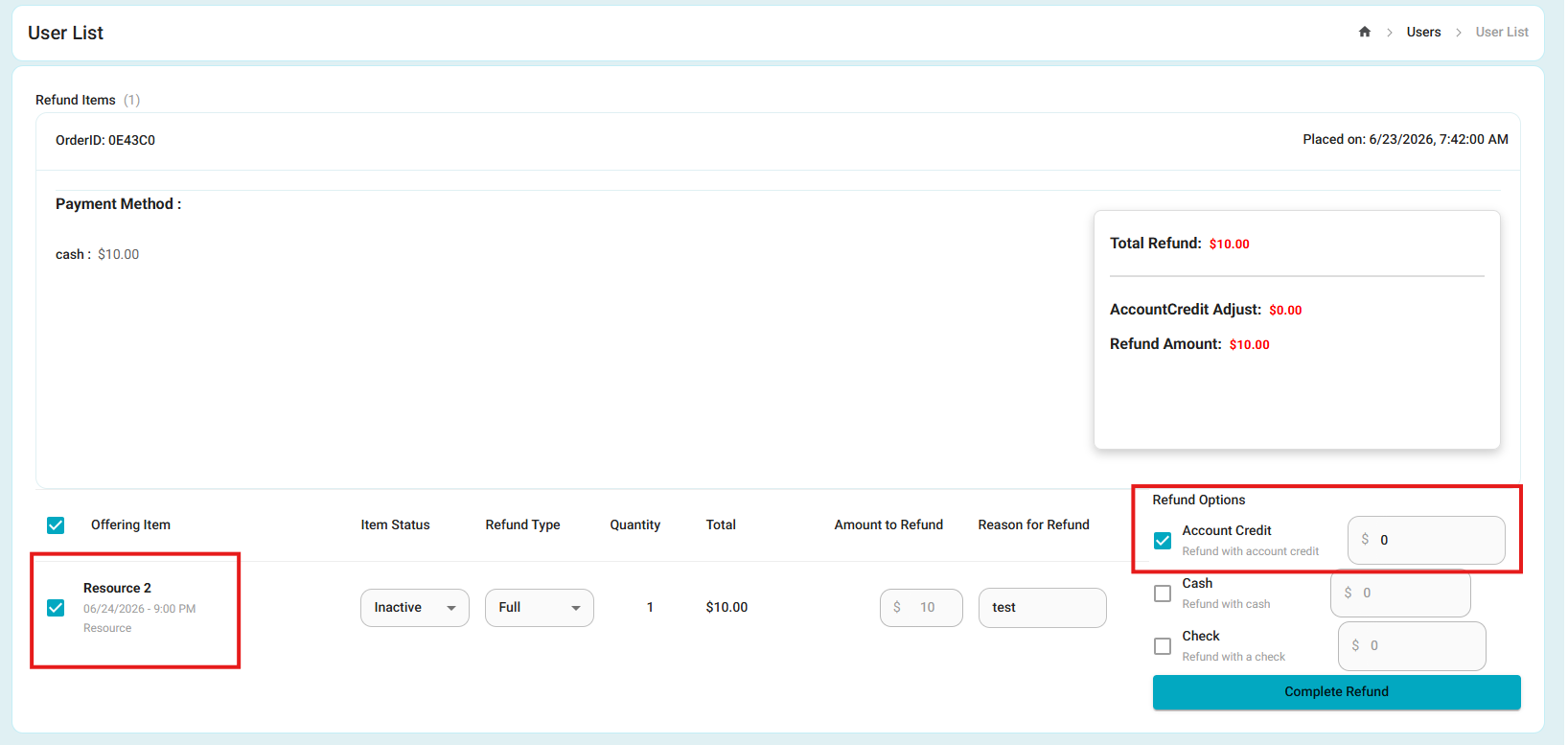
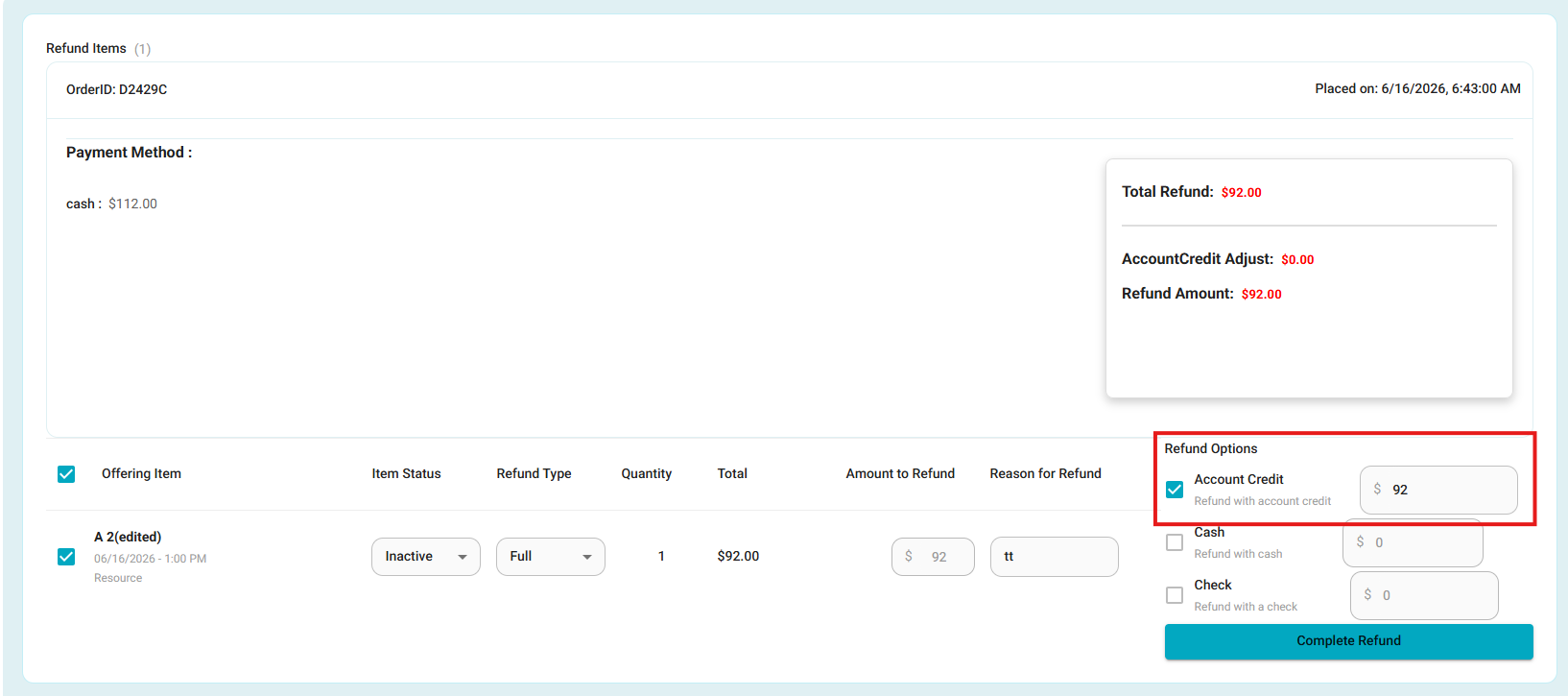
- Fixed: Account Credit Refund Amount Calculation
- Fixed an issue where refunds issued to Account Credit would not populate the refund amount, causing the amount to remain at $0.00 and preventing the refund from being processed.
- Refund amounts now correctly populate when Account Credit is selected, allowing refunds to be completed successfully.
- Fixed: Credit Card Fee Calculation in Operations Summary
- Fixed an issue where the CC Convenience Fee in the Operations Summary did not include fees collected through Pay Later transactions, resulting in incorrect fee totals.
- The report now correctly calculates and displays the full credit card fee amount from both direct sales and Pay Later payments, while preserving existing Card and Total Sold values.
- Fixed: CC Fee Reporting for Added Items on Existing Orders
- Fixed an issue where credit card convenience fees were not correctly reflected in the Quick Payments Report when additional items were added to an existing paid order and paid by credit card.
- CC fees associated with these payments are now properly recorded and displayed in the report.
Enhancements
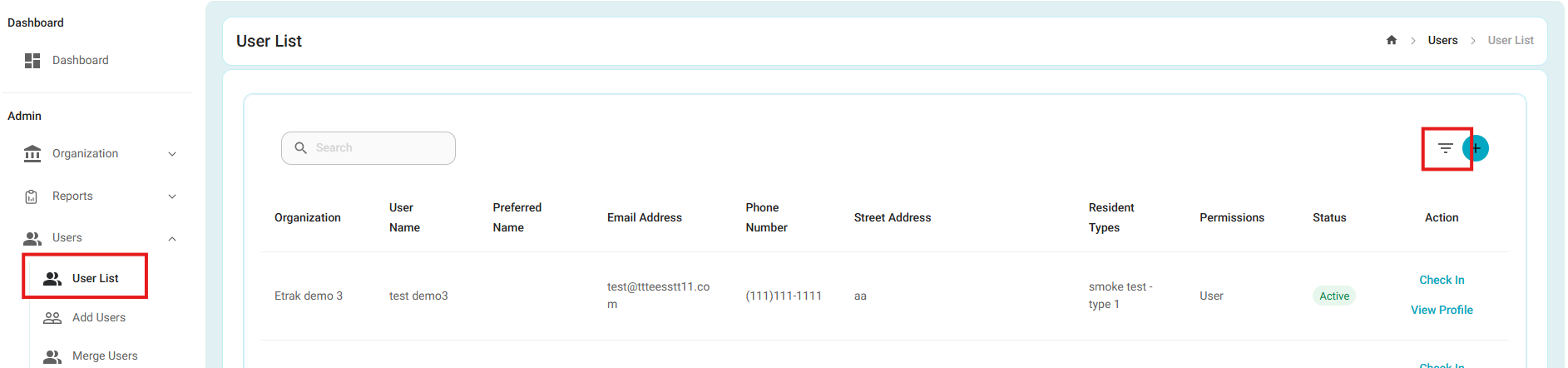
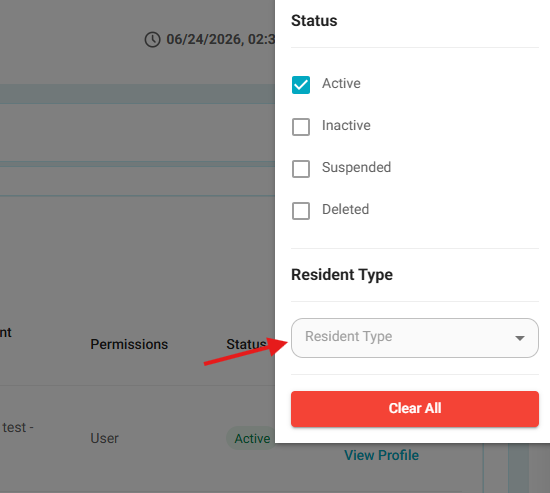
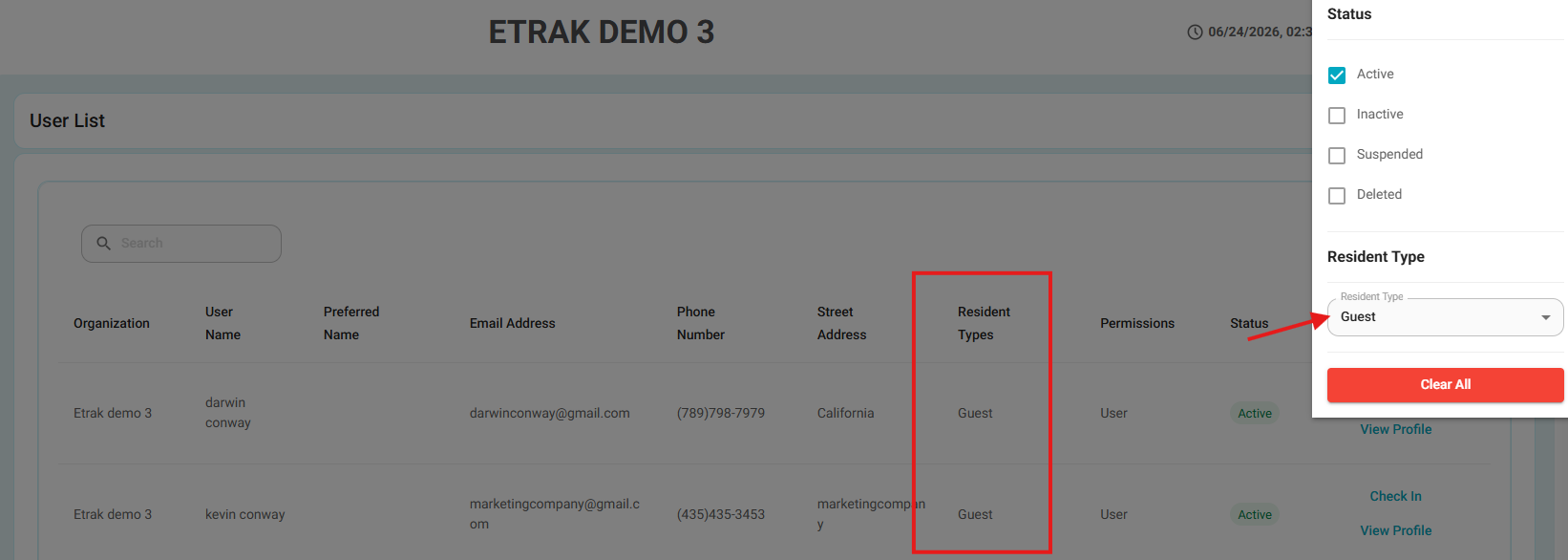
- Resident Type Filter on User List
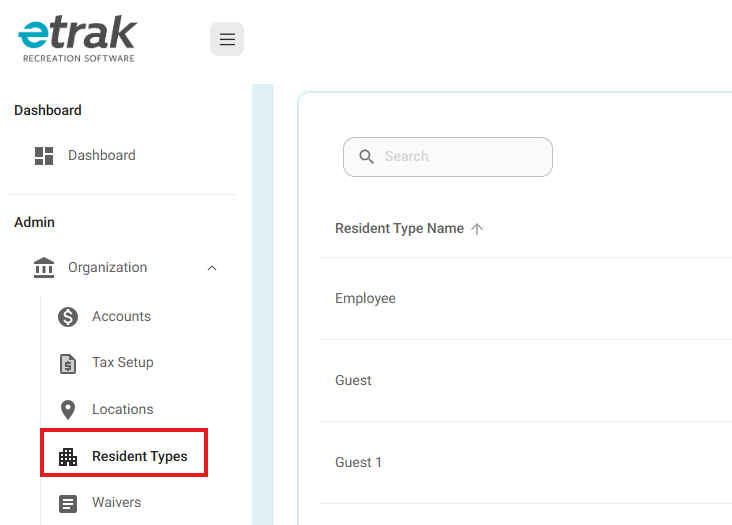
- Added a new Resident Type filter to the User List page. Administrators can now quickly filter users by resident type (e.g., Guest, Resident, Non-Resident), making it easier to locate and manage specific user groups.
- Available resident types are configured under Organization > Resident Types and can be customized by administrators.
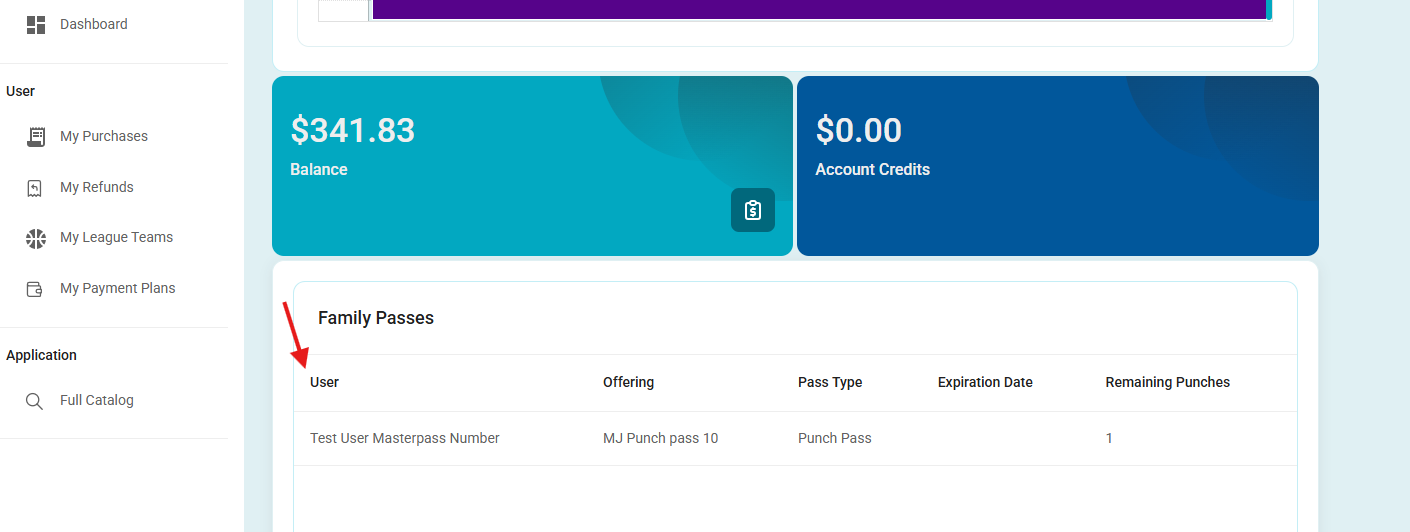
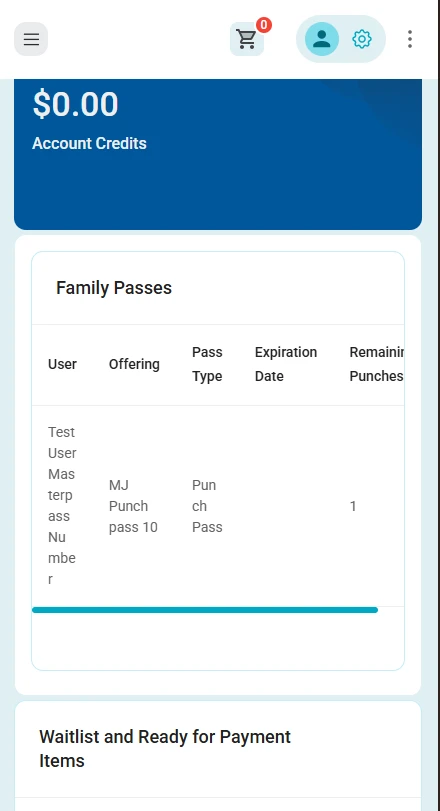
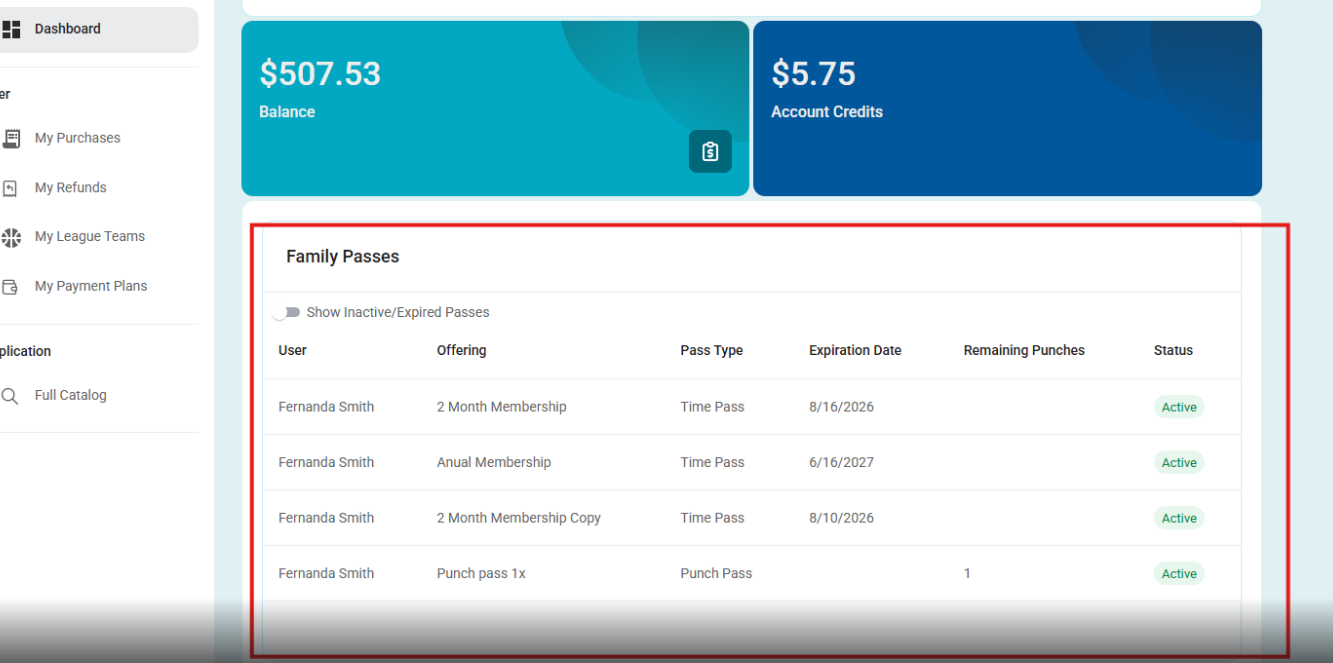
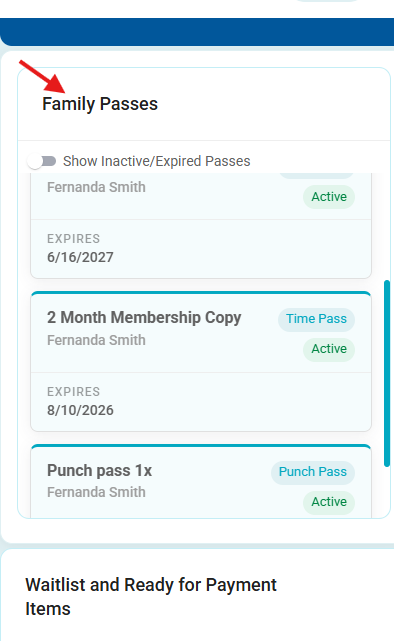
- Family Passes Management and Mobile Experience (End User)
- Added a new Active/Inactive toggle to the Family Passes dashboard, allowing users to easily view and manage both active and inactive family passes.
- Additionally, improvements have been made to the mobile Family Passes experience, providing a more streamlined and user-friendly interface on mobile devices.
Before:
Mobile version:
After:
Mobile version:
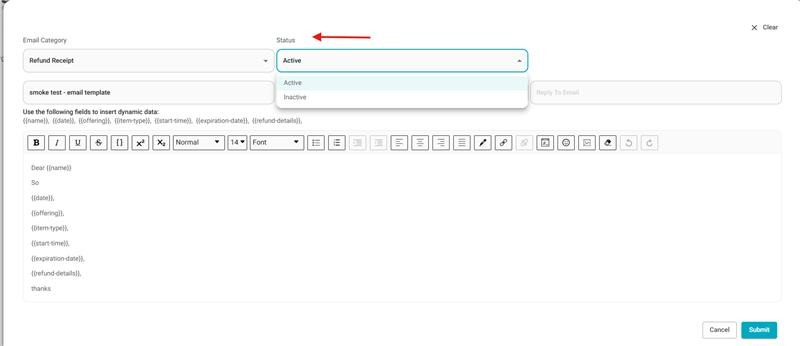
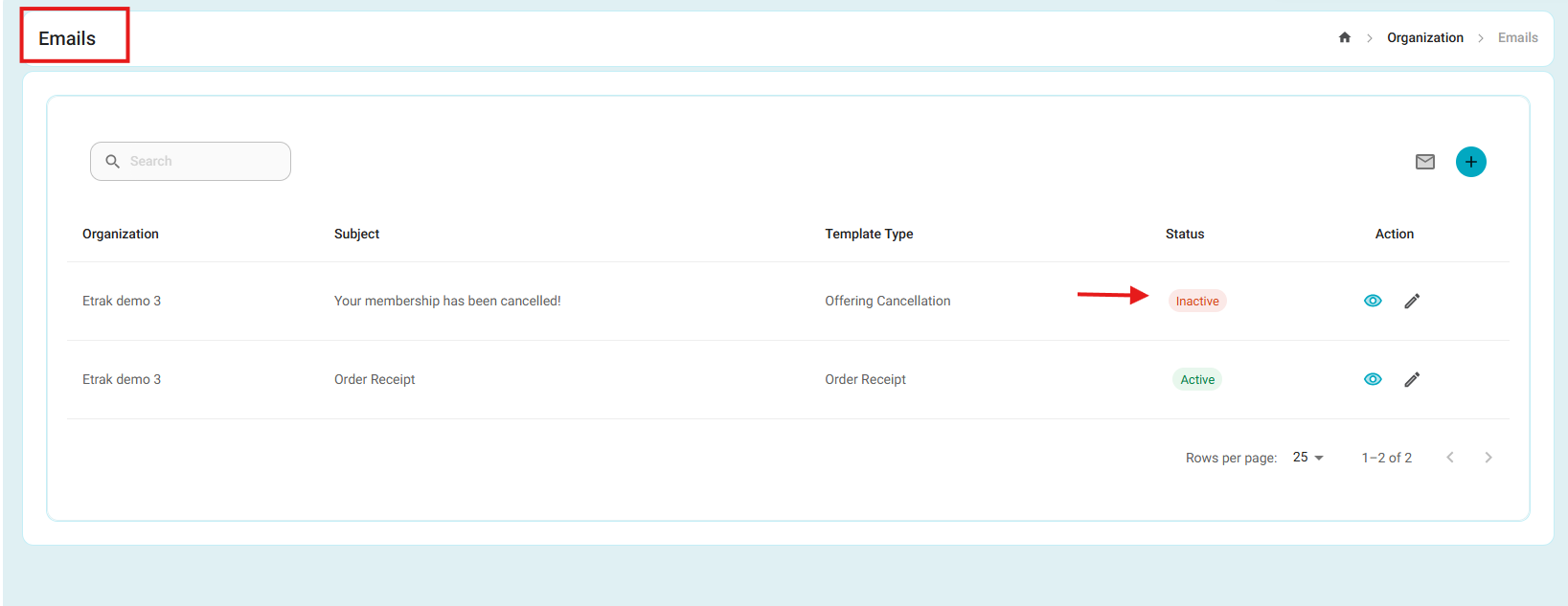
- Email Template Management
- Added the ability to edit existing email templates and manage their Active/Inactive status.
- This allows administrators to update template content and control template availability without deleting templates from the system.
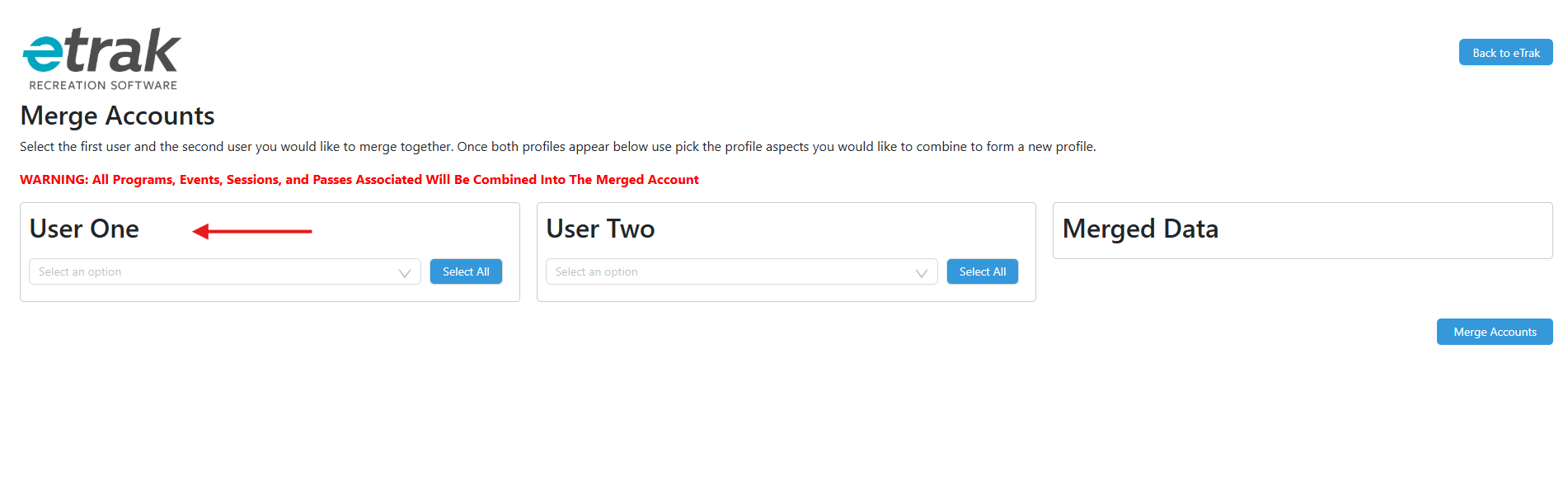
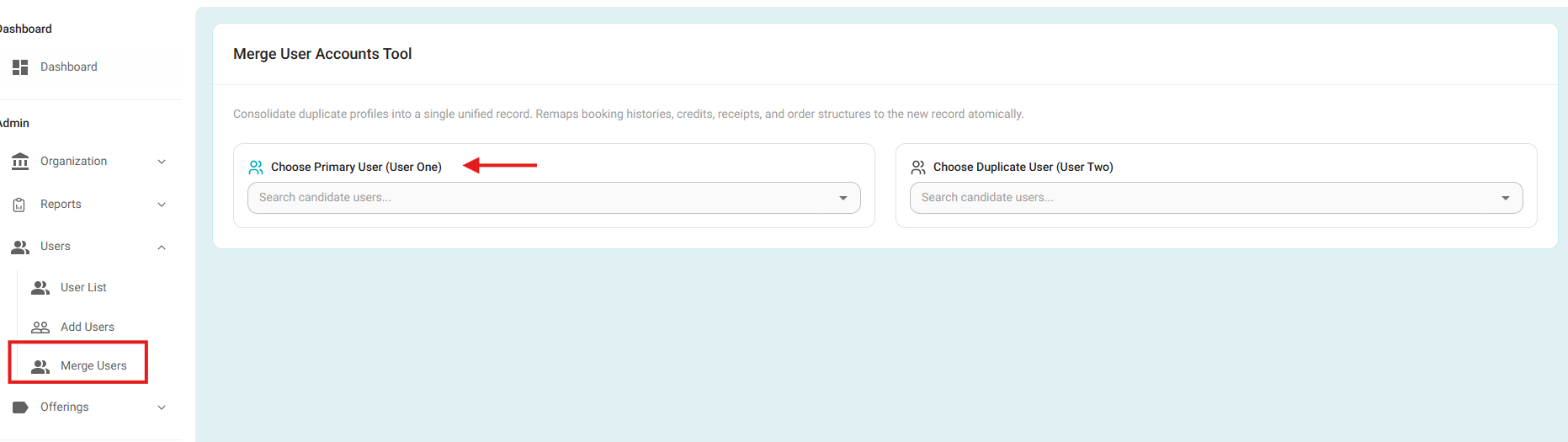
- Merge Users Tool Integration
- Integrated the Merge Users tool directly into the eTrak admin portal under Users > Merge Users.
- Administrators can now merge duplicate user accounts without leaving eTrak, while the existing user selection and merge process remains unchanged.
Before:
After:
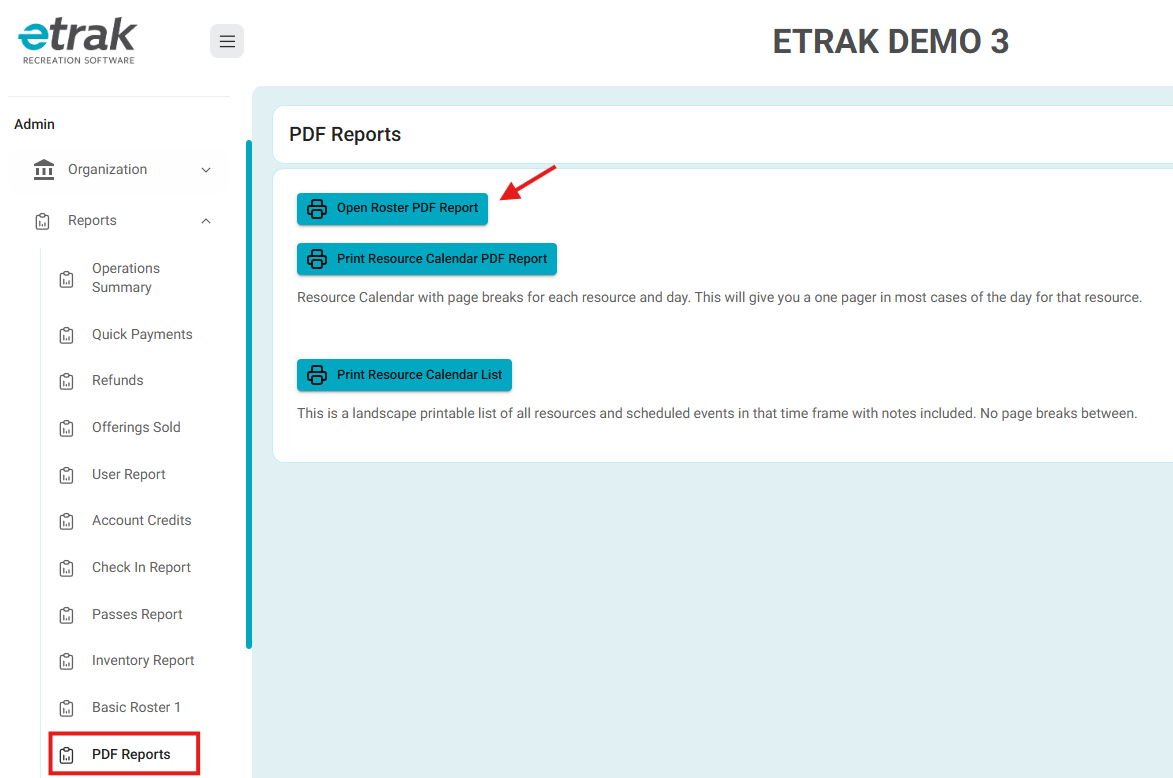
- PDF Reports Integration
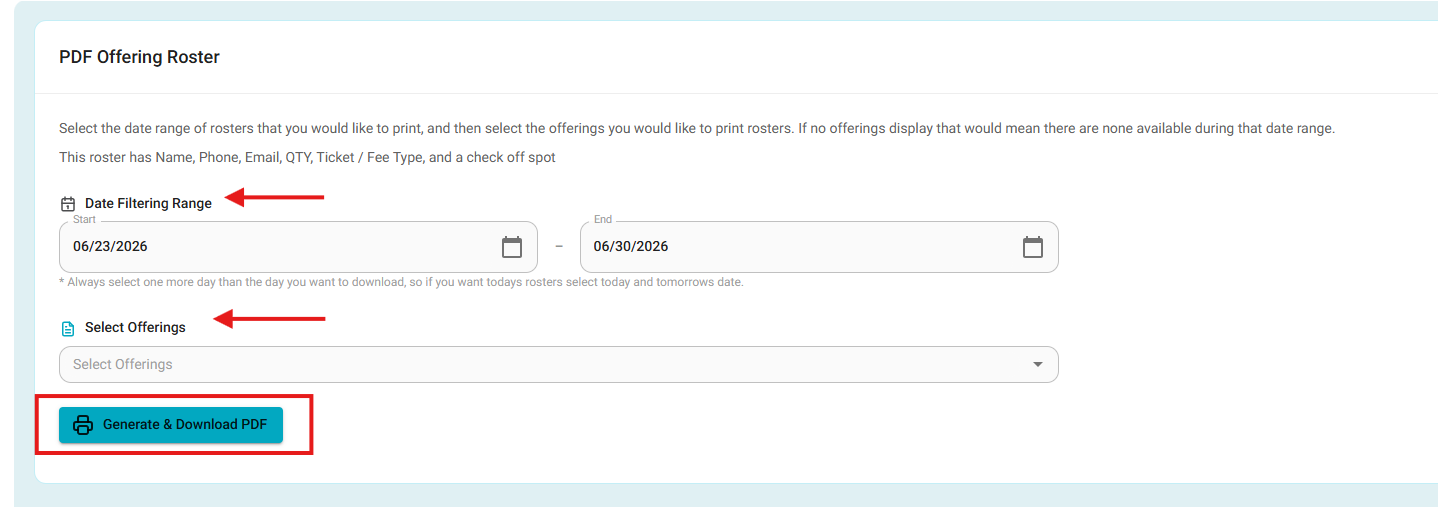
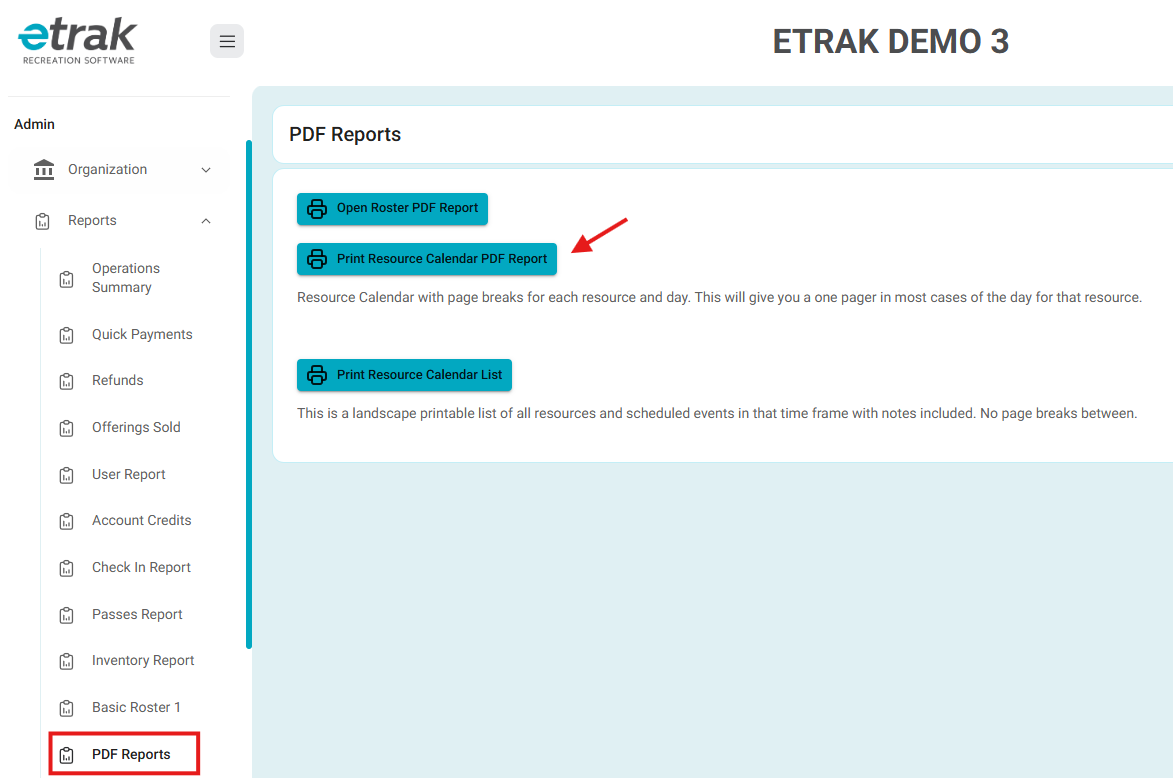
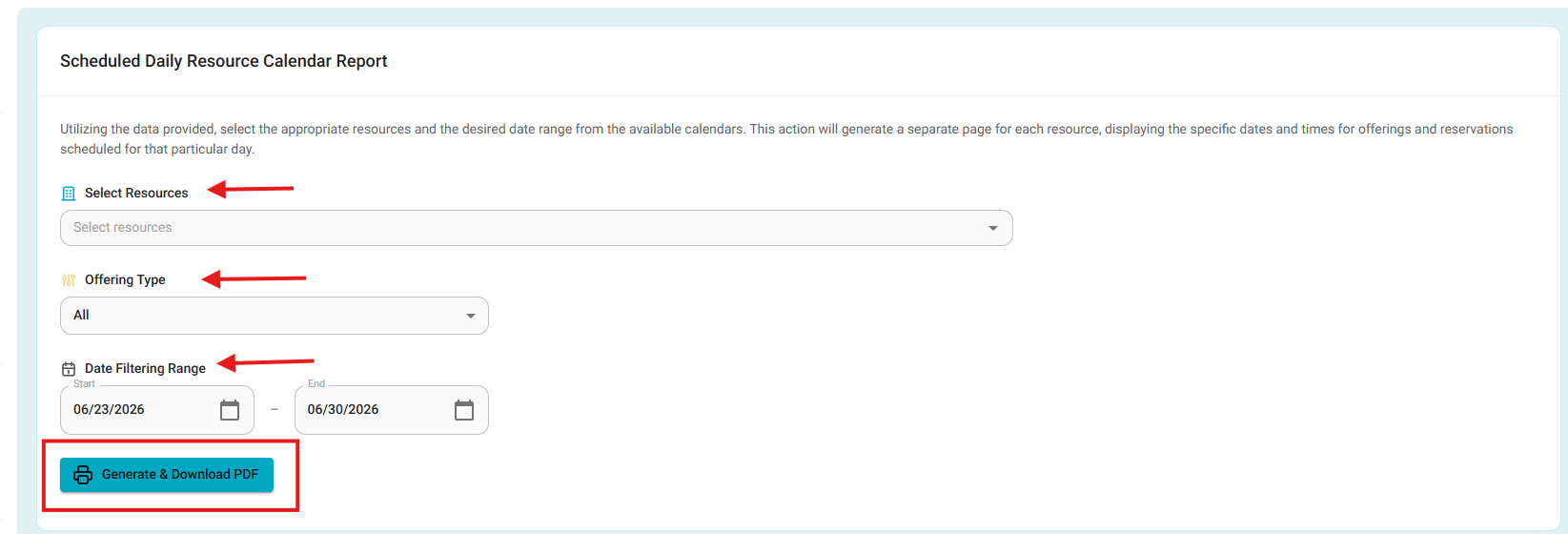
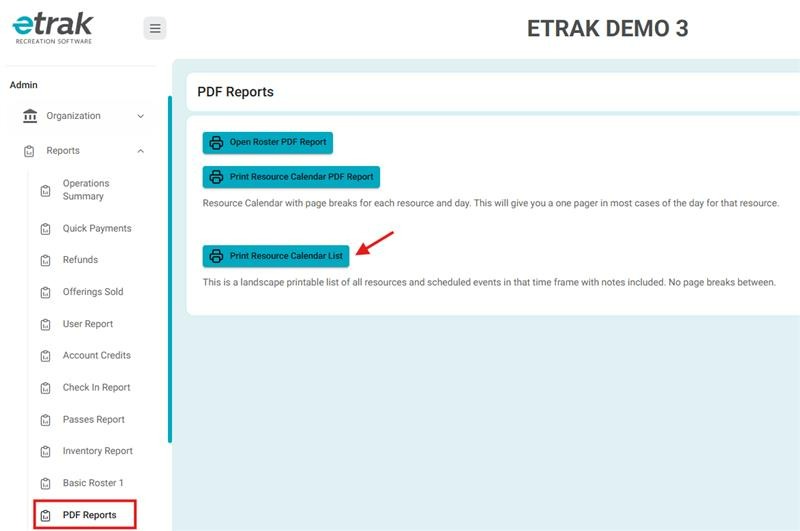
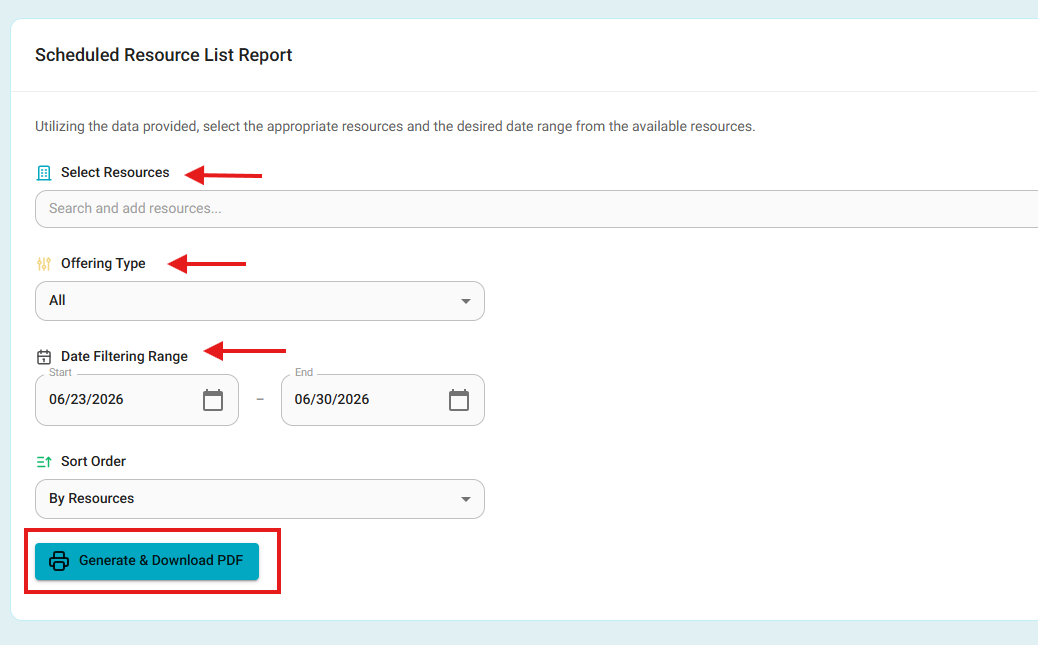
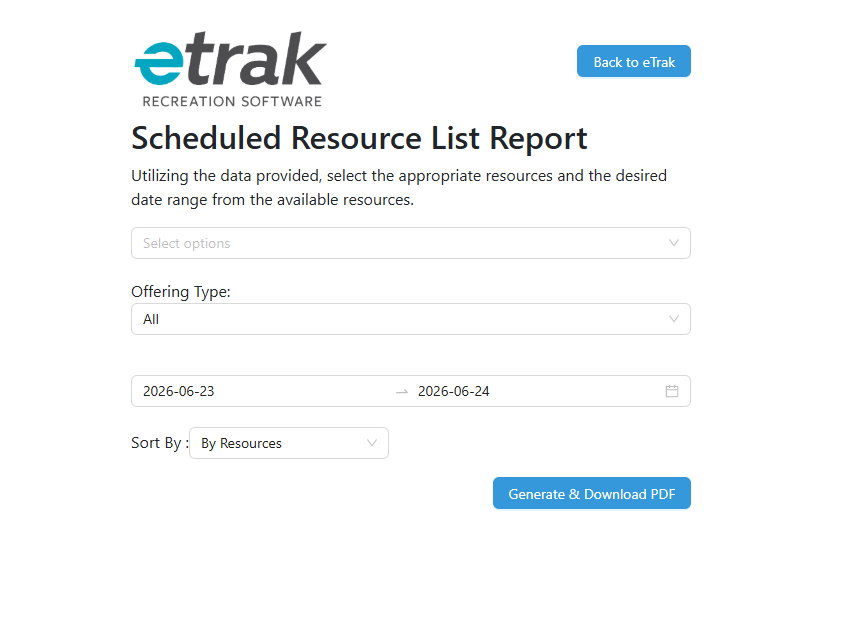
- Integrated all three PDF Report actions directly into eTrak, including Open Roster PDF Report, Print Resource Calendar PDF Report, and Print Resource Calendar List.
- The functionality remains unchanged.
- These reports now open within the eTrak application experience instead of navigating to an external page, while also featuring an updated and improved user interface for a more seamless reporting workflow.
Open Roster PDF Report
Print Resource Calendar PDF Report
Print Resource Calendar List
This is an example of how it looked before the update:
Was this article helpful?
That’s Great!
Thank you for your feedback
Sorry! We couldn't be helpful
Thank you for your feedback
Feedback sent
We appreciate your effort and will try to fix the article