A program must have a start and end date and time set. When the end date passes the program will move into an expired state, be sure to set end date when the program its-self ends not when registration ends.
Clinics or Camps
How to set up a program that occurs for one period but lasts for consecutive days. Ex: sport clinics, week long track out camps, etc.
1. Set the start date (Clinic starts Saturday April 8th at 9:00am)
2. Set the end time (The first day of the clinic ends Saturday April 8th at 3:00pm)

3. If the program occurs more than once hit the repeat toggle (This clinic is 2 days)

4. Set repeat option to 'daily' every '1' (every single day) end on date 4/9.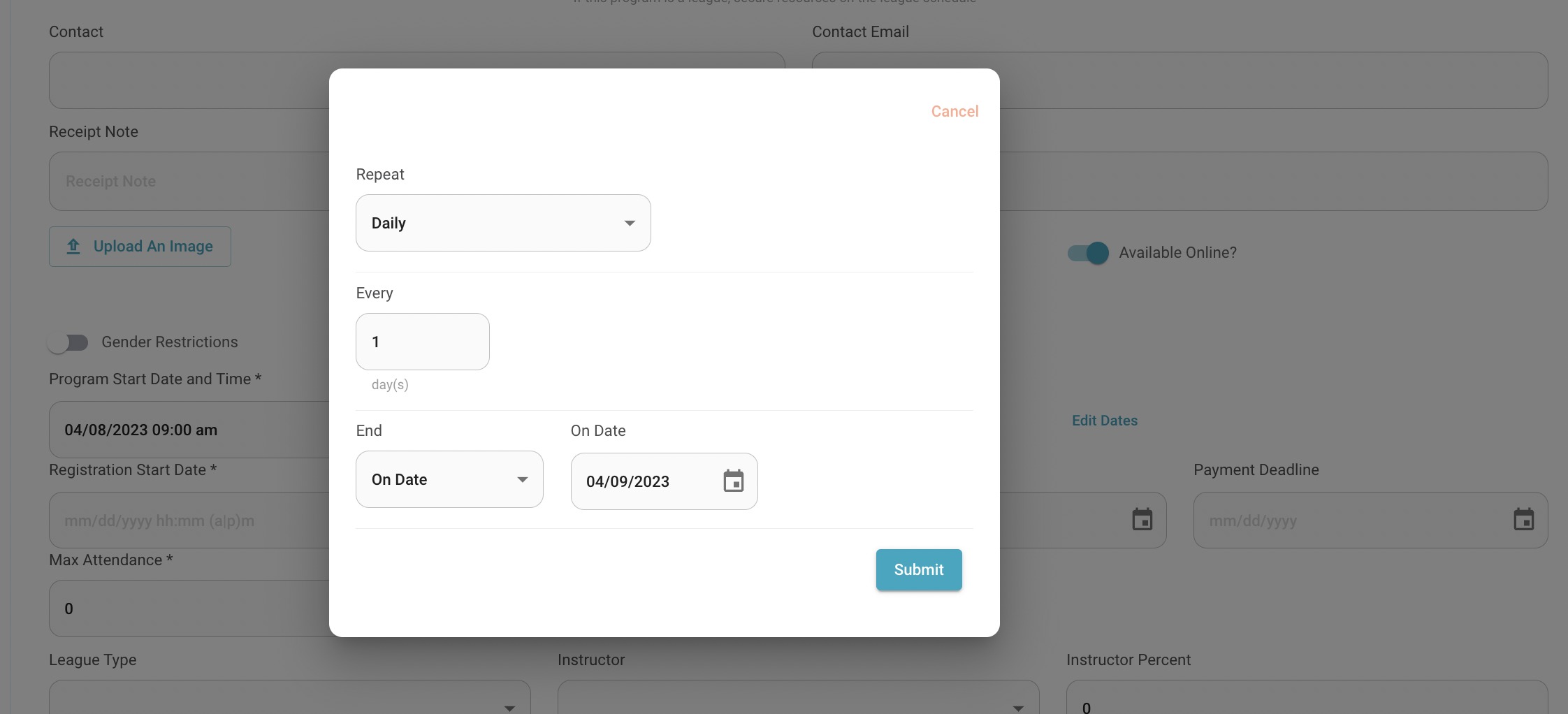
5. This sets up a program occurrence for 4/8 9:00am-3:00pm and for 4/9 9:00am-3:00pm. These occurrences can be edited or cancelled individually.
Classes or Lessons
How to set up a program that occurs a certain day or days of the week but lasts for several weeks. Ex. 6 week tennis class, swim lessons, etc.
1. Set the start date (Swim lesson begins Monday April 3rd at 8:00am)
2. Set the end time for the first swim lesson (This swim lesson ends at 9:00am on Monday April 3rd)

3. If the class happens more than once hit the repeat toggle. (this class will occur every Monday for 6 weeks)

4. Set repeat option to 'weekly' every '1' week on Monday end after '6' occurrences.
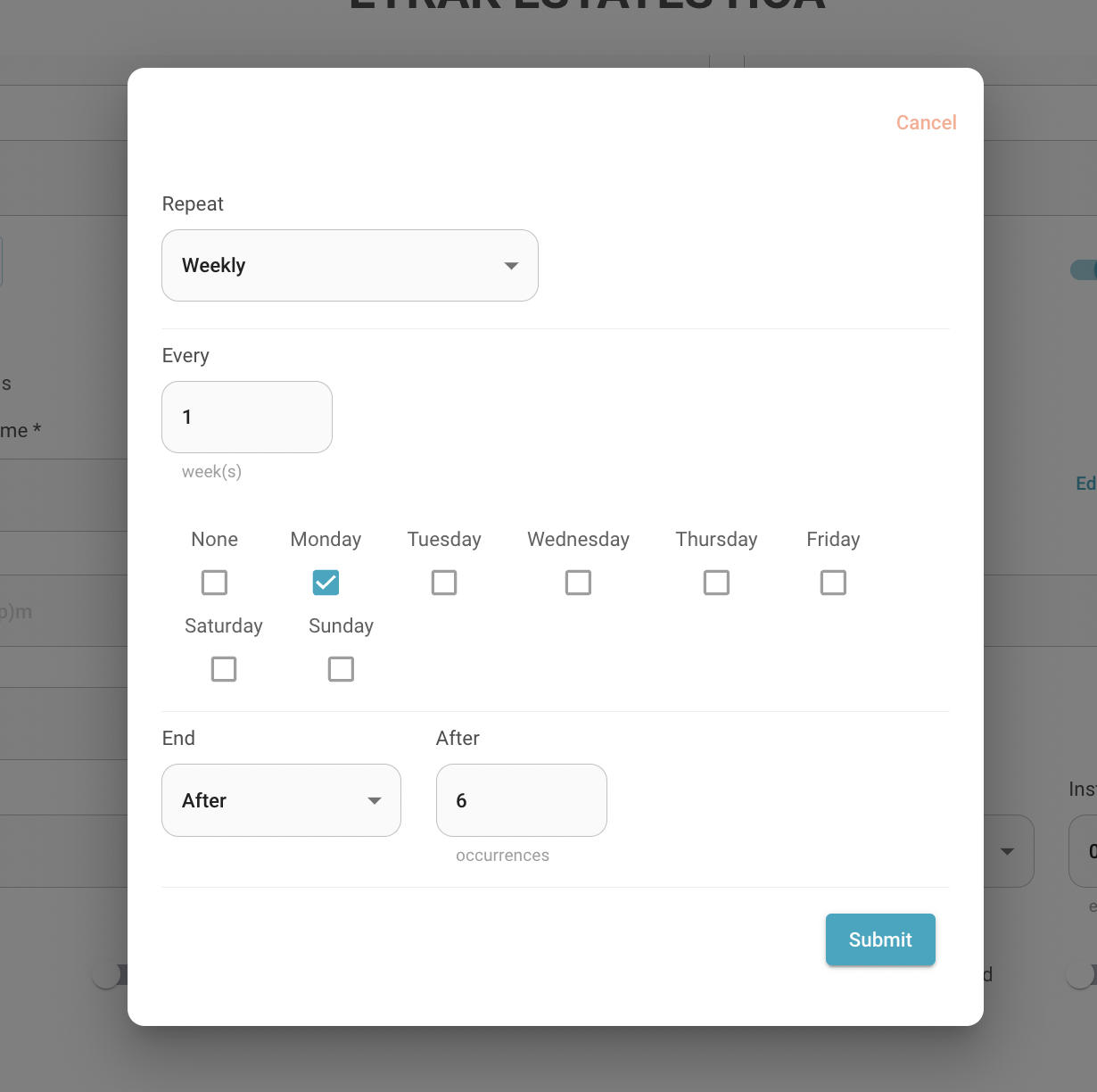
5. This sets up 6 program occurrences for Mondays at 8:00am-9:00am from April 3rd- May 8th. These occurrences can be edited or cancelled individually.
Sport Leagues or Seasonal Sports
How to set up a program that occurs over a season but may not have a set schedule yet. Ex. Youth sport league
1. Set the start date as the first game of the season (ex. Spring Ball games begin Saturday April 8th. games begin at 8am)
2. Set the end time for the first game (games will run on Saturday April 8th until 8pm)

3. To keep the program active for the whole season select repeat and set an occurrence for each game until the end of the season.

4. Set repeat 'weekly' every single '1' on 'Saturday' until '5/27/2023.
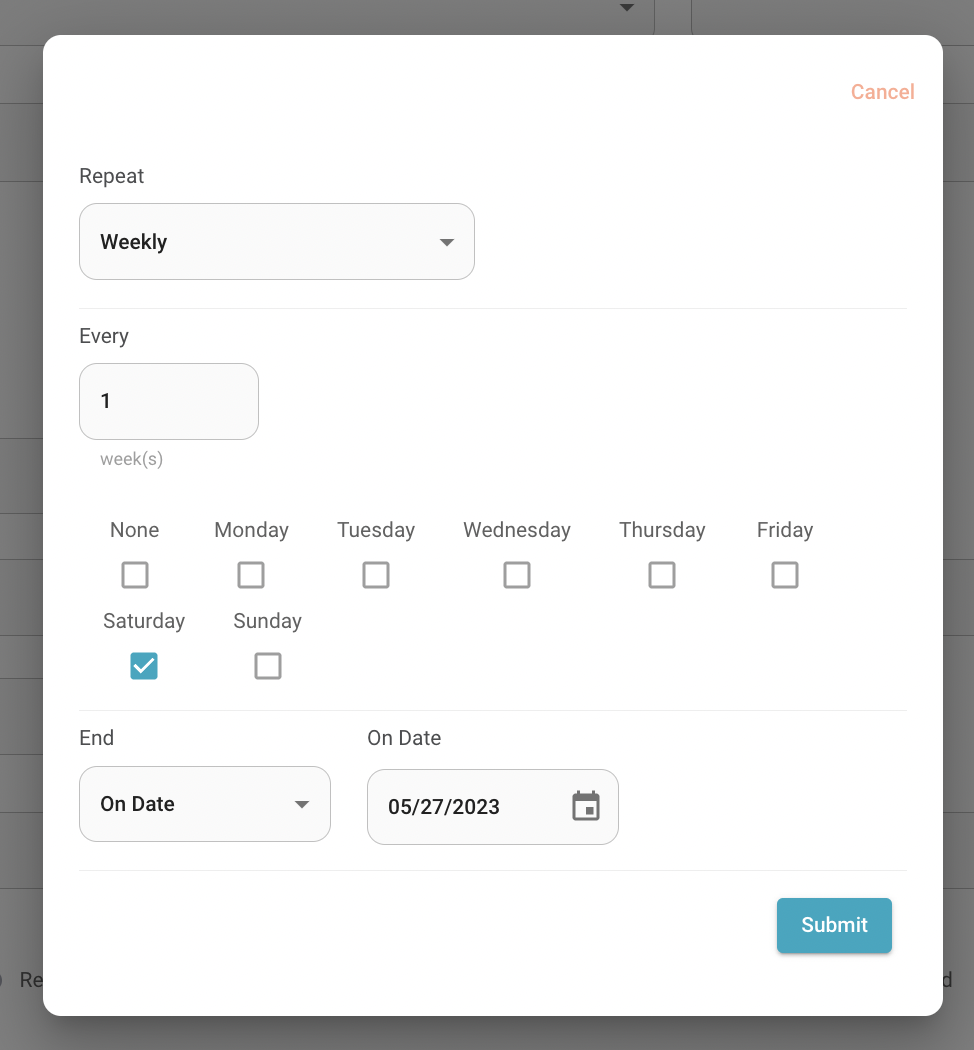
5. This sets a program occurrence every Saturday from the start of the season till the end. These occurrences can be edited or cancelled individually.
Was this article helpful?
That’s Great!
Thank you for your feedback
Sorry! We couldn't be helpful
Thank you for your feedback
Feedback sent
We appreciate your effort and will try to fix the article