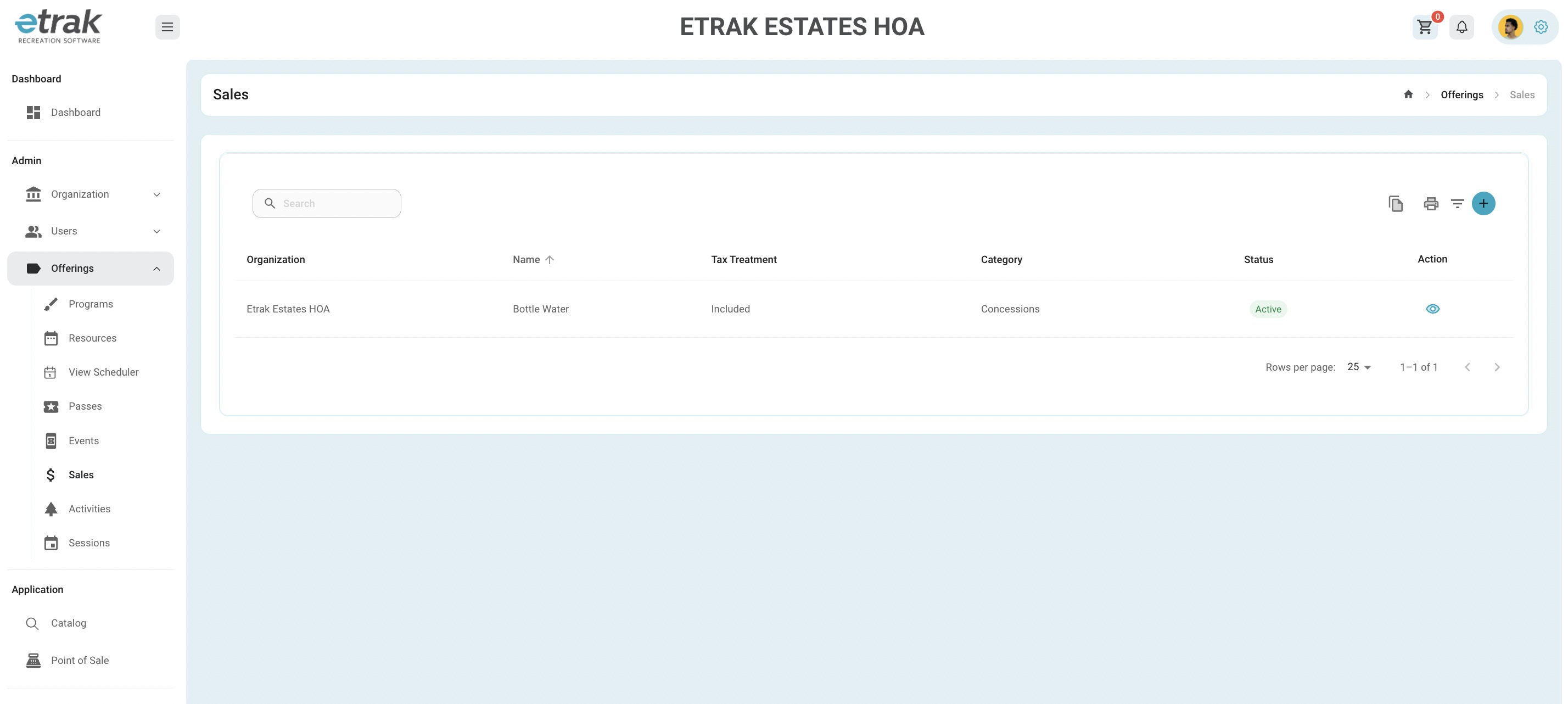
Select 'Sales' from the offerings tab on the left side of the screen.
Hit the eye icon that corresponds with the sale item that needs edited.
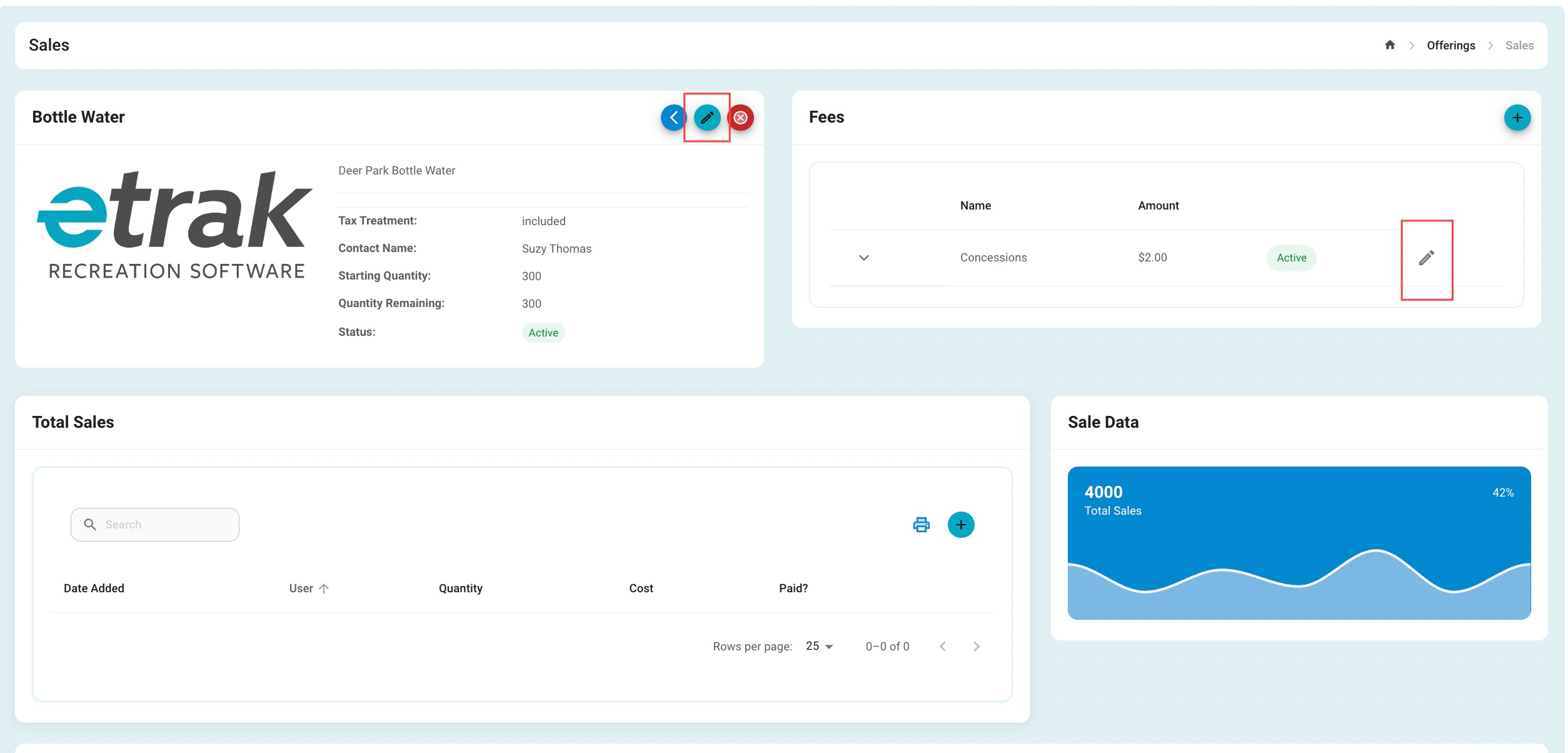
Edit the sale details by selecting the blue pencil icon in the first box
Edit the sale fees by selecting the gray pencil icon on the right side of the screen.
Change any information needed and press submit to save the changes
Success!
Was this article helpful?
That’s Great!
Thank you for your feedback
Sorry! We couldn't be helpful
Thank you for your feedback
Feedback sent
We appreciate your effort and will try to fix the article