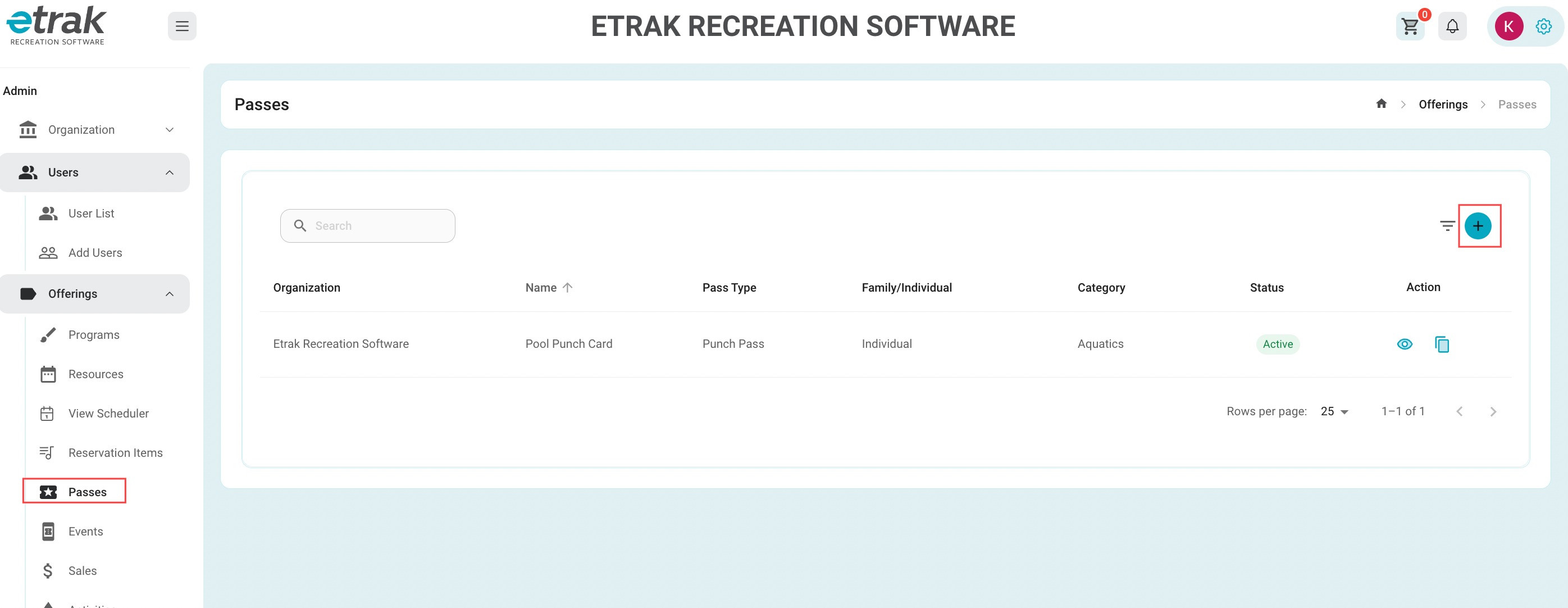
Select "Passes" from the 'Offerings' tab on the left side of the screen.
Create a new Pass by selecting the blue "+" on the right hand side of your screen.
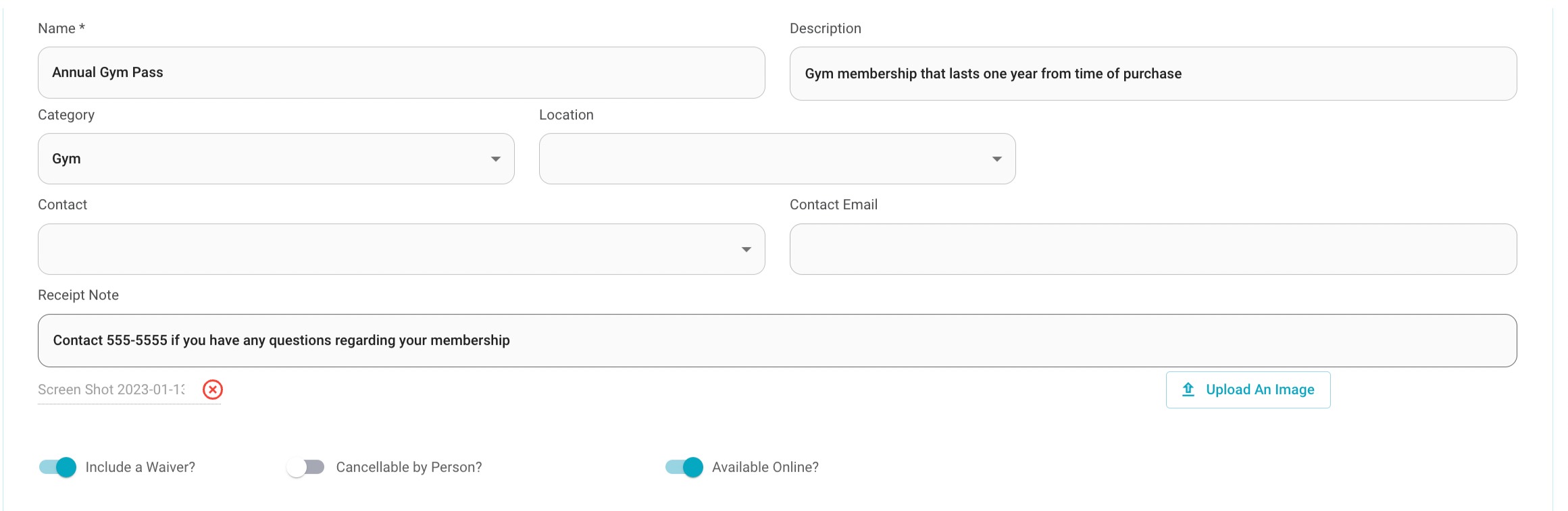
| Offering Name | Description | Category | Location | Contact Name |
| Receipt Note | Upload an Image | Waiver | Cancellable by Person | Available Online |
Minimum Age Maximum age: Can be applied to for age restricted passes. ex: senior gym pass
Hit 'Next' to enter pass fee information

If the pass is free, simply hit the “Free for all resident types” toggle
Minimum/Maximum Age: For example the price of a senior pass or a kids pass
A Resident and Non-Resident fee can be created by moving the toggle.
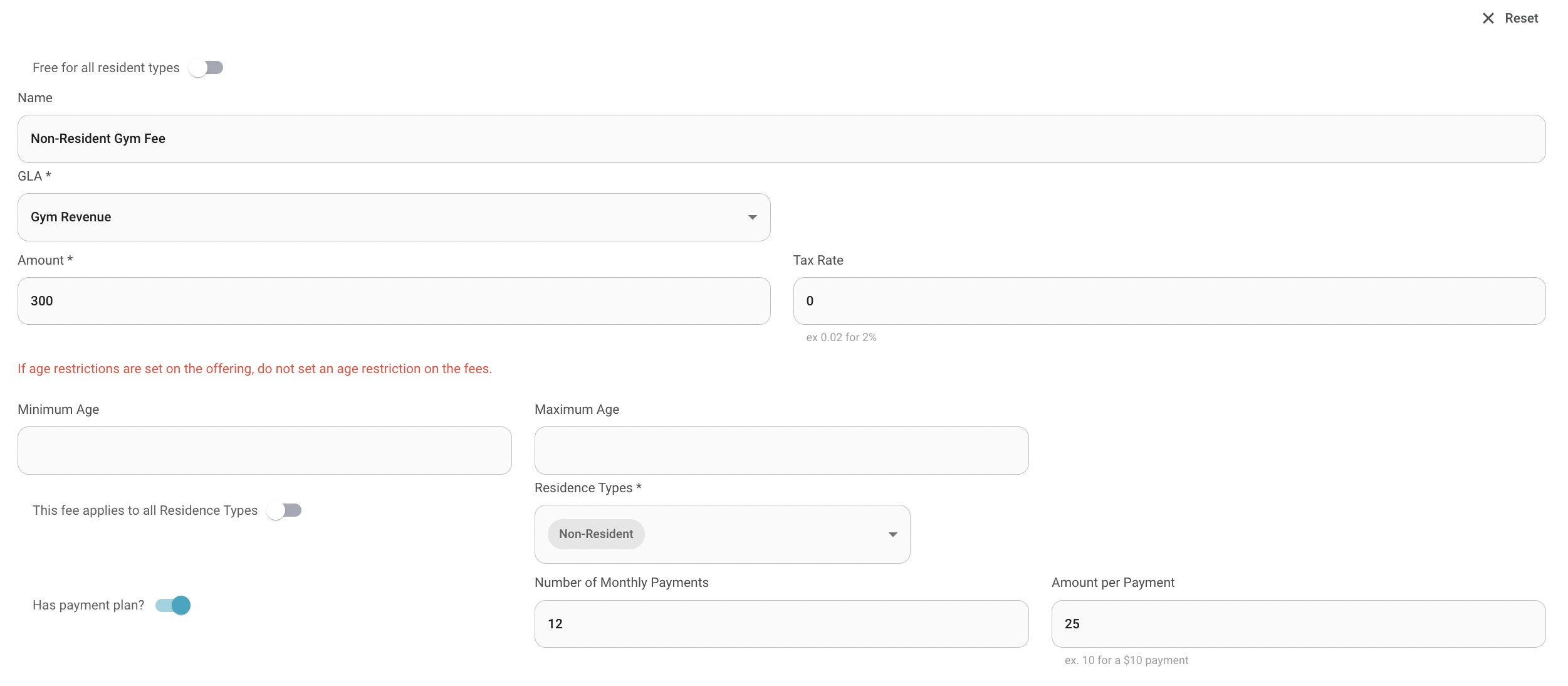
Press ‘Add Another Fee’ or ‘Publish’ to save all information.

Success!
Was this article helpful?
That’s Great!
Thank you for your feedback
Sorry! We couldn't be helpful
Thank you for your feedback
Feedback sent
We appreciate your effort and will try to fix the article