Editing a Category

Modified on Sat, 15 Feb, 2025 at 2:09 PM


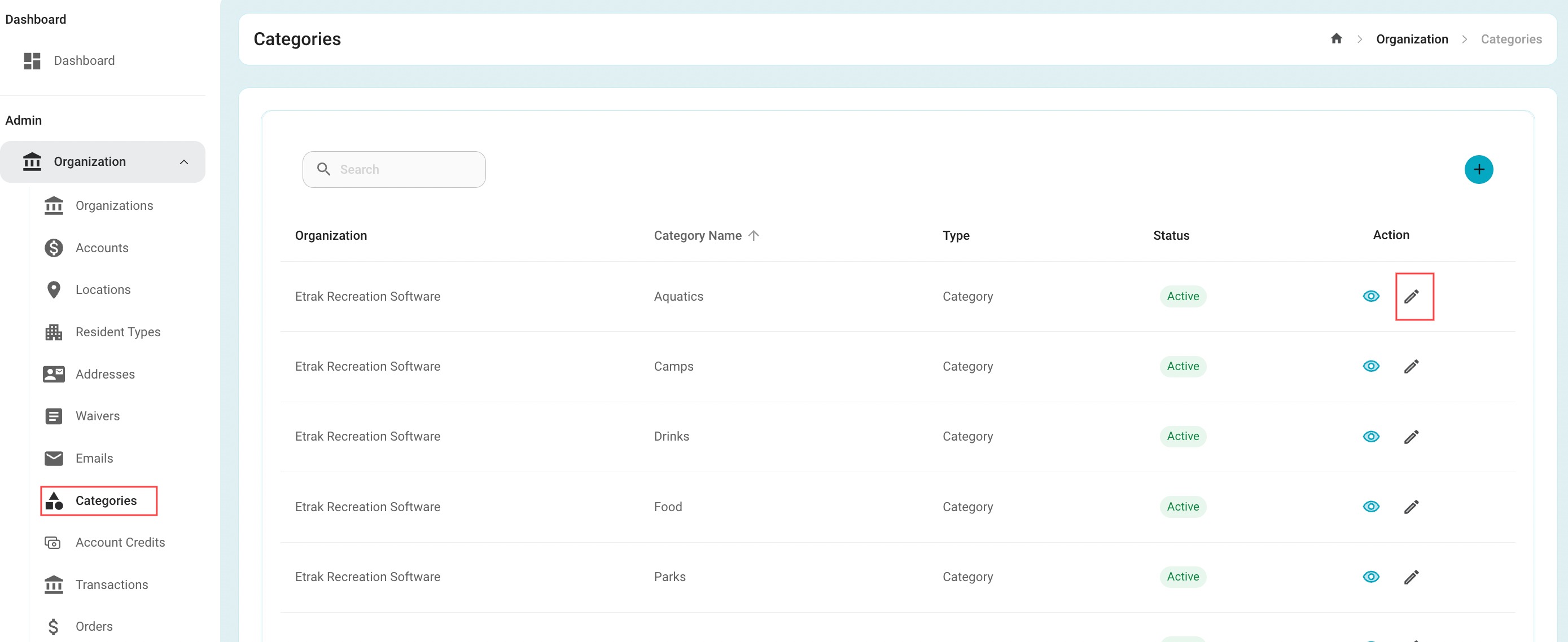
Under the 'Organization' tab on the left side, select 'Categories'

Find the category that needs edited and select the corresponding pencil on the right hand side. 
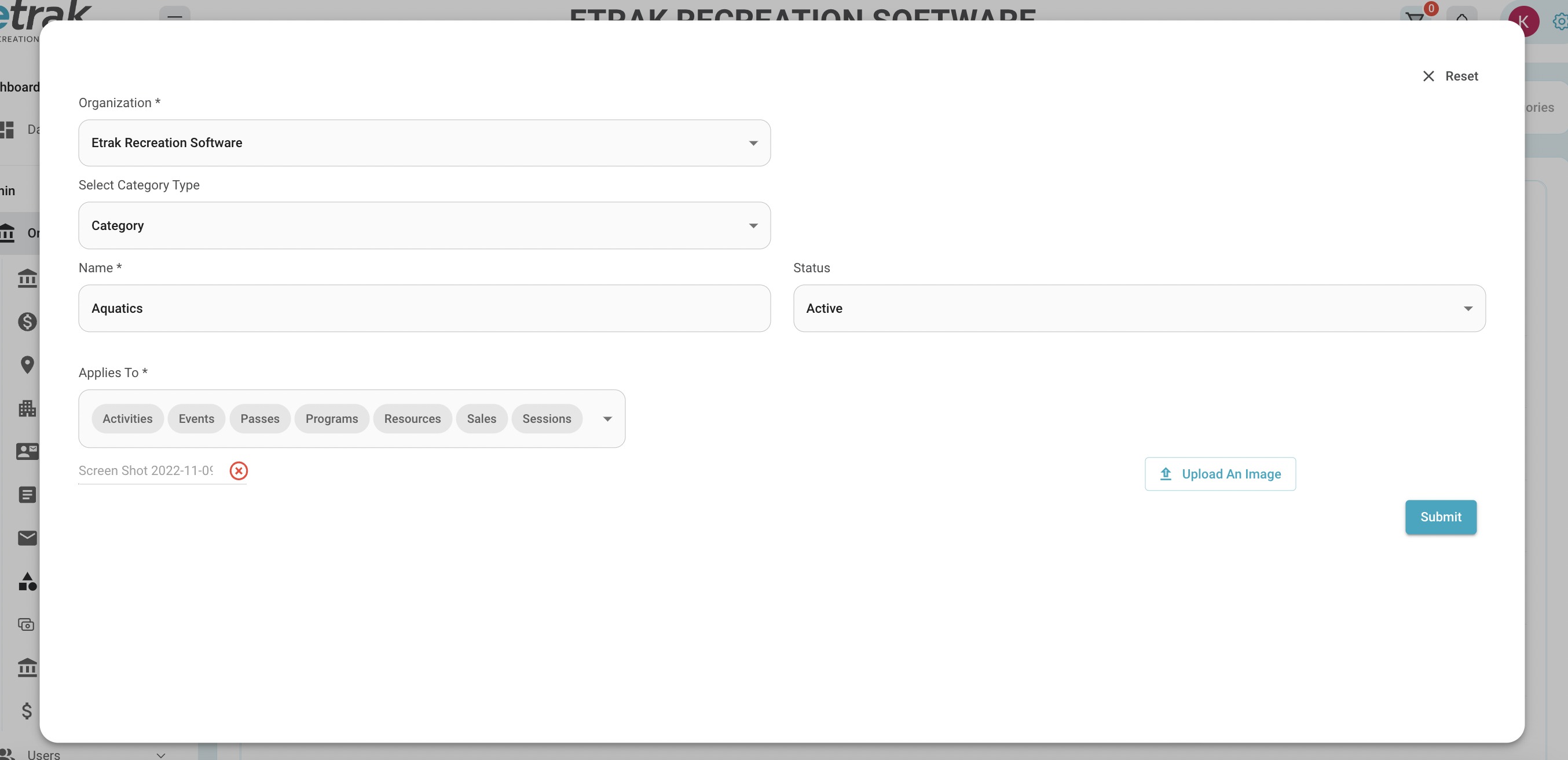
Click on any "Applies To" selections to de-select

Change the picture by clicking the 'x' on the uploaded file and click 'Upload and Image

When changes are made hit 'Submit' button.
Success!


Was this article helpful?

That’s Great!

Thank you for your feedback

Sorry! We couldn't be helpful

Thank you for your feedback

Let us know how can we improve this article!

Select at least one of the reasons
CAPTCHA verification is required.

Feedback sent

We appreciate your effort and will try to fix the article