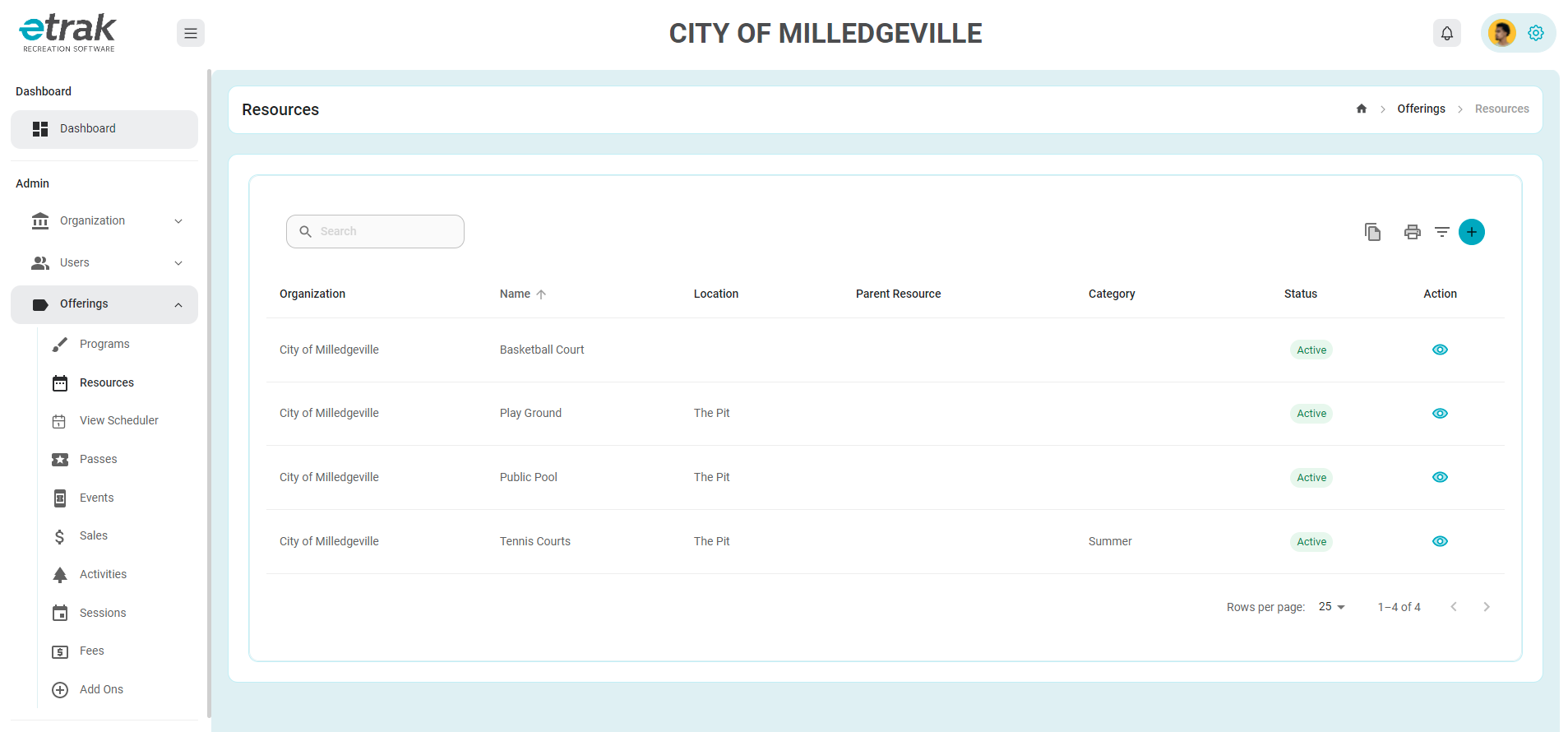
Under the offerings tab on the left side of the screen select resources.
Identify the resource that needs edited and click the eye button to view details.
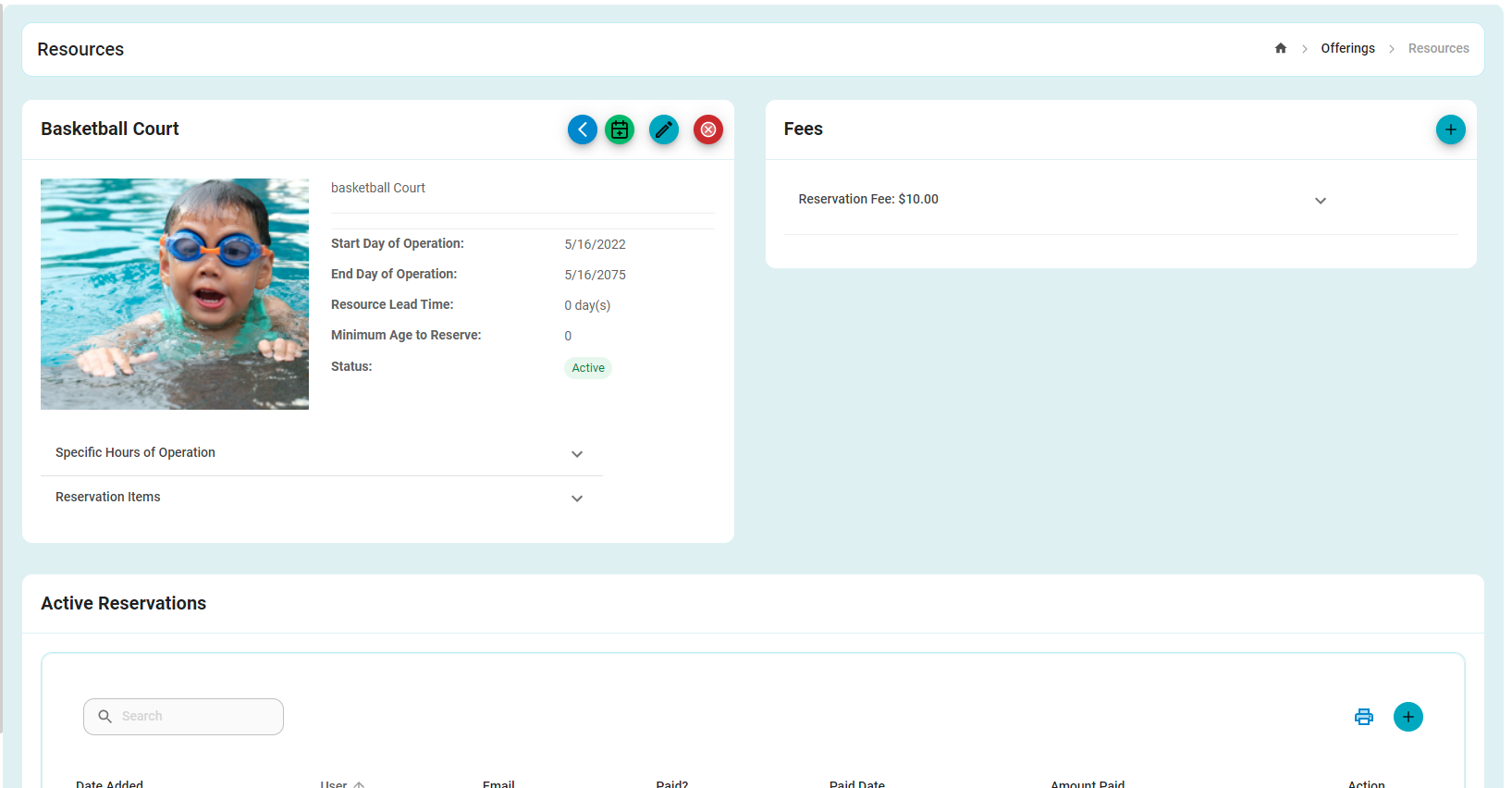
Once the new screen appears hover over the blue pencil button to see options for editing the resource
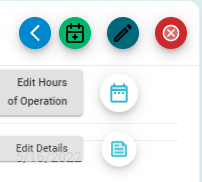
Select the top option to edit the hours of operation or the bottom option to edit resource details
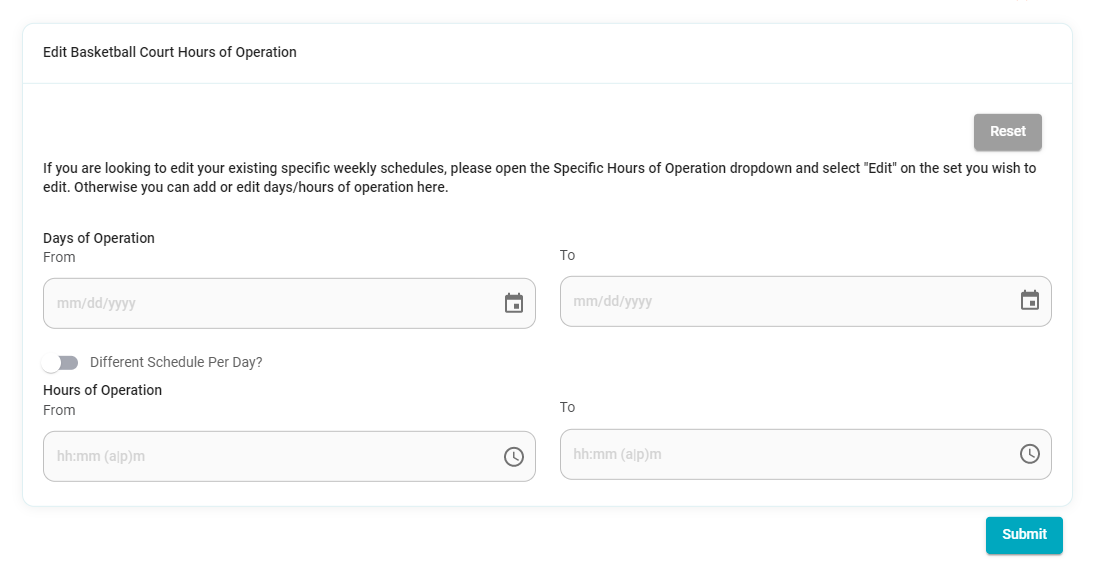
If editing the hours of operations, this is the screen that will appear and a new schedule can be entered
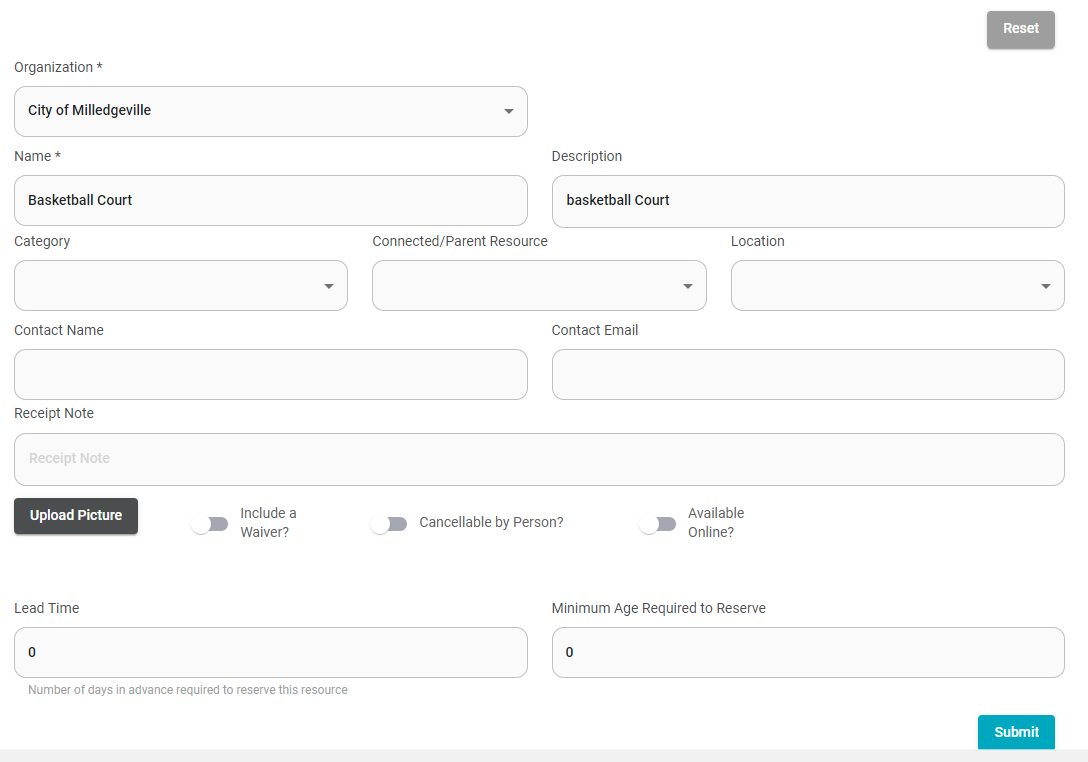
If editing the details of the resource this is the screen that will appear and any necessary changes can be made and submitted.
Success!