Release Notes - 03/18/26
New Features
- Total Liabilities Report
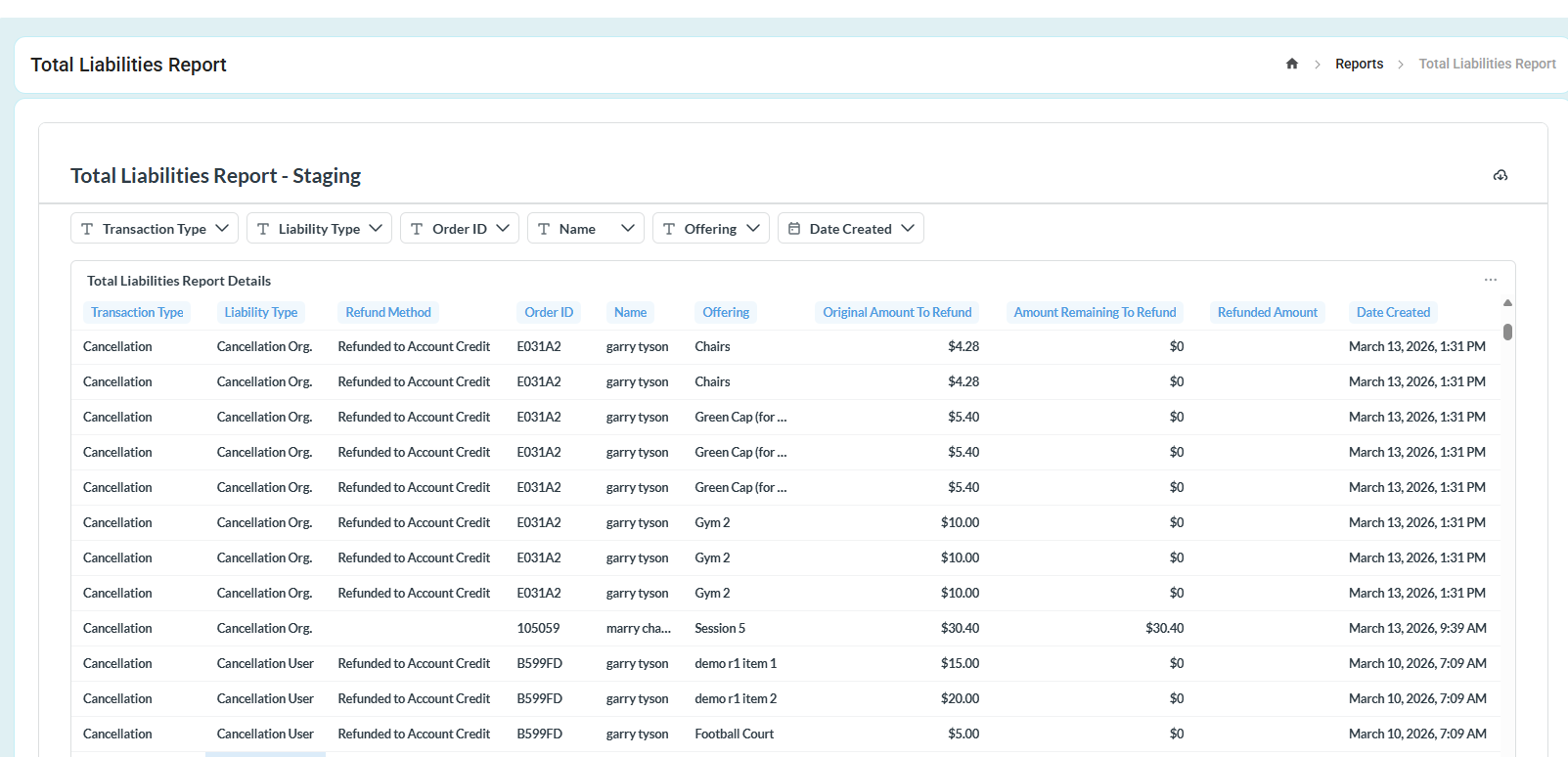
A new report called "Total Liabilities" has been implemented. This report allows you to view all cancelled orders, both before and after a refund has been issued.
The report includes filters such as Transaction Type, Liability Type, and Date Created.
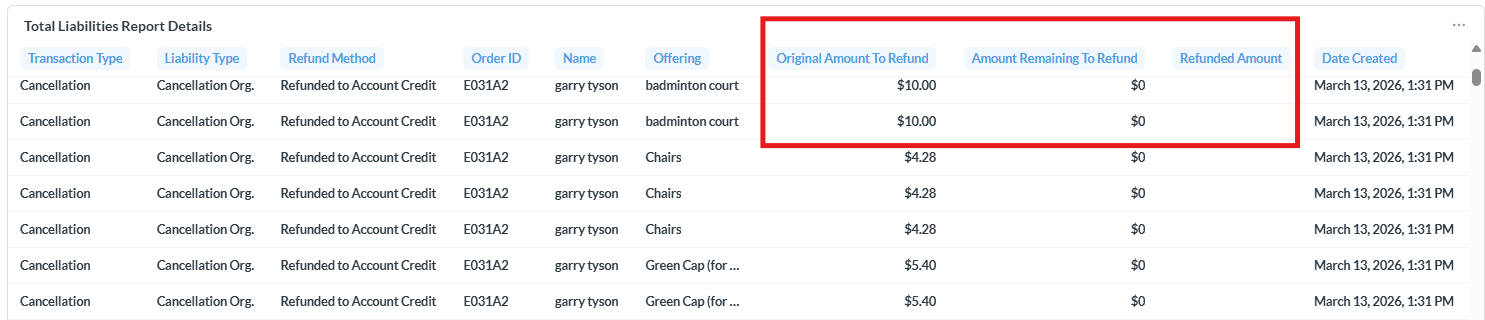
It also provides columns including:
Original Amount to Refund
Amount Remaining to Refund
Refunded Amount
This report helps users better track refund liabilities and monitor the refund status of cancelled orders.
- Outstanding Balances
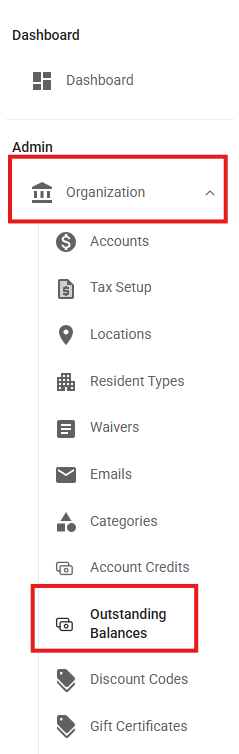
A new feature called "Outstanding Balances" has been implemented under Organization.
This feature allows you to view customers who have outstanding balances.
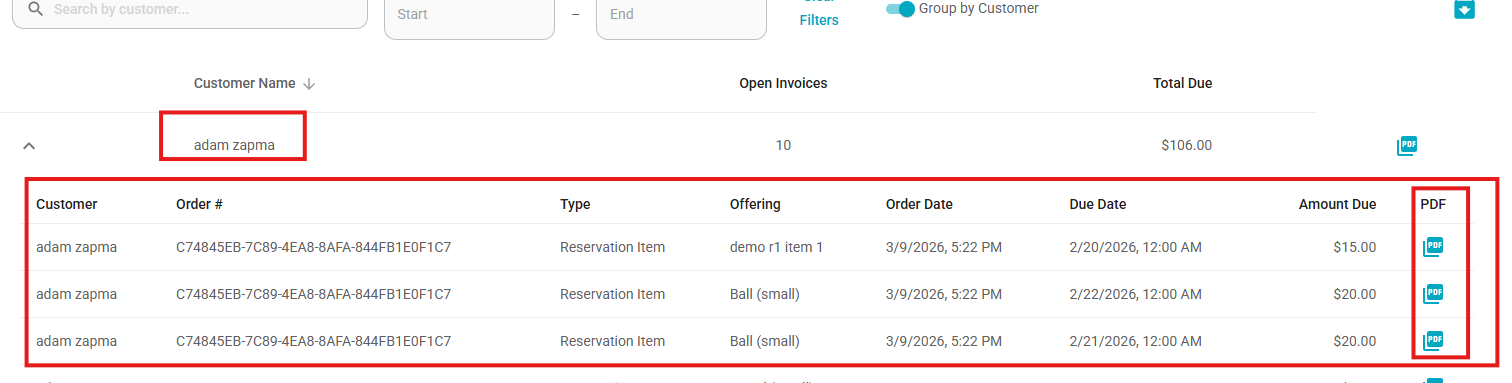
- You can download a PDF containing all orders for a specific customer, or open the dropdown menu to download the PDF for a single order.
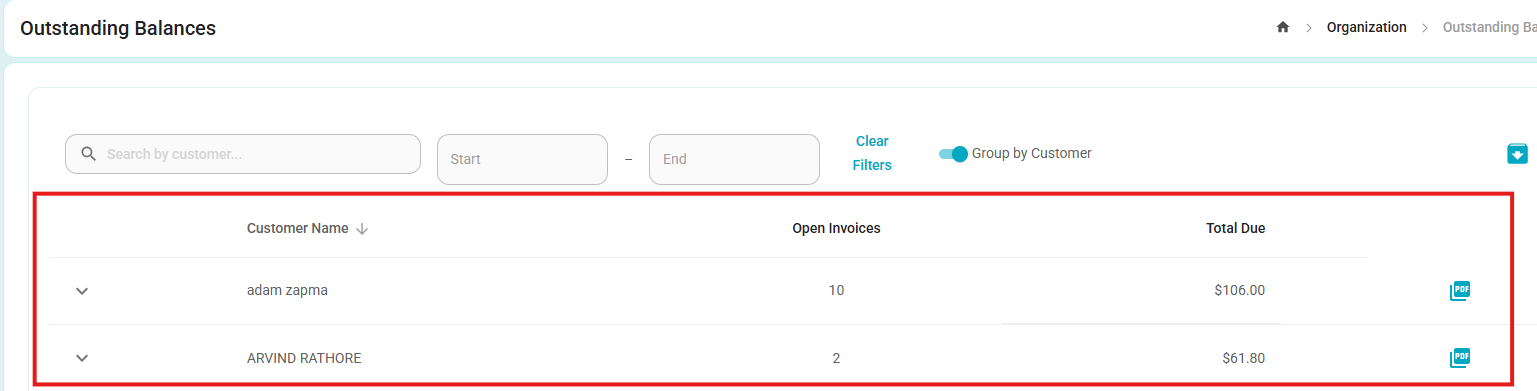
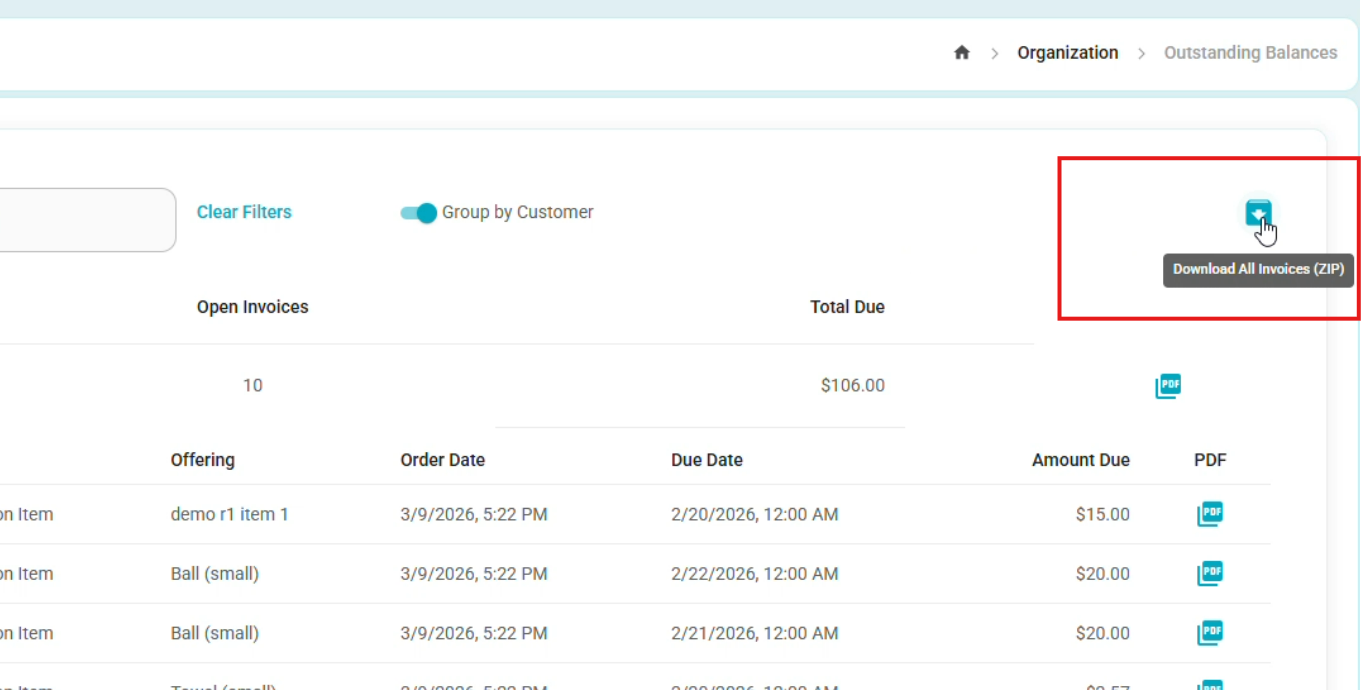
- There is also an option to download all records on the page. In this case, the system will generate separate PDF files for each customer.
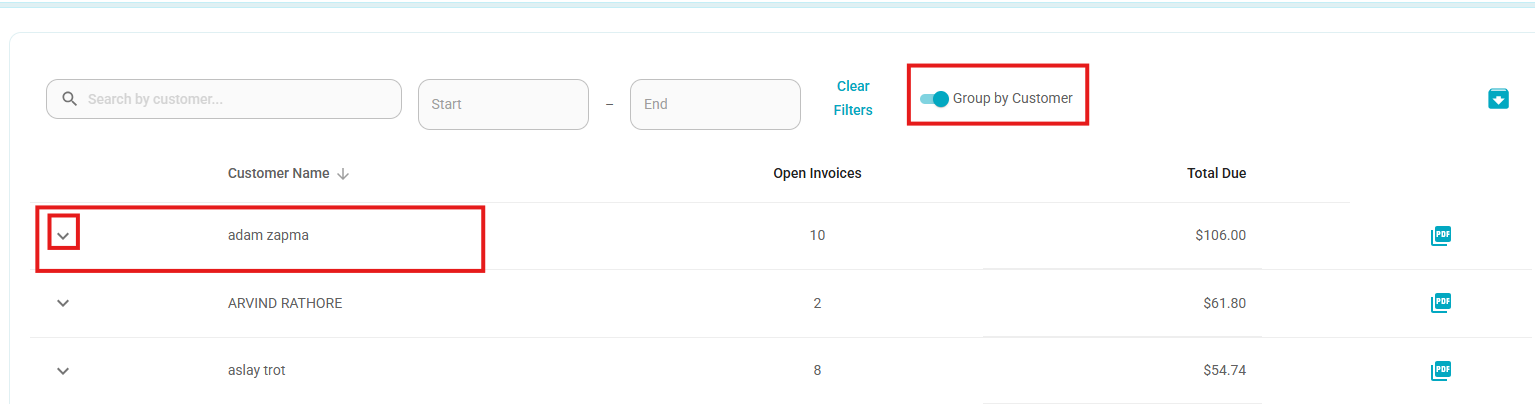
- By default, the "Group by Customer" toggle is enabled, displaying orders grouped under each customer.
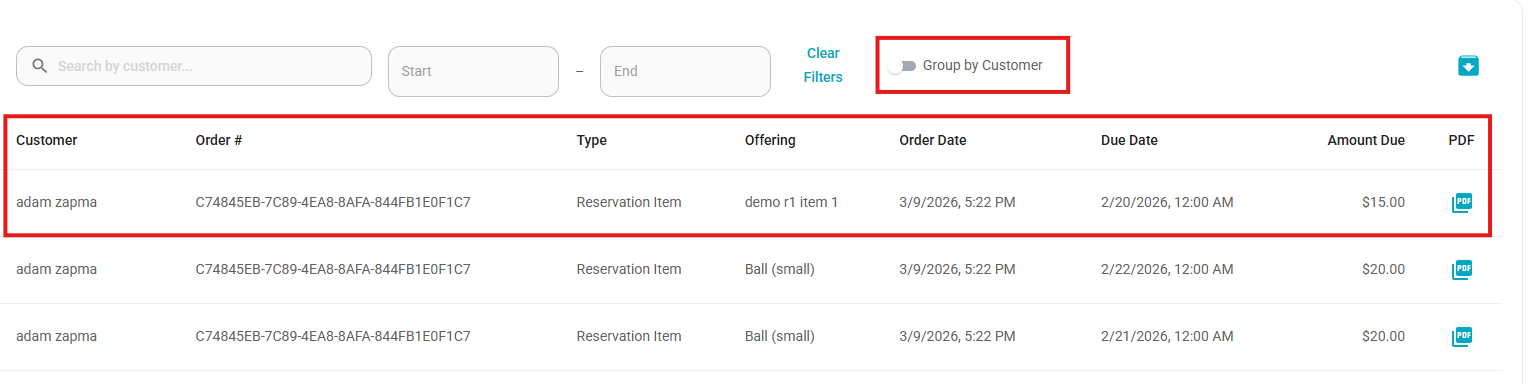
If you turn it off, all orders will be displayed individually and sorted alphabetically by customer name.
Bug Fixes
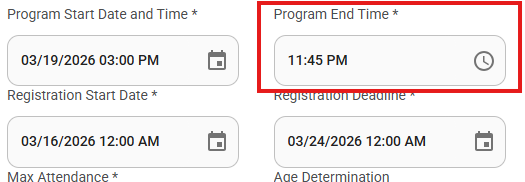
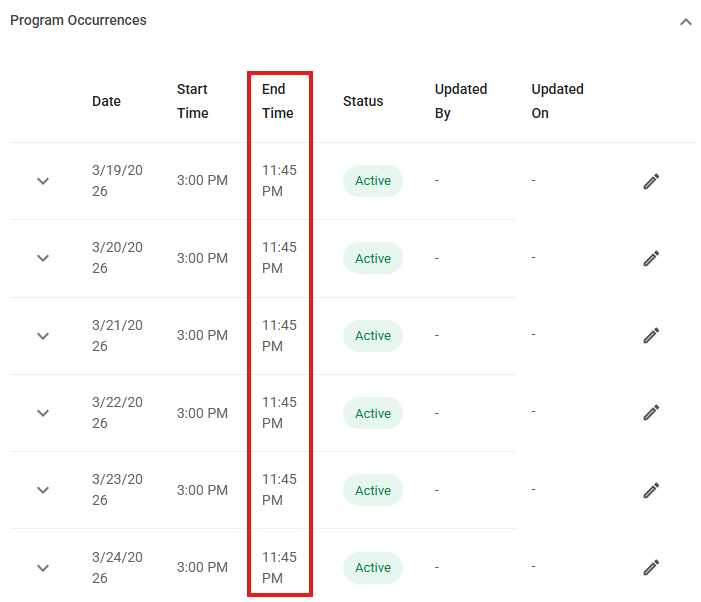
Program End Time editing after updating occurrences
- Fixed an issue where the Program End Time field became non-editable after updating Program Occurrences and accessing Edit Program without refreshing the page. Users can now update the Program End Time without needing to refresh the page.
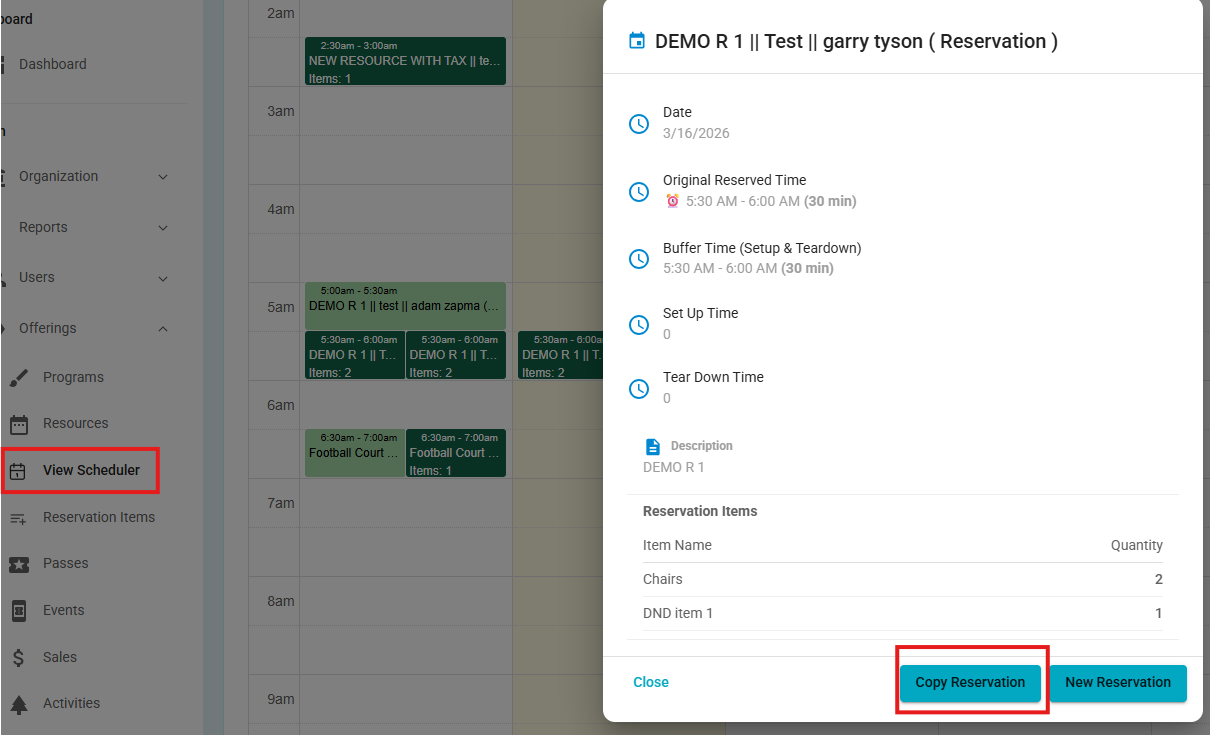
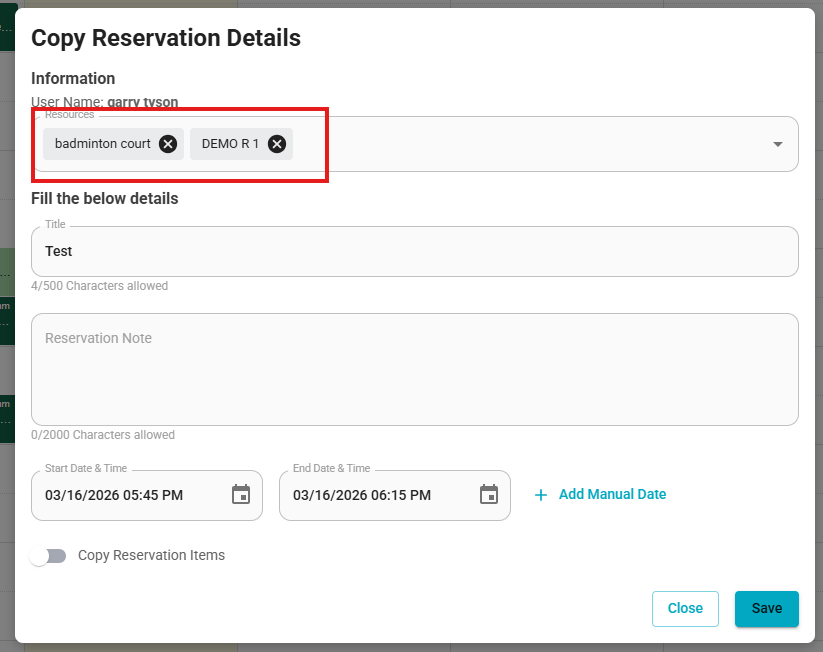
Copy Reservation – Resource selection
- Fixed an issue where the resource selection option was not displayed when copying a reservation from the Resource Schedule. Users can now change the resource when using the Copy Reservation option from the schedule.
Inactive resources appearing in reservation item resource list
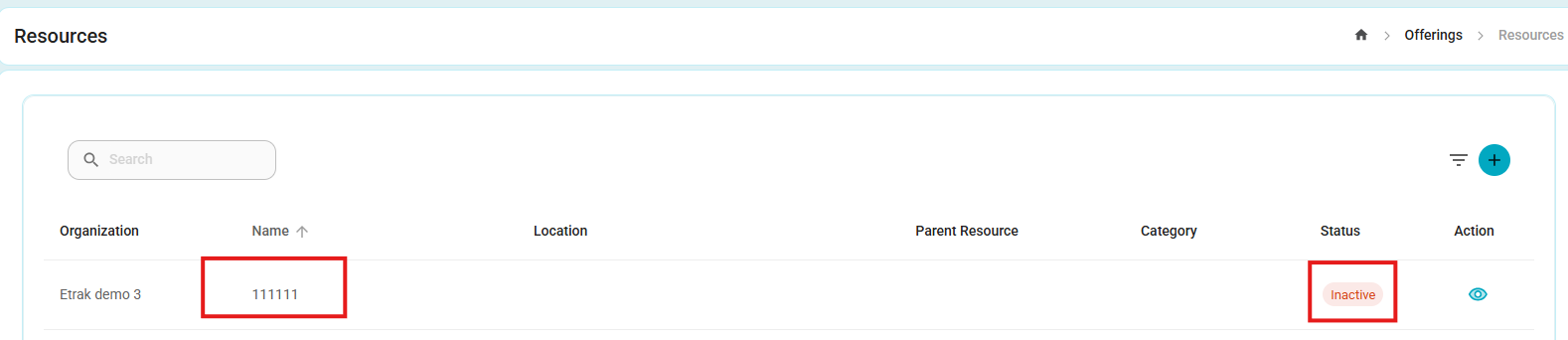
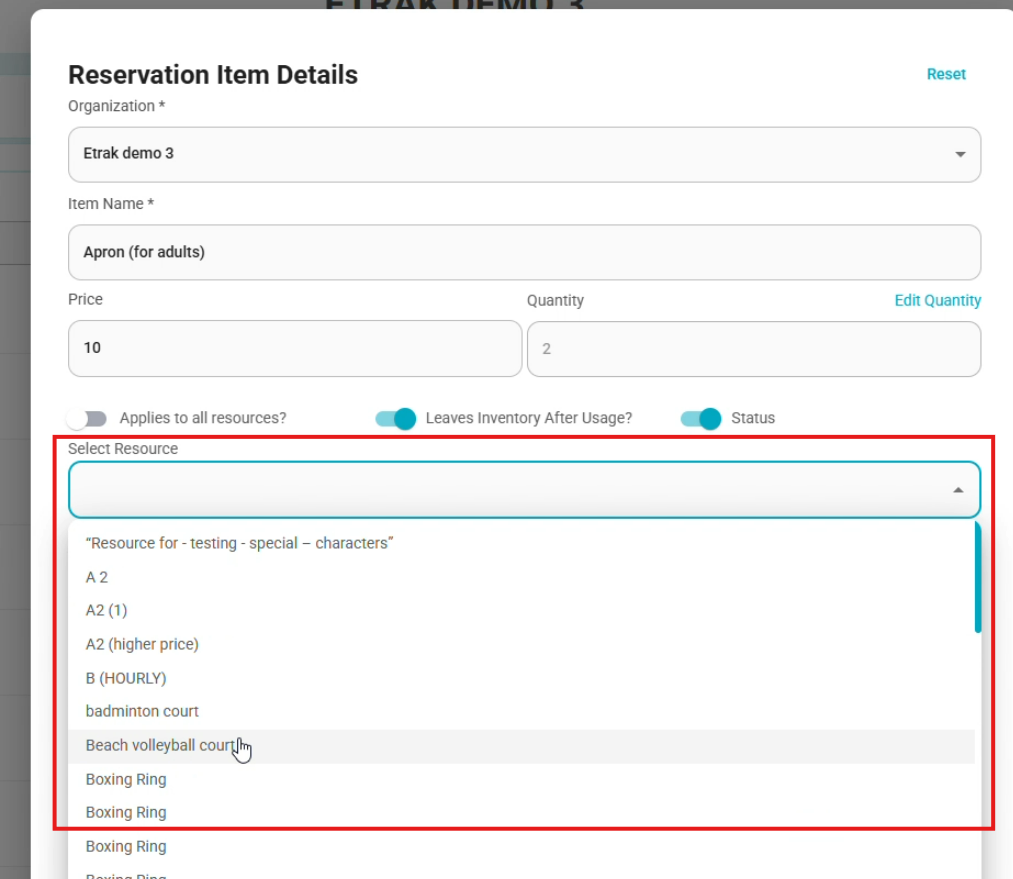
- Fixed an issue where inactive resources were visible in the "Select Resource" list when creating or editing a reservation item. Now, only active resources are displayed when selecting a resource.
Was this article helpful?
That’s Great!
Thank you for your feedback
Sorry! We couldn't be helpful
Thank you for your feedback
Feedback sent
We appreciate your effort and will try to fix the article