1. Reservation Bundling – Phase 3 Enhancements
Resource Flexibility Within Bundles
Reservations can now include different resources while still remaining grouped within the same bundle.
Improved Reservation Search & Sorting
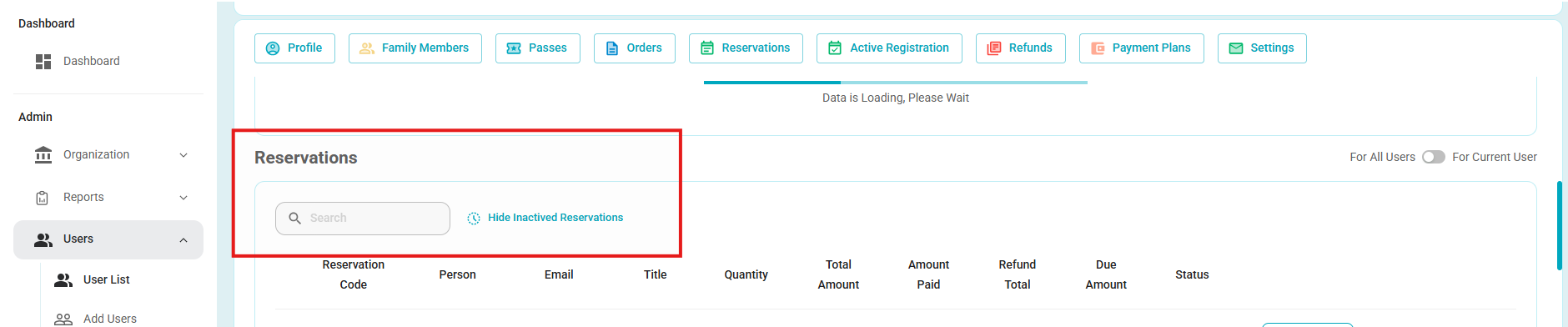
A new search field has been added within the Reservation tab, allowing users to quickly filter reservation records.
Additionally, users can now sort by clicking on column headers to toggle ascending/descending order.
This new enhancement also allows for the hidding/showing inactive Reservations for easier viewing.
Searchable/Filterable Fields Include:
Reservation Code
Date
Time
Name
Email
2. Multiple Taxes on a Single Fee
This enhancement introduces more flexible tax handling, managed at the Organization level and configurable by eTrak System Administrators.
Organization-Level Tax Setup
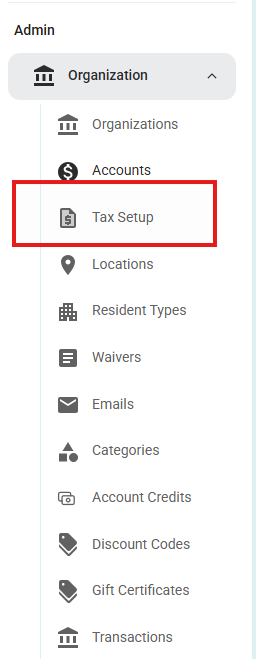
Tax configuration is now available under the Org dropdown.
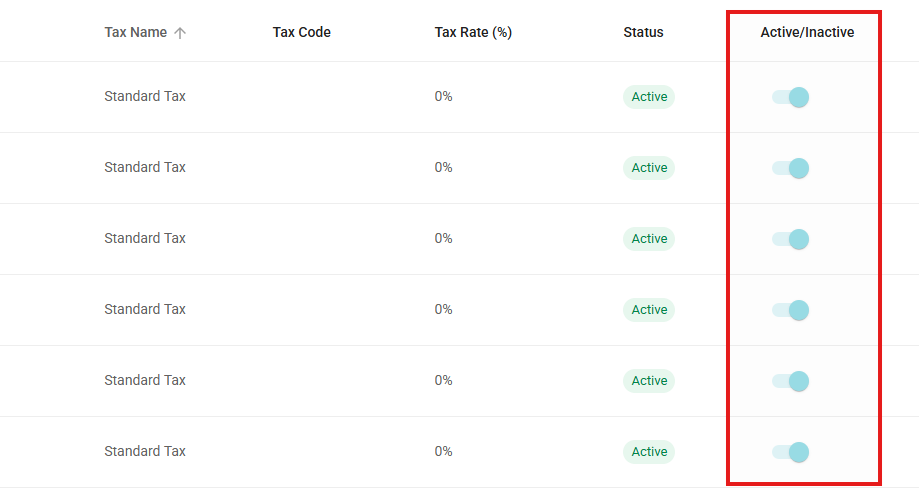
A new toggle allows taxes to be marked active/inactive, controlling visibility in dropdown selections.
Taxes in Fee Structures
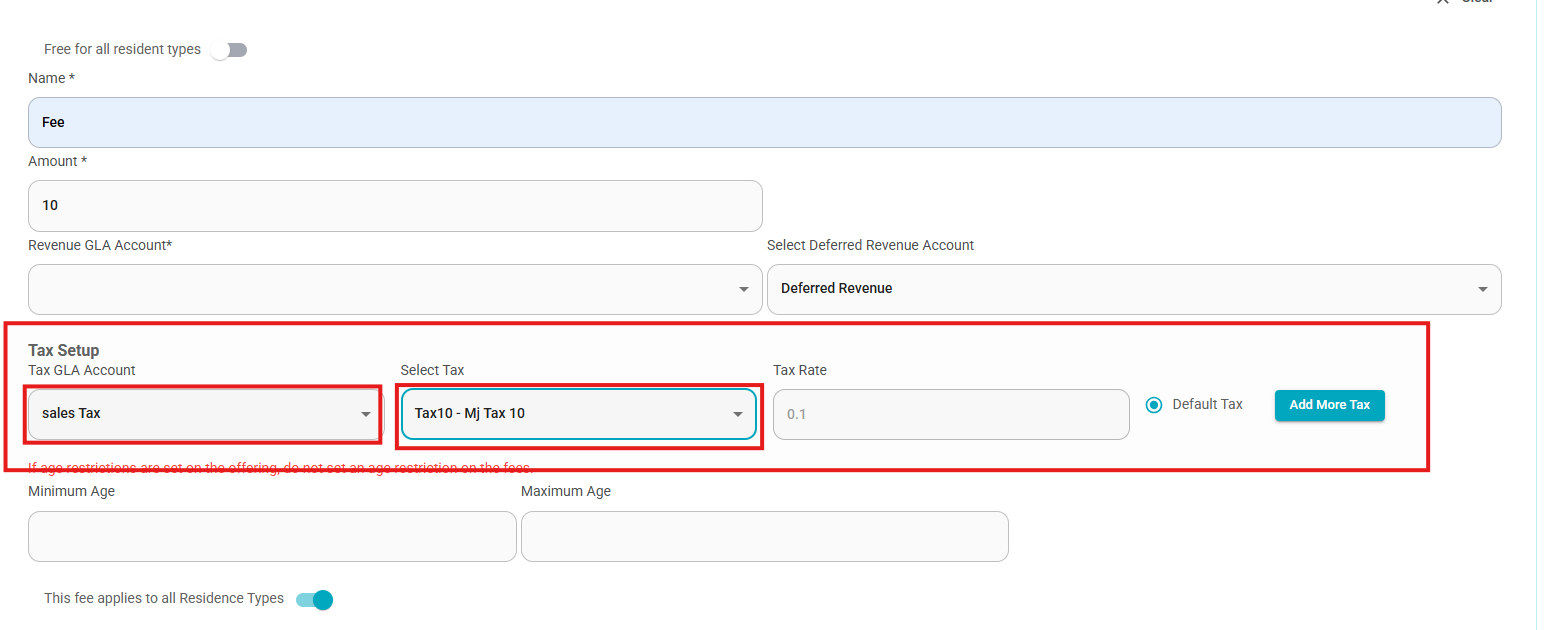
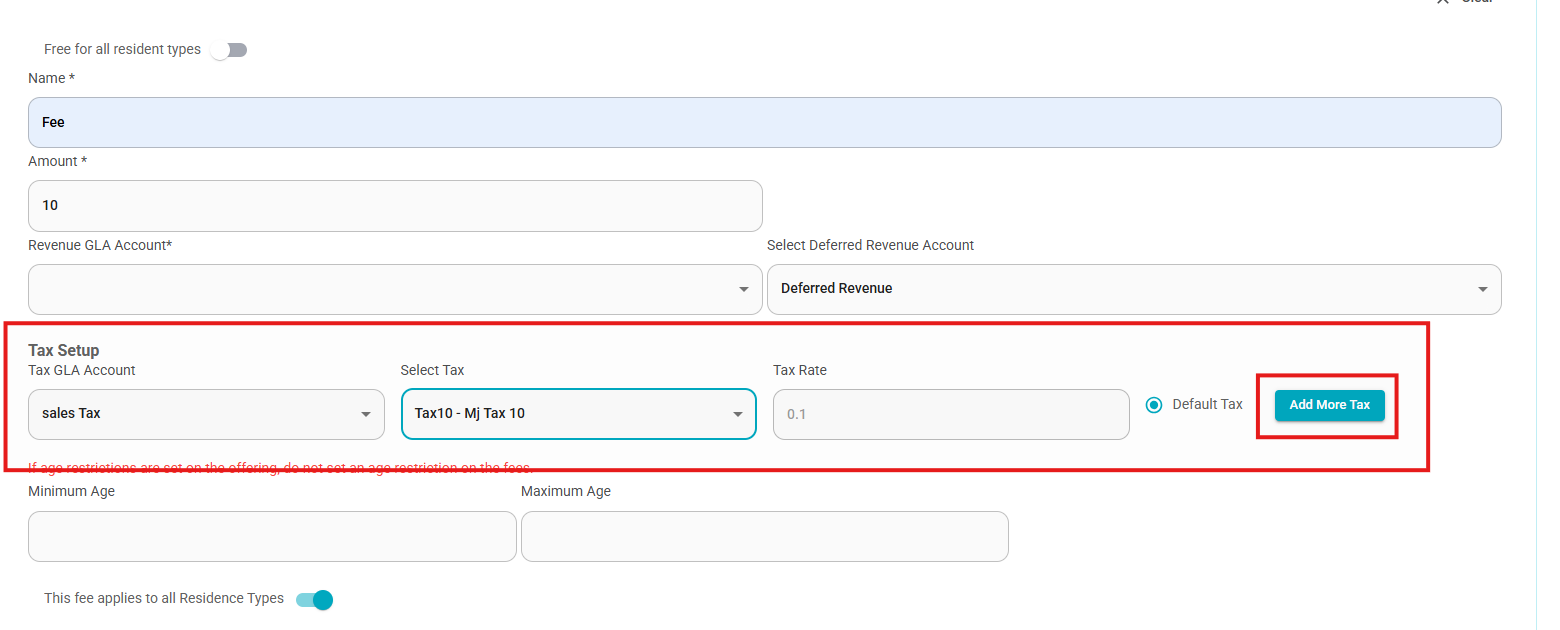
Users can now choose from preconfigured taxes when creating or editing fee structures on individual offerings.
Tax accounts are presented in a dropdown, with the option to manually assign if needed.
Offering-Level Updates
For current customers who utilize only 1 tax account and are editing an offering:
A default “Standard Tax” option will appear.
Users may manually assign a GLA tax account name and number.

Assigning Multiple Taxes
If the organization is set up to allow for multiple taxes per single fee, you are now able to select " Add More Tax" during fee creation
Receipt Updates
Taxes are now broken out individually on receipts.
Each tax displays its name, amount, and percentage allocated.

3. PDF Resource Report
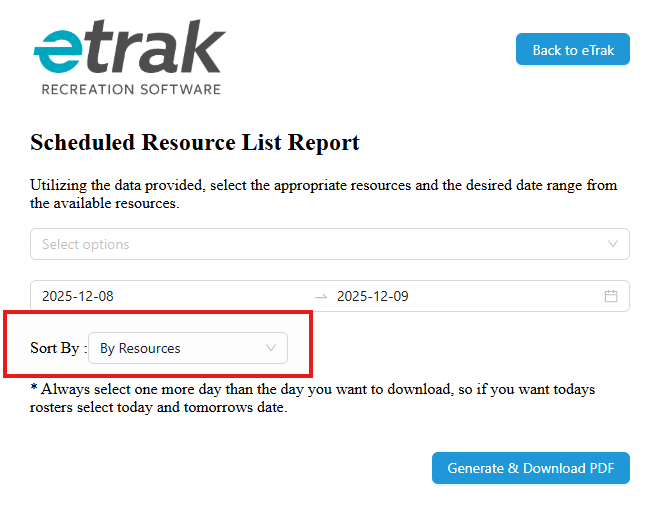
- Selection can now be made to run the report in order of Resource, or in order of Time for the reservation.
Was this article helpful?
That’s Great!
Thank you for your feedback
Sorry! We couldn't be helpful
Thank you for your feedback
Feedback sent
We appreciate your effort and will try to fix the article