Under the organization tab select Accounts and all existing accounts will populate.
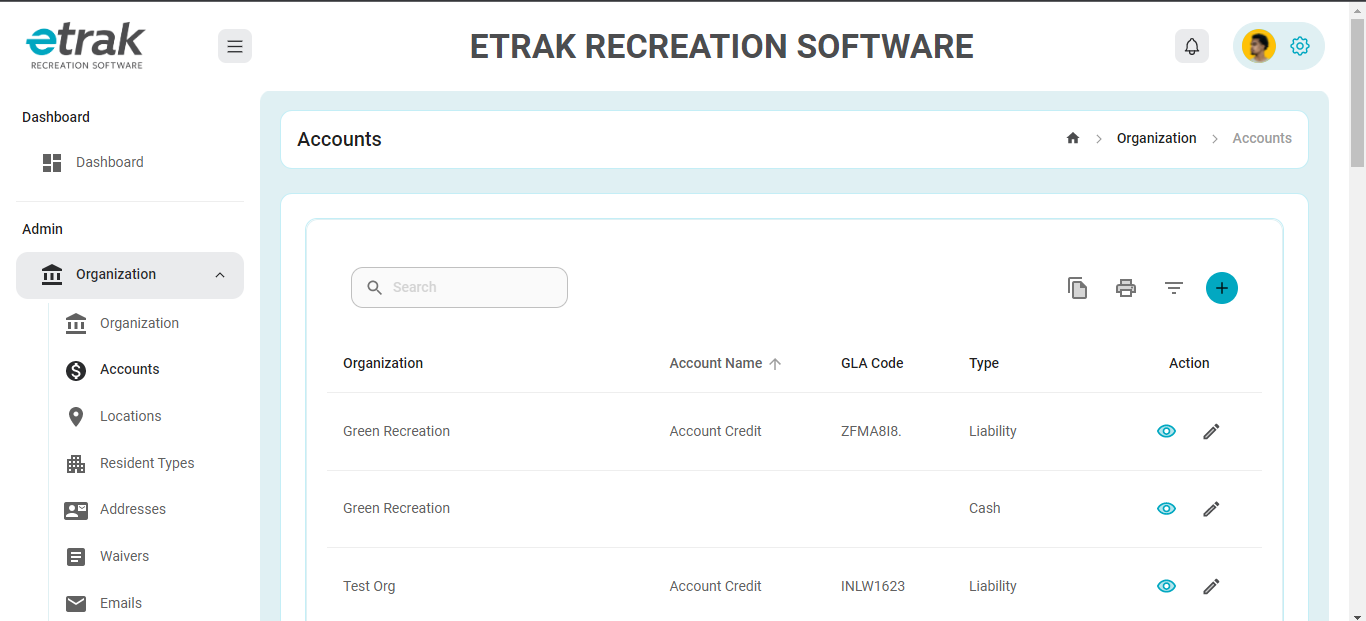
Hit the blue circle with a "+" in the middle from the right hand side.
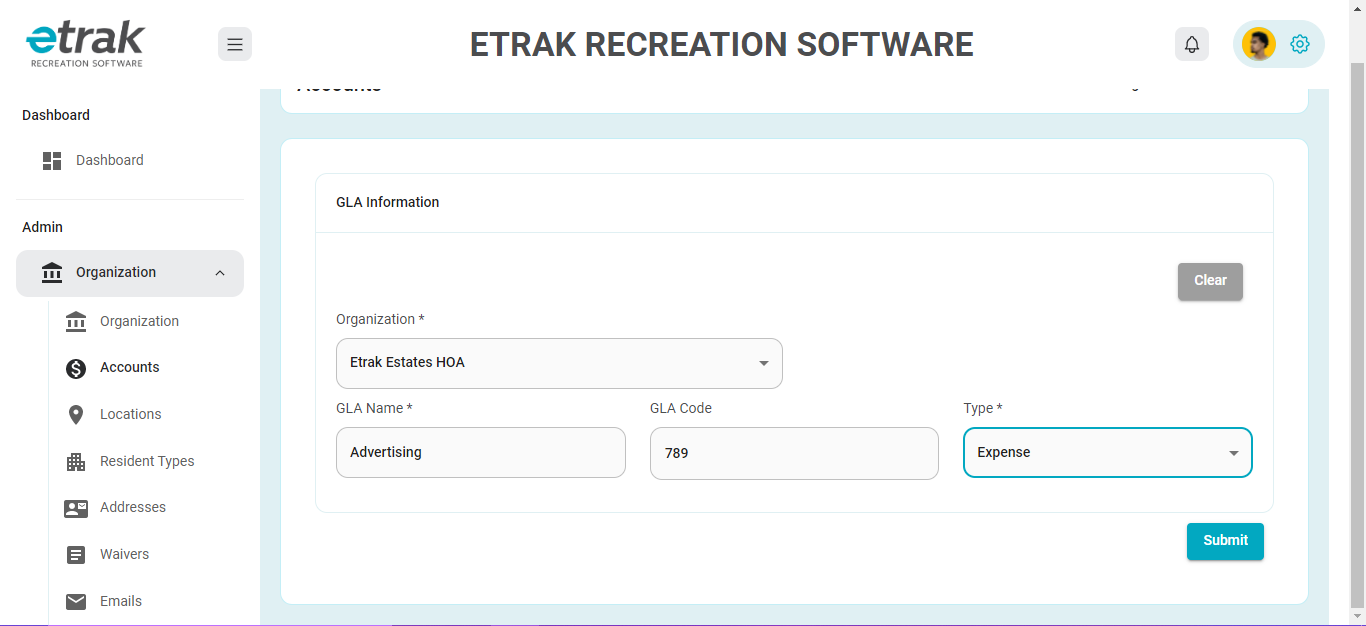
The Organization will auto populate
Enter the name of the account (ex. youth sport revenue, advertising expense, etc.)
Select GLA Type from the drop down
Click 'Submit' to save
Was this article helpful?
That’s Great!
Thank you for your feedback
Sorry! We couldn't be helpful
Thank you for your feedback
Feedback sent
We appreciate your effort and will try to fix the article