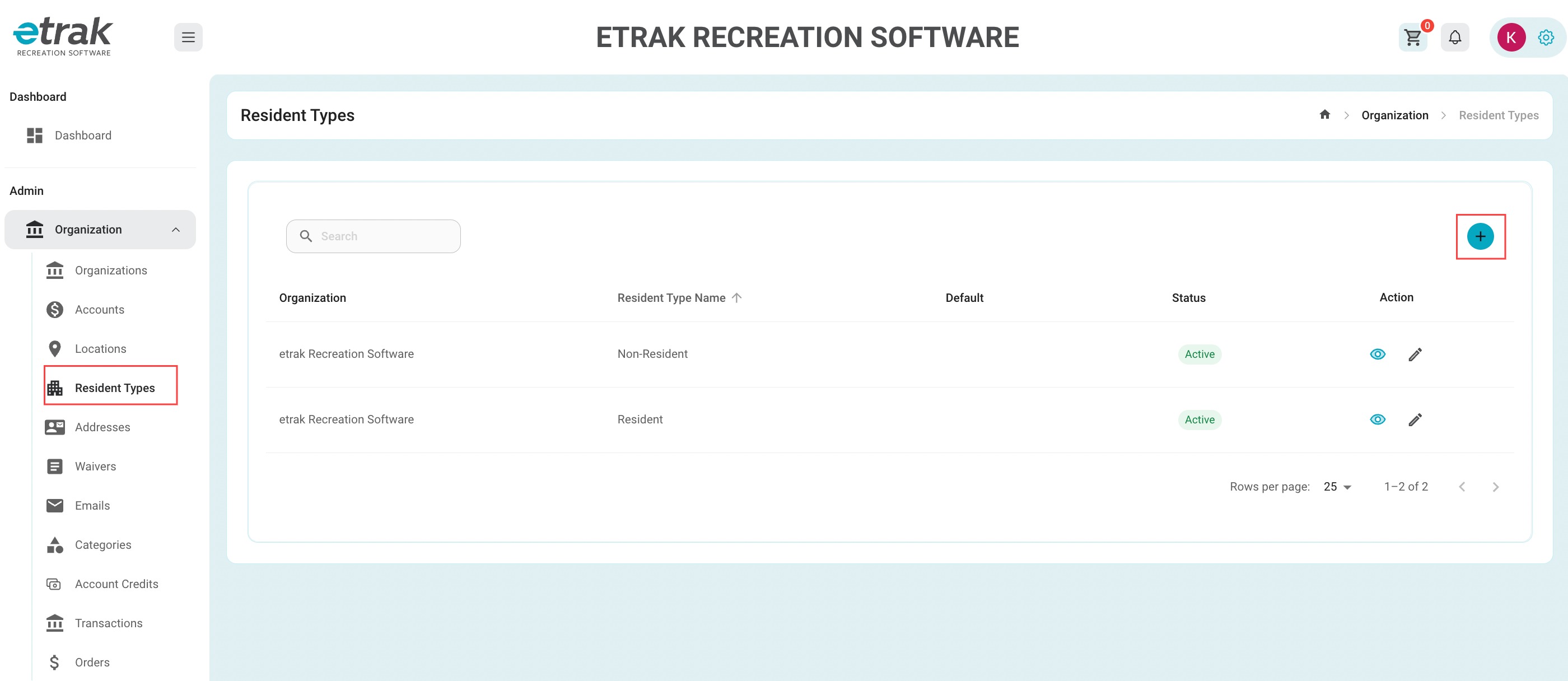
Select "Resident Type" from the organization tab on the left side of the screen
Create a new type by selecting blue circle with the "+" in the middle on the right hand side of your screen.
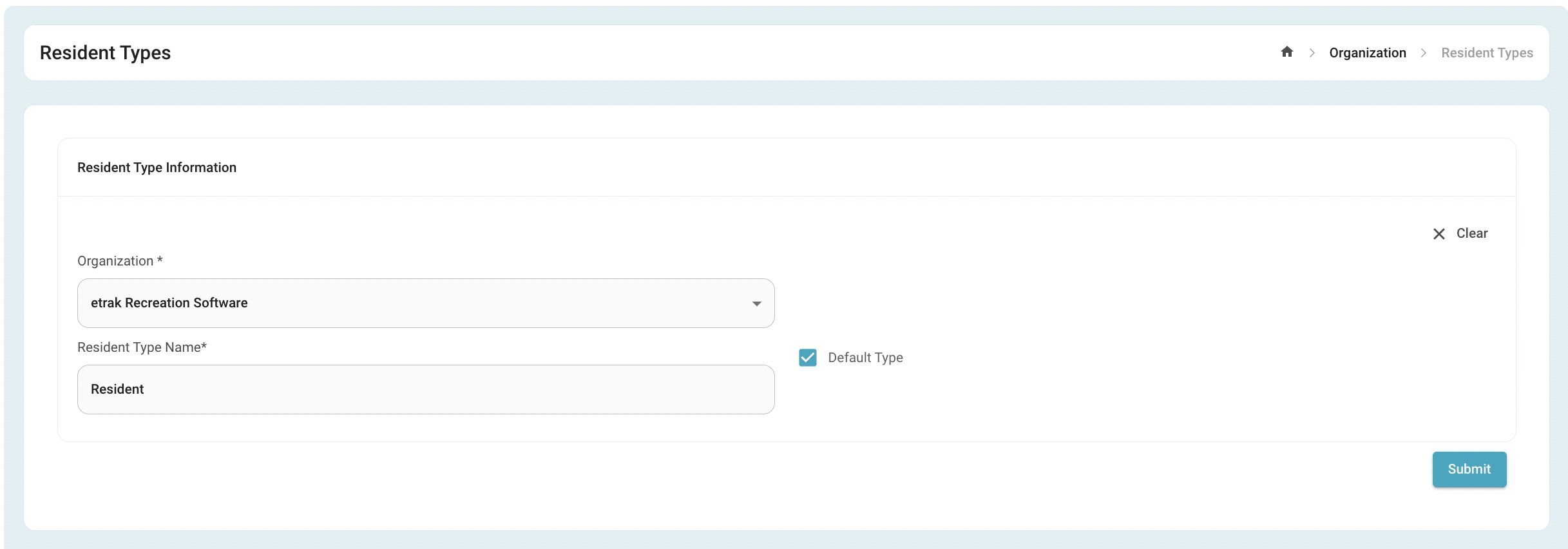
Set the name of the Resident Type. (ex: resident. non-resident, employee, etc.)
If there is one Resident Type that is most common throughout the organization select "default type"
Click the blue submit button at the bottom.
Was this article helpful?
That’s Great!
Thank you for your feedback
Sorry! We couldn't be helpful
Thank you for your feedback
Feedback sent
We appreciate your effort and will try to fix the article