Creating an Event

Modified on Tue, 2 Jan, 2024 at 12:36 PM

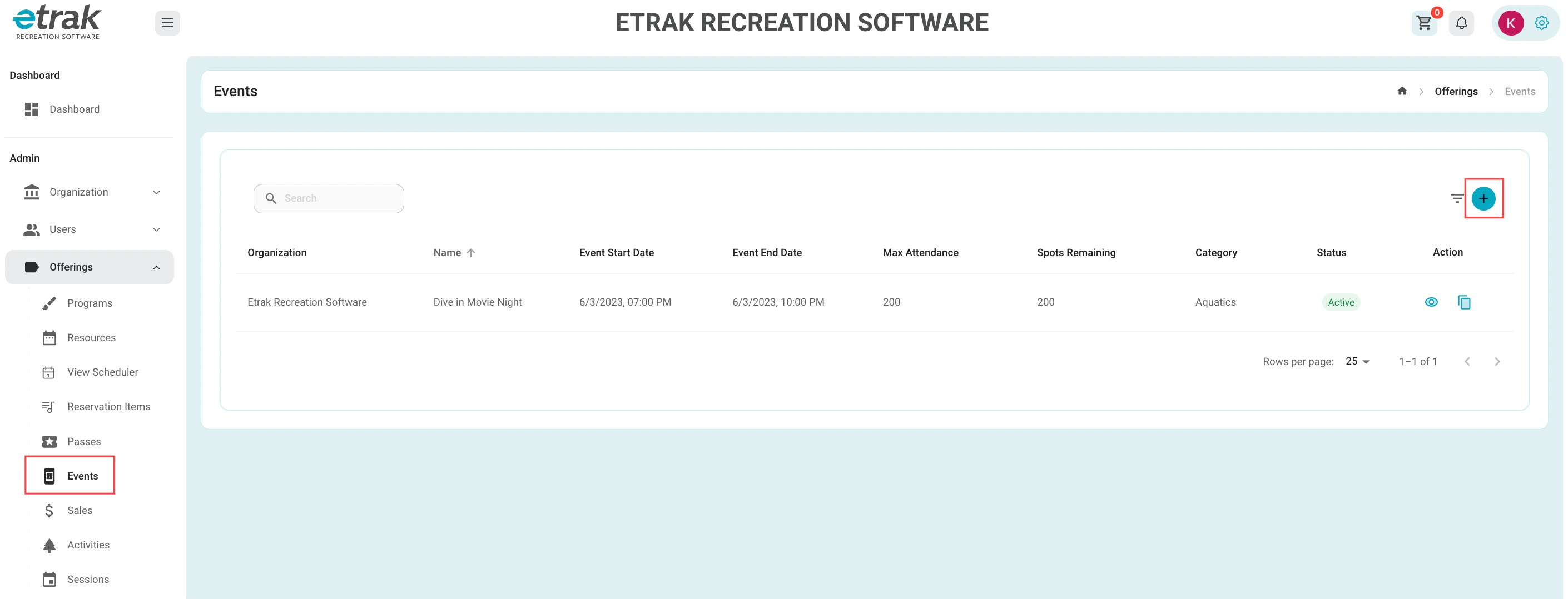
Select 'Events' under the offerings tab on the left side of the screen. 

Select the blue circle with the "+" on the right side of the screen.
 

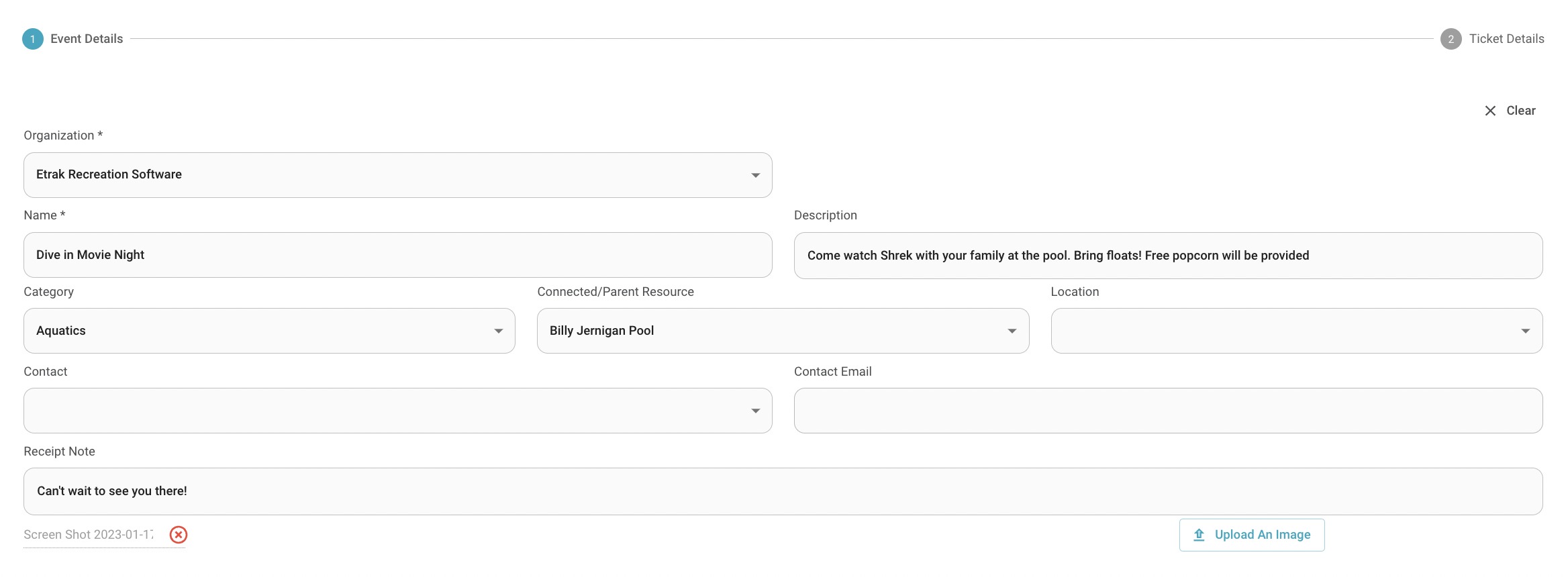
Offering NameDescriptionCategoryParent Resource
LocationContactReceipt NoteUpload an Image


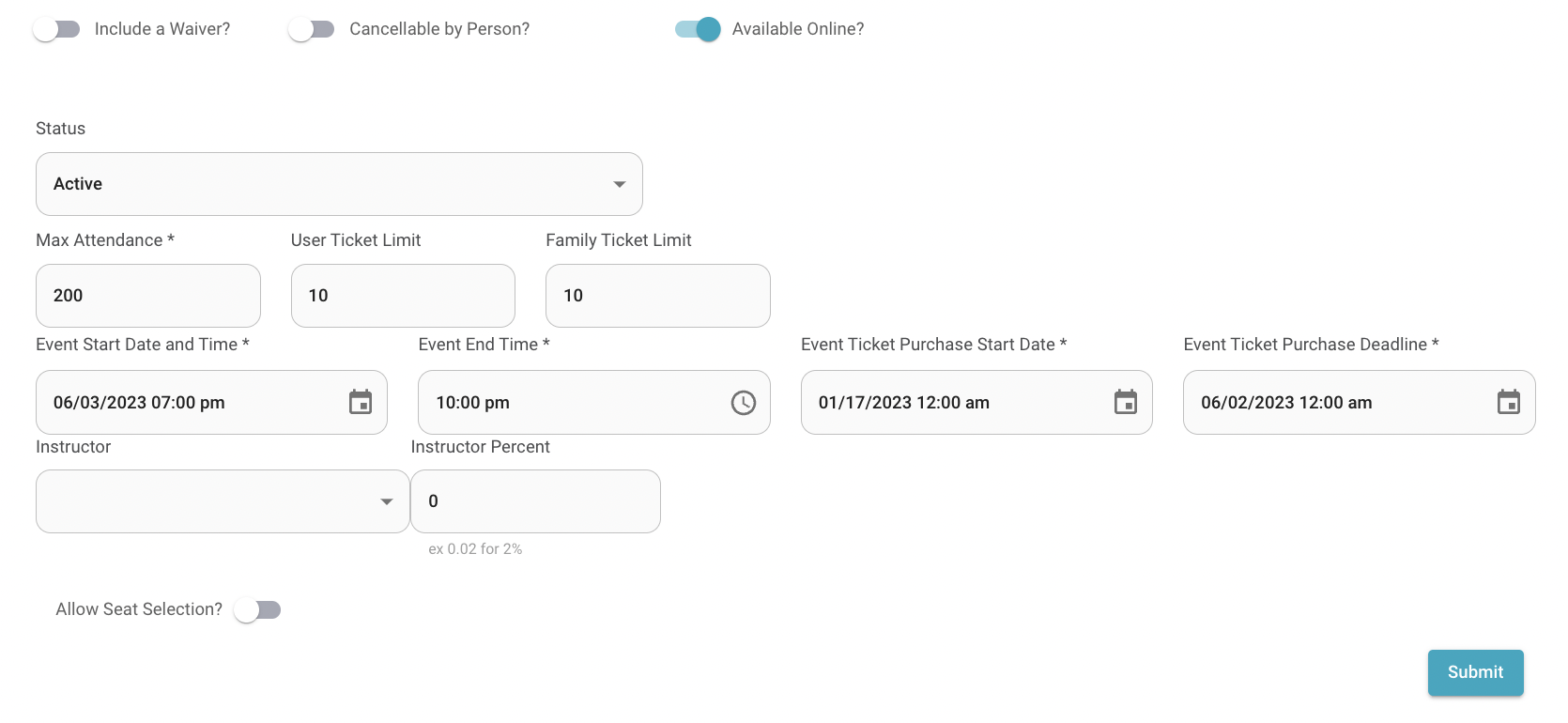
WaiverCancellable by PersonAvailable OnlineMax Attendance
User Ticket LimitFamily Ticket LimitStart/End Date and TimeTicket Purchase Start Date
Ticket Purchase DeadlineInstructor PercentAllow Seat Selection 

*Click here to learn more about Seat Selection 

Hit ‘Next’ to enter ticket fee information
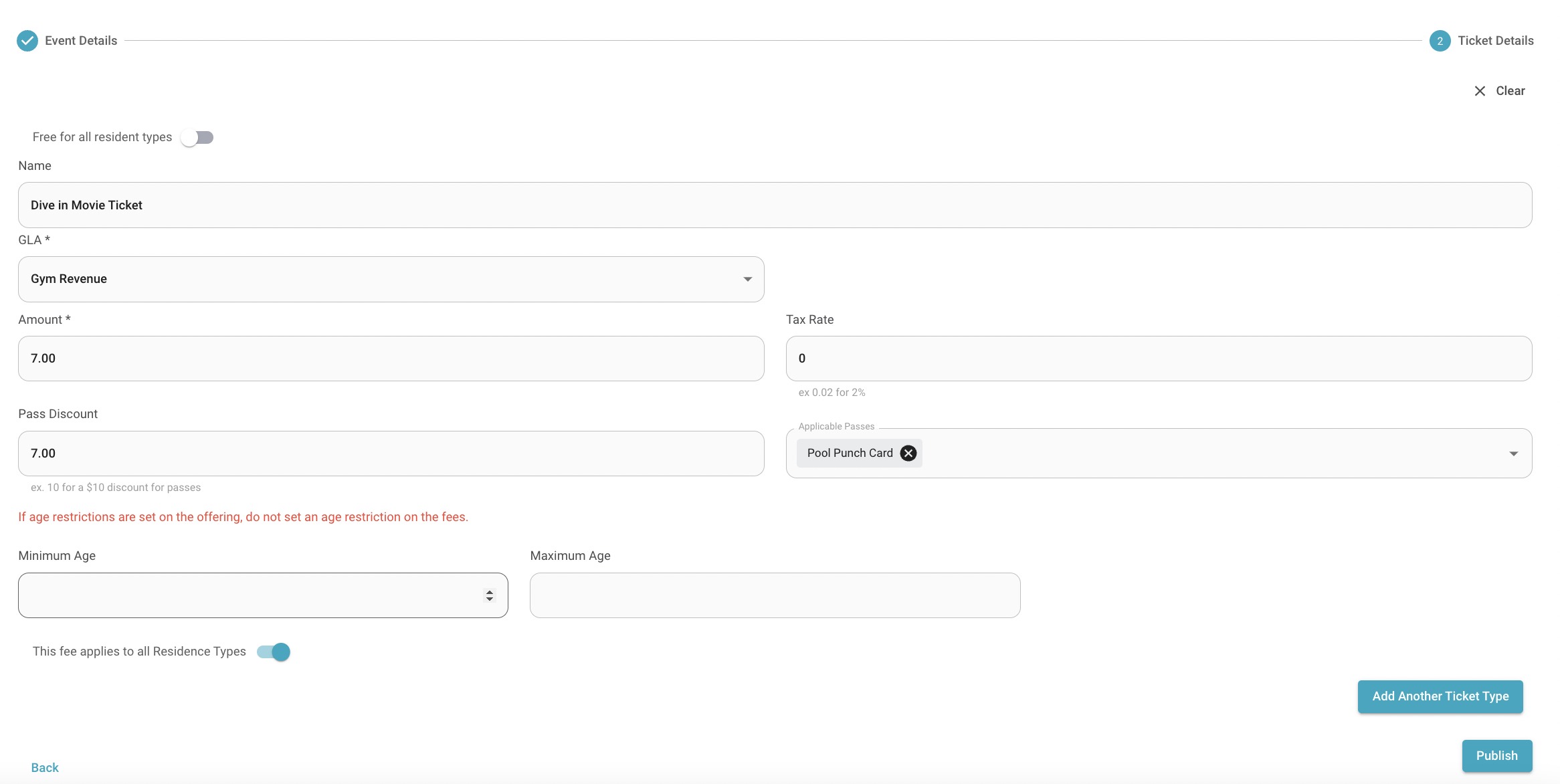
Fee NameGLAAmountTax Rate
Pass DiscountApplicable PassesMinimum/Maximum AgeResident Types

Either ‘Add Another Ticket Type’ or ‘Publish’ 
Success!


Was this article helpful?

That’s Great!

Thank you for your feedback

Sorry! We couldn't be helpful

Thank you for your feedback

Let us know how can we improve this article!

Select at least one of the reasons
CAPTCHA verification is required.

Feedback sent

We appreciate your effort and will try to fix the article