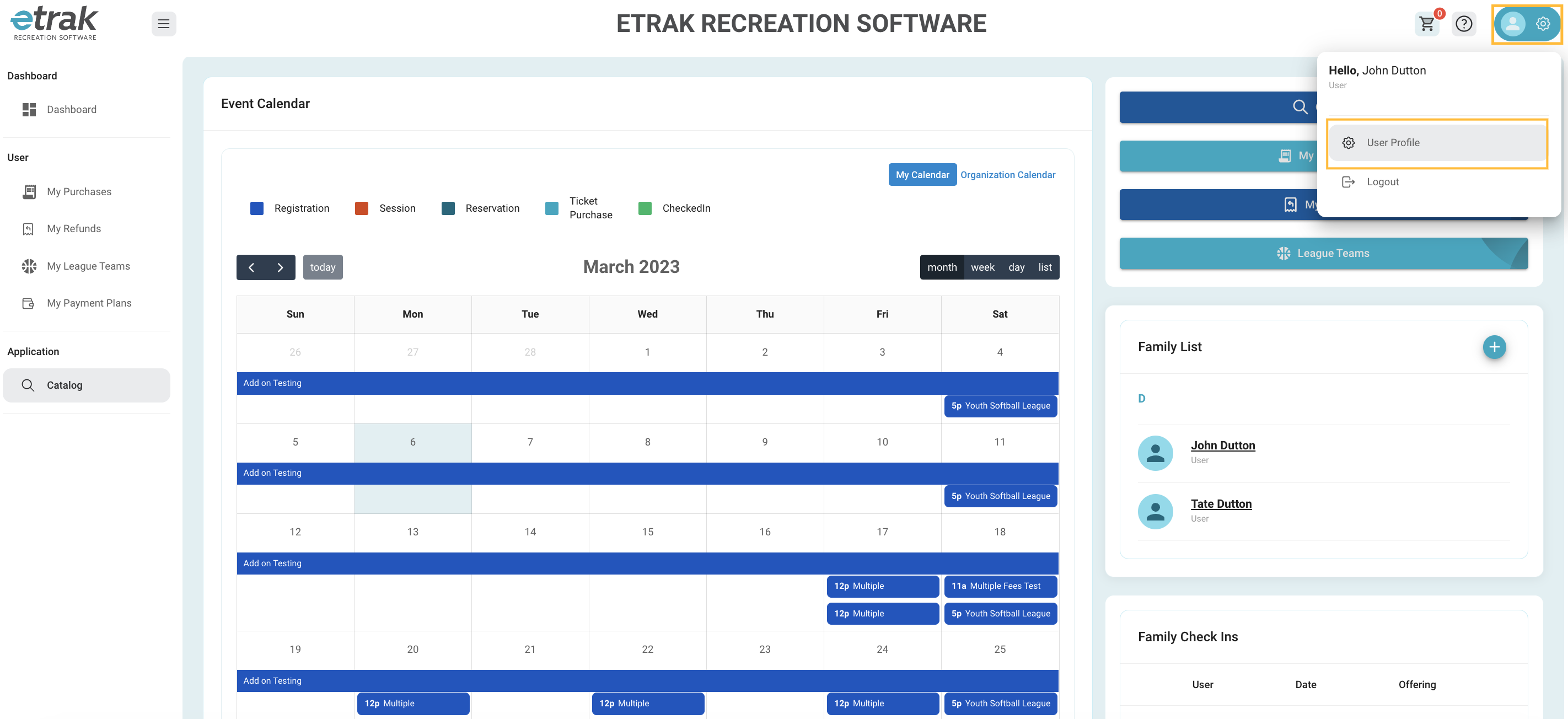
Select ‘User Profile’ from the person icon in the upper right corner of your screen.
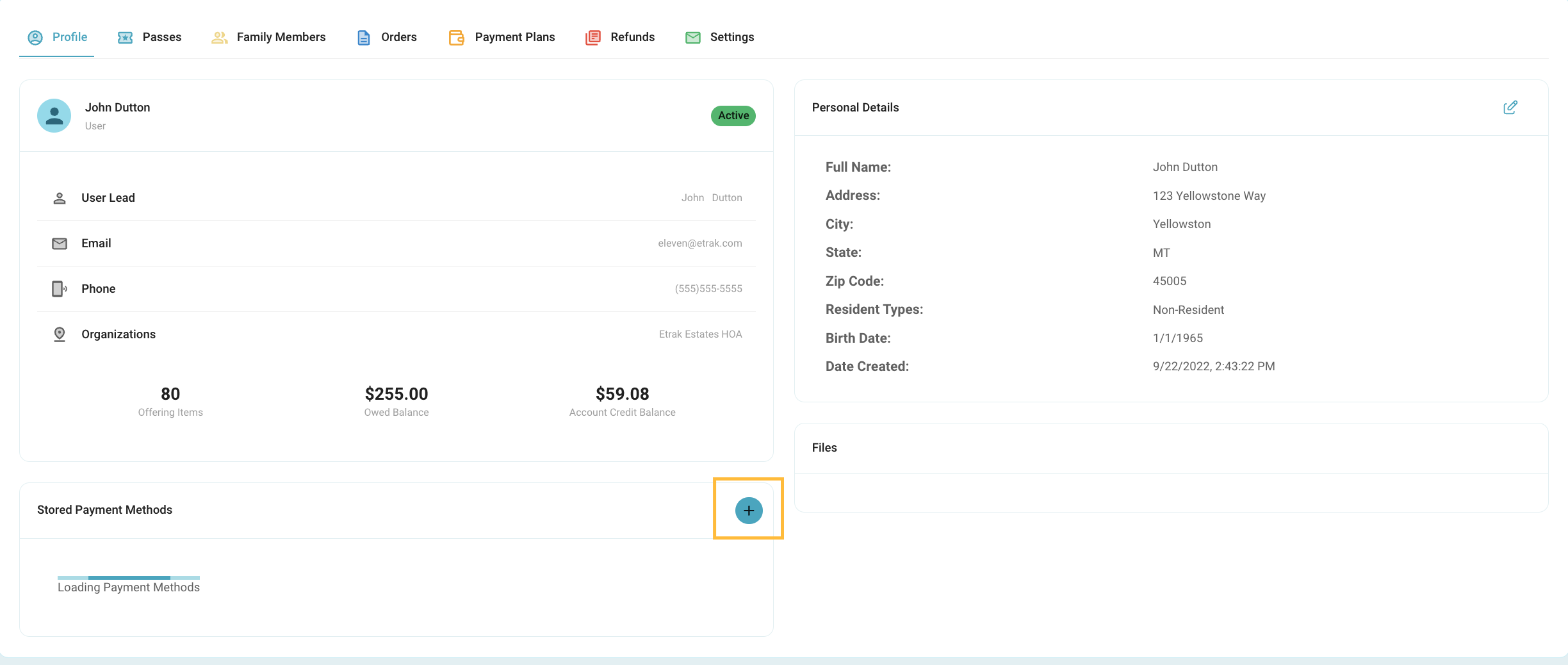
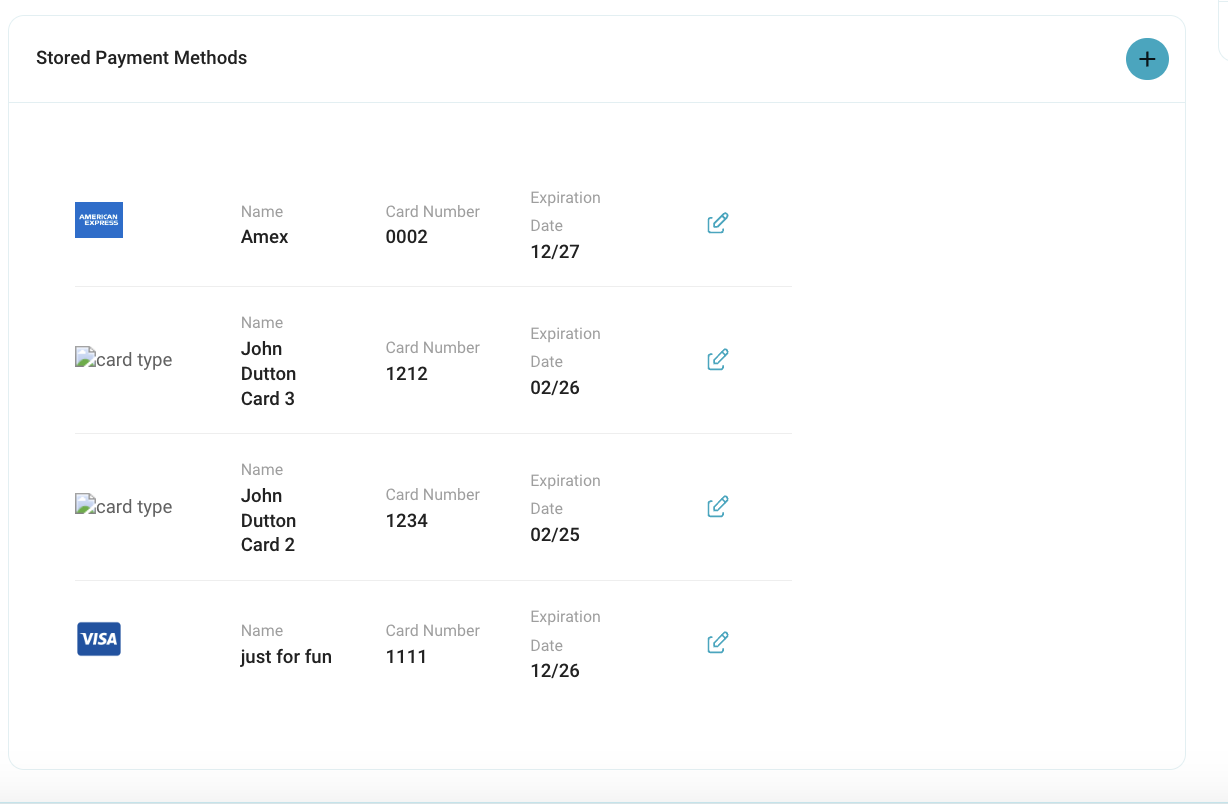
Select the blue ‘+’ button under ‘Stored Payment Methods’
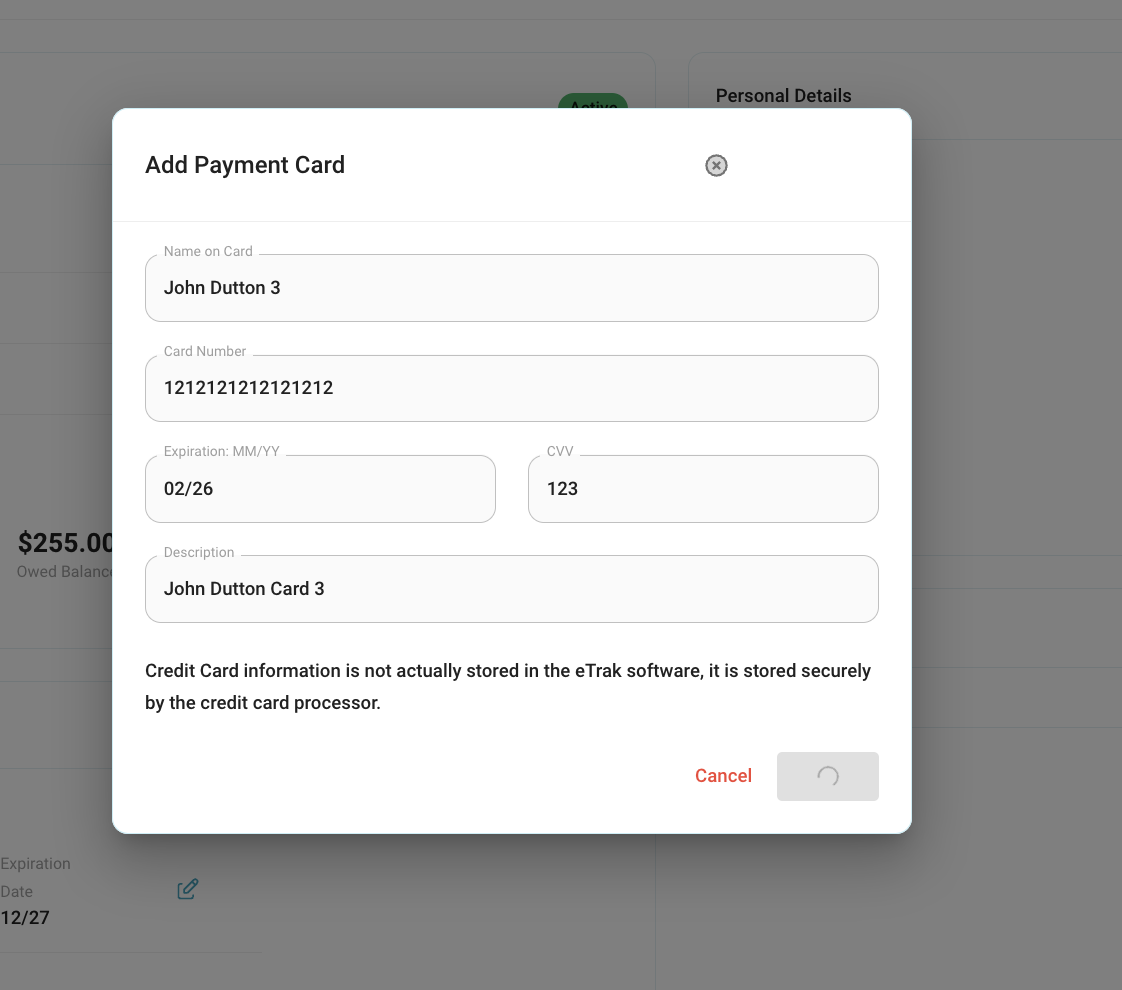
Enter all information in the fields and press ‘Submit’
The system will load because it is connecting to the credit card processor where your payment information will securely be stored.
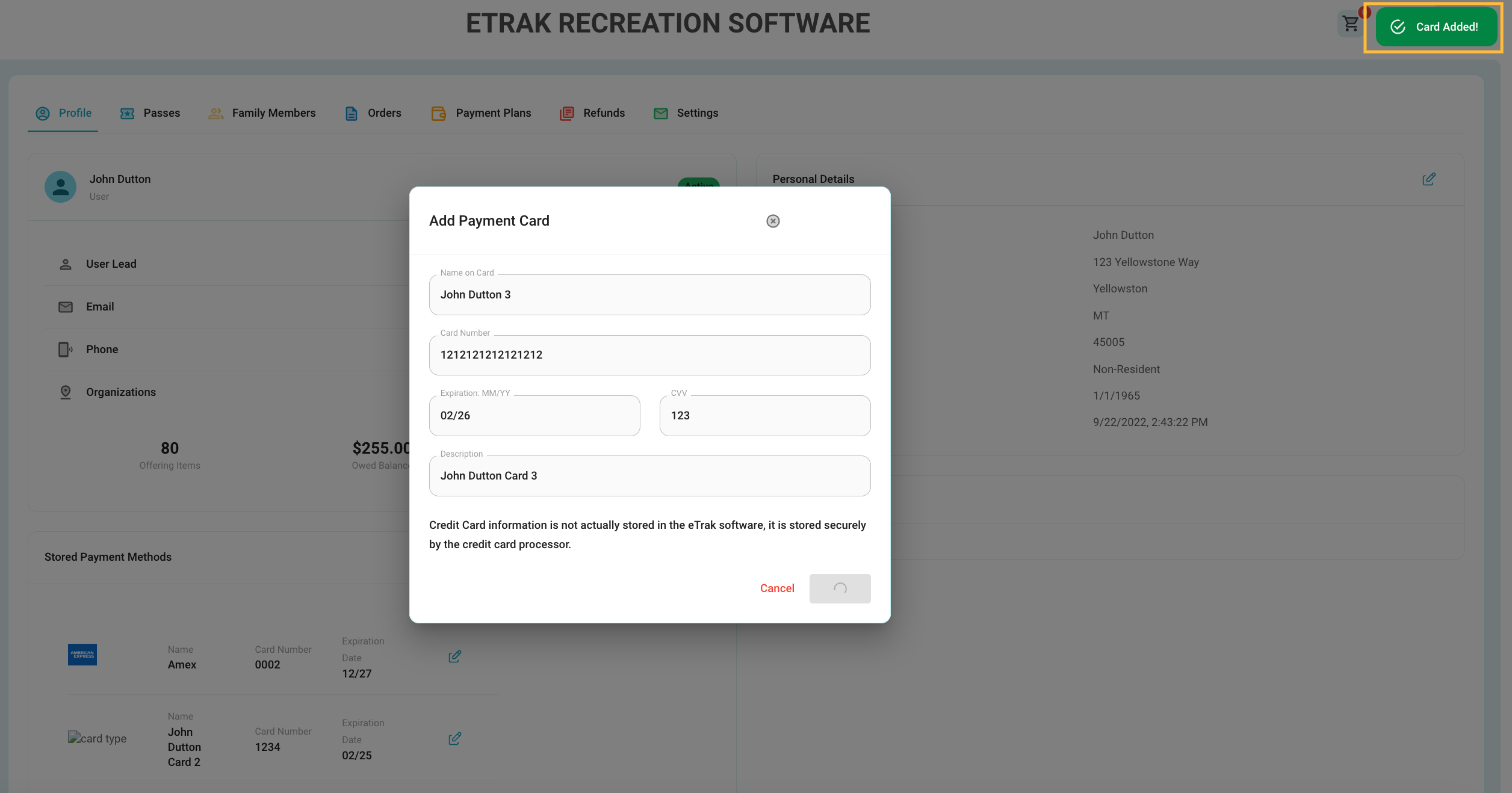
Once the green ‘Card Added’ notification pops up click anywhere on the screen to return to the profile (even if the submit button is still spinning).
Refresh your profile page and the saved payment method should load on your profile.
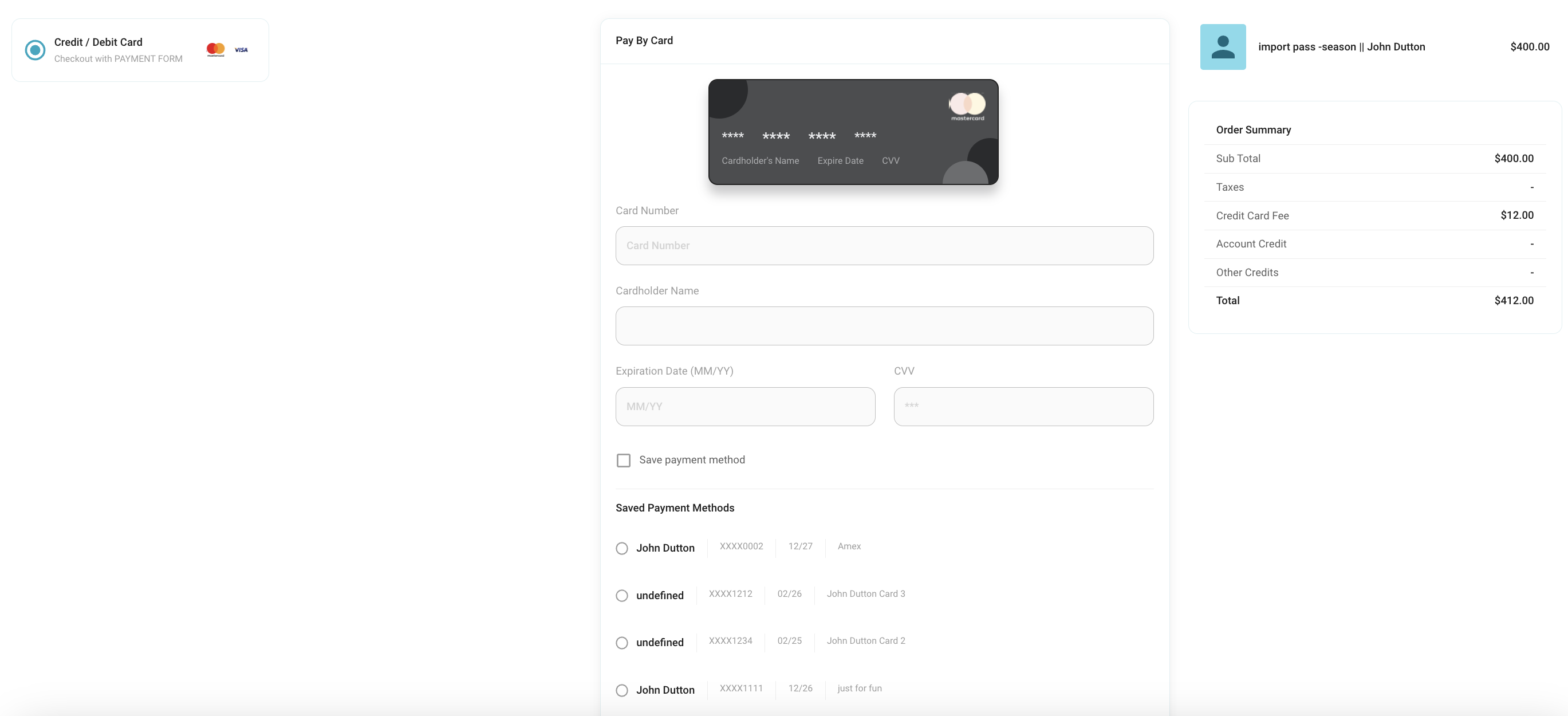
The saved payment method will now be displayed below the blank card information fields during the checkout process.
Select the one you wish to use and complete order.
Was this article helpful?
That’s Great!
Thank you for your feedback
Sorry! We couldn't be helpful
Thank you for your feedback
Feedback sent
We appreciate your effort and will try to fix the article