Select the catalog button from the navigation menu on the left side of the screen or the blue button on the right side of the screen.
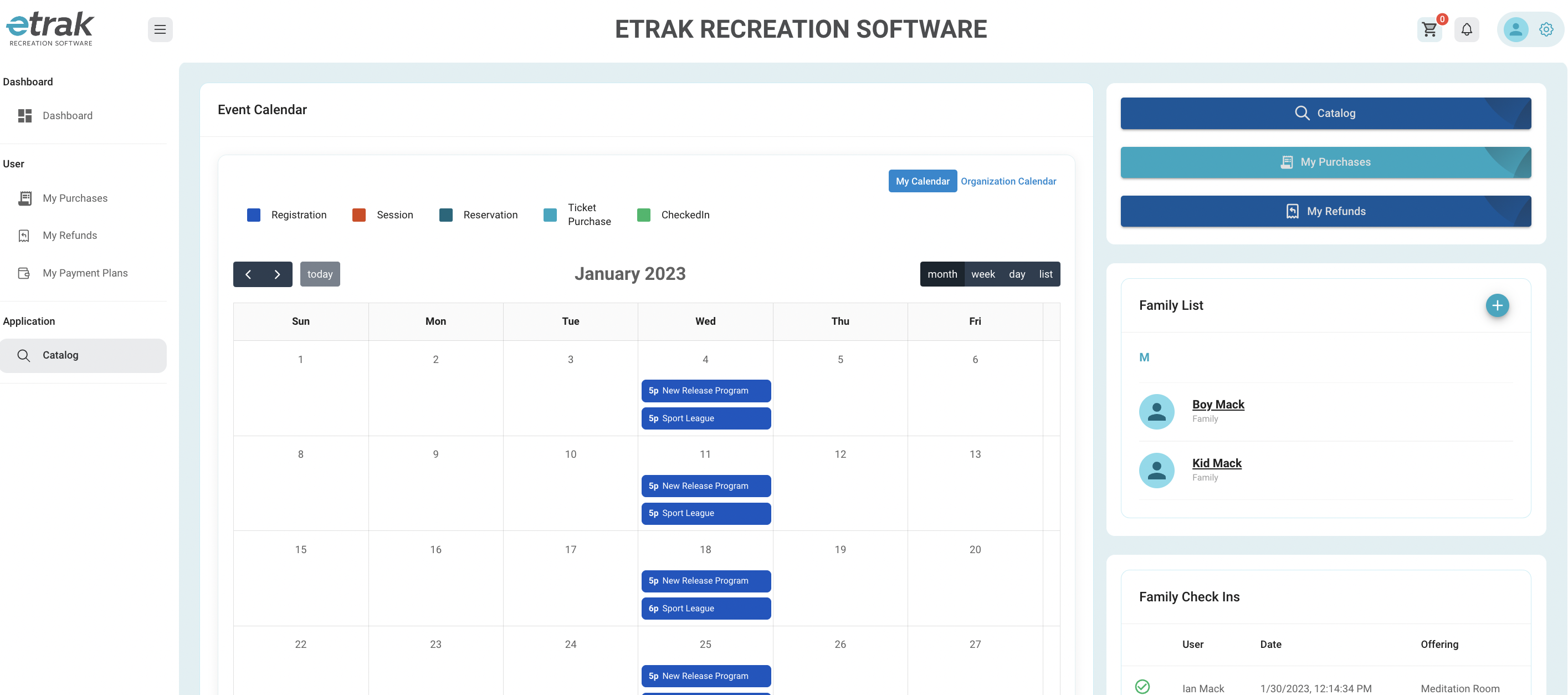
The catalog shows all the organizations offerings.
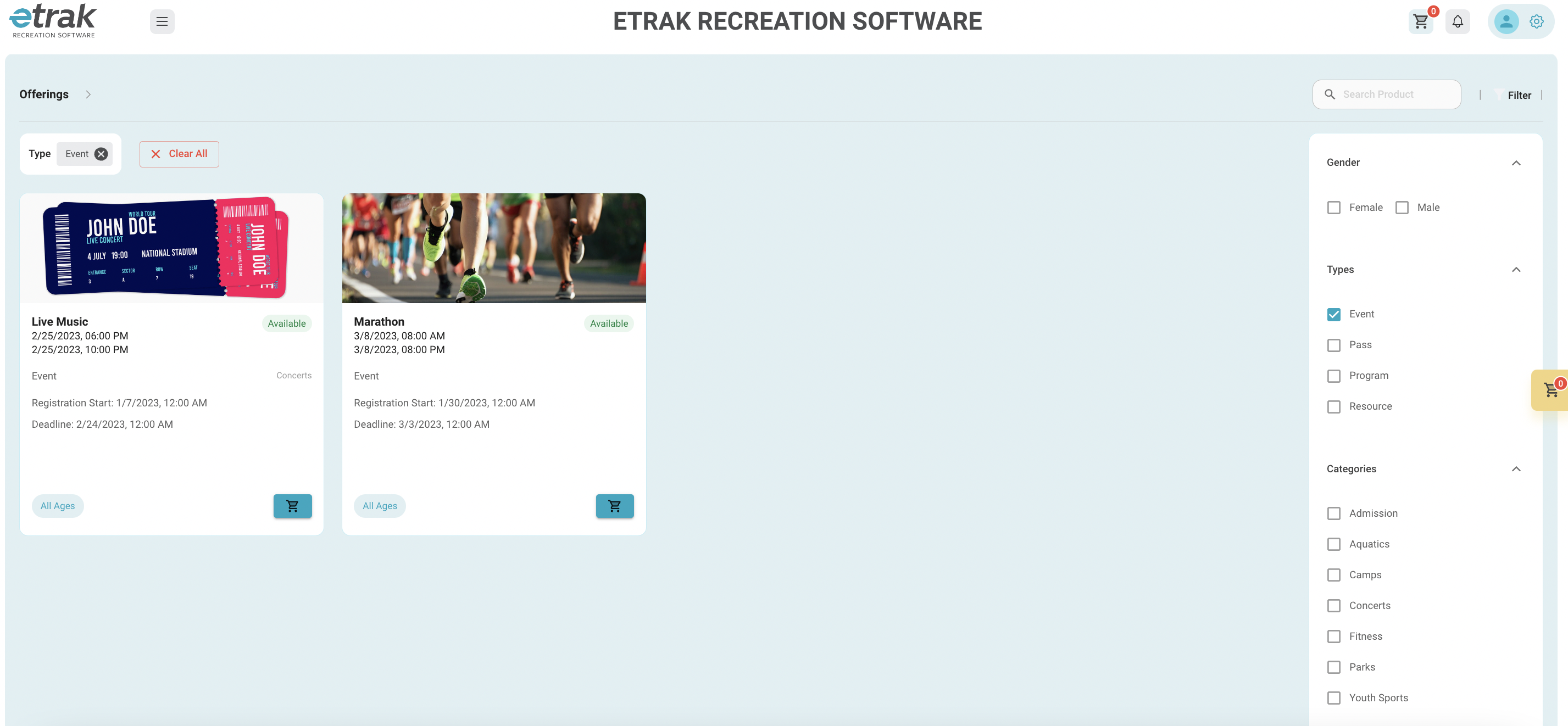
Filter to just show events using the options on the right side of the screen.
Find the event you are interested in attending and select the blue cart icon
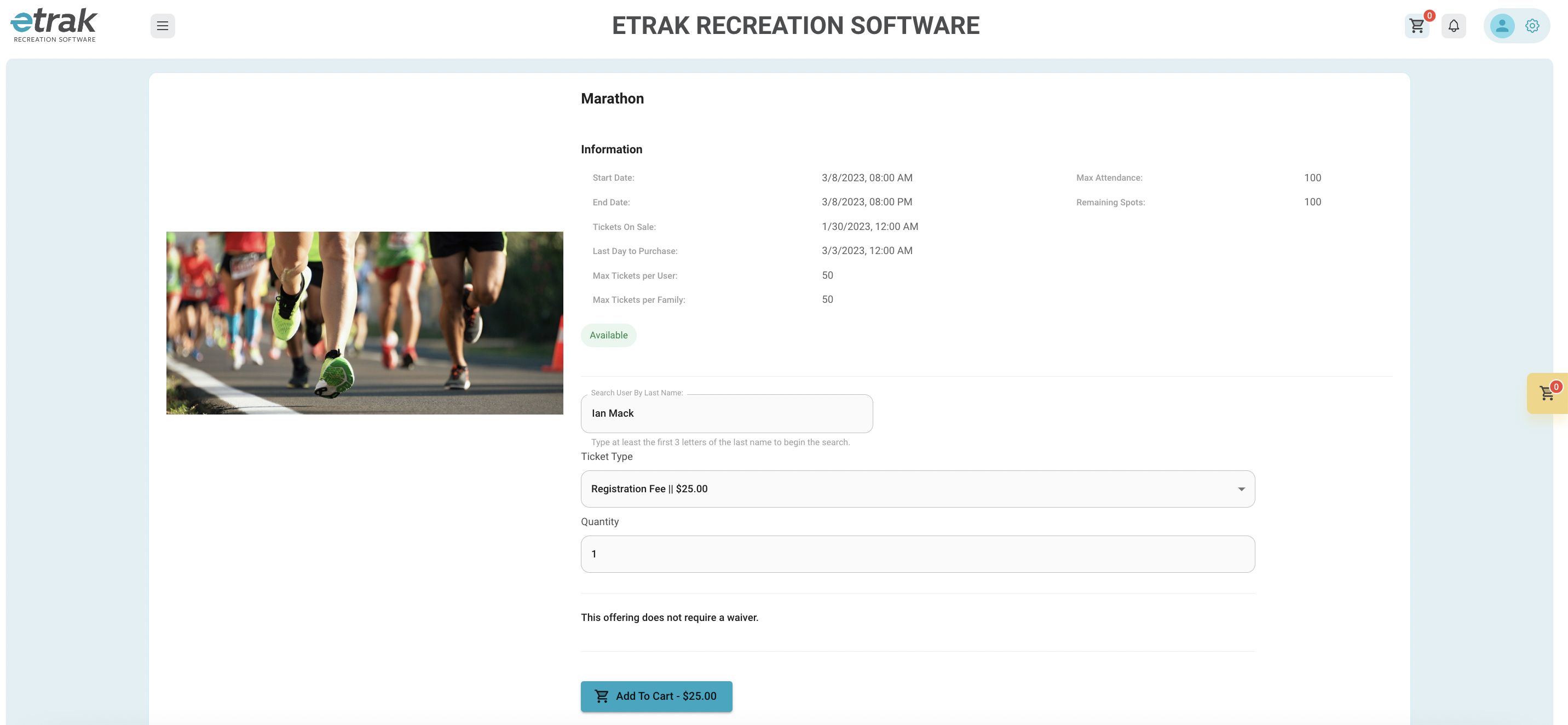
View all event information and ticket pricing on this page
Select the family member the tickets are for by typing at least the first 3 letters of the last name
After selecting the family member select ticket type and enter the quantity of tickets needed.
The total will appear on the "add to cart" button
Hit the blue "add to cart" button when all information is entered
The cart icons will update to show the quantity now in the cart.
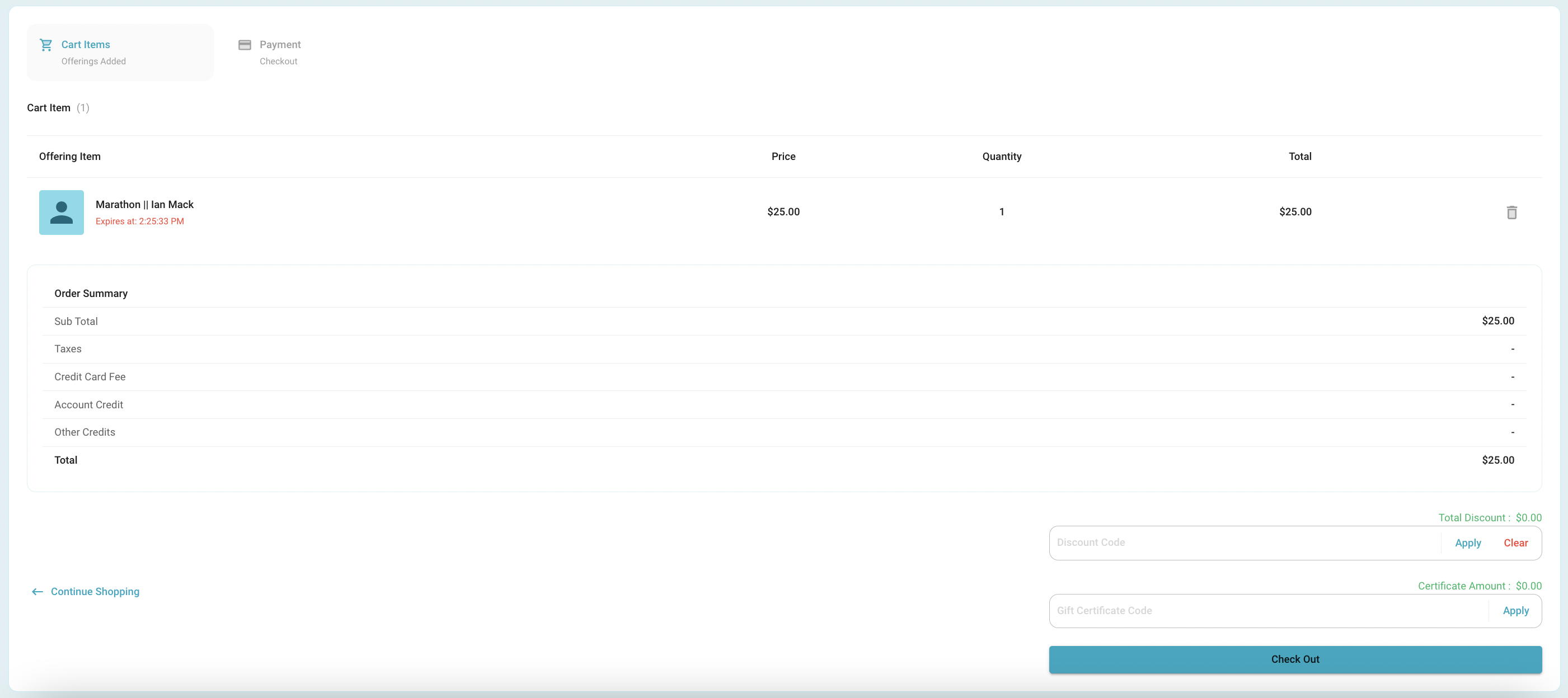
Continue shopping or click one of the 2 cart icons to checkout.

Cart items can be deleted from this page
Continue shopping or proceed to payment by clicking "check out"
Items will save in the cart for 30 minutes, after 30 minutes the cart will empty.
*tickets are not yours until payment is complete.
Discount code, account credit, or gift cards can be entered at the bottom of this screen. Click ‘Apply’ after entering details before moving to payment information.
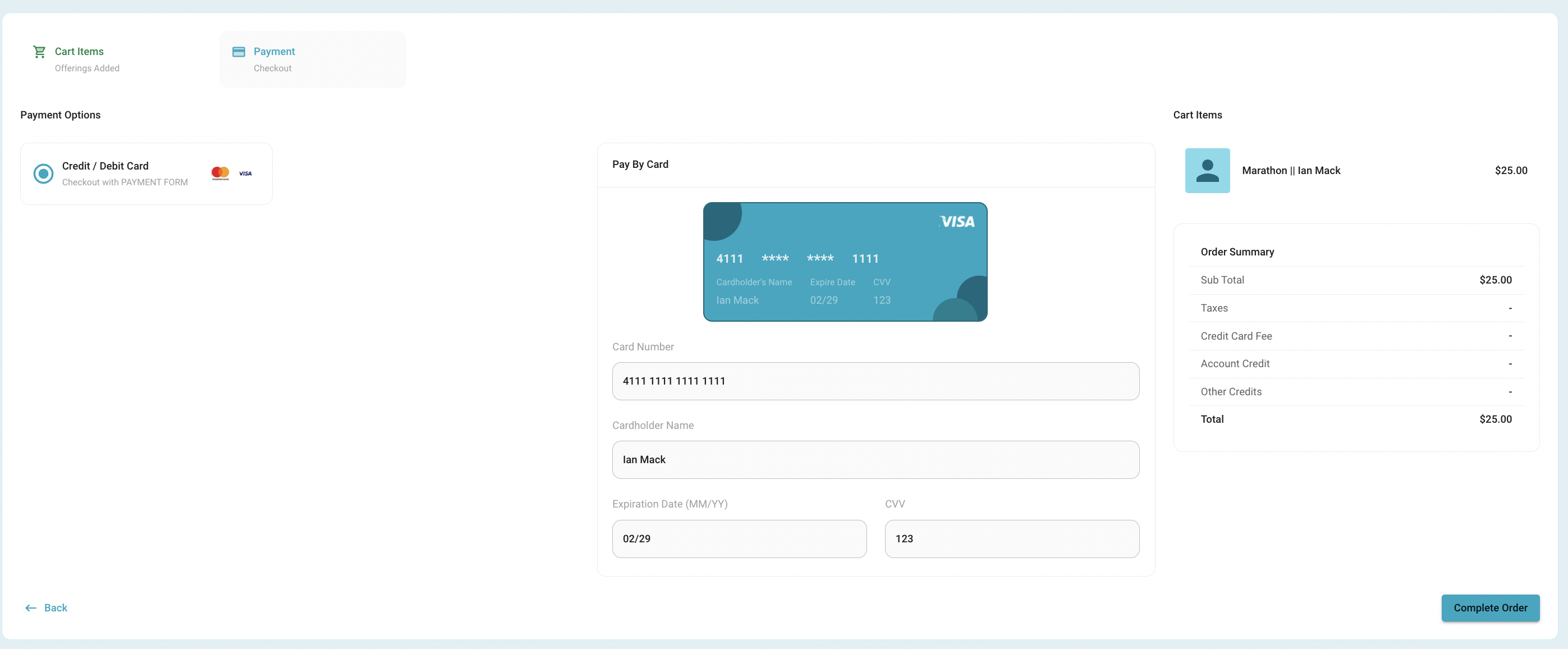
As credit card information is entered the card will update.
Hit complete order once all payment information is entered.
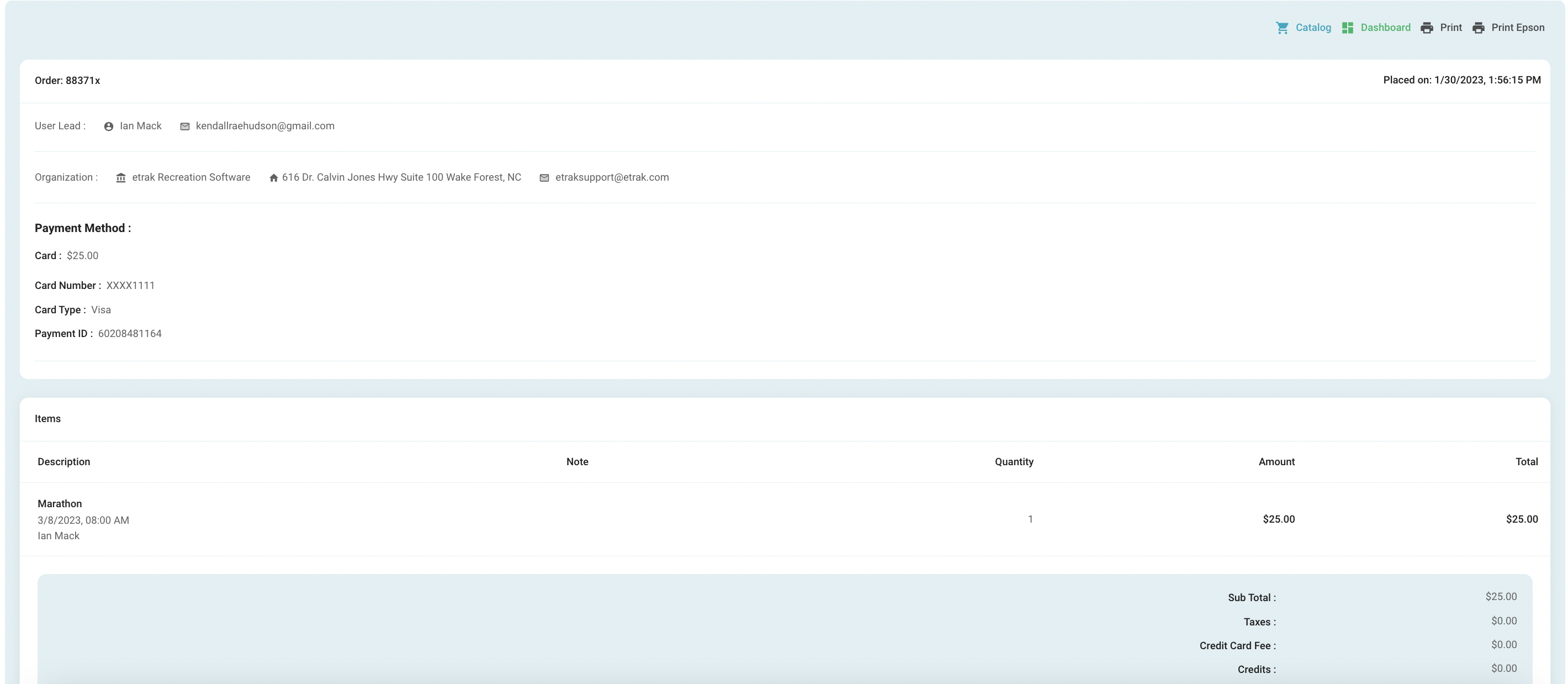
A receipt will show with all of your purchase info. You may access this receipt from the user profile, but you also can print this receipt by using the print button in the top right.
Success!
Was this article helpful?
That’s Great!
Thank you for your feedback
Sorry! We couldn't be helpful
Thank you for your feedback
Feedback sent
We appreciate your effort and will try to fix the article