TABLE OF CONTENTS
Enhancements
Credit Card Validation Handling
Improvements have been made to the credit card validation process.
When attempting to use a credit card with invalid information, the system will now block the transaction and display the following message:
“Error code: Invalid card”

The system will also display an error message when the card’s expiration date is incorrect or invalid.
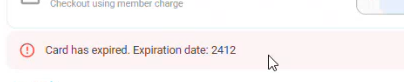
These updates ensure more accurate validation and prevent invalid payment attempts from being processed.
Resource Cancellation Flow
The resource cancellation behavior within reservations has been improved.
Previous behavior:
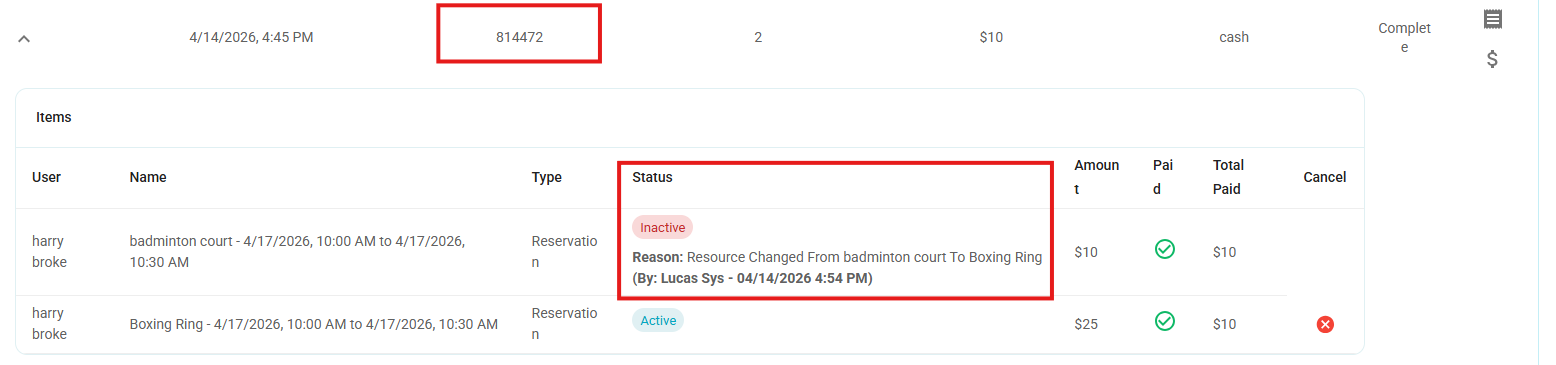
When changing a resource in a reservation, the system would cancel the entire order and create a new one.
Updated behavior:
When a resource is changed, only the selected resource will be canceled.
The original order will remain unchanged and will not be canceled.
Result:
The order will now retain both active and inactive resources, providing better tracking and visibility of changes.
New Operators Card in Journal Entry Report
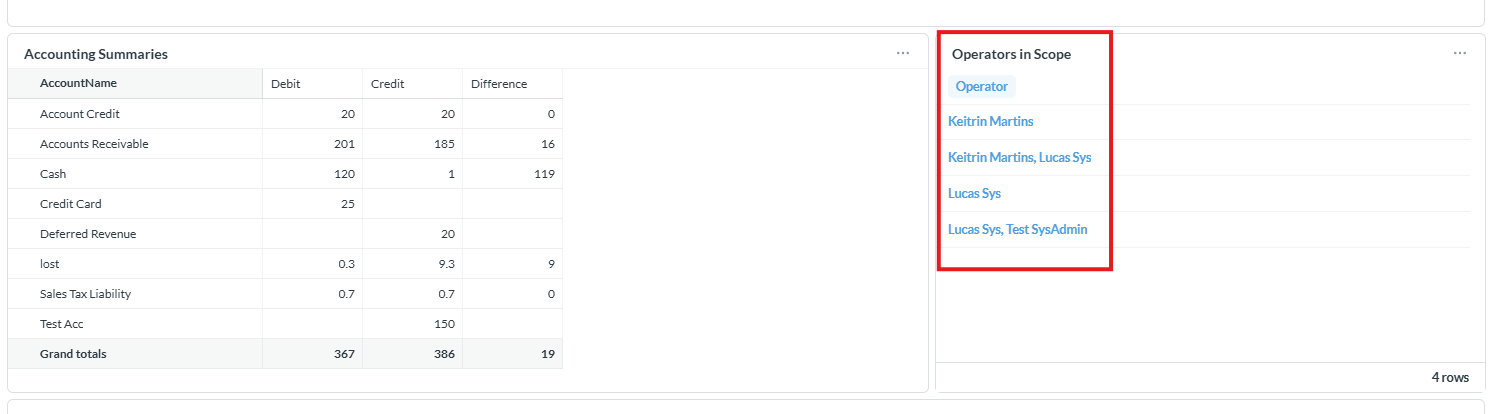
A new card called "Operators in Scope" has been added to the Journal Entry Report.
This card displays all operators who have activity within the selected date range.
The list dynamically reflects the operators based on the applied filters and time period.
Each operator name is clickable.
Behavior:
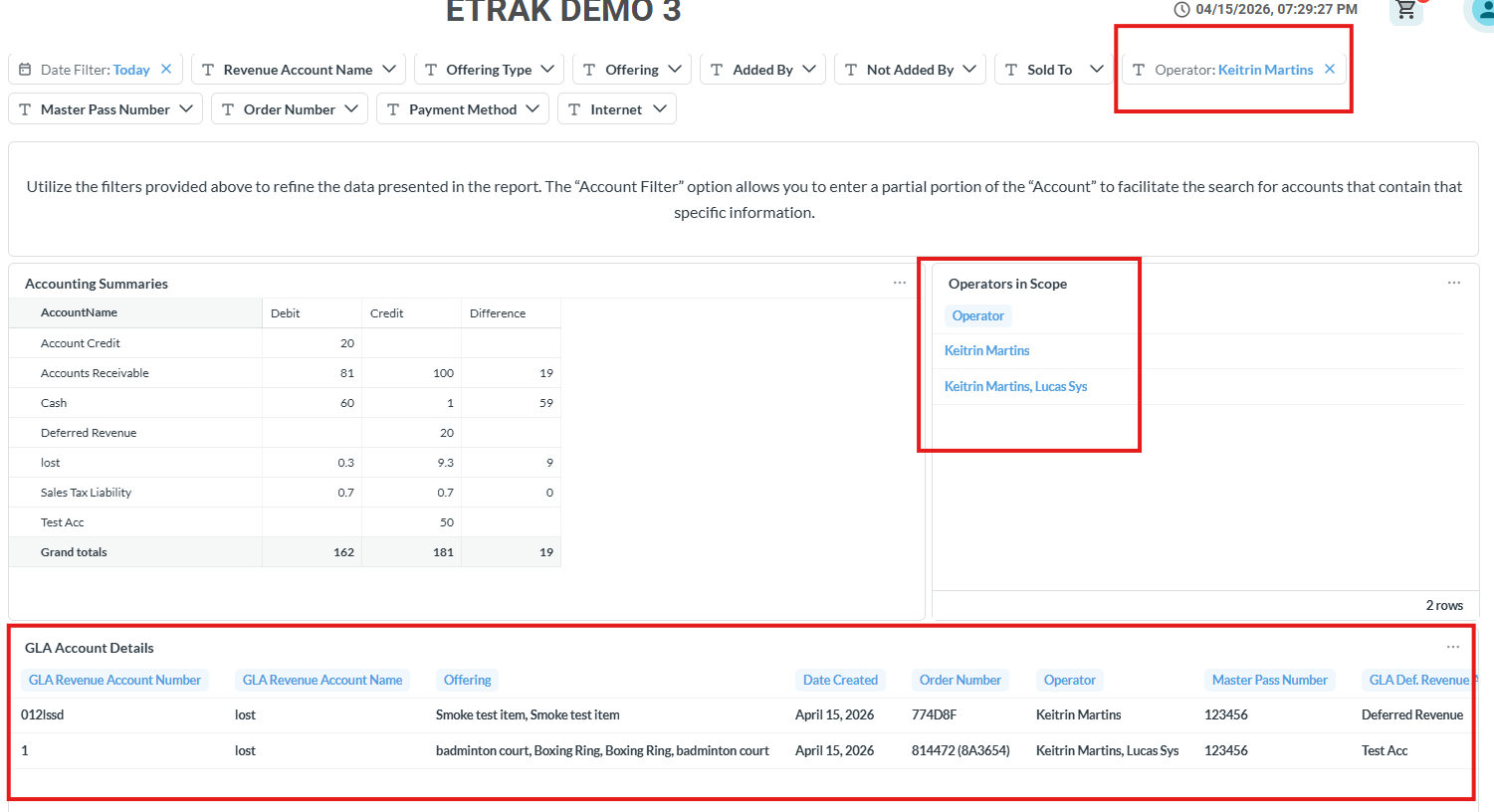
When clicking on an operator’s name, the system will automatically apply a filter for that specific operator.
The selected operator will be added to the filter bar at the top of the report.
The report will refresh to display only data related to the selected operator.
This enhancement allows for quicker navigation and more efficient data filtering directly from the report view.
Bug Fixes
Weekly Interval Behavior in Sessions
An issue has been addressed regarding the Weekly recurrence setup in Sessions.
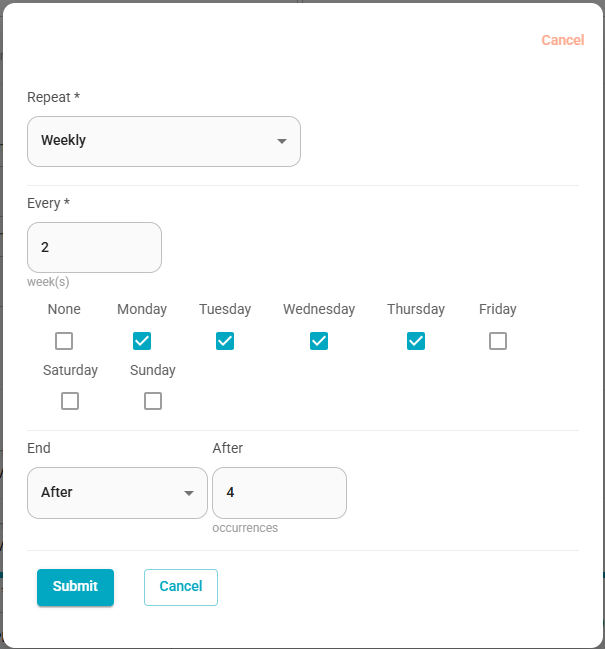
When creating a session with multiple weekdays selected (e.g., Monday through Thursday), the system considers each selected day as a separate occurrence.
Behavior clarification:
If the number of selected weekdays matches the total number of occurrences (e.g., 4 weekdays and “After 4 occurrences”), the session will be completed within a single week.
In this case, the defined interval (e.g., every 2 weeks) will not take effect.
Expected configuration for intervals:
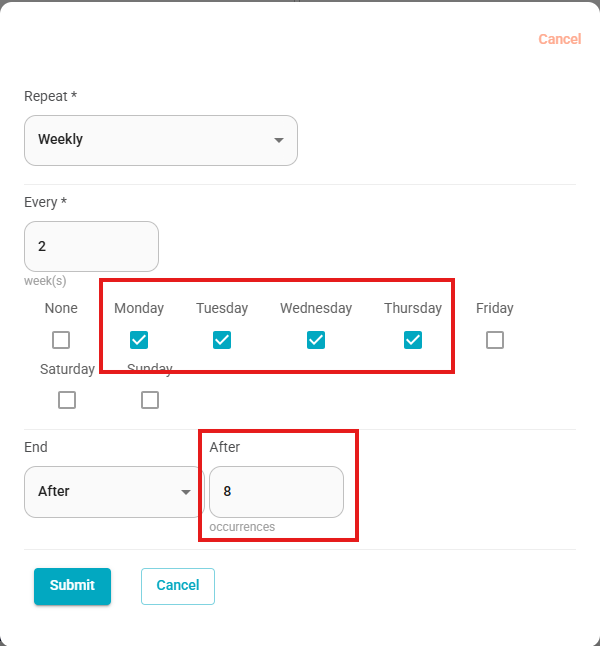
To ensure the interval is applied, the number of occurrences must exceed the number of selected weekdays.
For example:
Setting “After 5 occurrences” will allow the interval to take effect and continue into the next cycle.
To cover two full weeks (e.g., Monday through Thursday twice), the value should be set to at least 8 occurrences.
Validation update:
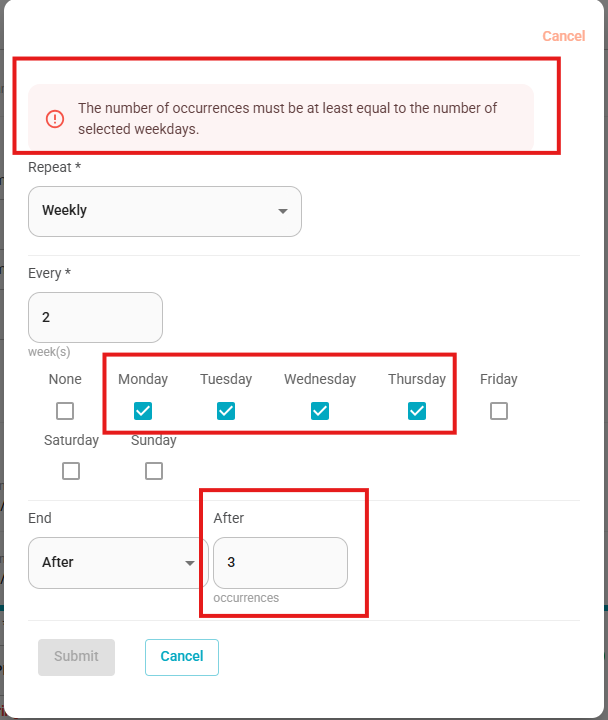
An error message will now be displayed if the number of occurrences is set lower than the number of selected weekdays, preventing invalid configurations.
This update ensures clearer behavior and prevents confusion when configuring recurring weekly sessions.
Was this article helpful?
That’s Great!
Thank you for your feedback
Sorry! We couldn't be helpful
Thank you for your feedback
Feedback sent
We appreciate your effort and will try to fix the article