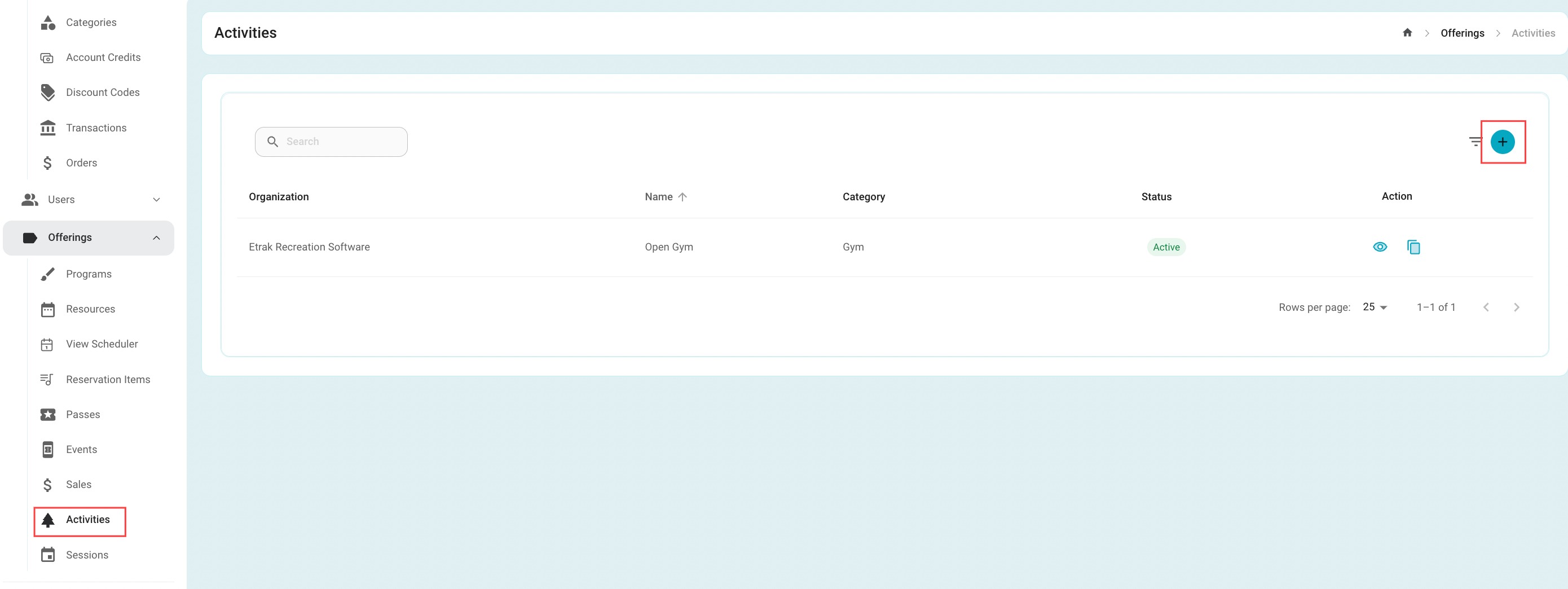
Select 'Activities' under the offerings tab on the left side of the screen
To create a new activity select the blue "+" button
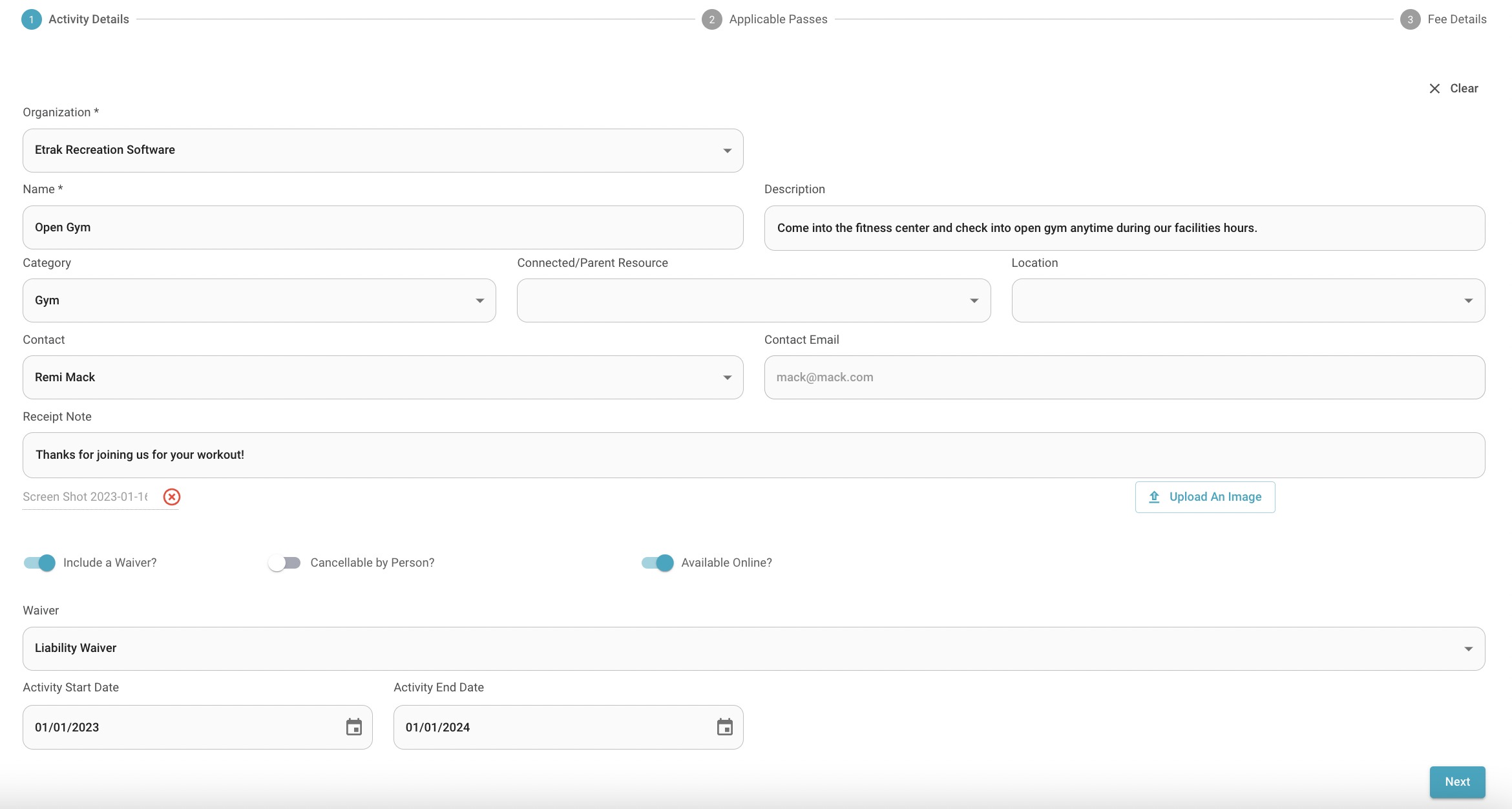
| Offering Name | Description | Category | Parent |
| Location | Contact | Receipt Note | Upload An Image |
| Waiver | Cancellable by Person | Available Online | Activity Start/End Date |
Hit ‘Next’ to select passes that are connected to this activity.
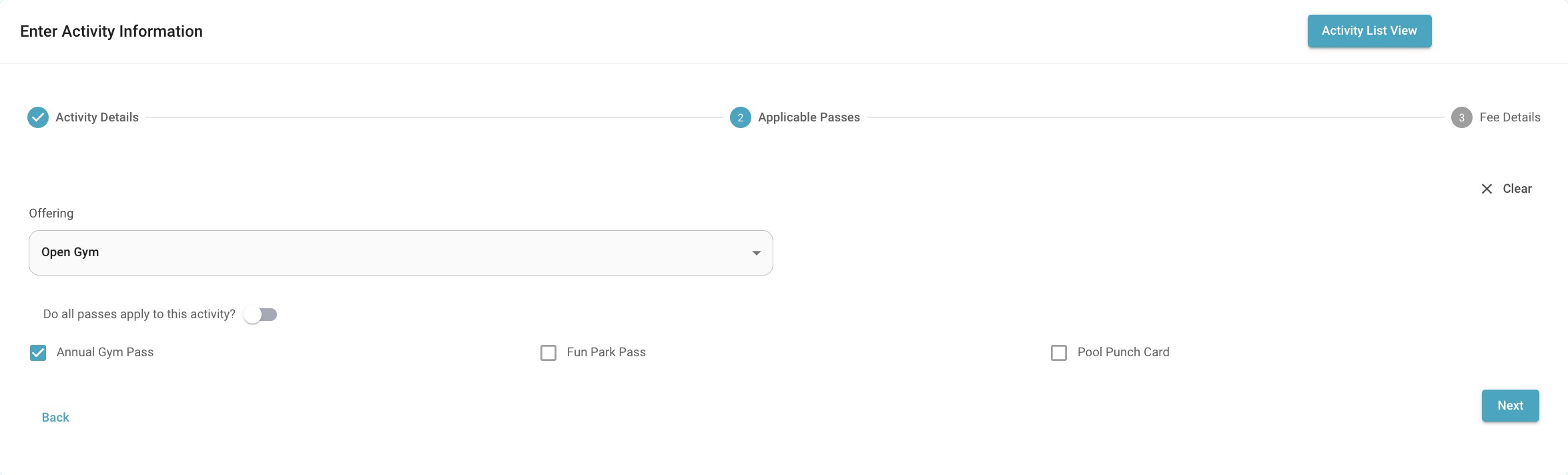
Set pass memberships to allow users to check in to this activity for free.
If this is not applicable simply hit ‘Next’
If it is applicable select the specific passes that apply or hit the toggle to apply for all passes.
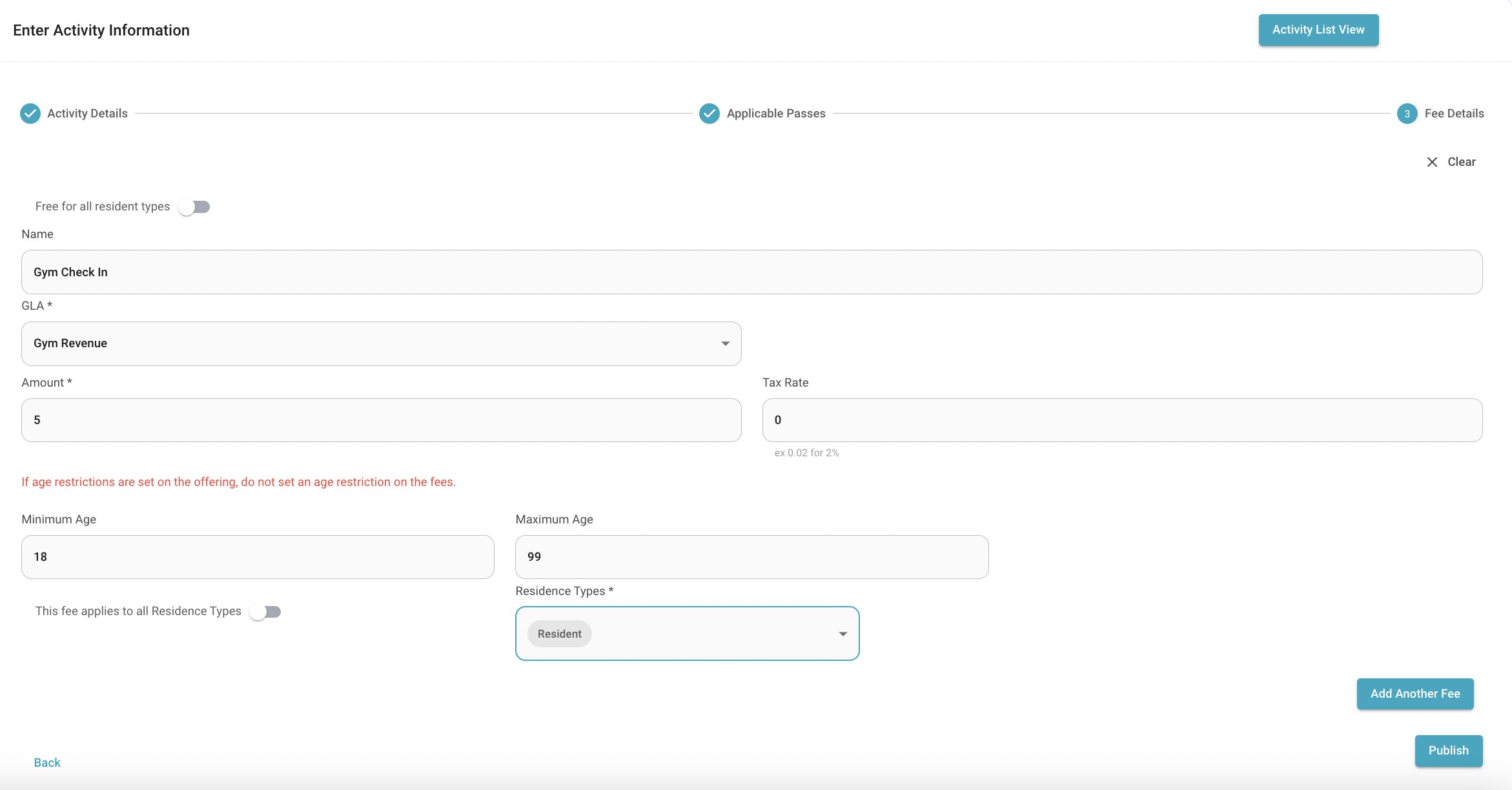
Minimum/Maximum Age: Set an age restriction for this activity. Ex: to check in for open gym you must be over 18 years old.
Resident Types: Set fees specific for resident types. If one is set for resident, save then create another for non-residents.
Success!
Was this article helpful?
That’s Great!
Thank you for your feedback
Sorry! We couldn't be helpful
Thank you for your feedback
Feedback sent
We appreciate your effort and will try to fix the article