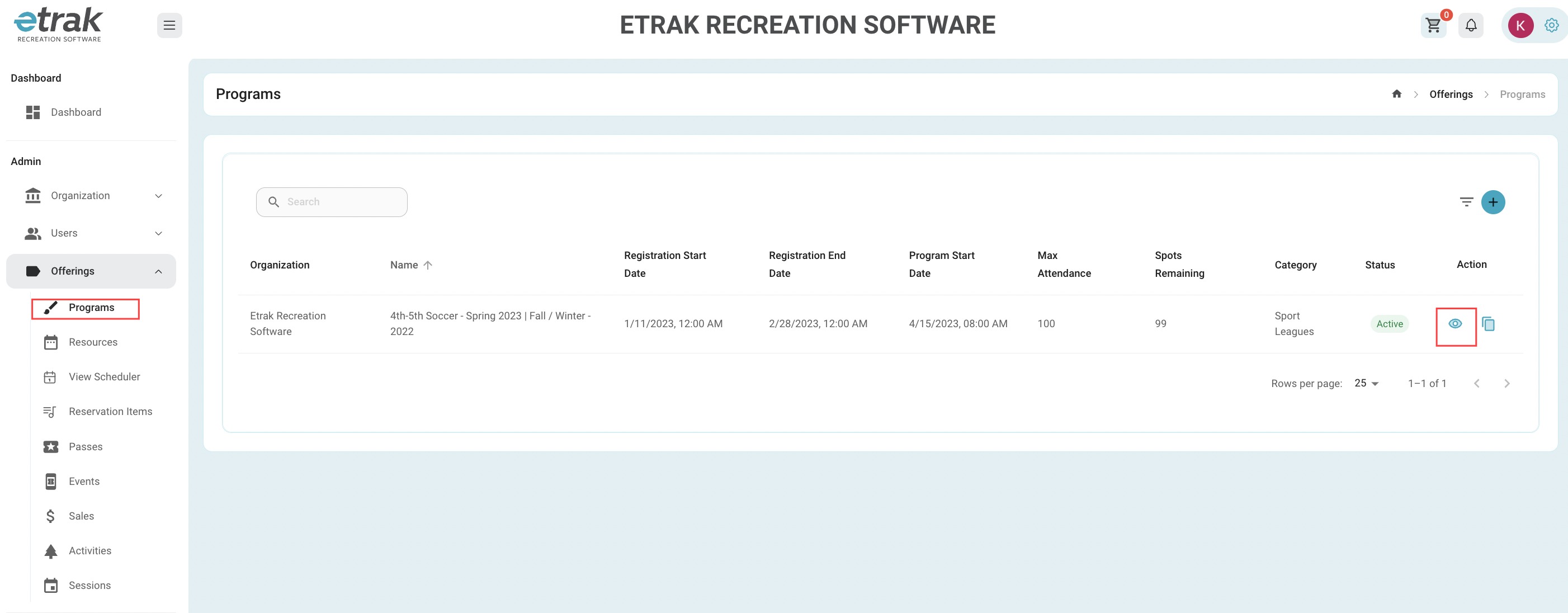
Select 'Programs' from the 'Offerings' tab on the left side of the screen.
Select the 'Eye Icon' to view the program that needs to be edited.
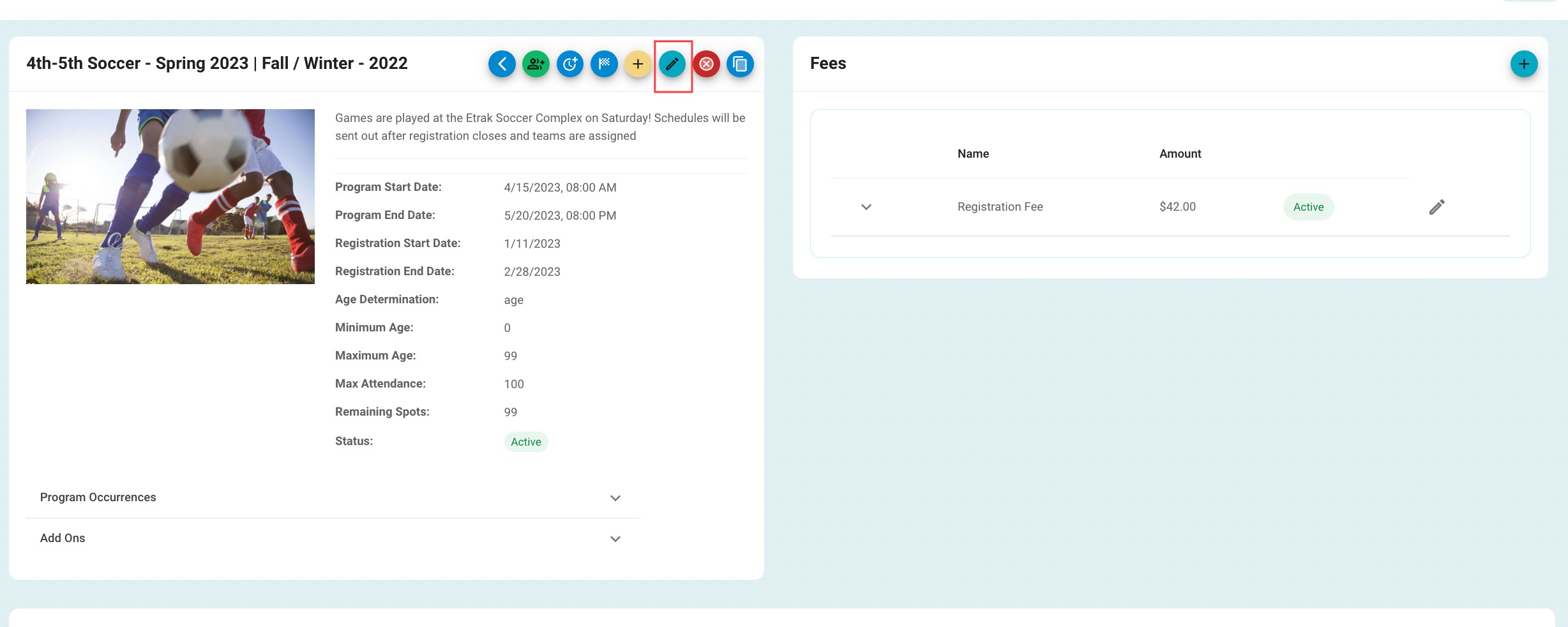
To edit the program details select the blue pencil icon towards the center of the screen.
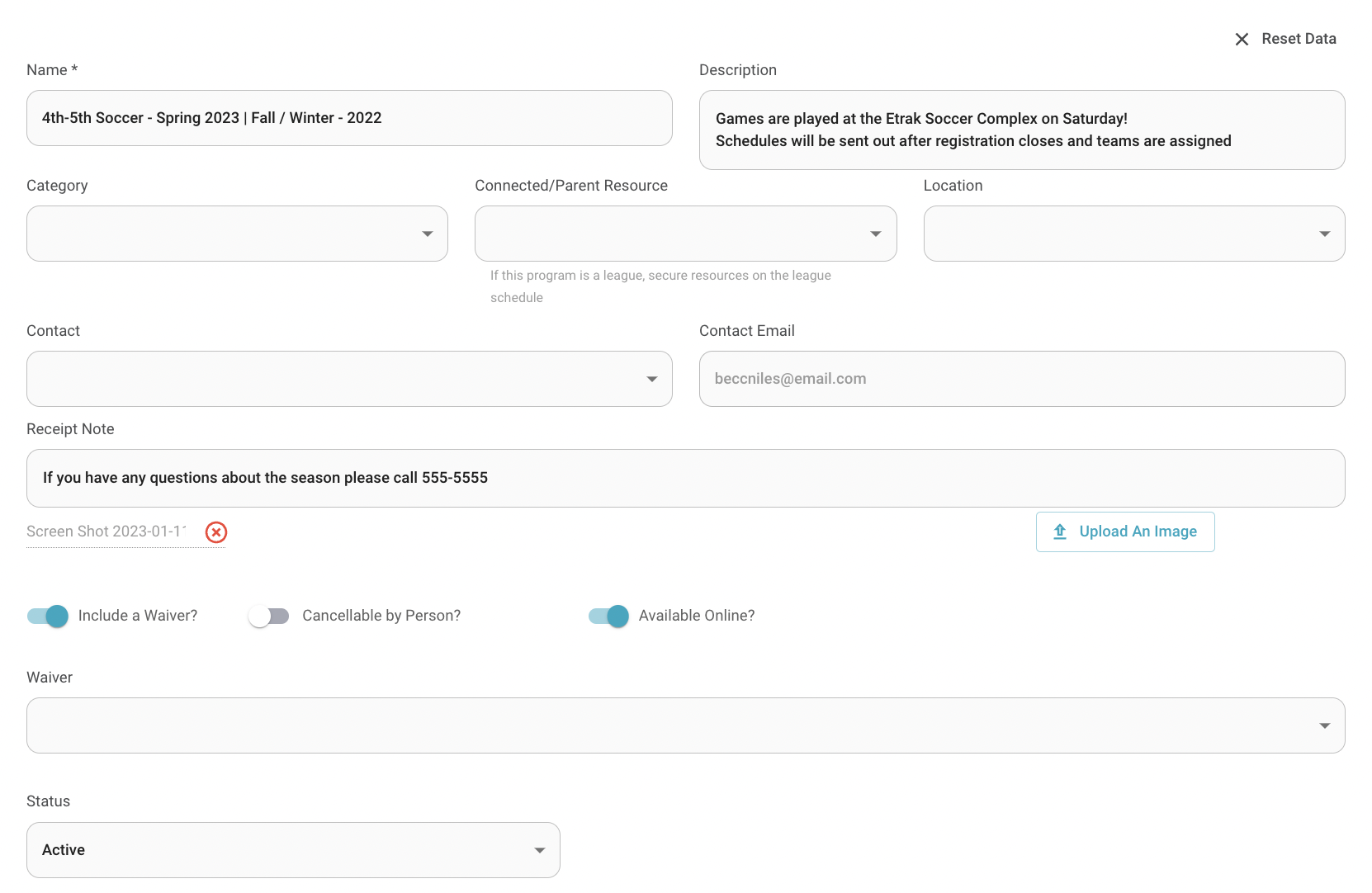
All these fields are able to be changed.
To set a program as inactive change the status. *Once a program is made inactive all registrations will be moved to inactive as well and manual refunds will need to be run.
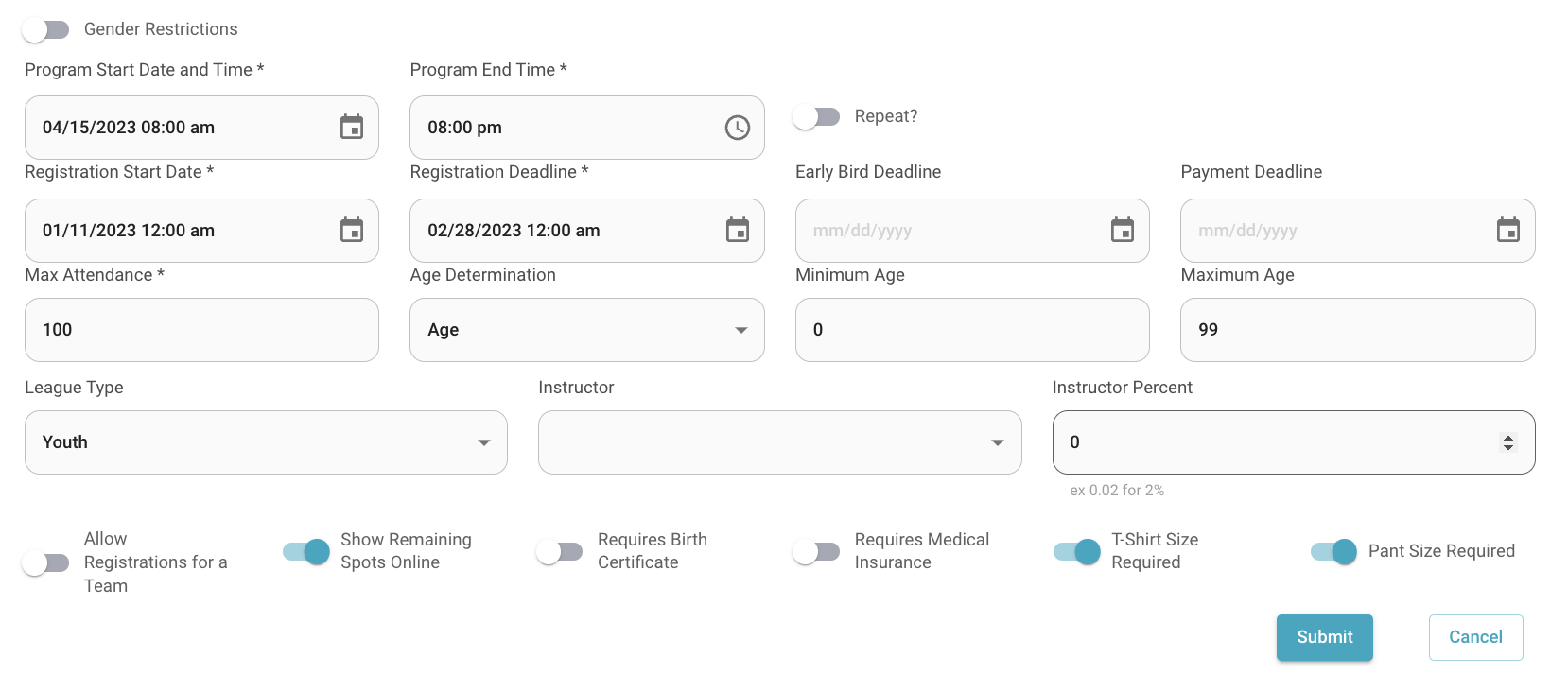
If this is a recurring program, edit the program end date by selecting the repeat button and setting new occurrences that cover till the end of the program.
Click here to learn more about Program Start/End Dates.
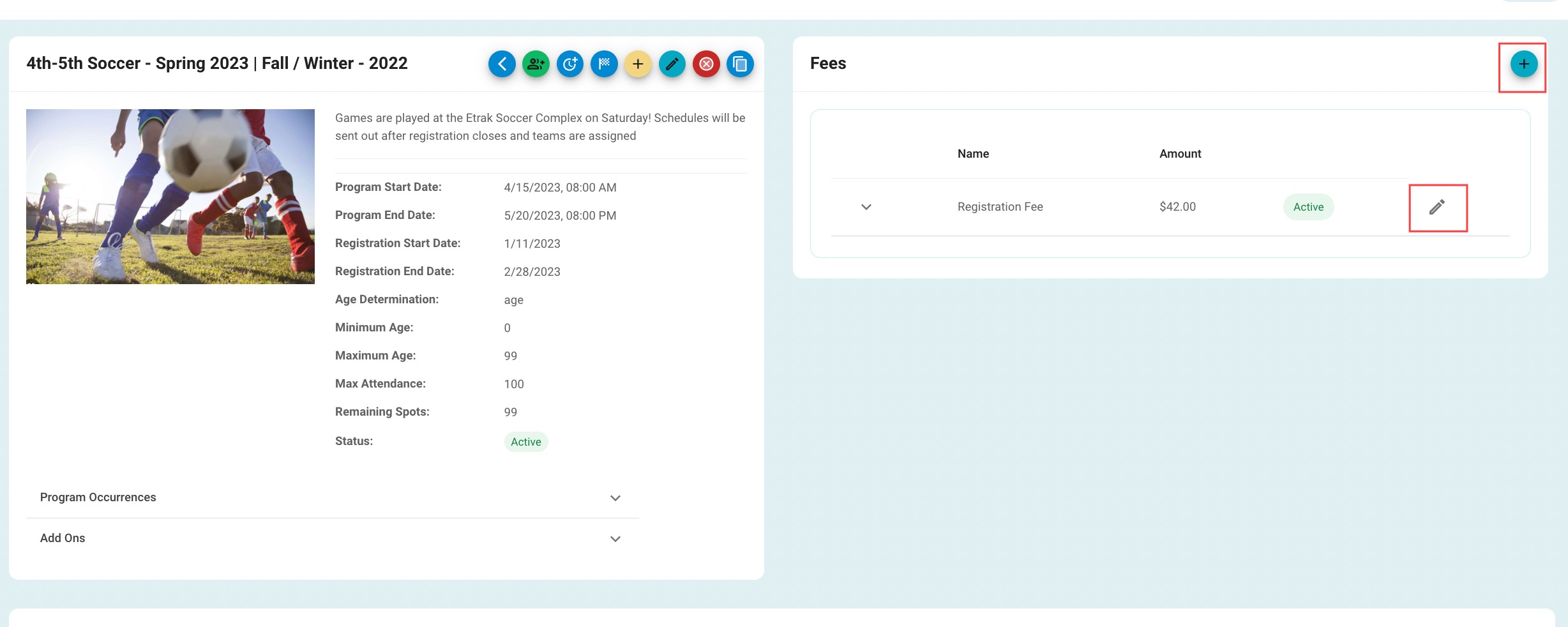
Click on the gray pencil icon on the right side of the screen to edit any fees.
Click on the blue '+' sign in the 'Fees' box to add a brand new fee.
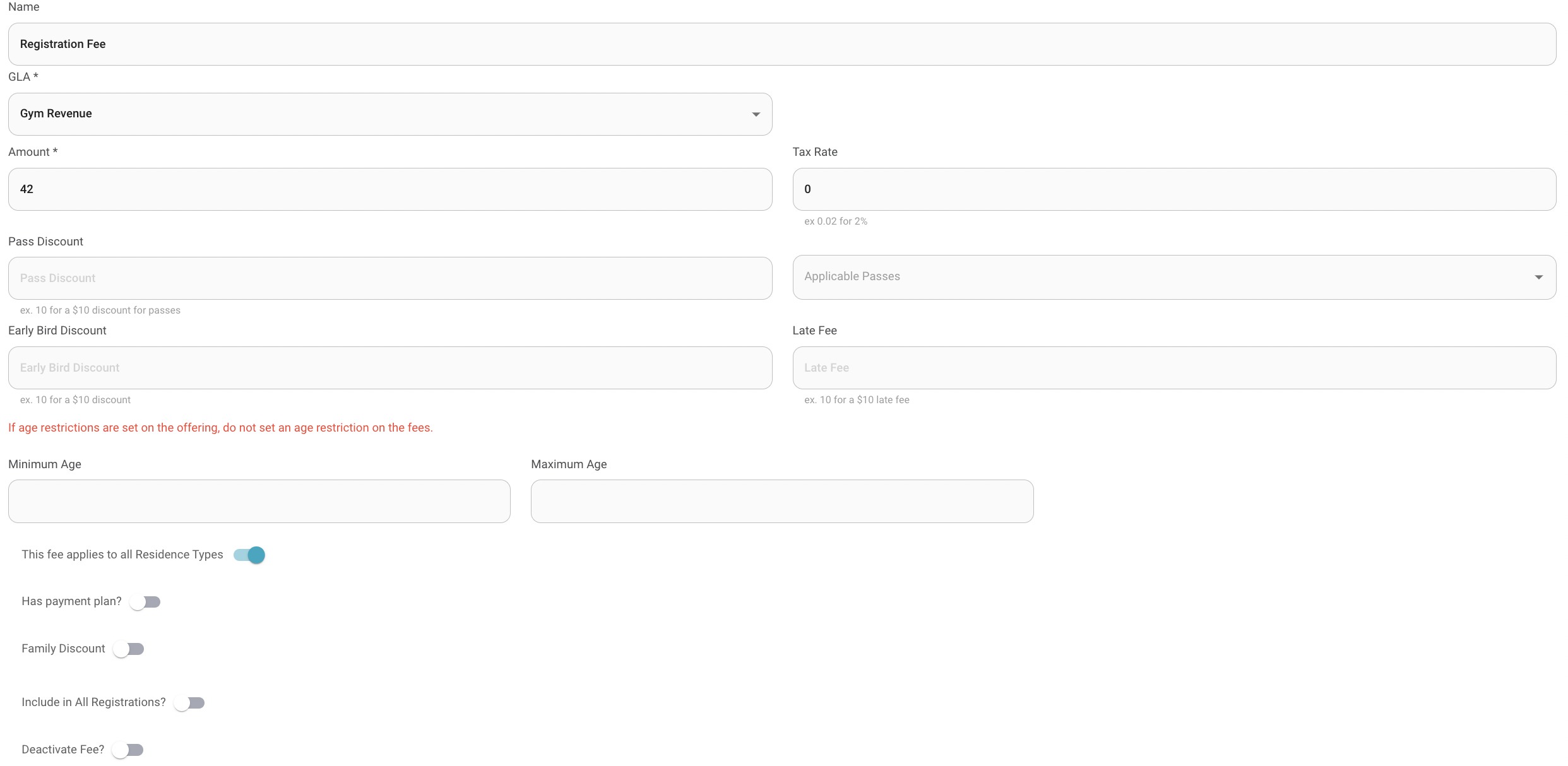
Any of these fields can be updated.
To remove the fee hit the 'Deactivate Fee' toggle at the bottom of the page.
Press 'Submit' after all changes have been made.
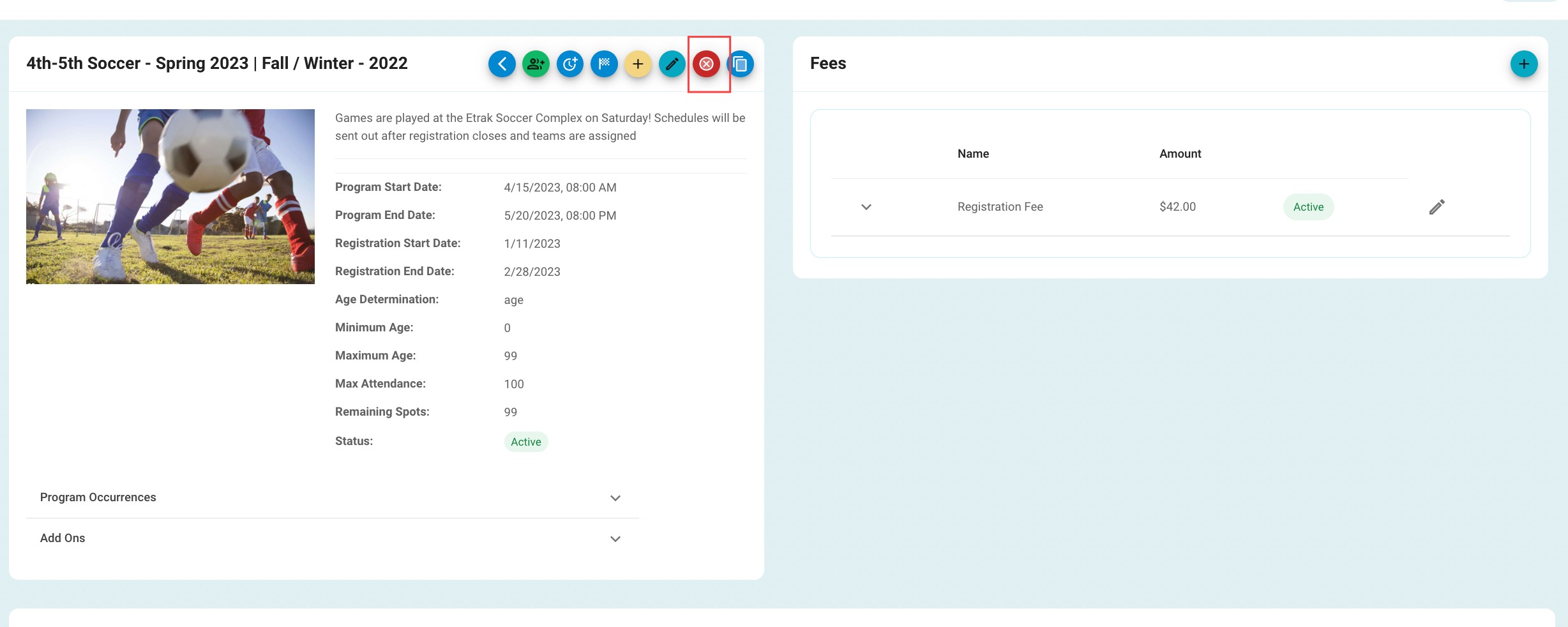
To cancel the entire program hit the red 'X' icon towards the center of the screen.
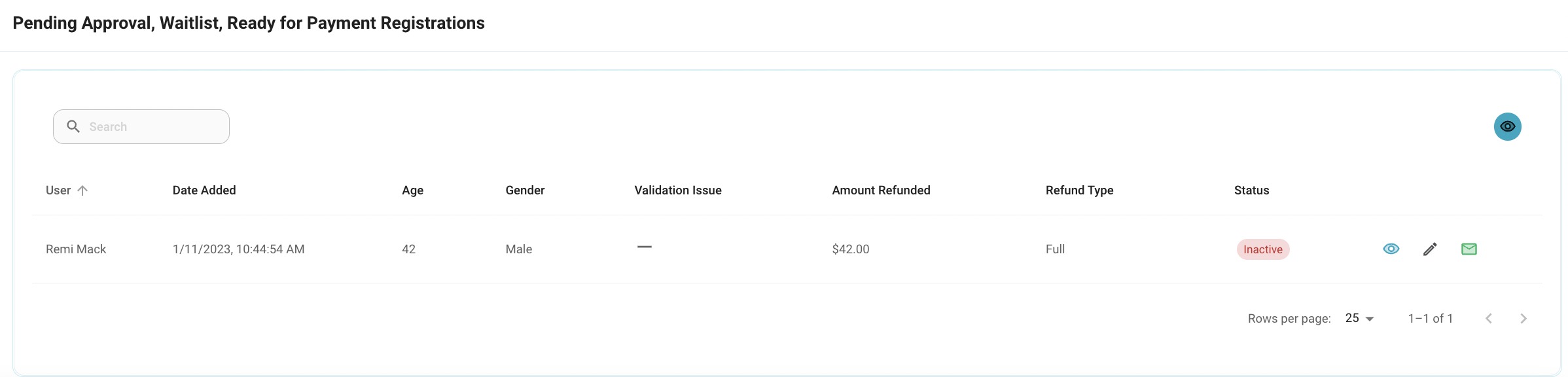
Cancelling the program will set move the program to inactive as well as all active registrations will be moved to inactive as well. Manual refunds will need to be run for those registered.
Click here to learn more about refunds.
Success!
Was this article helpful?
That’s Great!
Thank you for your feedback
Sorry! We couldn't be helpful
Thank you for your feedback
Feedback sent
We appreciate your effort and will try to fix the article