Bugs
- Fixed: Refund Calculation Displayed Excessive Decimal Places
- Resolved an issue where the refund calculation displayed excessive decimal places when automatically calculating the remaining refund amount across multiple refund methods.
- Refund values are now rounded correctly for a cleaner and more accurate user experience.
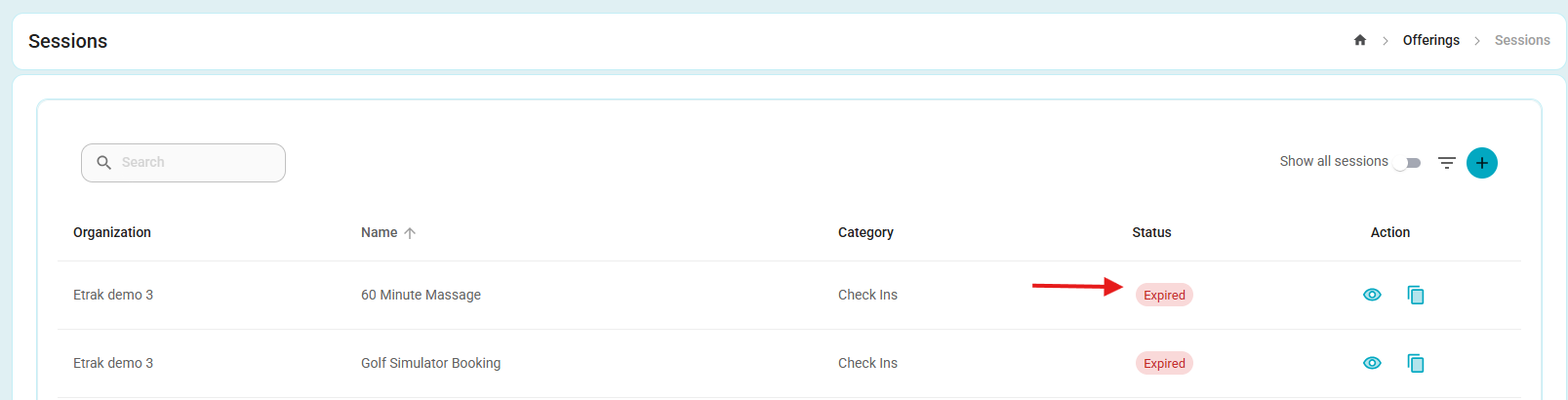
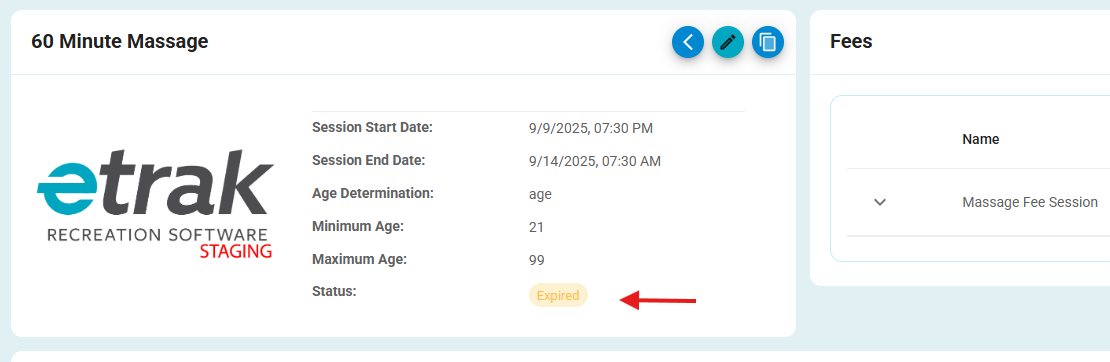
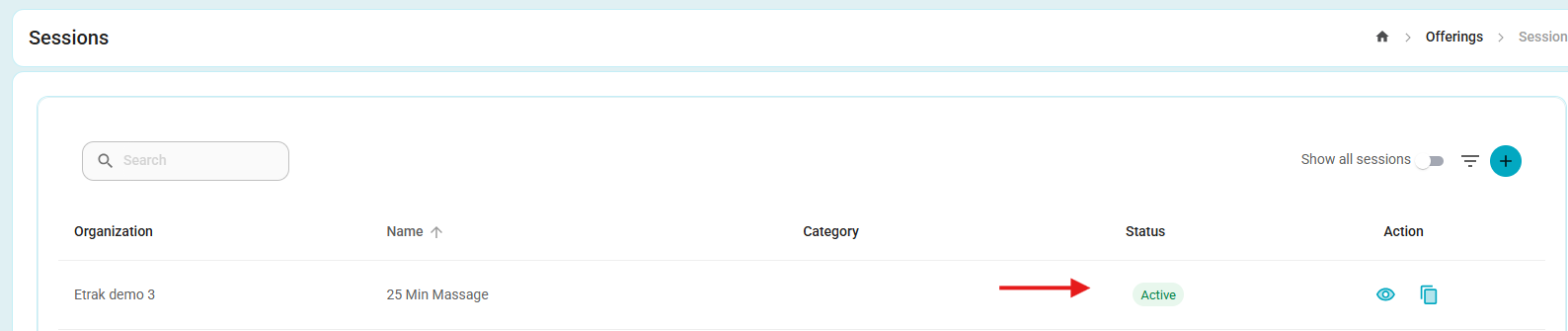
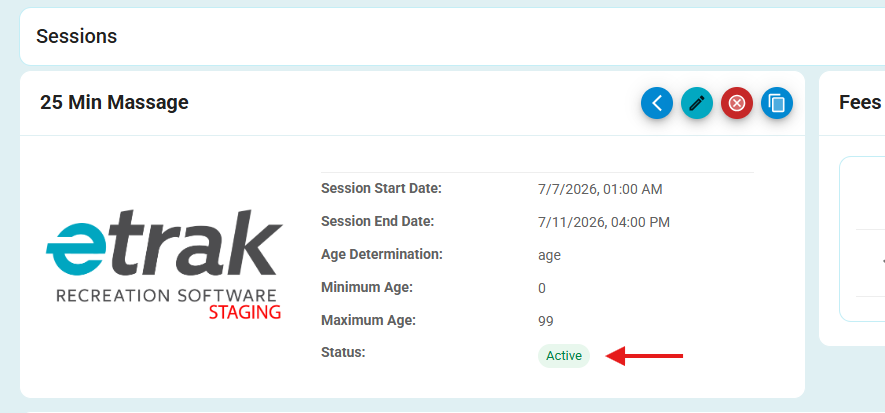
- Fixed: Session Status Consistency Between List and Details
- Resolved an issue where expired sessions could incorrectly appear as Active on the Session List page, while the Session Details page correctly displayed them as Expired.
- Session statuses are now displayed consistently across both the list and details views.
- Fixed: My Refunds and My Payment Plans Navigation for End User
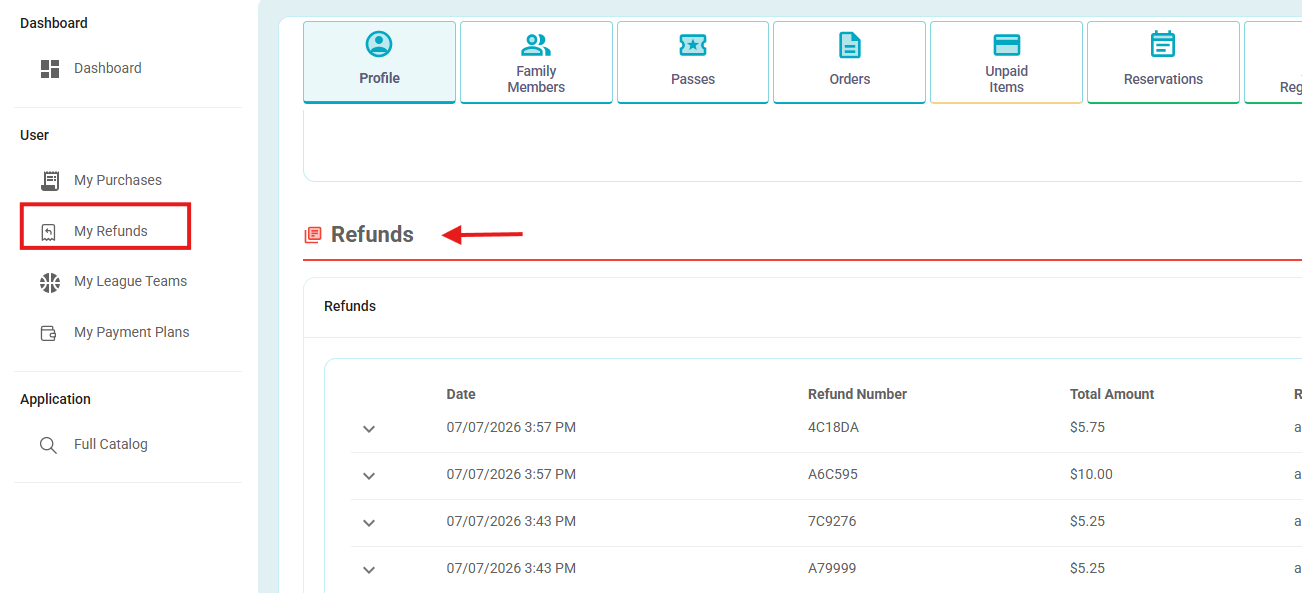
- Resolved an issue where the My Refunds and My Payment Plans menu items did not navigate to their respective sections within the User Profile page.
- Users can now successfully access the corresponding sections by selecting these options from the User menu.
- Clicking My Refunds opens the Refunds tab.
- Clicking My Purchases opens the Orders tab.
- Clicking My Payment Plans opens the Payment Plans tab.
Enhancements
- Enhancement: Gift Certificate Report Outstanding Balance
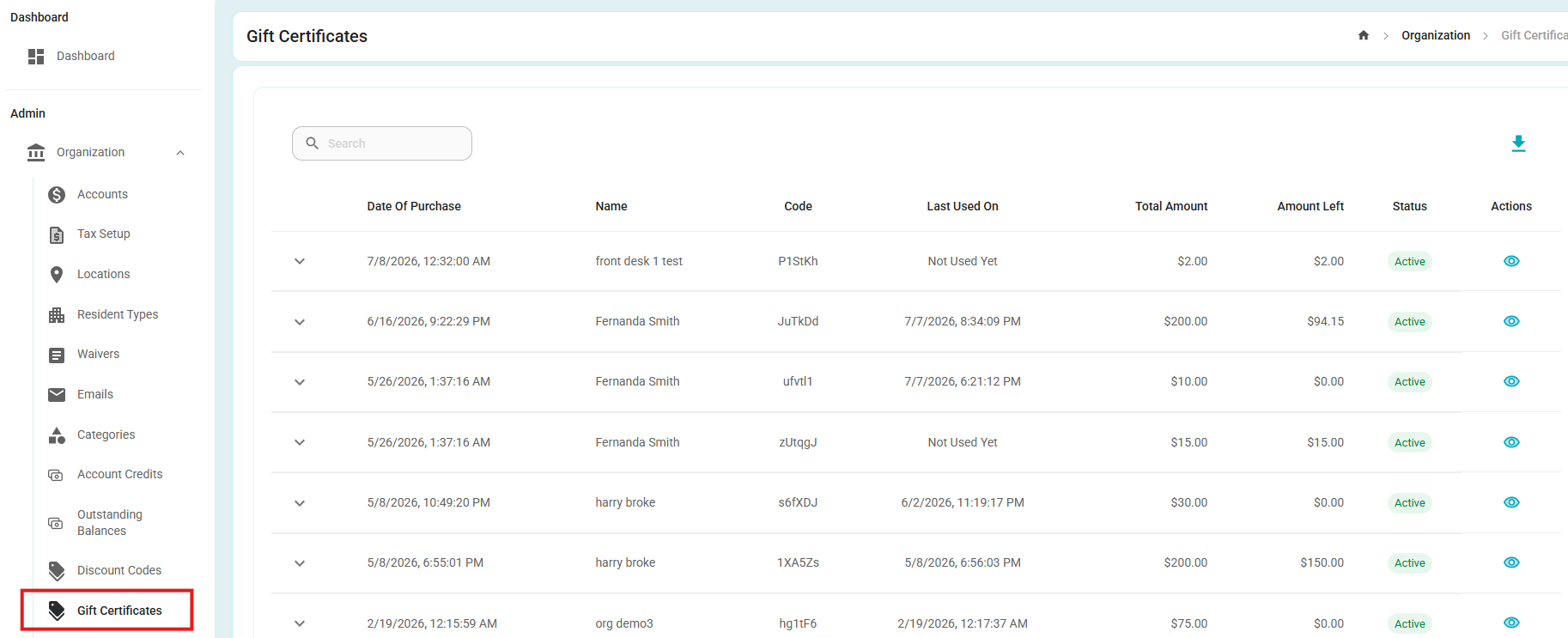
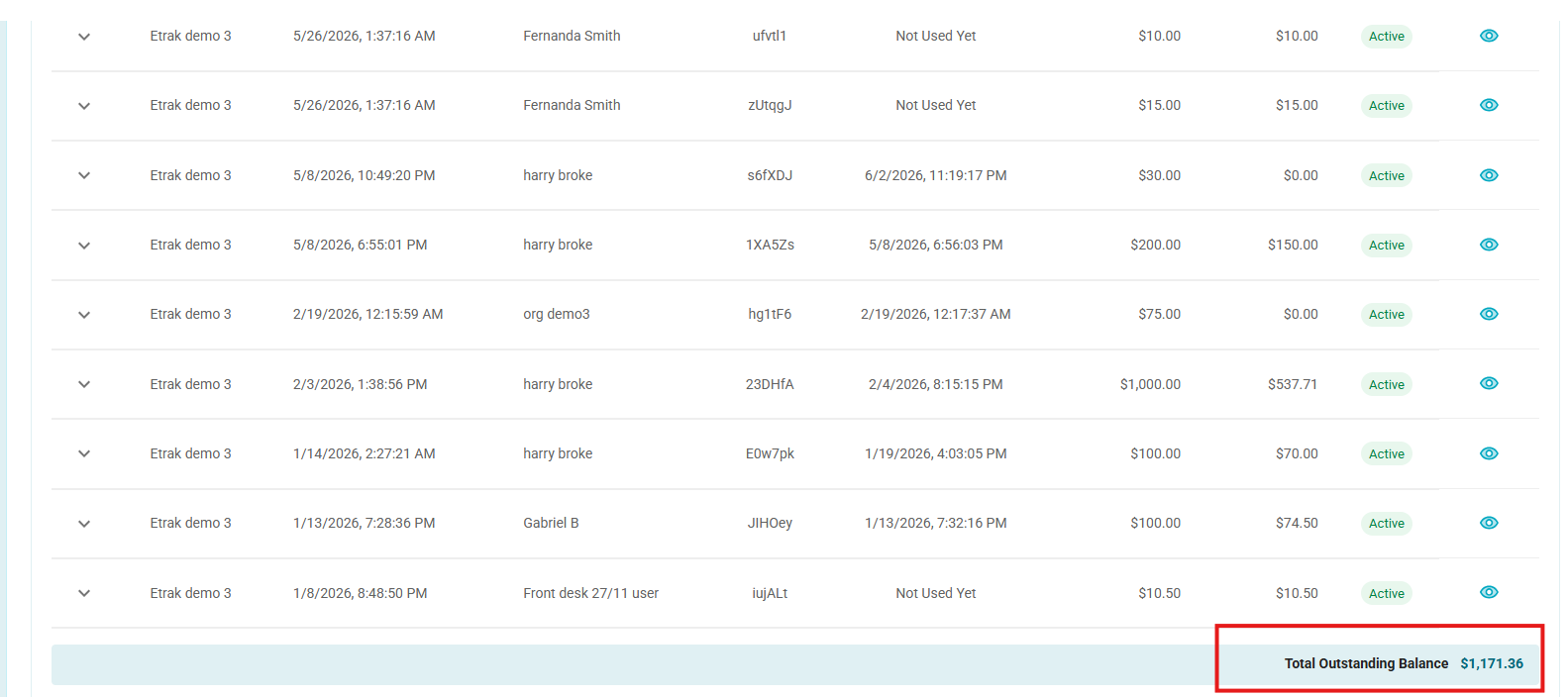
- Added a Total Outstanding Balance to the Gift Certificate Report, providing a running total of the remaining balance across all gift certificates.
- The total is automatically updated to reflect gift certificate activity:
- Purchasing a new gift certificate increases the total outstanding balance.
- Redeeming or using a gift certificate decreases the total outstanding balance.
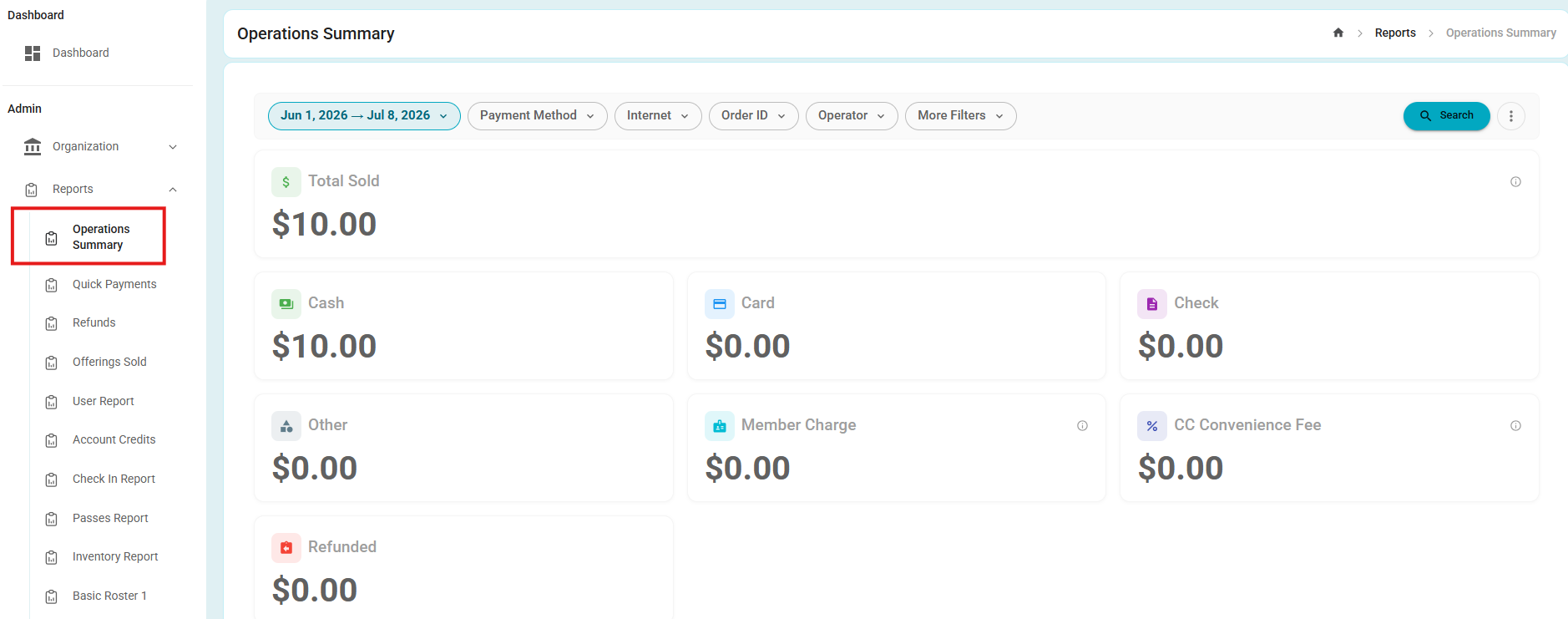
- Enhancement: Updated Operations Summary Report
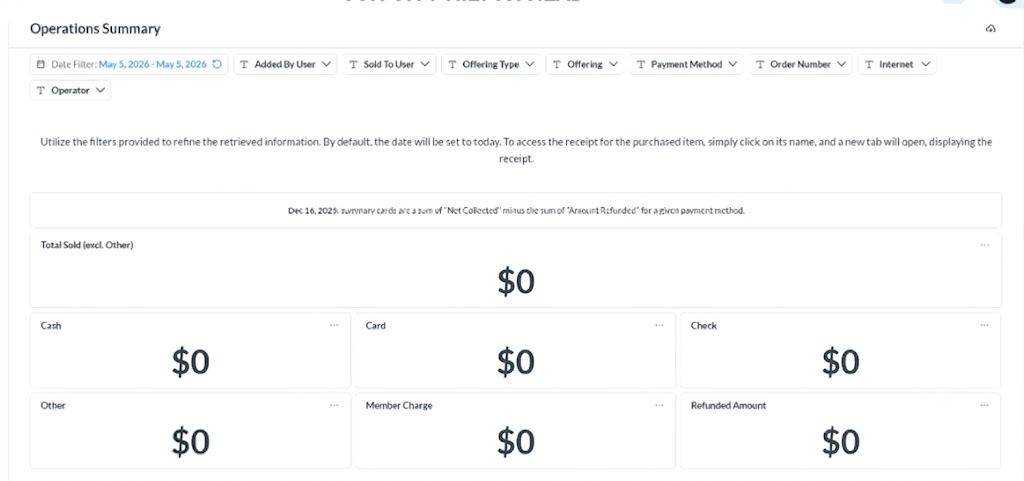
- The Operations Summary report has been updated with an improved filtering experience.
- The report continues to display the same key metrics. All existing report filters remain available.
Before:
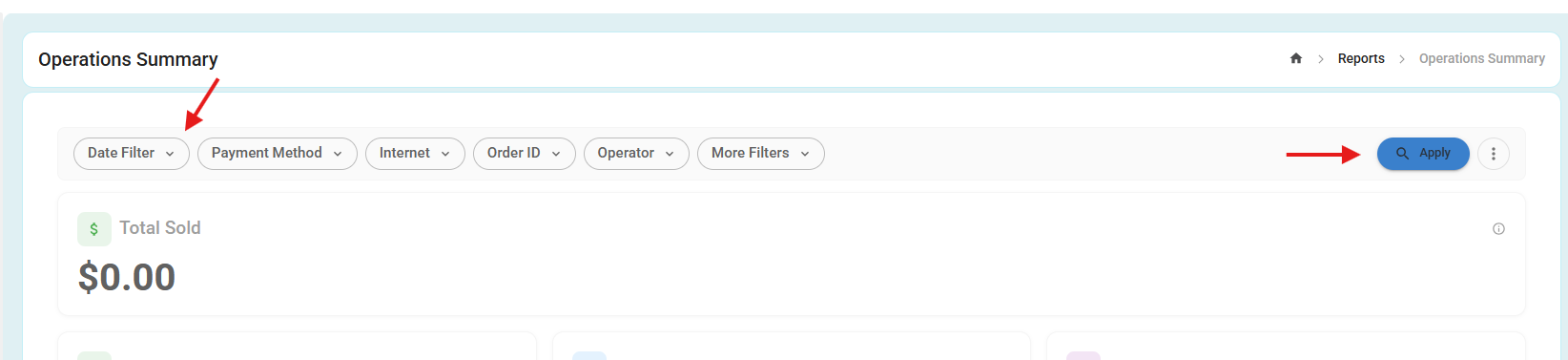
After:
- Filter selections are no longer applied automatically. After changing any filter, users must click Apply to refresh the report results.
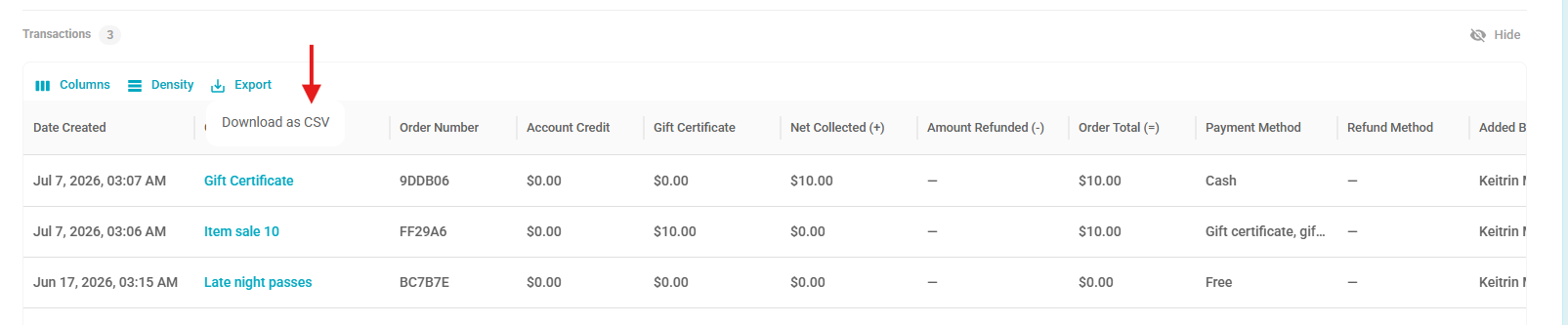
- Additionally, the export functionality has been simplified and now provides a single Download as CSV option.
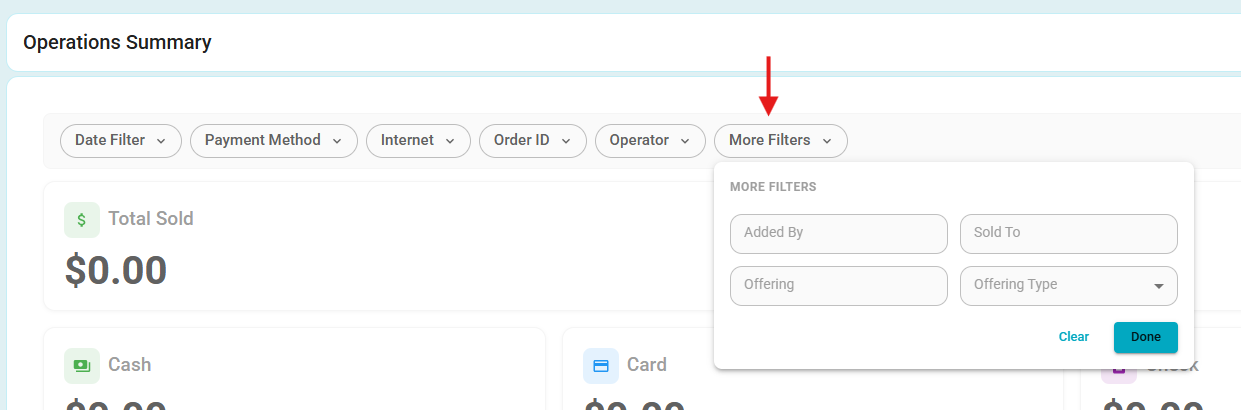
- Clicking More Filters now expands the available filtering options, including Added By, Sold To, Offering Type, and other advanced filters, making it easier to refine report results.
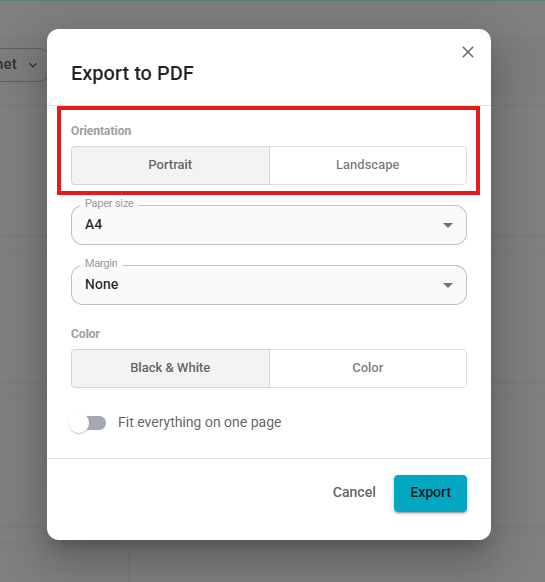
- Enhancement: PDF Export Options
- A new Download PDF option is available from the report's More Actions (three-dot) menu.
- Selecting this option opens an Export to PDF dialog, allowing users to customize the exported document before downloading. Available options include:
- Orientation: Portrait or Landscape
- Paper Size
- Margins
- Color: Black & White or Color
- Fit everything on one page toggle
- These options provide greater flexibility when exporting reports for printing or sharing.

- Enhancement: Hide Transactions and Cash Count Sections
- Added a Hide option to the Transactions and Cash Count sections, allowing users to collapse these sections when they are not needed for printing or reviewing the report. This provides a cleaner and more focused report layout.


Was this article helpful?
That’s Great!
Thank you for your feedback
Sorry! We couldn't be helpful
Thank you for your feedback
Feedback sent
We appreciate your effort and will try to fix the article