Release Notes - 03/03/26
Bug Fixes
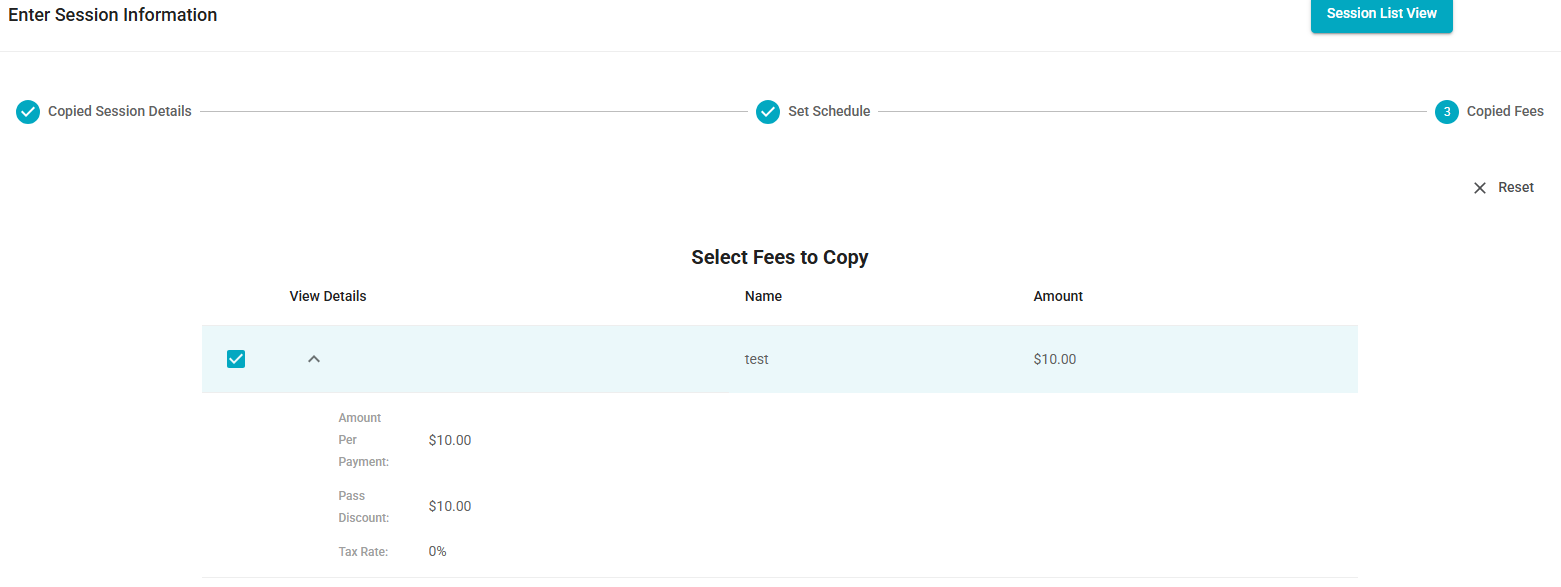
Fee is now consistently carried over during Offering duplication
- Fixed an issue where the fee was not being carried over when duplicating an Offering that had already been copied. Now, the existing Fee is correctly carried over whenever an Offering is duplicated — including when duplicating from a previously copied Offering.
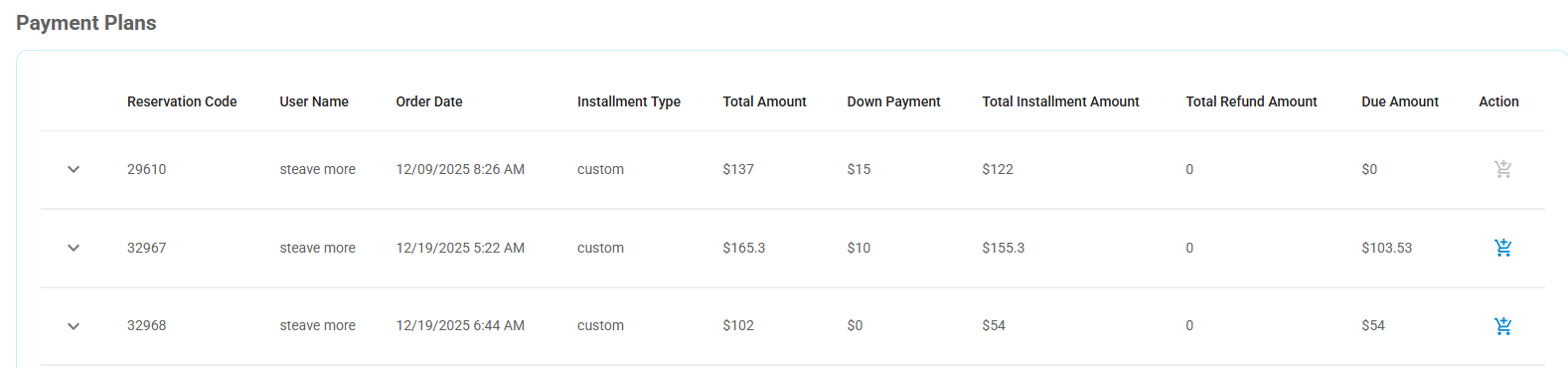
[UI] Payment Plan data visibility tied to Reservation list pagination
- Fixed an issue where Payment Plan information was only displayed if the associated Reservation was visible on the current page of the Reservation list. Due to pagination (25 items per page), Payment Plans linked to Reservations appearing on subsequent pages were not being shown. This has been resolved, and Payment Plan data now displays correctly regardless of Reservation list pagination.
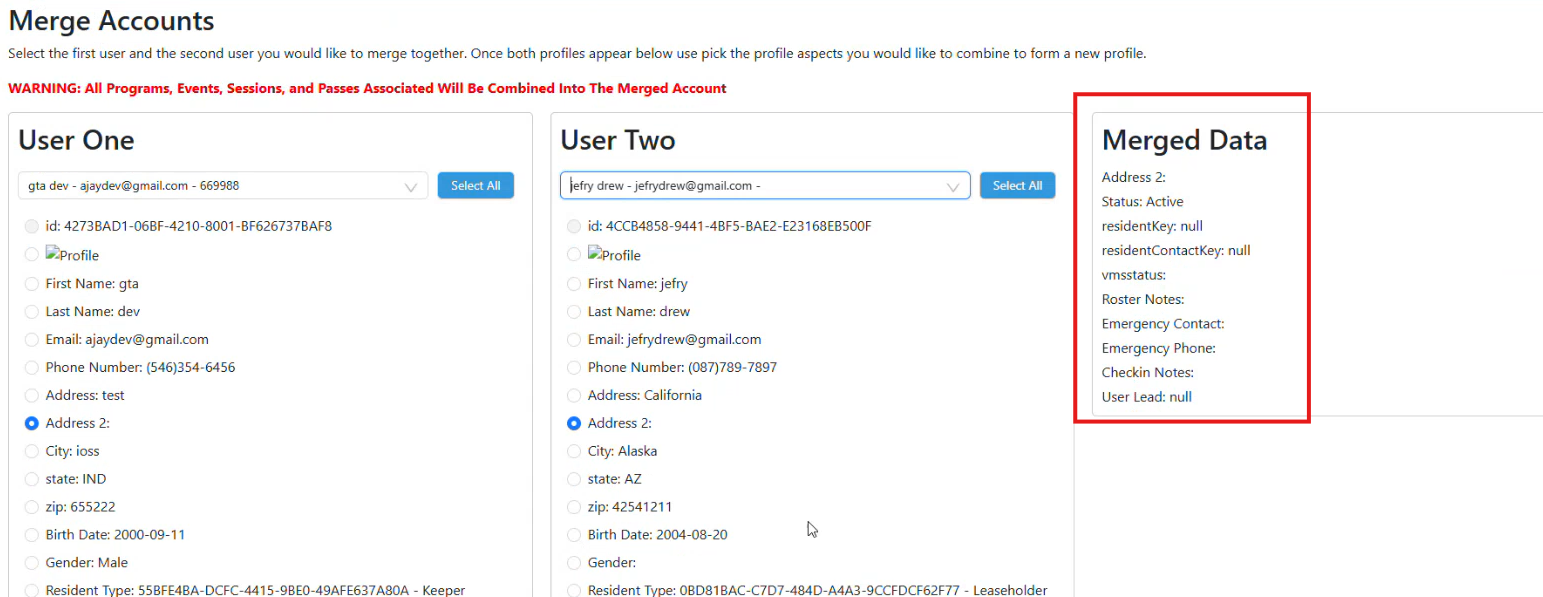
Order history removed after merging duplicate user accounts
Fixed an issue where order history was no longer displayed after merging duplicate user accounts, resulting in an empty Orders list.
The merge process has been improved to ensure that all selected data is properly retained in the merged account. When merging two users into one, admins can now explicitly select which profile attributes to keep from each account. The selected information is displayed in the Merged Data panel before completing the merge.
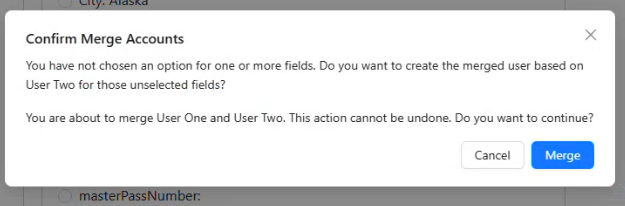
Required information for completing the merge is now clearly displayed. If the user attempts to merge accounts without selecting the necessary fields, a validation pop-up notification will appear.
Additionally, once the merge is completed, a system-generated note is automatically added to the merged user’s profile, indicating the date/time of the merge and which accounts were combined.

Enhancements
Resource Block for Maintenance
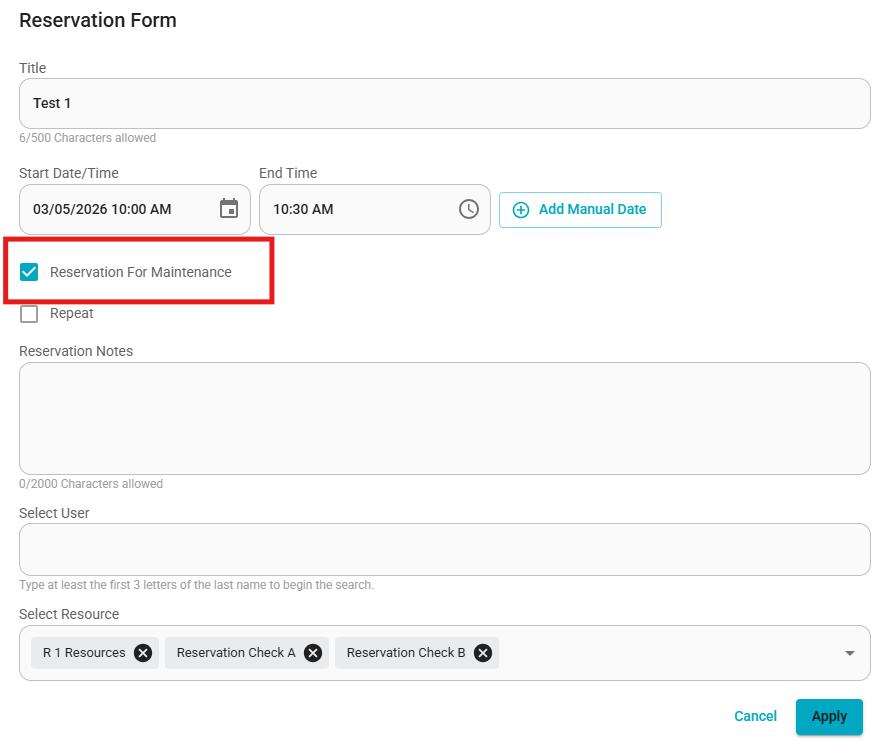
A new feature has been implemented to allow admins to block a resource for maintenance purposes.
When the “Reservation for Maintenance” option is selected:
The selected resource will be marked as Booked for the chosen date and time range.
The resource will not be available for reservation by end users during that period.
This option is visible to Admin users only.
Standard users will not see the “Reservation for Maintenance” option while booking a reservation.
Automatic Notification When a Reserved Session Is Canceled
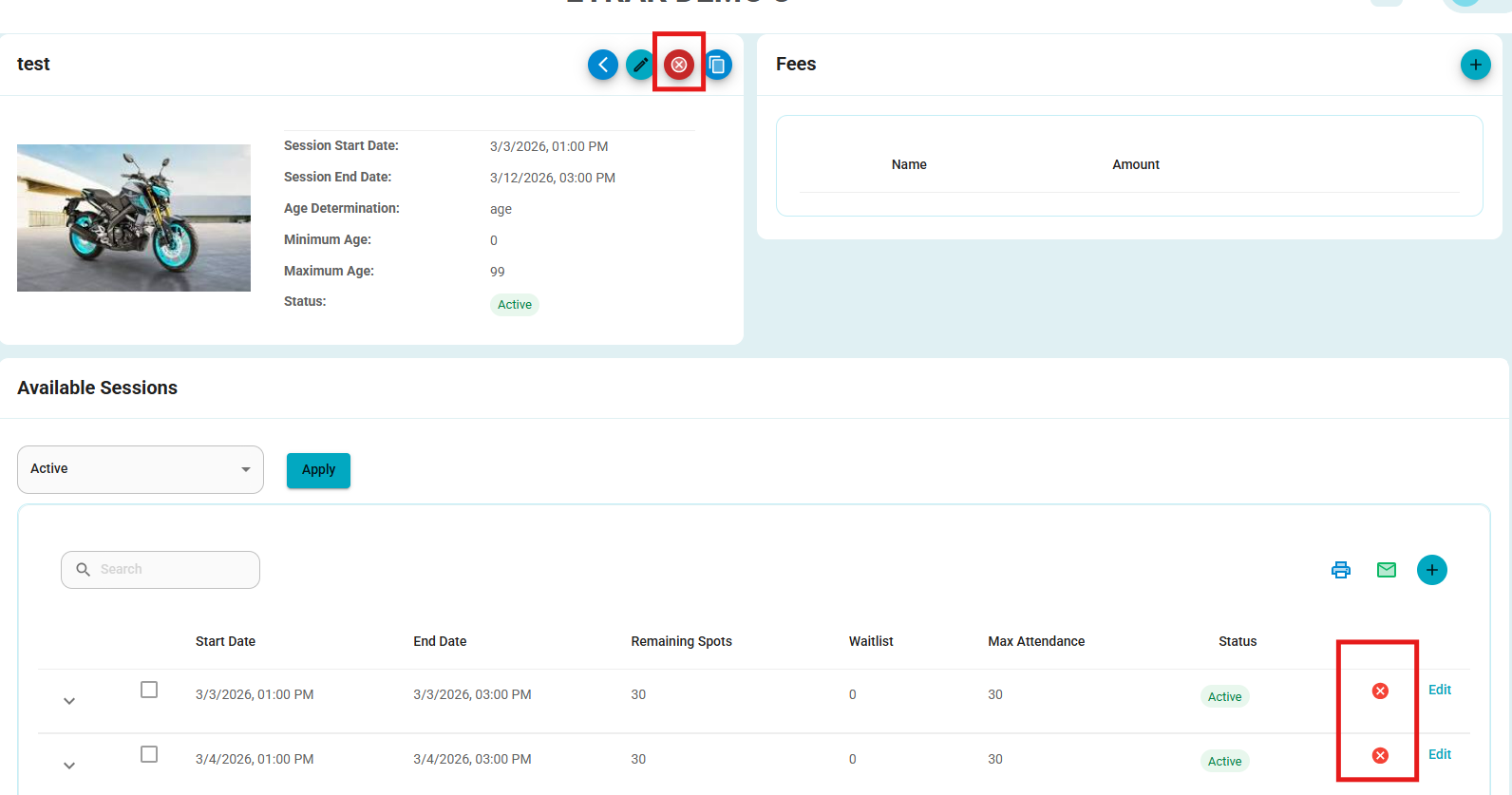
A new automatic notification feature has been implemented for session cancellations.
When a Session is canceled, whether the entire session or a single occurrence, all participants who have registered for the session will receive an email notification informing them of the cancellation.
This enhancement ensures clear communication with participants and reduces the risk of missed cancellation updates.
Email behavior works as follows:
If the organization has a custom cancellation email configured, the notification will be sent using the organization’s email settings.
If the organization does not have a cancellation email configured, the system will automatically send a default cancellation email to the affected participants.
Default System Email Template:
Subject: Cancellation Notice
"Hello (User name)
We are sorry to inform you that (Session name) scheduled on (date and time) has been cancelled.
If you have any questions or need further assistance, please feel free to contact the front desk.
Thank you for your understanding.
Best regards,"
Emergency Contact Relation Field Update
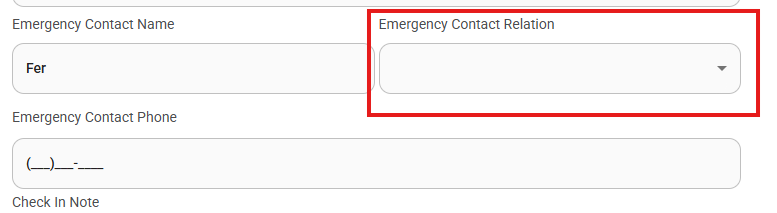
The Emergency Contact Relation field behavior has been updated to improve data accuracy and flexibility.
If an Emergency Contact Name or Phone Number is provided, the Emergency Contact Relation field becomes mandatory.
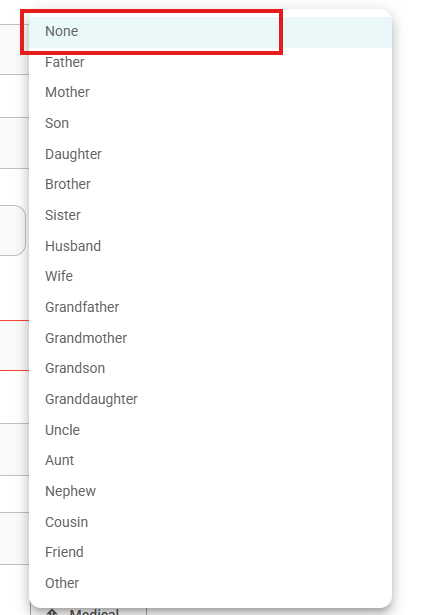
A new “None” option has been added, allowing users to reset or clear a previously selected relation.
The existing “Other” option remains available for cases where none of the predefined relationships apply.
Was this article helpful?
That’s Great!
Thank you for your feedback
Sorry! We couldn't be helpful
Thank you for your feedback
Feedback sent
We appreciate your effort and will try to fix the article