Release Notes - 02/19/26
Enhancements
Offerings Sold Report – Rebuild & Enhancements
The Offerings Sold (End-of-Month Sales) Report has been fully rebuilt and modernized to improve accuracy, performance, and data consistency.
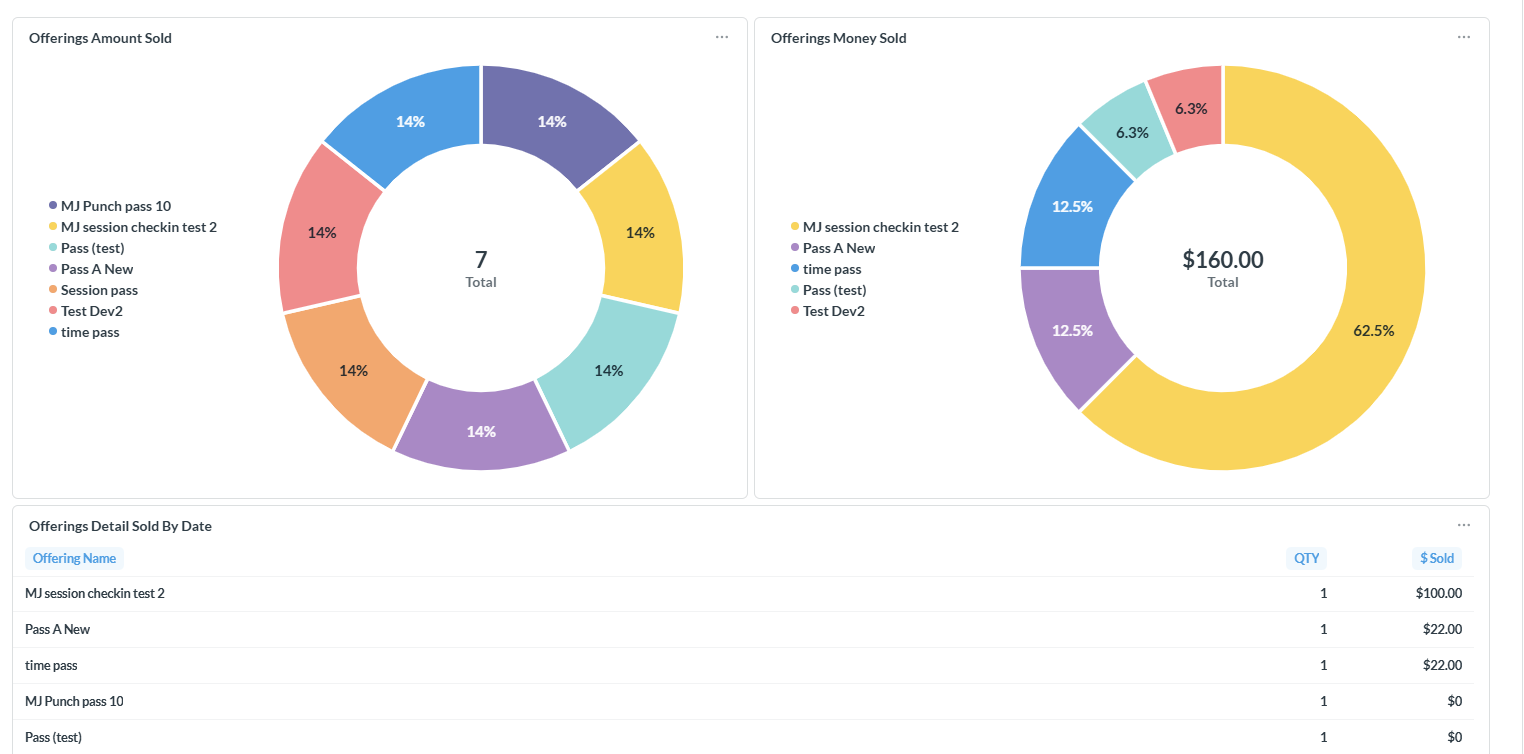
Old Version
New Version
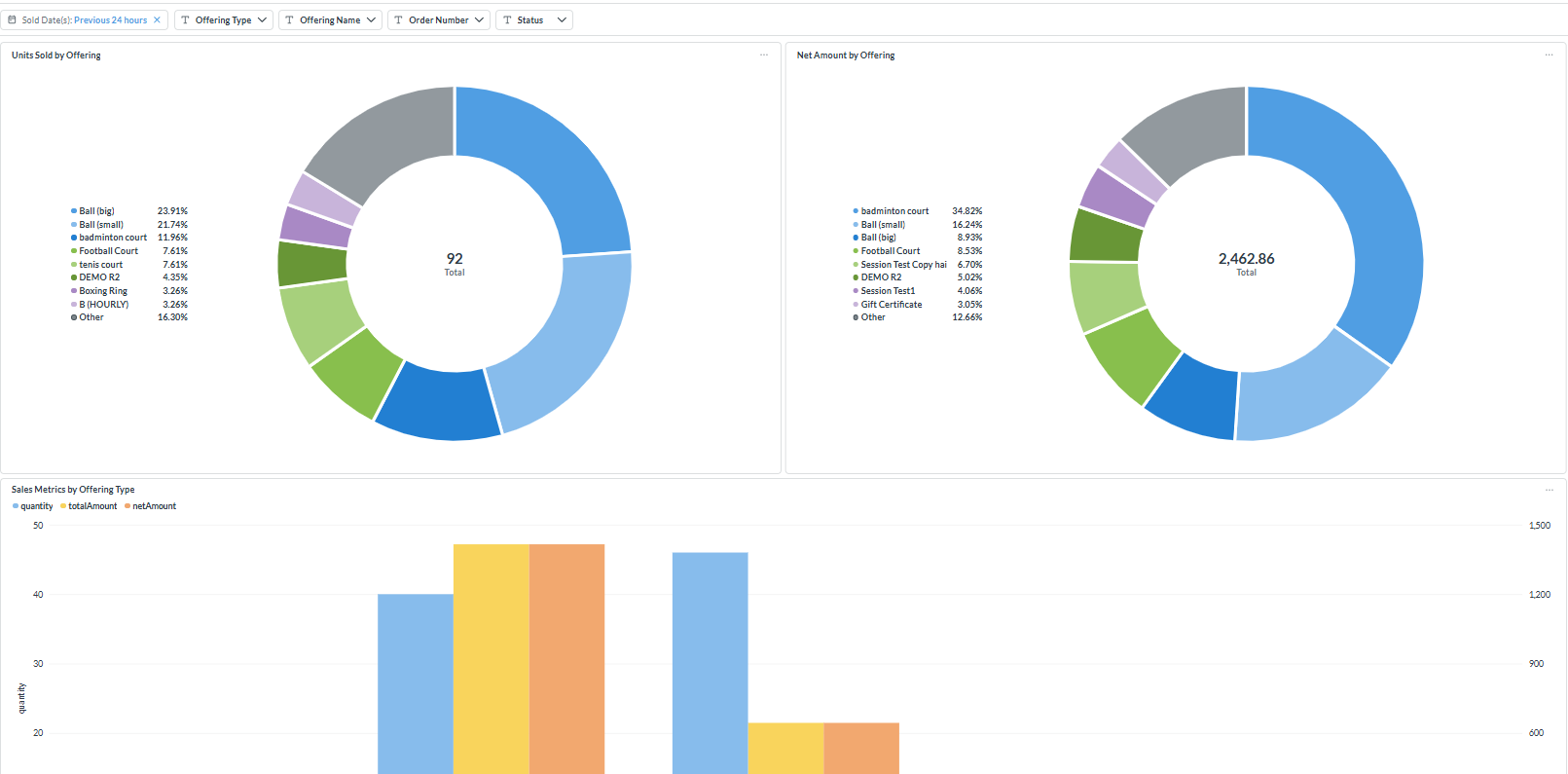
Key Improvements:
Fixed inconsistencies between pie chart item counts and total values in the End-of-Month Sales Report.
Corrected calculation logic in pie chart cards that were previously summing data incorrectly.
Added a new filters allowing users to filter results by Order Number and Status (Active/Inactive)

Introduced new visual components:
Pie chart for Units Sold by Offering
Pie chart for Net Amount by Offering
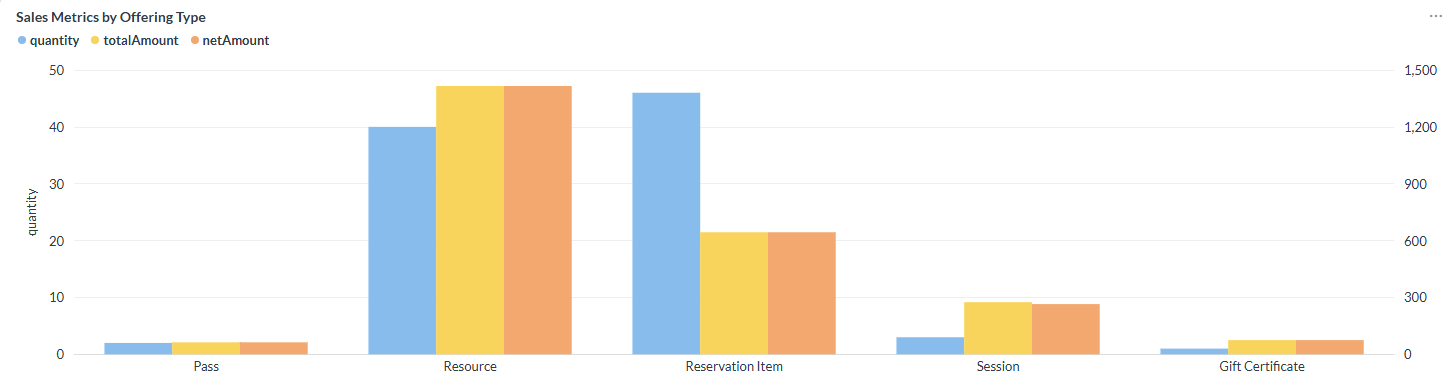
Comparative chart displaying Net Amount, Total Amount, and Quantities
Added a new card that provides visibility into revenue and sales breakdown by offering type
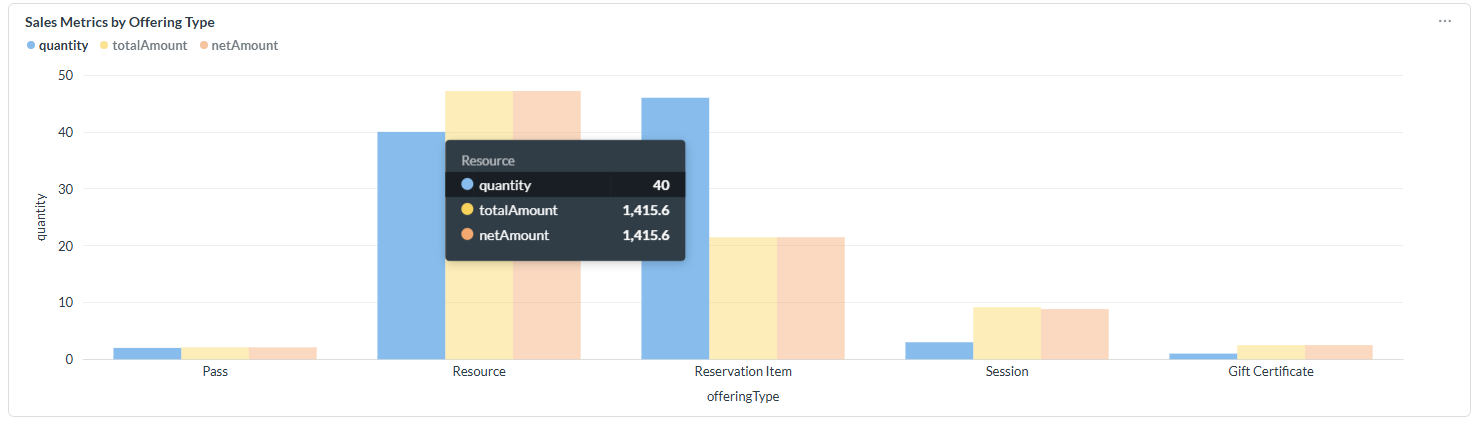
Additional columns have been introduced in the "Offerings Sold List" to provide enhanced data visibility.

Reservation – Add Occurrence Enhancement & Financial Impact Updates
A new functionality has been implemented allowing users to manually add a new occurrence to an existing reservation order.
Previously, it was not possible to create additional occurrences within the same order after the initial reservation was created. With this enhancement:
Users can now manually add a new occurrence to an existing order.
The new occurrence remains associated with the original order.
Time conflict validations are properly handled during the addition process.
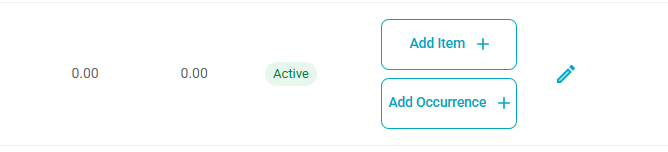
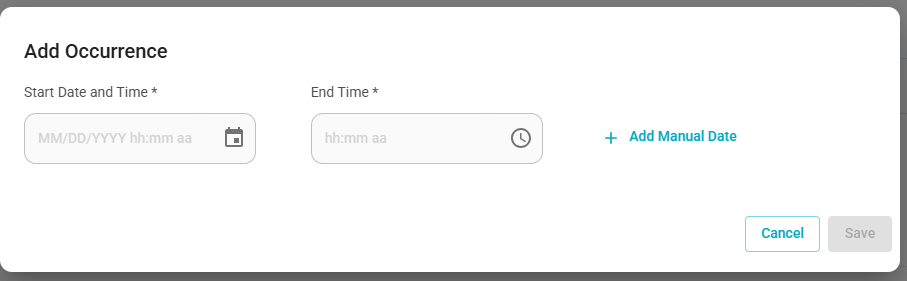
Under User Profile > Reservations, a new “Add Occurrence” option is now available within “Add Item.”
When selecting “Add Occurrence,” users can define:
Start Date and Time
End Time
Financial & Reporting Updates
When a new occurrence is added to an existing order, all related financial records and reports are updated accordingly.
- Deferred Revenue, Cash Entries, and Journal Entry Reports will reflect the updated order information accurately. All amounts and accounting impacts will appear correctly in their respective reports, ensuring financial consistency across the system.
Was this article helpful?
That’s Great!
Thank you for your feedback
Sorry! We couldn't be helpful
Thank you for your feedback
Feedback sent
We appreciate your effort and will try to fix the article