Arc Central
New Features and Enhancements
- Support Multiple Final Decisions on Voting Block. ARC requests allow multiple submission types (e.g. roof, fence, landscaping). When a request contains multiple submission types in a Voting Block, each submission type will now be handled independently, from decision through packaging and system integrations.
This removes ambiguity when different submission types require different outcomes.
The ARC request shown below contains multiple parts with different submission types. Each submission type will have its own decision, instead of one global decision applying to the entire request.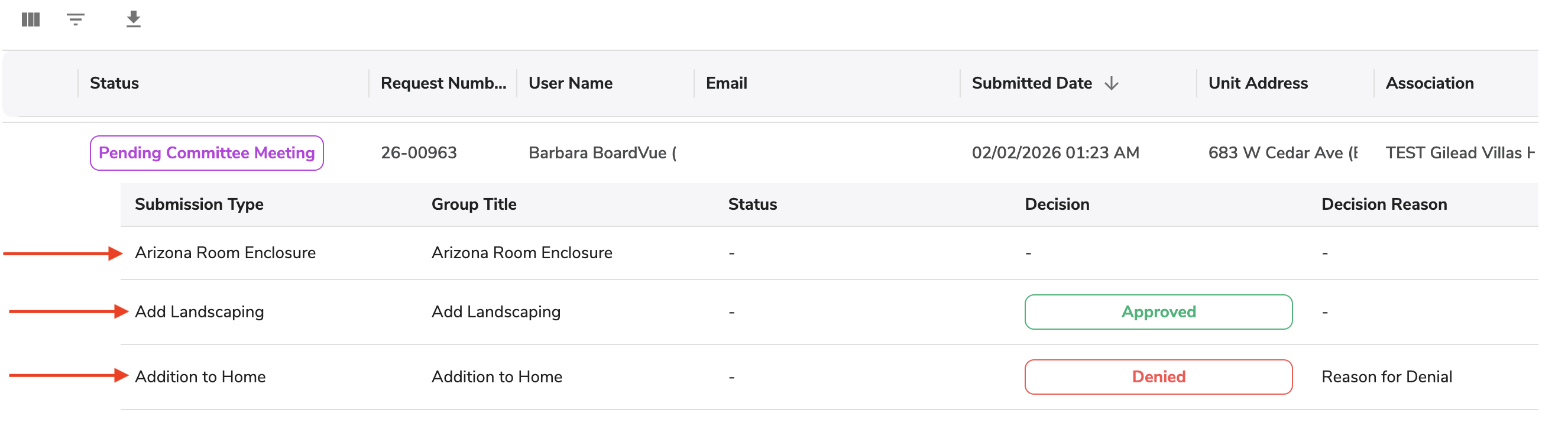
- Separate Packages for Block Submissions. Each submission type under a block request will have its own package (PDF/export). These packages will include only the information, inspections, and decision relevant to that submission type.
- VMS Sync Update for Block Submissions. Data synchronization between ARC Central and VMS is updated for multiple submission types. Each submission type in ARC request will sync to VMS as its own independent request. The final decision and inspection status will also be synced.
- Inspection Controls for Multiple Submissions. Inspections (including Final Inspections) can now be managed independently per submission type. Completing an inspection for one item will not affect others.
The ARC request shown below contains multiple parts with different submission types. Each submission type will have its own status (Completed, Inspection Pending, etc.).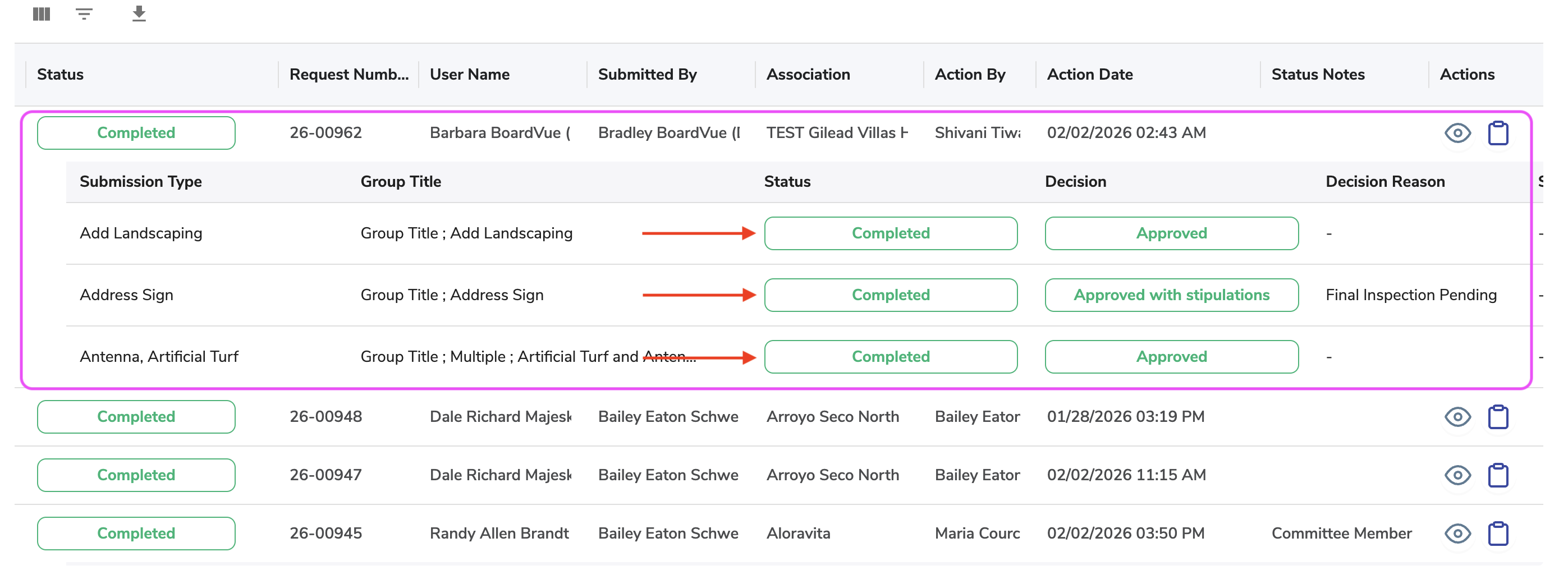
- Voting Blocks by Submission Type. Voting Blocks are now created based on the Submission Types. If Processor creates a new block, the block separates one submission into separate requests. ARC Requests without multiple submission types do not require voting blocks groups.
Voting block creation is found under View Submission Request → Votes → Submission Type Settings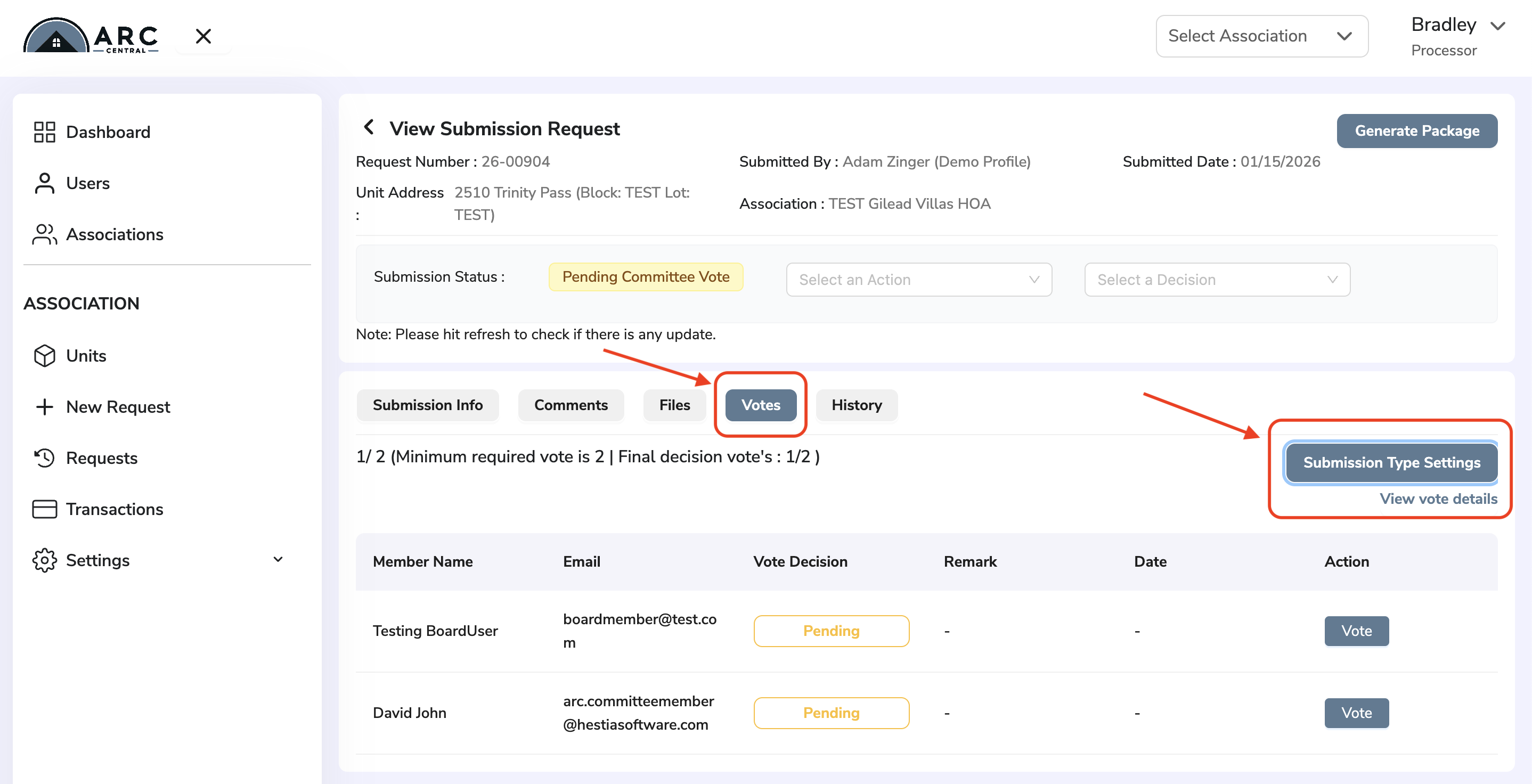 Clicking on Submission Type Settings button, opens a window to add voting blocks.
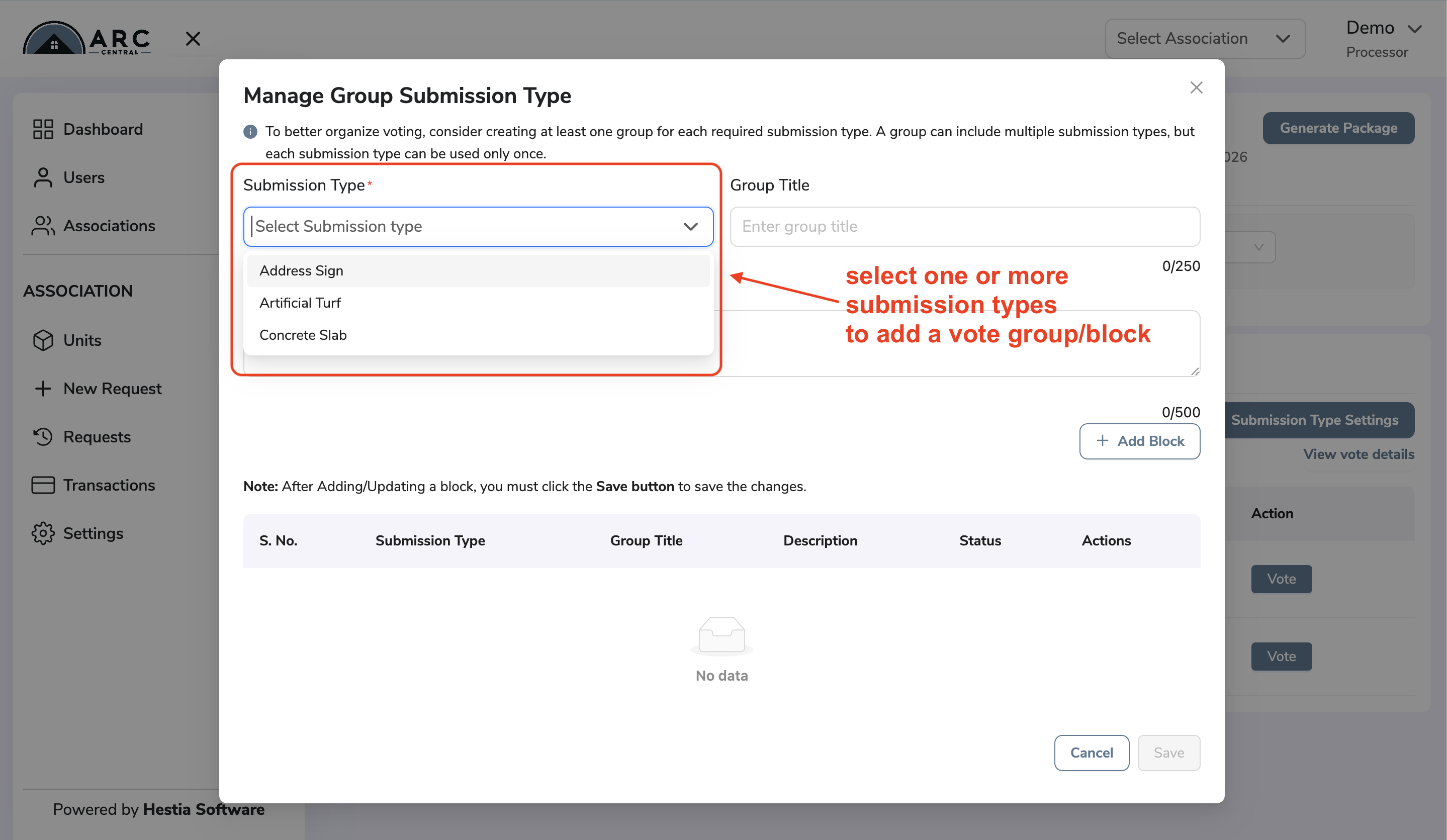 Settings after adding the voting blocks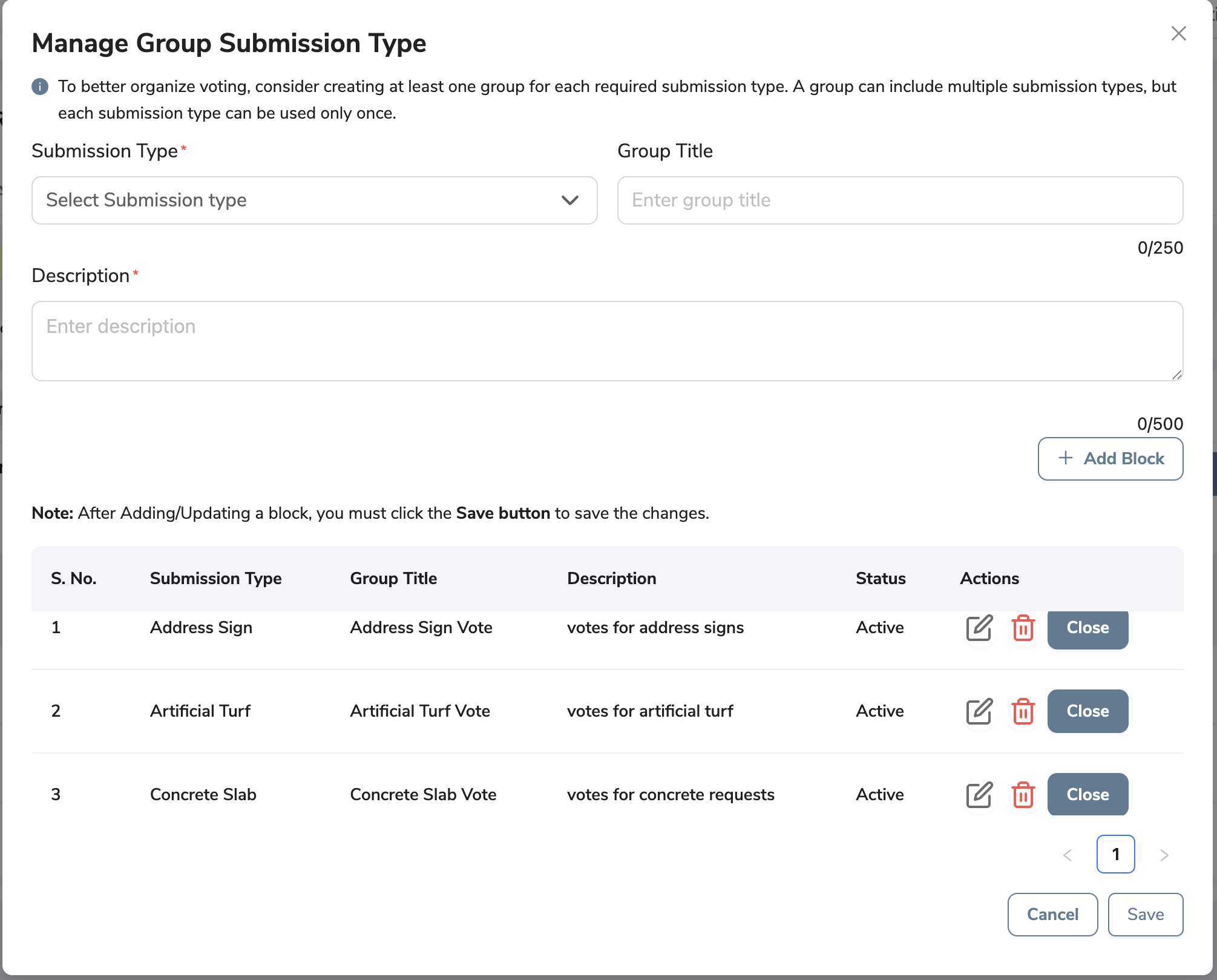
Bug Fixes
- Minor updates in this release.
All Access Web
New Features and Enhancements
- No updates in this release
Was this article helpful?
That’s Great!
Thank you for your feedback
Sorry! We couldn't be helpful
Thank you for your feedback
Feedback sent
We appreciate your effort and will try to fix the article