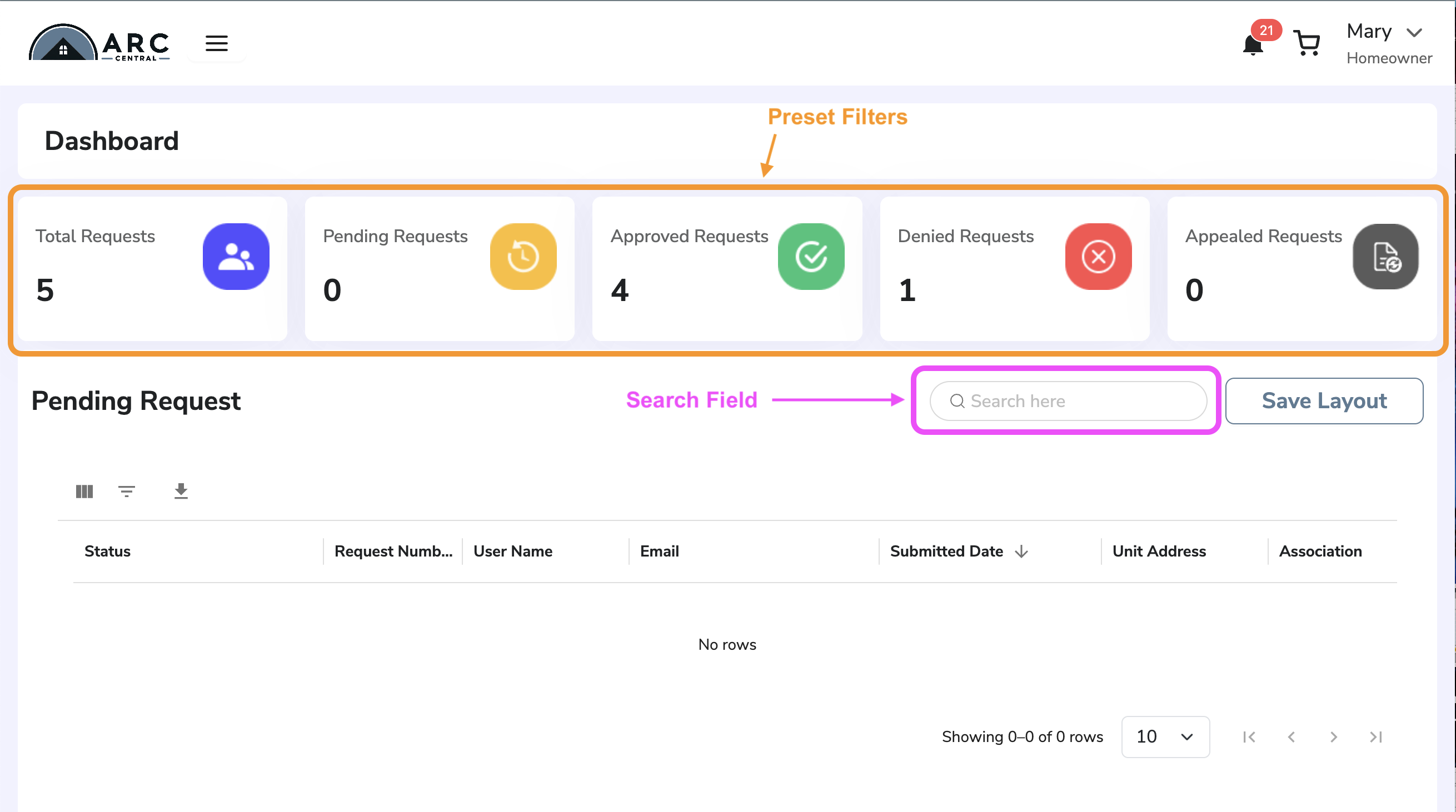
When you login to ARC Central, you will be presented the ARC Central dashboard. The dashboard automatically shows a list of submissions and their current status, but the user also has a few display options.
- Preset filter buttons, to display only selected requests
- User Search field to quickly find request
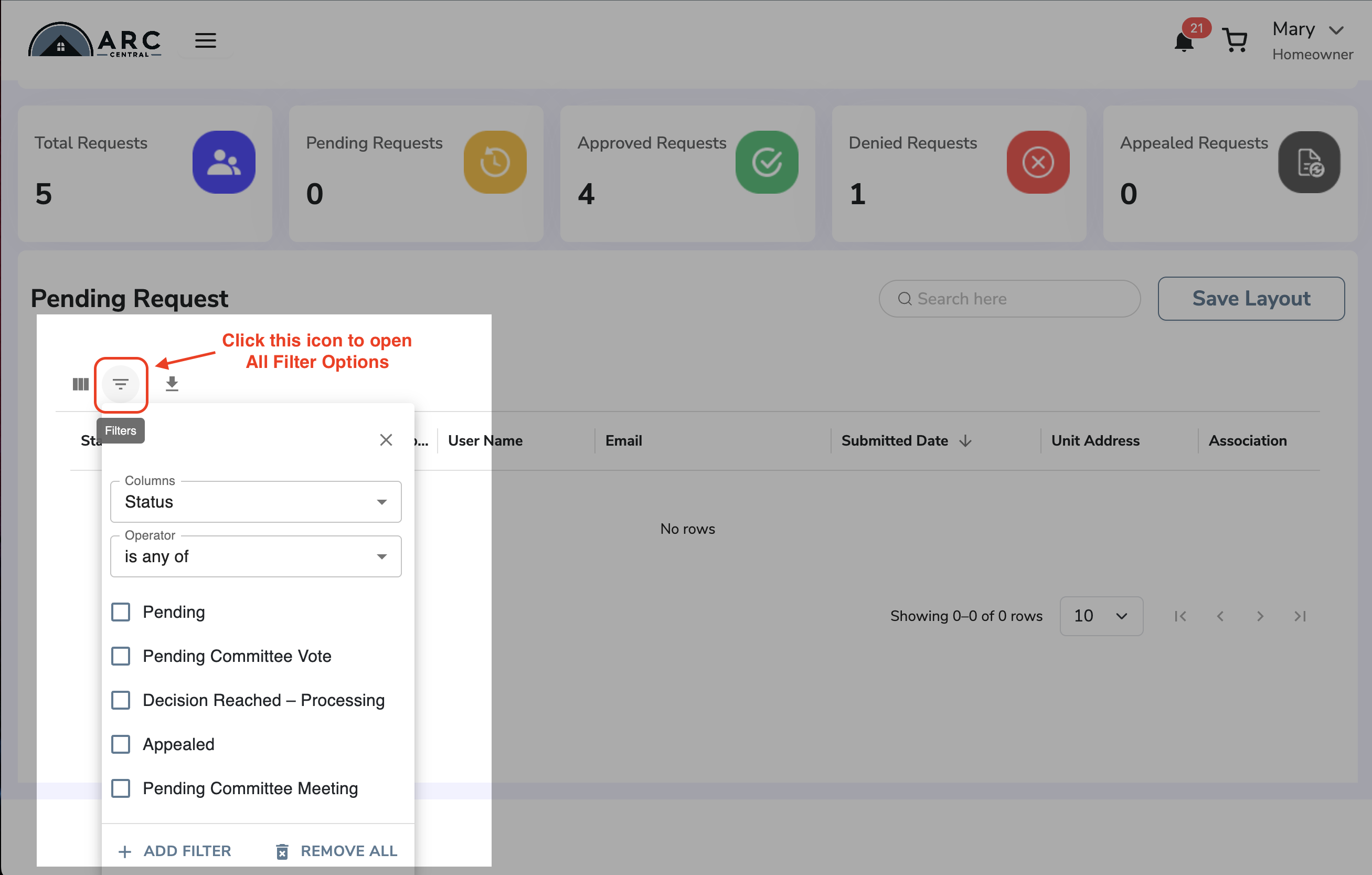
- Complete list of filter options to change which submissions are shown
NOTE: Homeowners only see their own submissions. Committee Members see submissions for their Association.
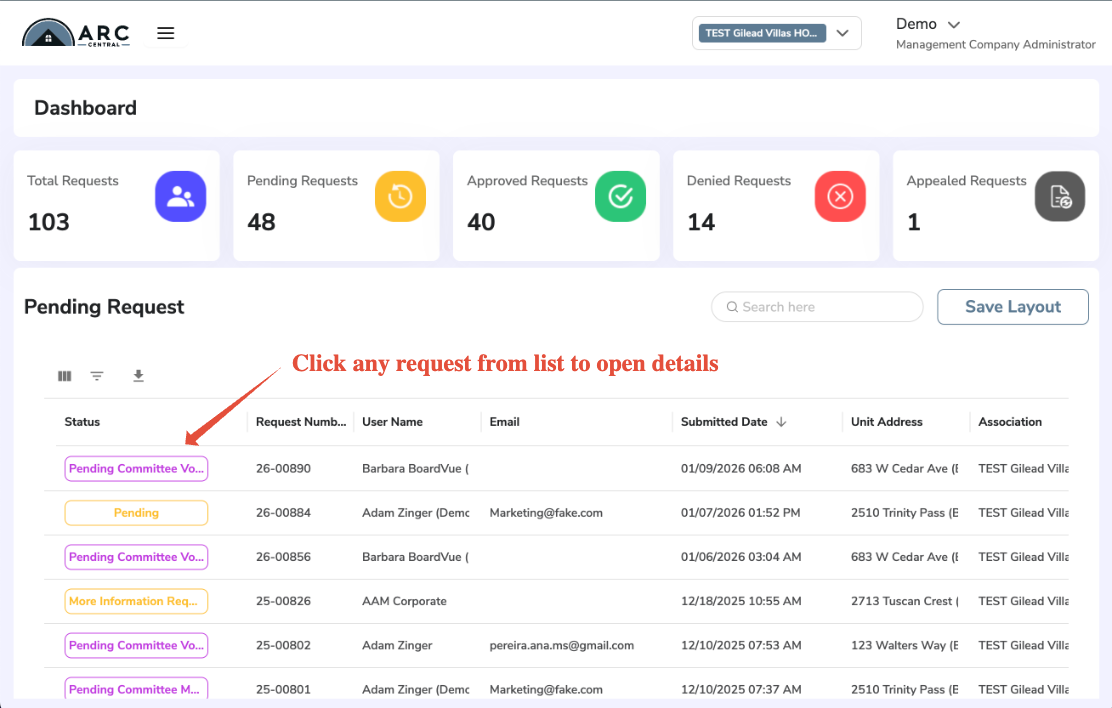
From the list of ARC requests on your dashboard, you may Click any submission to view details
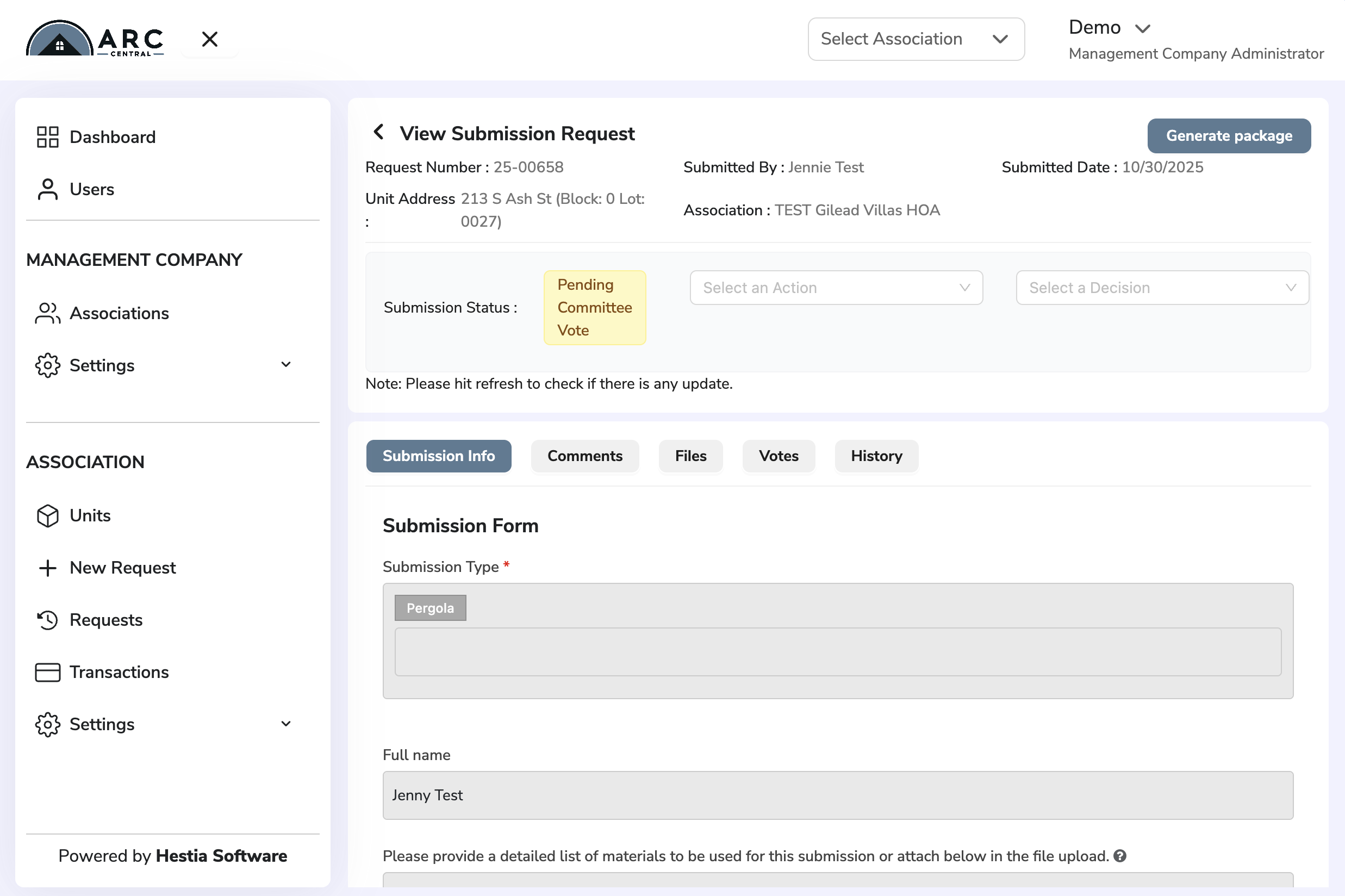
From this view you may select from several tab areas
- Submission Info, view info about submission
- Comments, add or view comments made by other Committee Members
- Files, see any attached documents
- Votes, review decisions or make decision if you are a voting member
- History, see record of updates on the submission
If there are any updates to the submission, it will be recorded in the History and notifications will be sent out. The system sends Notifications to users according to their role and profile preferences.
Was this article helpful?
That’s Great!
Thank you for your feedback
Sorry! We couldn't be helpful
Thank you for your feedback
Feedback sent
We appreciate your effort and will try to fix the article