ARC Central users may receive notification of submissions via email, or viewing directly in system.
When logged into ARC Central, look in upper right corner of screen for your Notifications

Click on the bell icon to open Notification area. There will be a tab to view/change Email Settings and a tab to view My Activities. The My Activities area is a history of all notifications. If you miss an email notification or choose to disable email notifications, the history will still be accessible under My Activities.
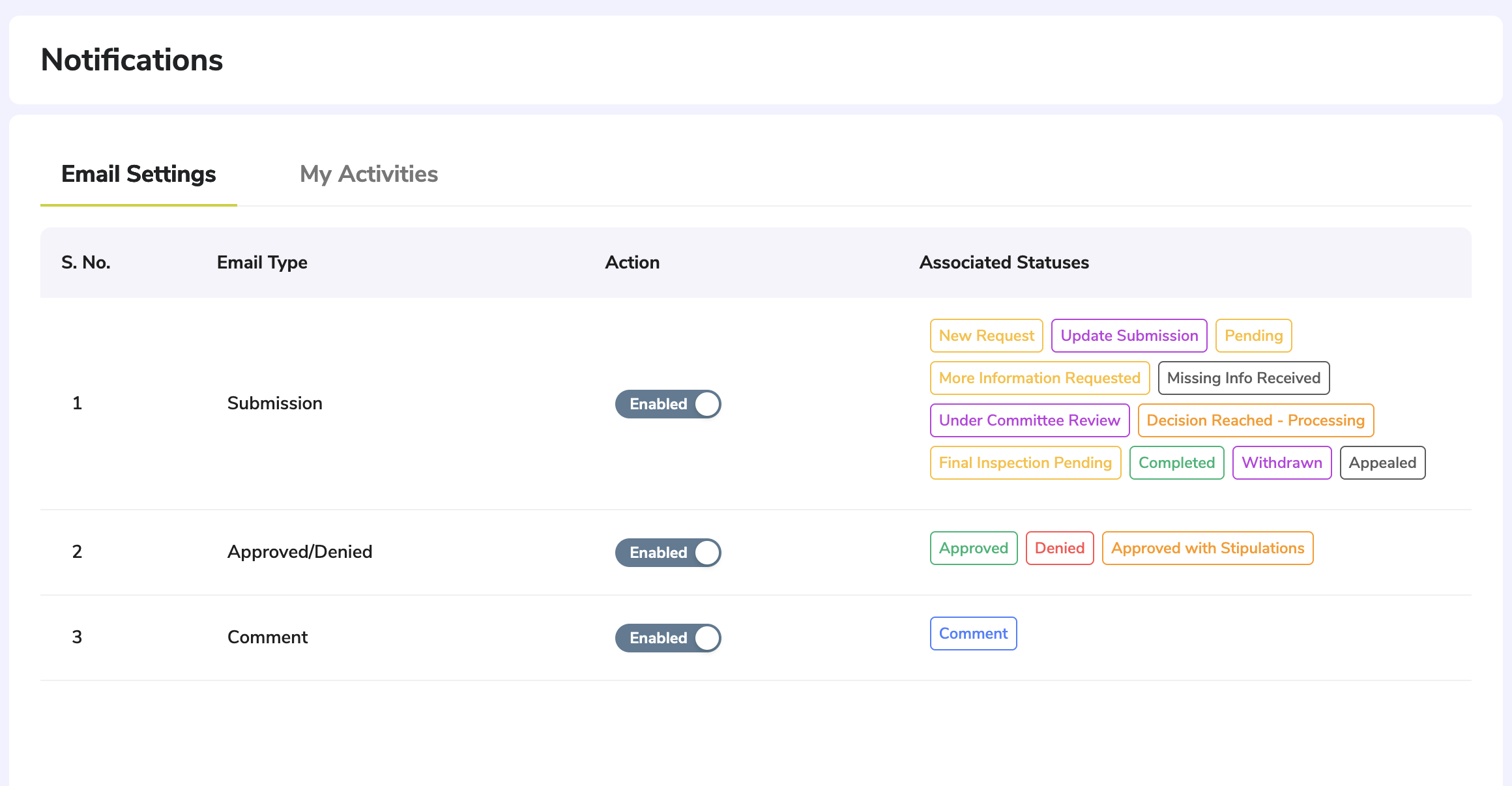
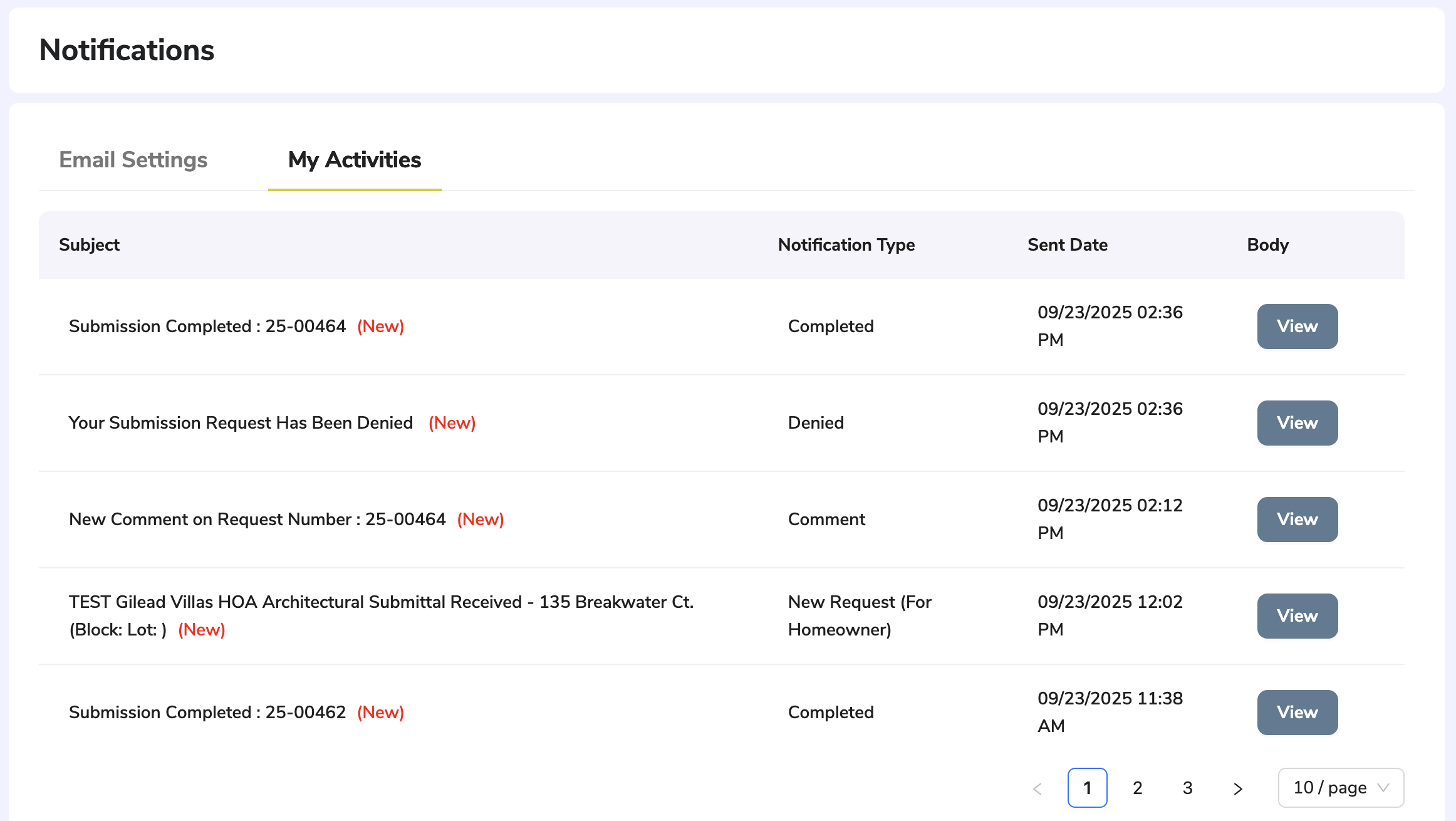
NOTE: If you have signed up to receive email notifications and they are not received, please check your spam email settings to ensure the messages have not been filtered.
Return to Getting Started with ARC Central
Was this article helpful?
That’s Great!
Thank you for your feedback
Sorry! We couldn't be helpful
Thank you for your feedback
Feedback sent
We appreciate your effort and will try to fix the article