When an Architectural Request is submitted, it will first be sent to a Processor to ensure all required information is included. If the submission is deemed ready for review and vote, it may then be moved to two possible Statuses:
- Pending Committee Vote, makes submission available for online voting immediately
- Pending Committee Meeting, shows submission is ready to vote, but disables voting action.
Once the submission is moved to either voting status, the Committee Members will be notified by the system. Committee Members may then login to ARC Central, review the submission and make their decision.
Online vs In-person Voting
ARC Central conveniently allows Committee Members to review and vote on submissions online. However, some Associations may require their Architectural Committee to vote during an in-person meeting. For those cases, the Processor may select the 'Pending Committee Meeting' status. The details of the submission will still be available for review online, but the 'Select Decision' action will not. After a vote is completed during an in-person meeting, the Committee must contact their Management Company Admin with the results so they can update the submission accordingly.
Viewing Submissions Ready for Vote
The voting statuses are displayed on ARC Central Dashboard. In this example, there are shown several submissions pending vote.
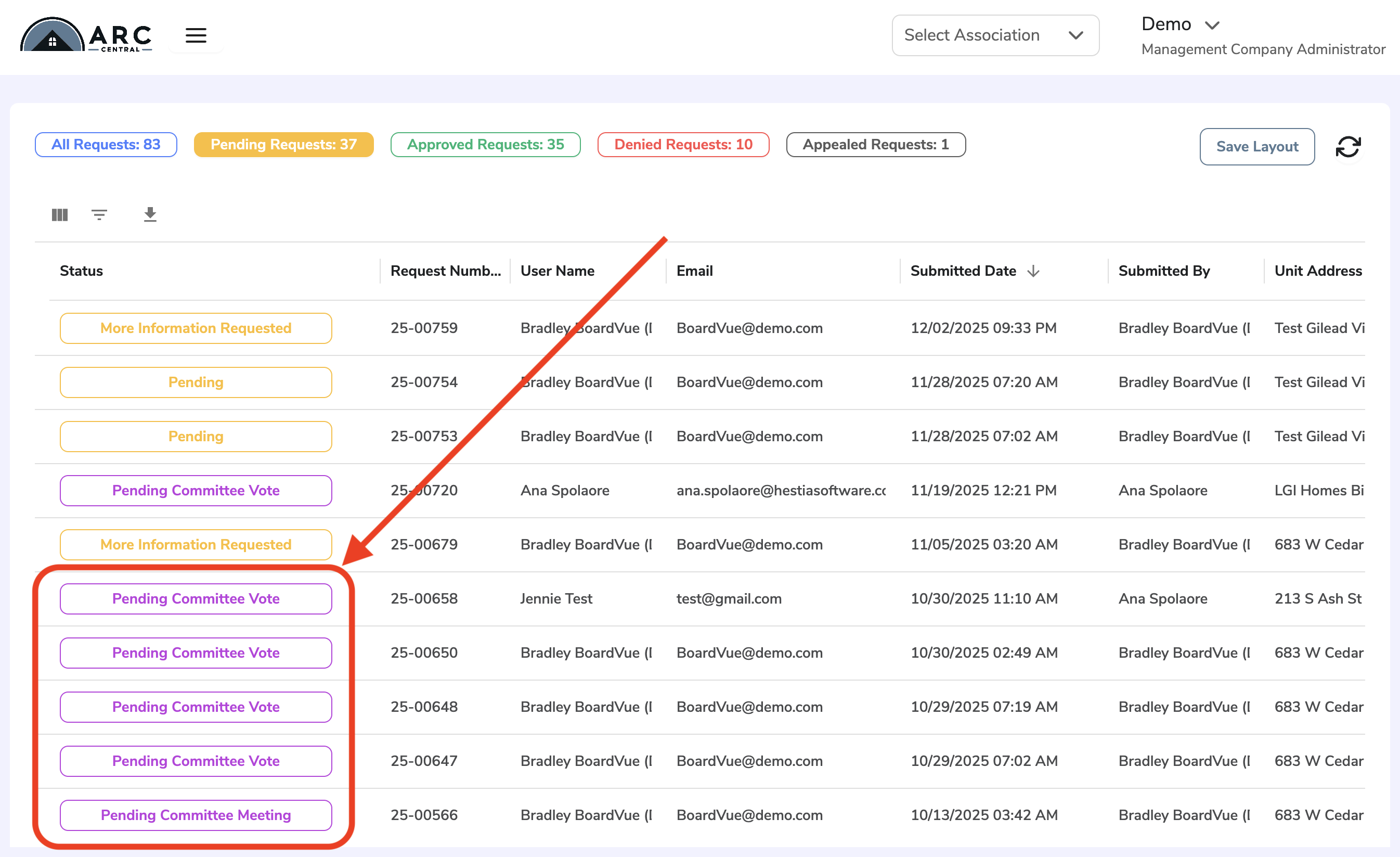
Click on a submission to view details.
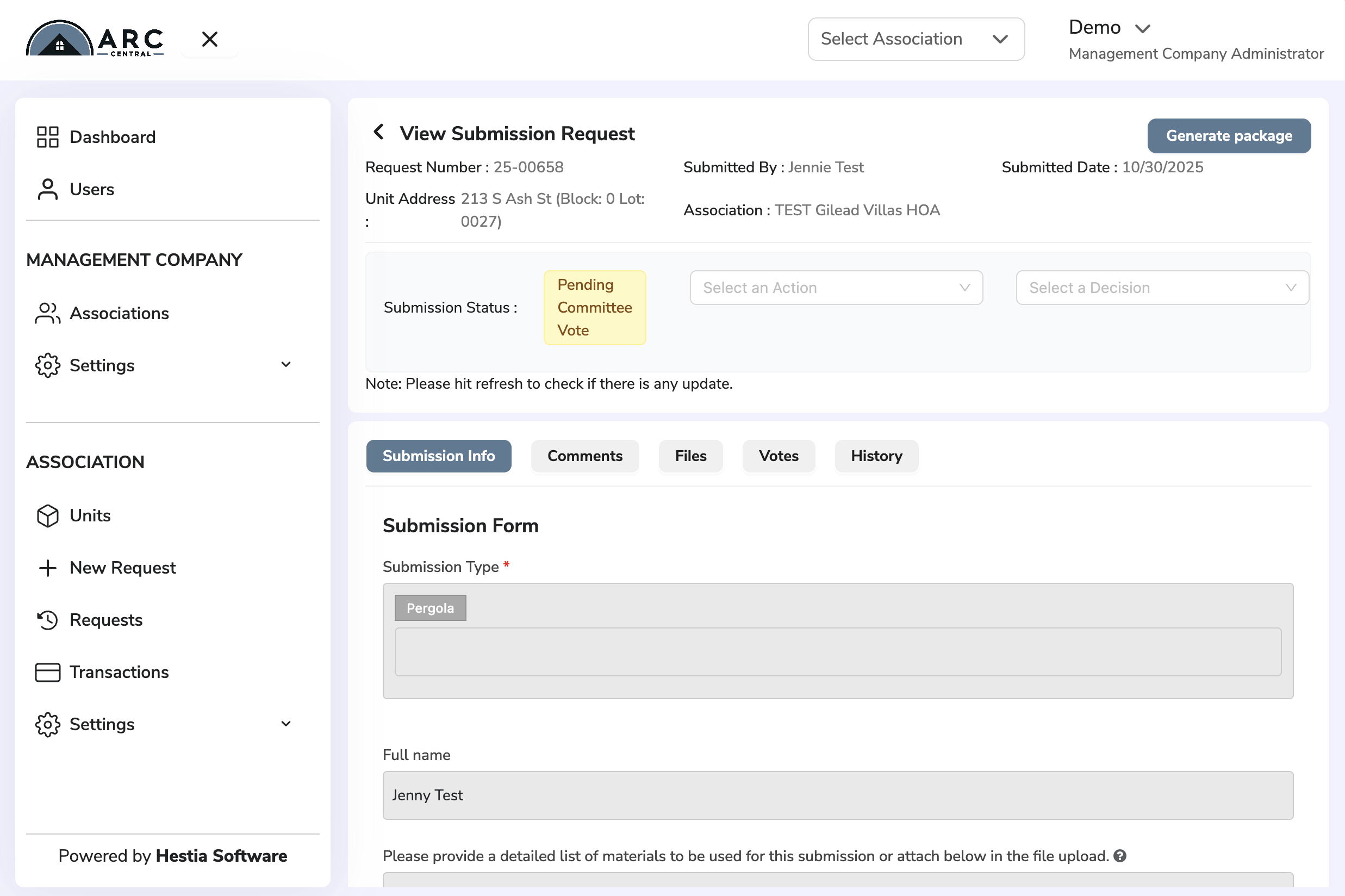
Voting members can review all information in request, see comments, attached files and see the history.
Adding a Vote
Click on Vote tab to make your decision or see the other Committee Members decisions.
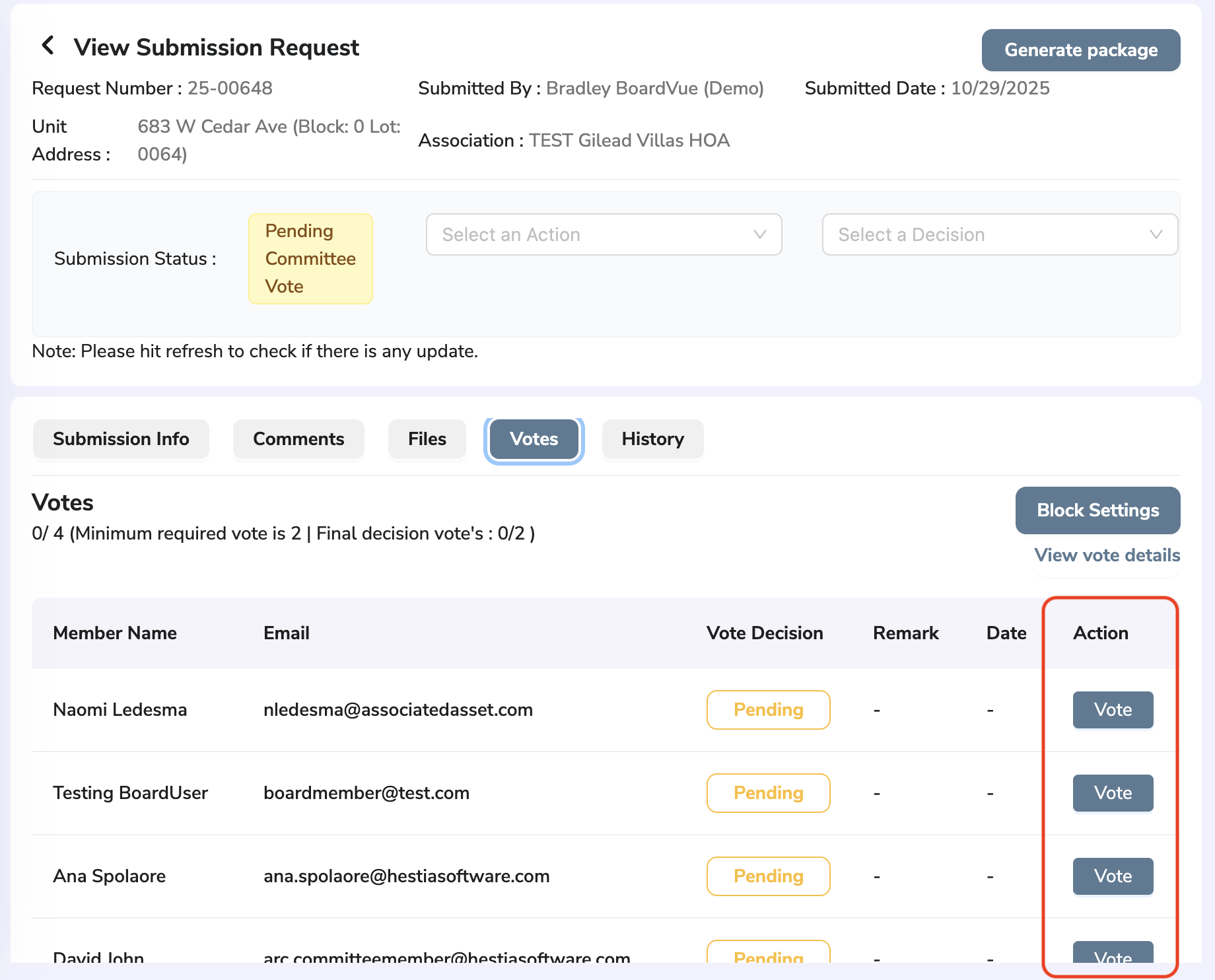
If you are the voting member, there will be a Vote button next to your name.
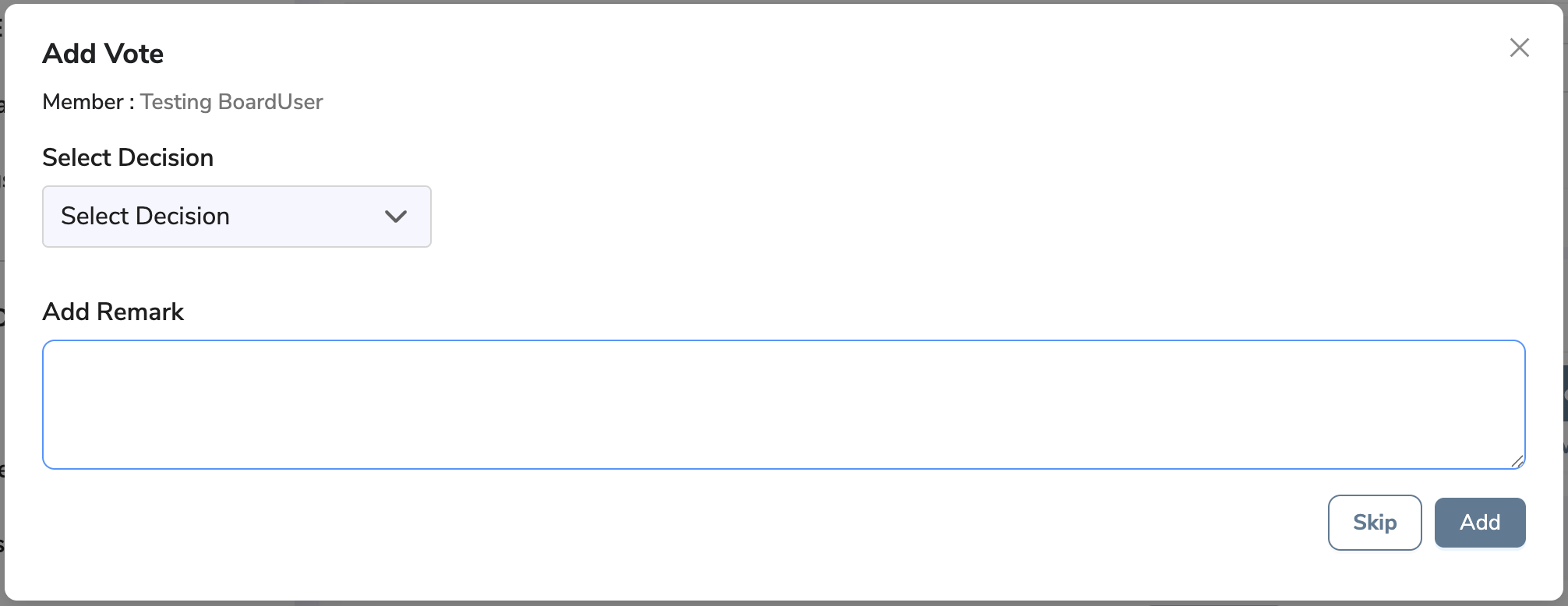
Click on the vote button.
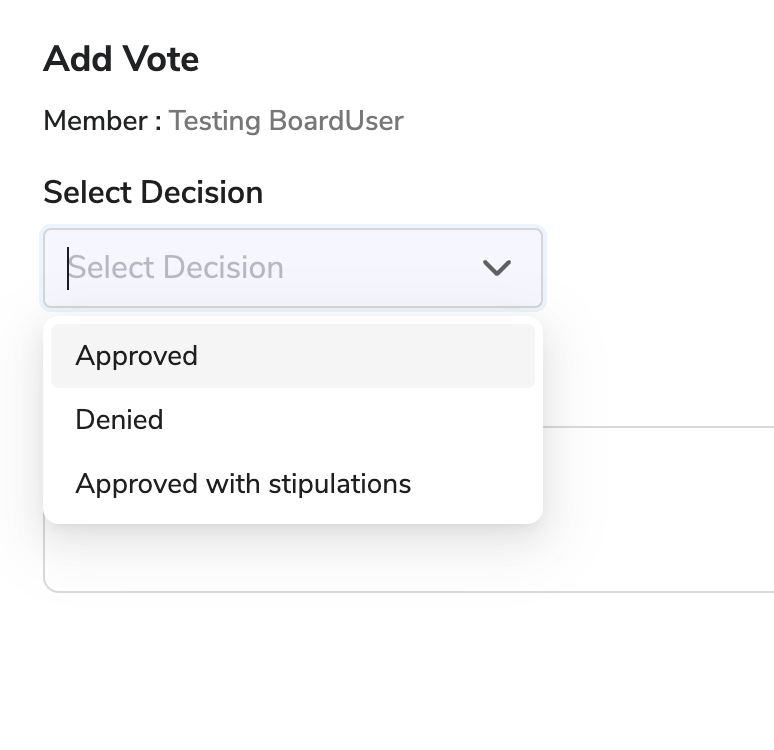
A window will appear for you to Select Decision and Add Remark.
Click "Add" button to save your decision or "Skip" if you want to abstain from voting.
After you make a decision, it will be appear on the dashboard in submission details.

Return to Getting Started with ARC Central
Was this article helpful?
That’s Great!
Thank you for your feedback
Sorry! We couldn't be helpful
Thank you for your feedback
Feedback sent
We appreciate your effort and will try to fix the article