Viewing the Dashboard
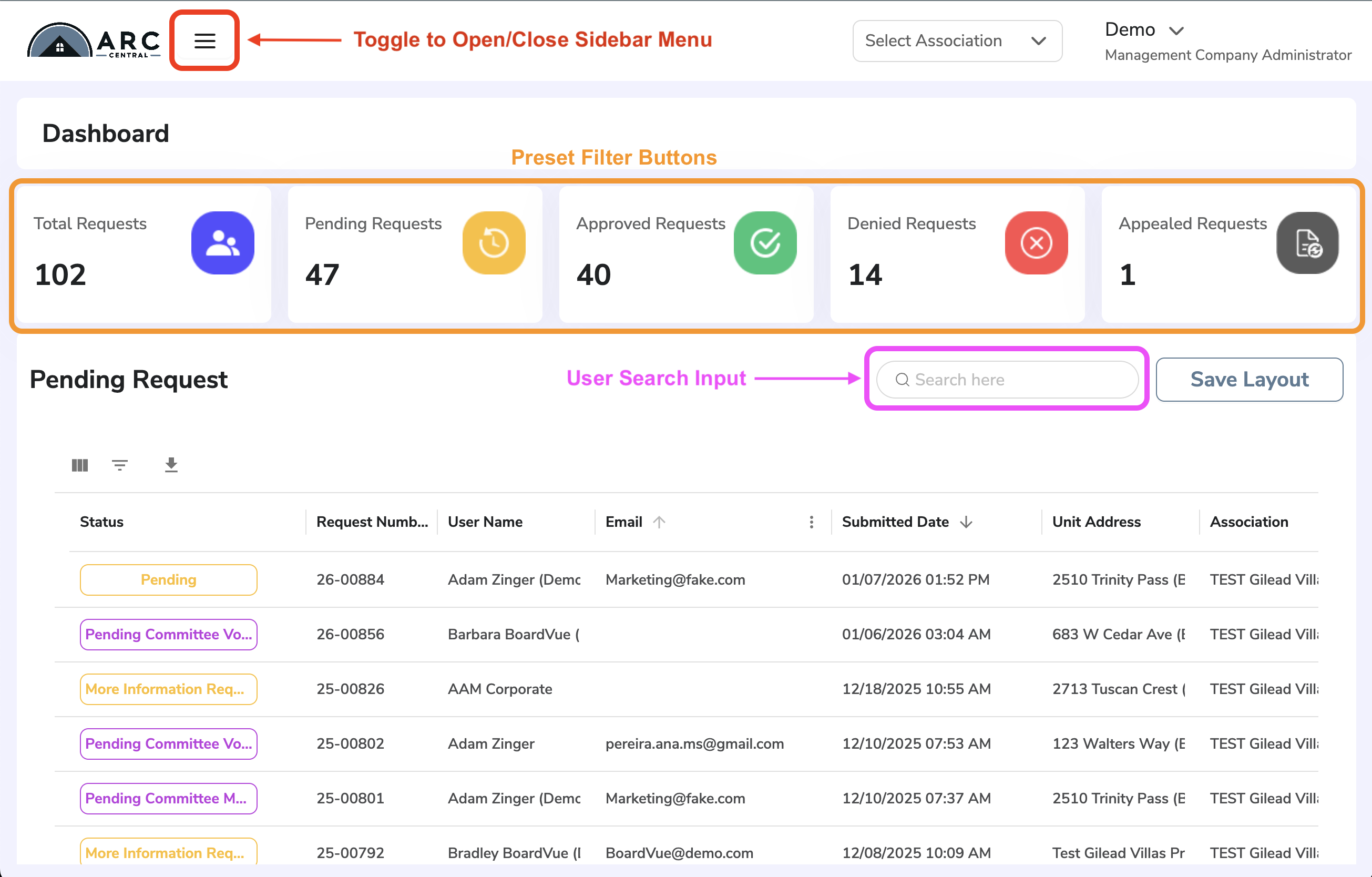
There are two different views for the ARC Central Dashboard: Fullscreen and Side Menu Open. When you login you will be presented with the fullscreen dashboard first. To see the side menu, select the "three line" icon in the upper left of the screen.
In simple fullscreen mode, you can:
- See your username, role and notifications in upper right corner
- Select the Association you would like to view from dropdown
- Use preset filter buttons for most common request views: Total Requests, Pending for Review Requests, Approved Requests, Denied Requests
- See a column display of all pending requests, with personalized layout and filter options
- Search box for quick user search filtering
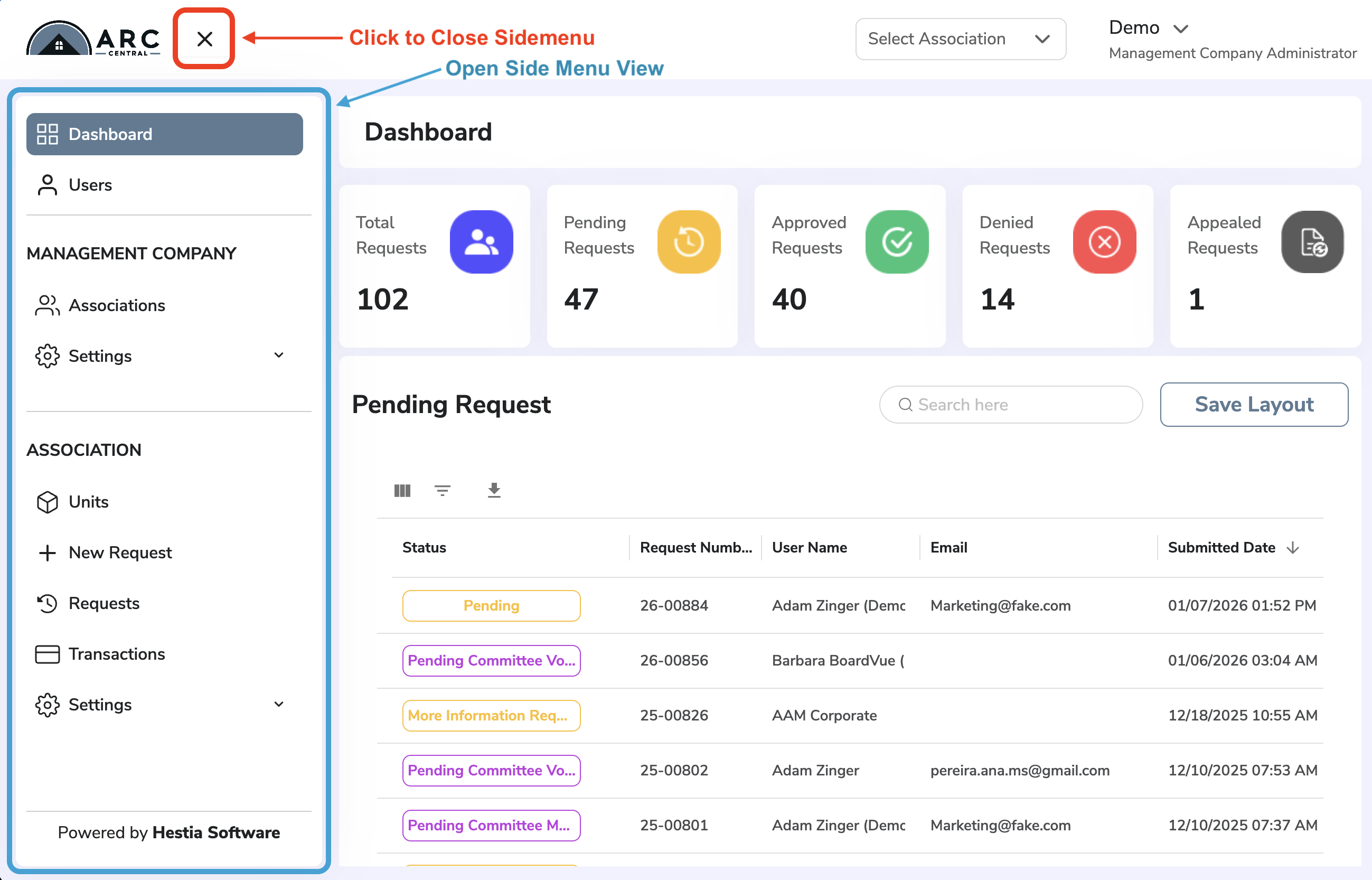
The alternate view of Dashboard displays a side menu, with additional actions and settings.
- Submitting a New Request
- Viewing all User Requests in table view (no large filter buttons)
- Viewing all Requests from the Association
- Viewing Notifications History and Settings
The side menu can be toggled on/off, by clicking the "three line" or "x" icon in upper left
Architectural Request Status Definitions
Architectural requests have several statuses in the ARC Central system and are color coded in the Dashboard for easy identification.
- Pending - newly submitted by the requester, has not been reviewed by Processor
- Pending Committee Meeting - request has been reviewed by Processor for completeness, but pending further review by the Board/Staff
- Pending Committee Vote and Under 3rd Party Review - being reviewed by Committee or other outside group and awaiting votes
- Decision Reached - Processing - required votes have been submitted and request is awaiting administrative recording
- More Information Requested - sent back to requestor for required details
- Missing Info Received - request form sent back with required details
- Completed - request process is complete and a decision has been recorded, all approved requests are sent to system of record (VMS for All Access customers)
- Denied - request process is complete but not approved, did not pass vote
- Withdrawn - homeowner withdraws request
- Appealed - request was denied and an appeal requested
- Final Inspection - these statuses occur after the project approval and decision. These are administrative tracking for the staff.
Was this article helpful?
That’s Great!
Thank you for your feedback
Sorry! We couldn't be helpful
Thank you for your feedback
Feedback sent
We appreciate your effort and will try to fix the article