From ARC Central dashboard, a list of submissions and their current status are shown.
Click on a submission to view the details.
Under the Comments area, click on Add Comment > button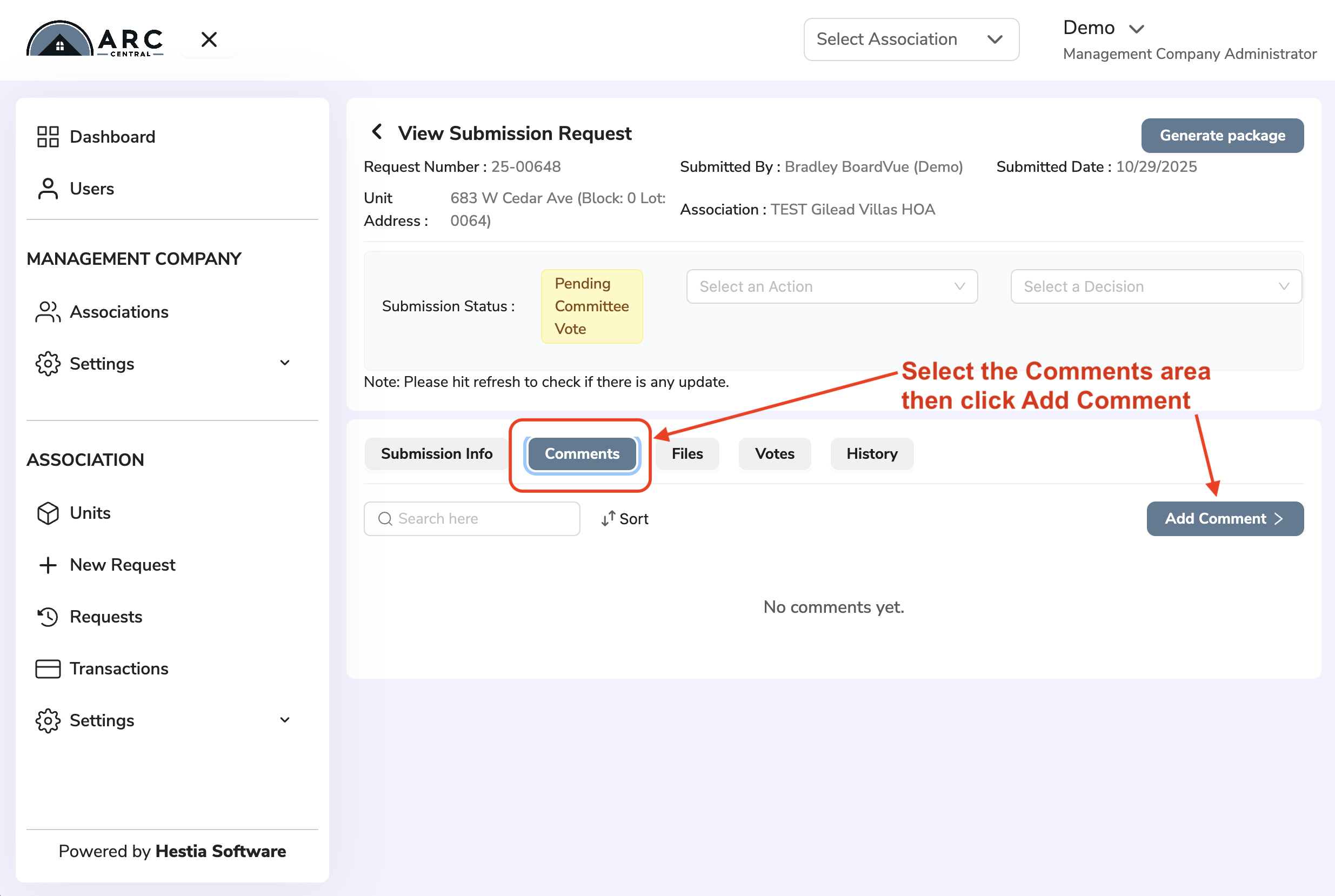
A window will display to add comment text or require Homeowner to add documents
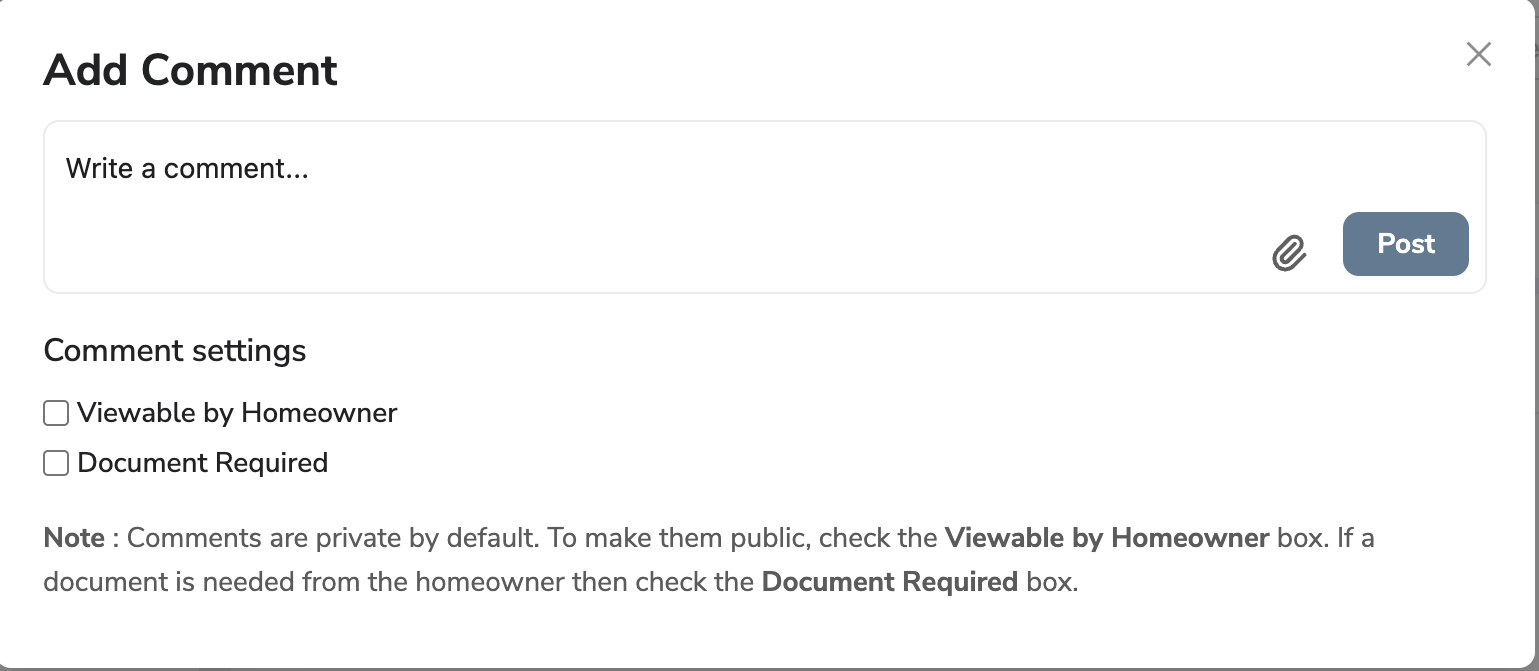
Selecting the "Document Required" checkbox will request Homeowner to attach a file before being allowed to re-submit their request.
Return to Getting Started with ARC Central
Was this article helpful?
That’s Great!
Thank you for your feedback
Sorry! We couldn't be helpful
Thank you for your feedback
Feedback sent
We appreciate your effort and will try to fix the article