1. Reservation Bundling – Part 1
For reservations with multiple occurrences, you will now see them grouped together for easier review. Instead of each date displaying as a separate line by default, the occurrences are bundled under a single reservation, with the option to expand the accordion view to see all individual dates.
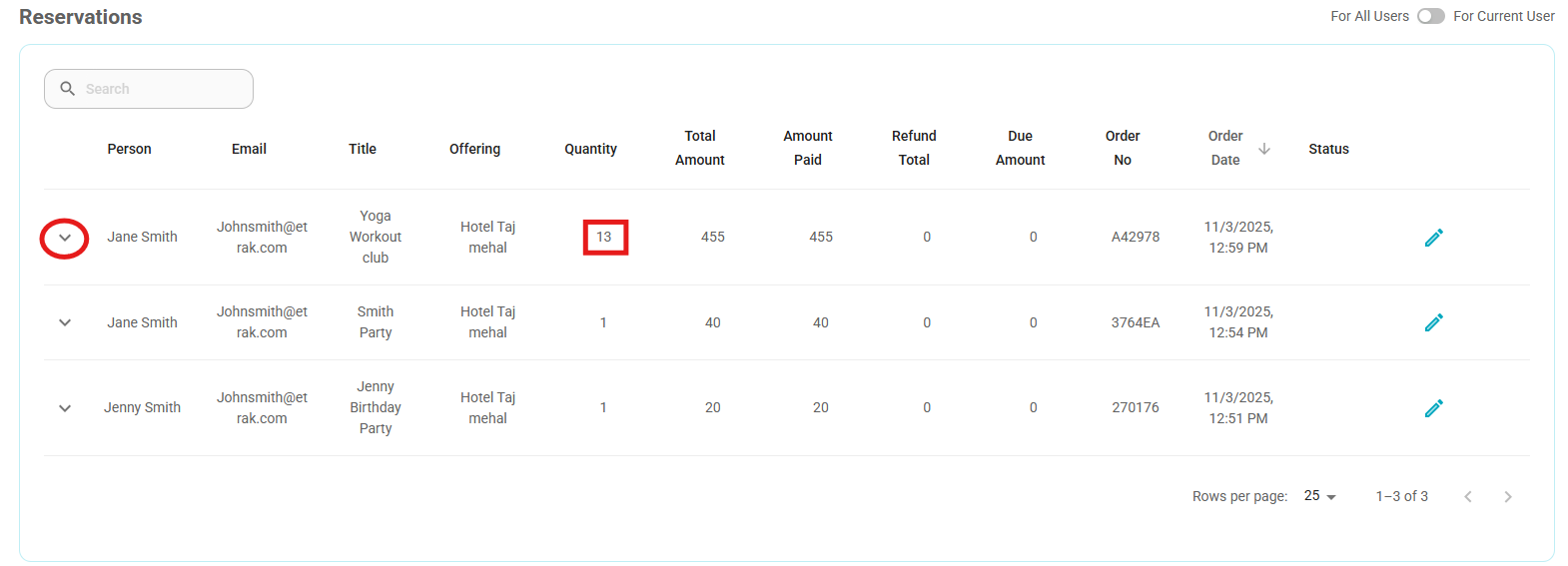
You can now also edit reservations at either the series or occurrence level. Previously, edits could only be made on individual dates. With this update, you can cancel, edit, or view a single occurrence, or apply changes to the entire reservation at once.
How to Access:
Navigate to the User Profile and open the Reservations section.
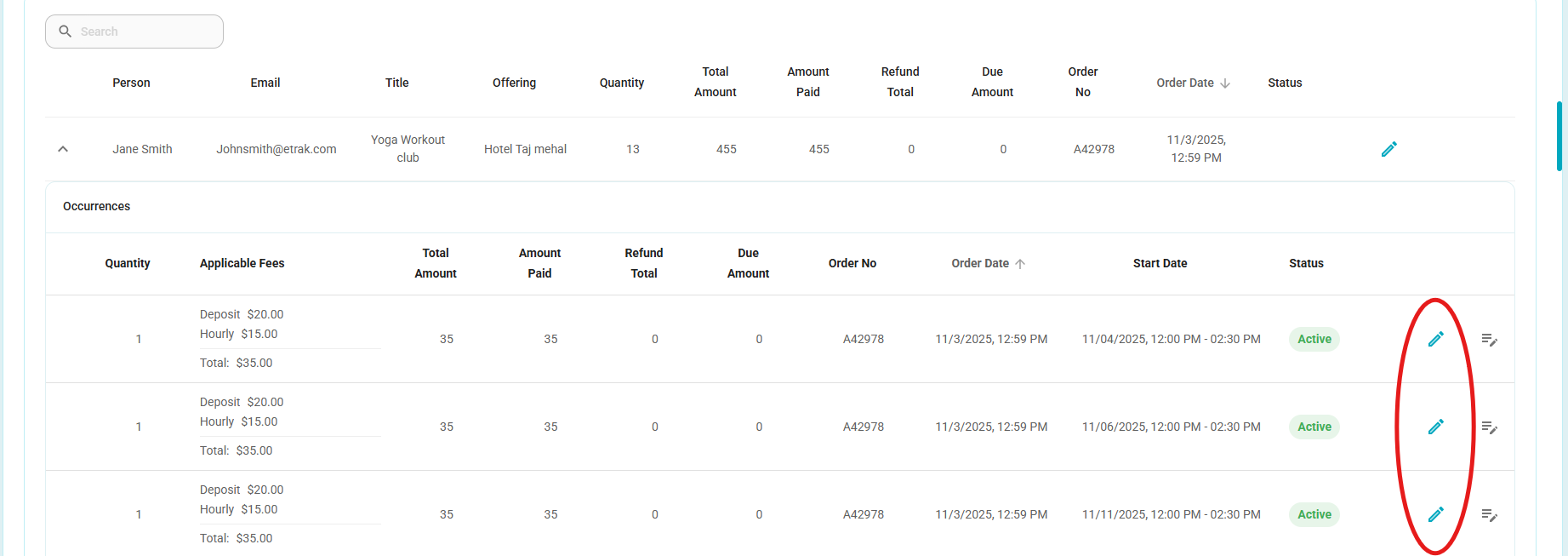
Each reservation order now displays a drop-down arrow on the left-hand side — selecting it will expand the list to show all individual occurrences.
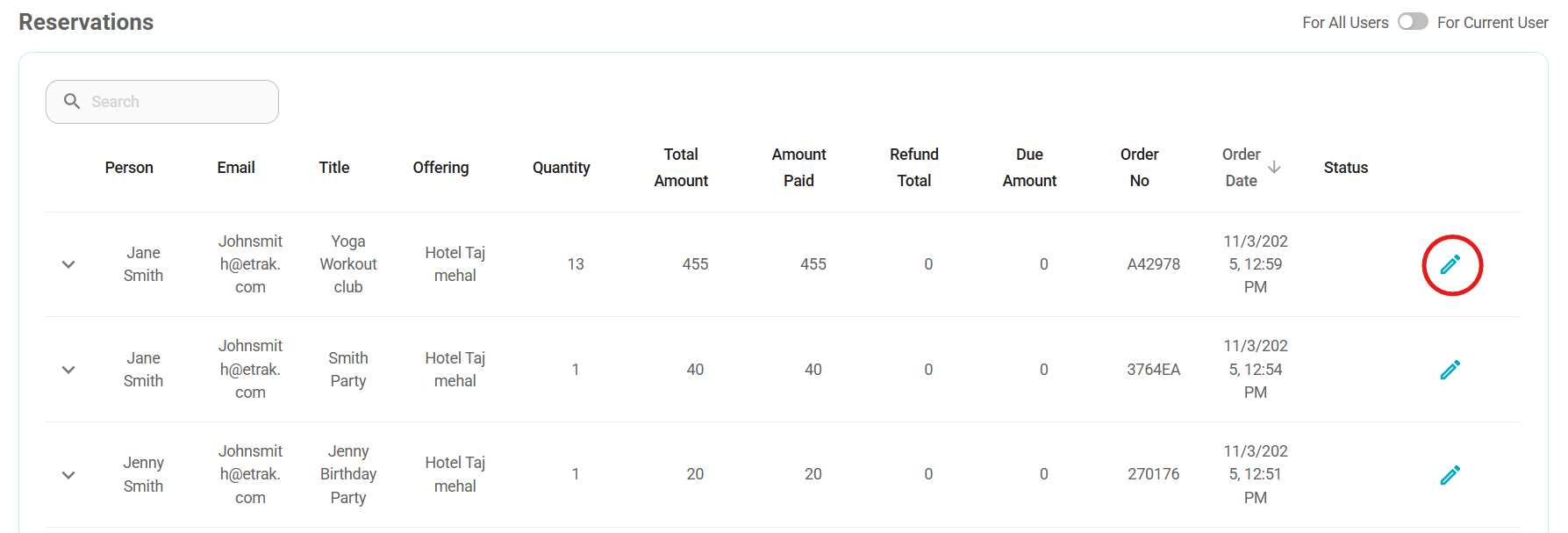
A pencil icon on the right-hand side next to the reservation allows you to edit the entire series.
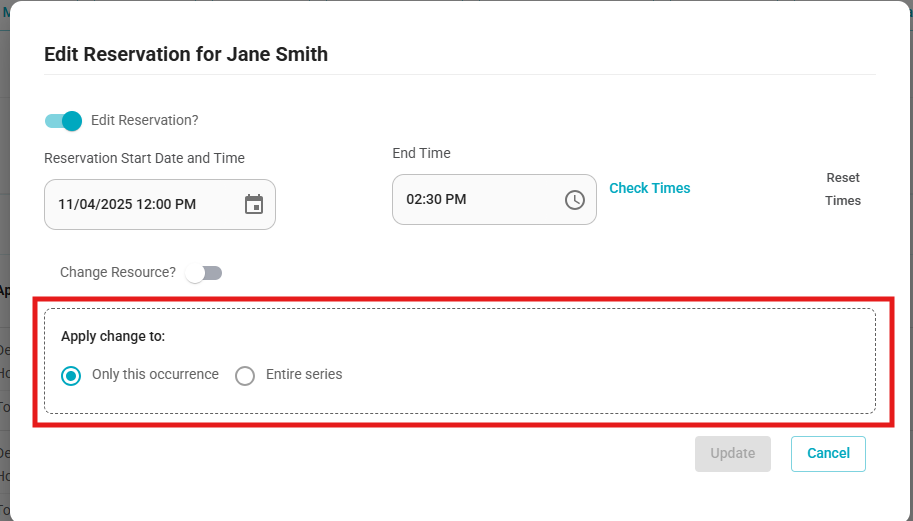
When viewing the individual dates, each will also have its own pencil icon. Selecting it will prompt you to choose whether you’d like to edit only this occurrence or the entire series.
2. Reservation Title Added to User Profile
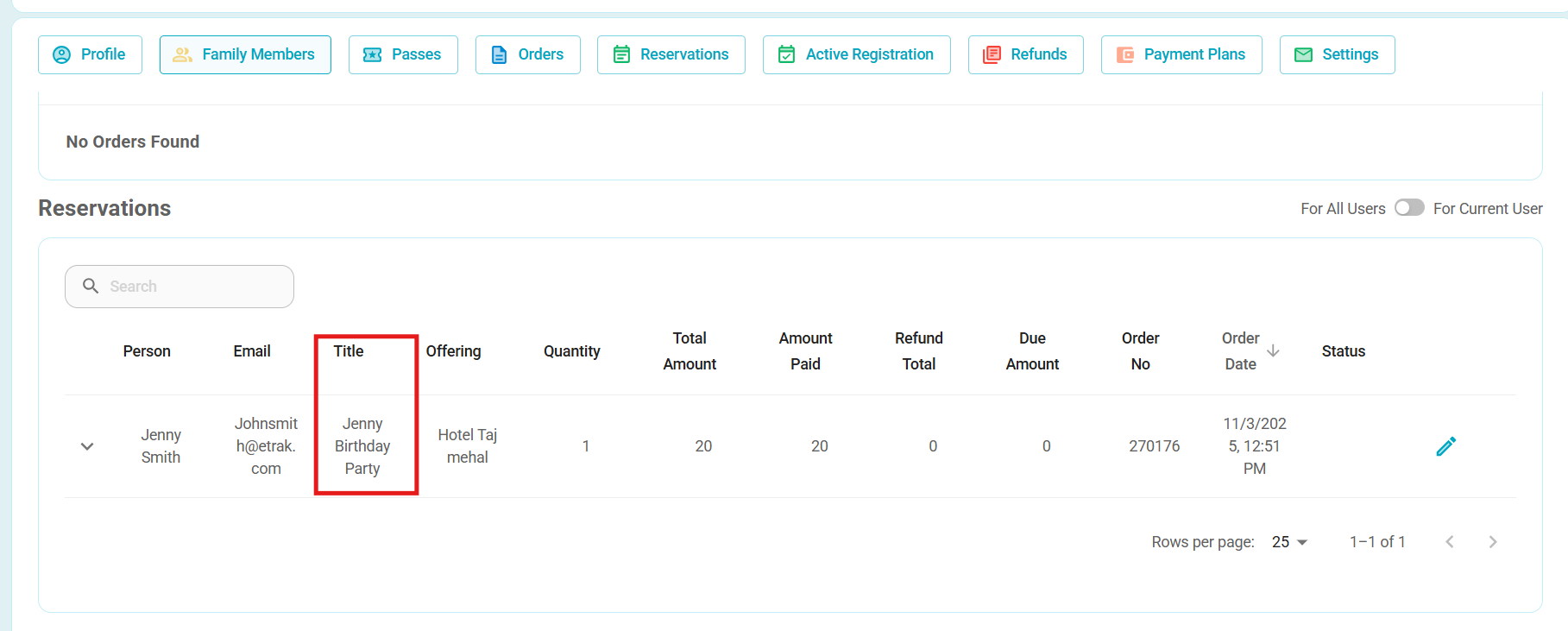
When viewing reservations in a User Profile, the title of the reservation will now display. This provides additional clarity and context when reviewing reservation details.
3. Itemized Receipt – Part 2
Building on our previous improvements to itemized receipts, the User Profile has been further enhanced to break out payment information in greater detail.
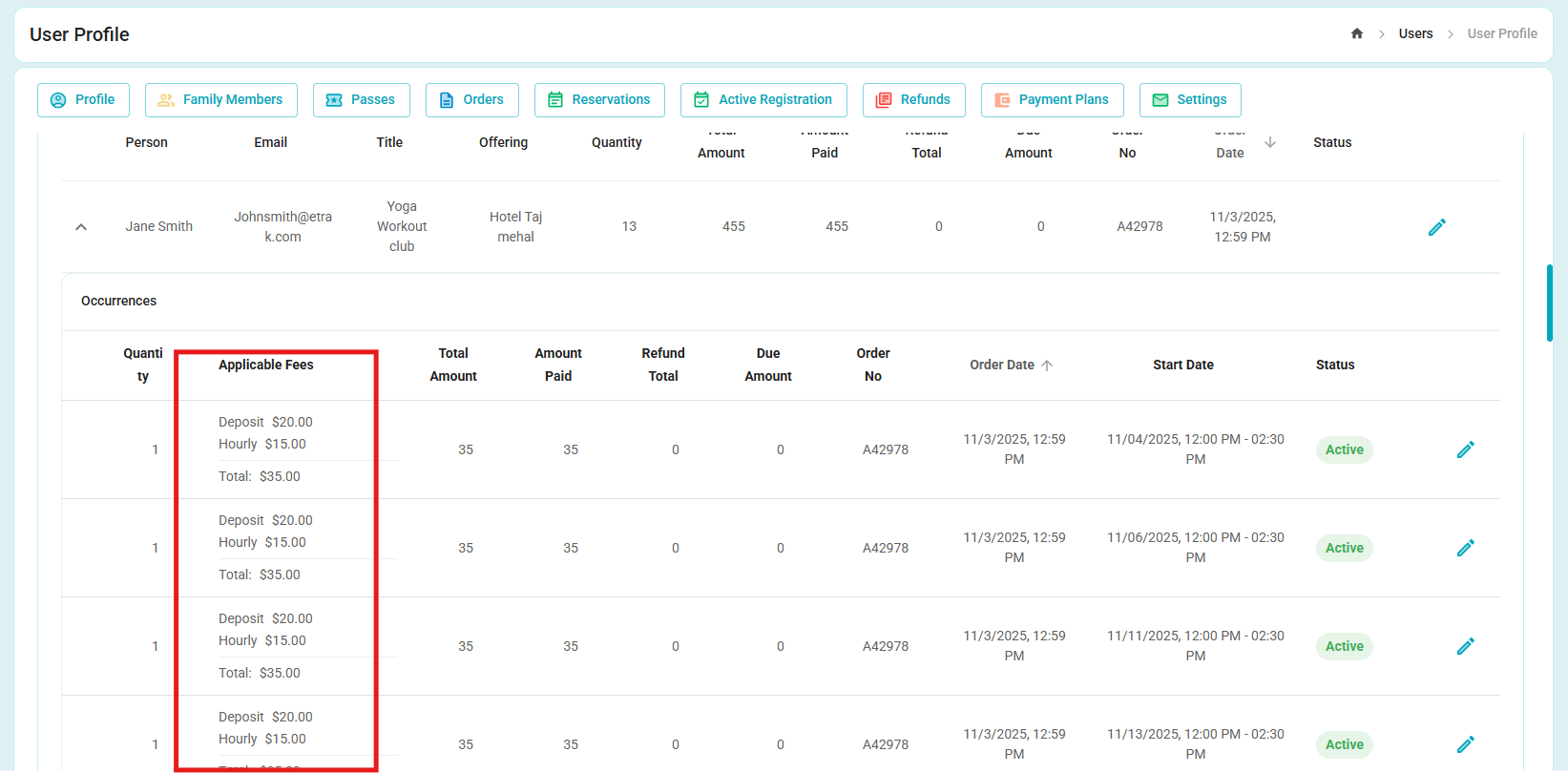
If an offering includes multiple fees, the receipt now clearly shows how much of the total cost applies to each fee category.
For reservations with multiple occurrences, the receipt also displays each date separately and breaks down the cost per occurrence.
4. Decrease Payment Plan
Following the initial release of the Payment Plan feature (September 16), you now have the ability to decrease as well as increase the total cost of a payment plan.
This can be done directly through the Edit Reservation function in the User Profile, giving you greater flexibility in managing payment schedules.
Was this article helpful?
That’s Great!
Thank you for your feedback
Sorry! We couldn't be helpful
Thank you for your feedback
Feedback sent
We appreciate your effort and will try to fix the article