The following items have been released to Production:
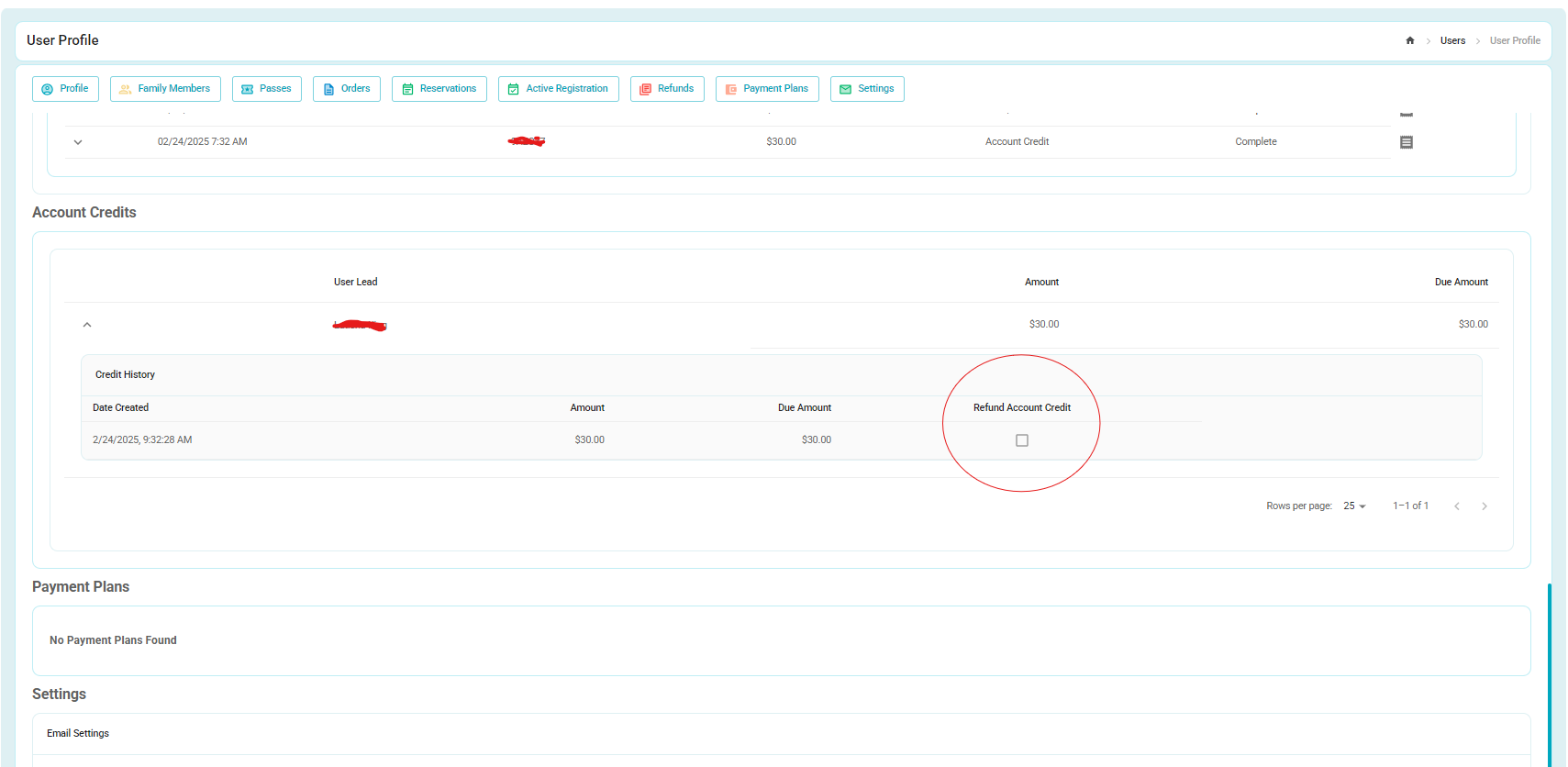
1. Account credits can now be refunded via Cash or Check within the user profile.
-Click on the account credit field to be taken to the new section, or simple scroll down on the User Profile main page.
-Find the Account credit you wish to refund, and select the check box.
-Once selected you will be able to input the amount you wish to refund, select the according pay type, and complete the refund.

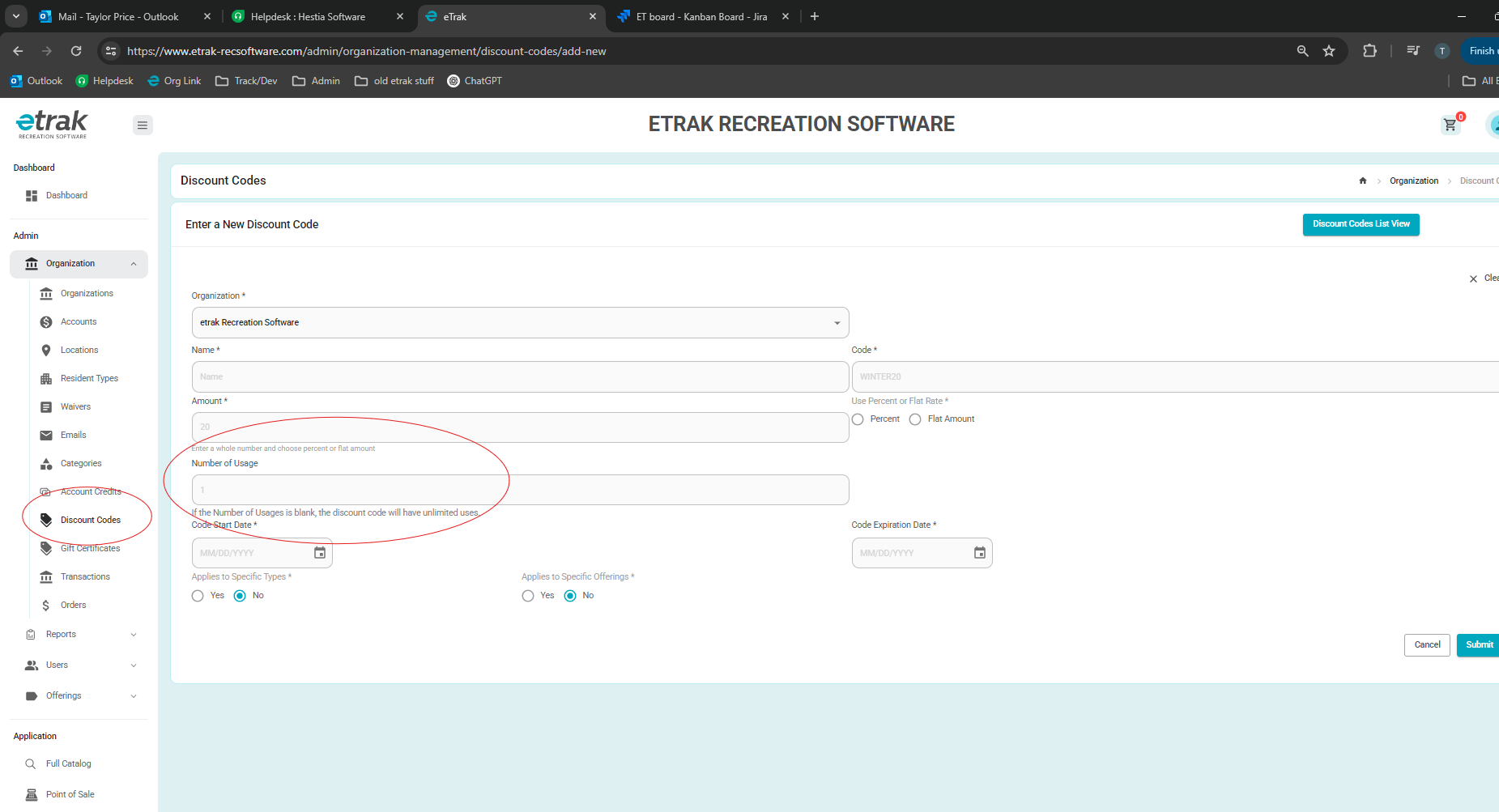
2. Discount codes can now have an amount of uses assigned to them.
-Navigate to the Discount code tab within the Organization drop down.
-Create a new discount code.
-Use the new field to input the amount of uses you wish the code to have. If you want it to be used unlimited times, leave this field blank.
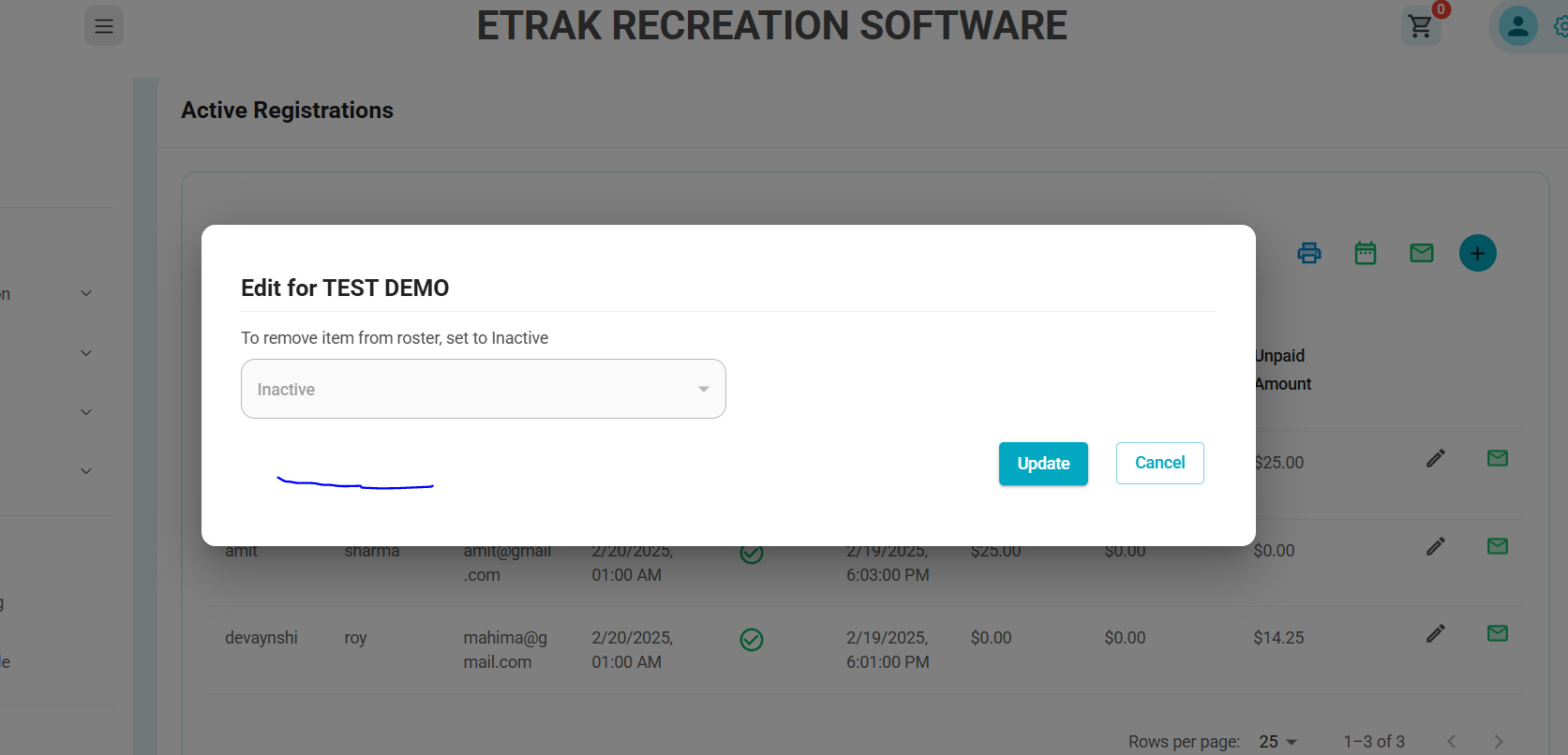
3. You can now make registrations inactive in the offering page and the status will save, vs having to make the item inactive in the user profile refund screen.
4. BUG FIX: Ticket sales in events will no longer allow for users to bypass the allotted amount of tickets by using alternative methods.
5.BUG FIX: Mobile view for table seat selection has been corrected, and now users can purchase seats from a mobile device.
6. BUG FIX: When creating an offering, the system will now register the letter "k" for grade level restrictions as expected.
Was this article helpful?
That’s Great!
Thank you for your feedback
Sorry! We couldn't be helpful
Thank you for your feedback
Feedback sent
We appreciate your effort and will try to fix the article