Arc Central
New Features and Enhancements
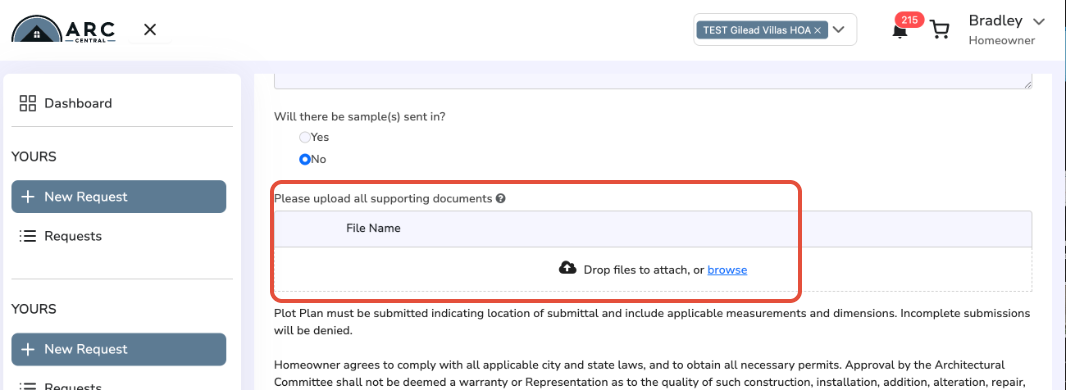
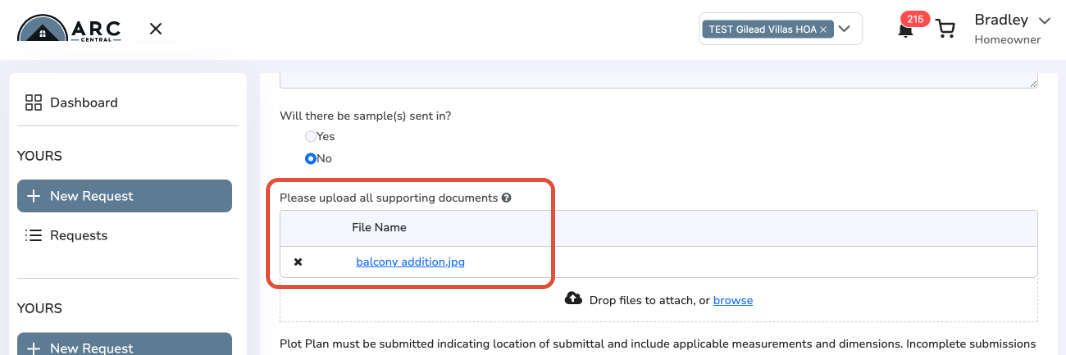
- Submitted Documents now display in File Uploaded area. When file is added in the "Supported Documents" section, it will be displayed inside the file upload box. Improves clarity and confirms that the file has been successfully uploaded.
- Access Control for additional Users. Provide ARC Central access to All Employees list and Homeowners.
- Improvement to Vote Tab/Interface. Display all votes and related comments inline, without need to click on votes individually. Correction to display count.
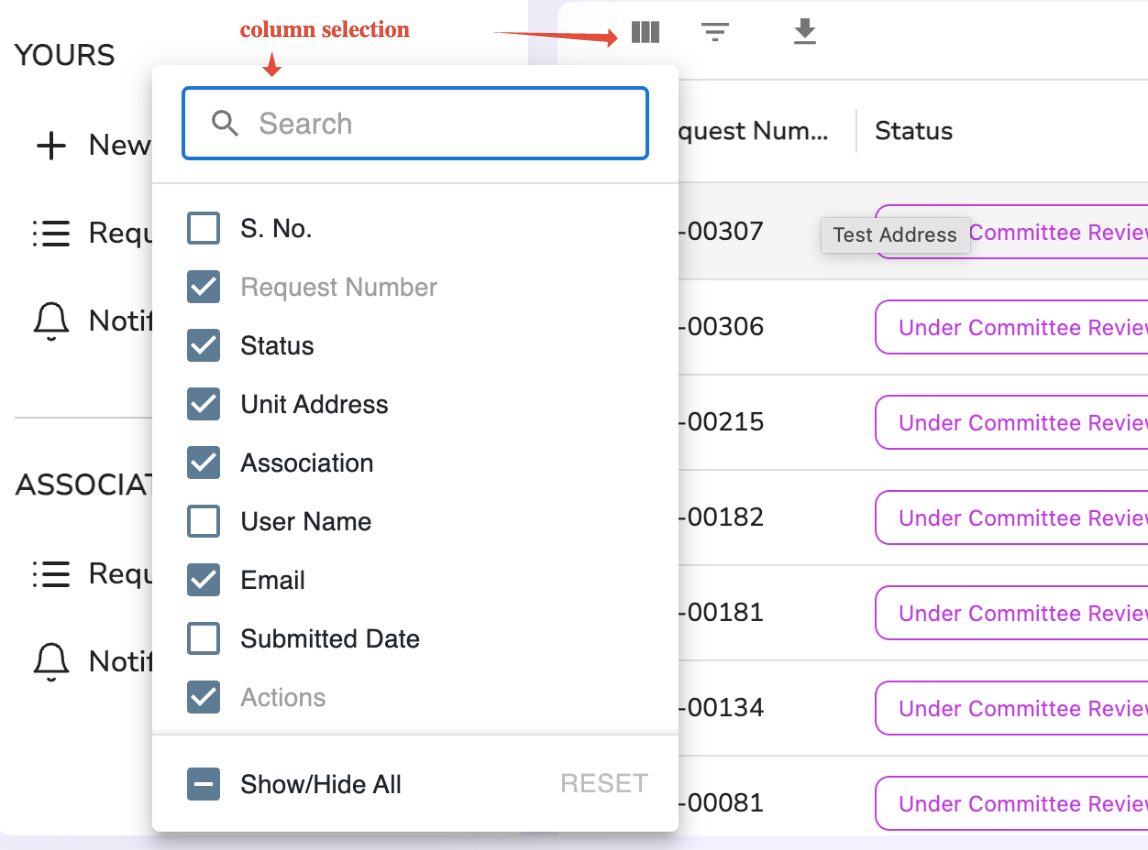
- Improvement to Display Grid Customization Interface.When customizing the grid view (e.g., Pending Requests screen), users can choose which columns to show or hide. Previous toggles replaced by checkboxes for easier selection.
- Performance Optimizations.
- Various Improvements to Display. Latest comment on top by default.
Bug Fixes
- [Fix] Request Form Glitch after file upload. Issue where Request Form was reset after a file submit corrected. Previous form data still available after file upload.
- [Fix] Minor UI Issues. Overlapping icons and comments, extra search icon, fixes to navigation highlights, etc.
- [Fix] 'Generate Package' feature. Now works as expected.
All Access Web
New Features and Enhancements
- Enable All Access communities to start using ARC Central Architectural Requests
Bug Fixes
- [Fix] Withdraw option incorrectly displayed. Now displays correctly for requesting Homeowner, while in Pending Status.
Was this article helpful?
That’s Great!
Thank you for your feedback
Sorry! We couldn't be helpful
Thank you for your feedback
Feedback sent
We appreciate your effort and will try to fix the article