Have you ever wanted to just copy a reservation but didn't want to have to refill out the form for each individual date? Now, you can copy a reservation and replicate the whole reservation with just new dates.
How to do it:
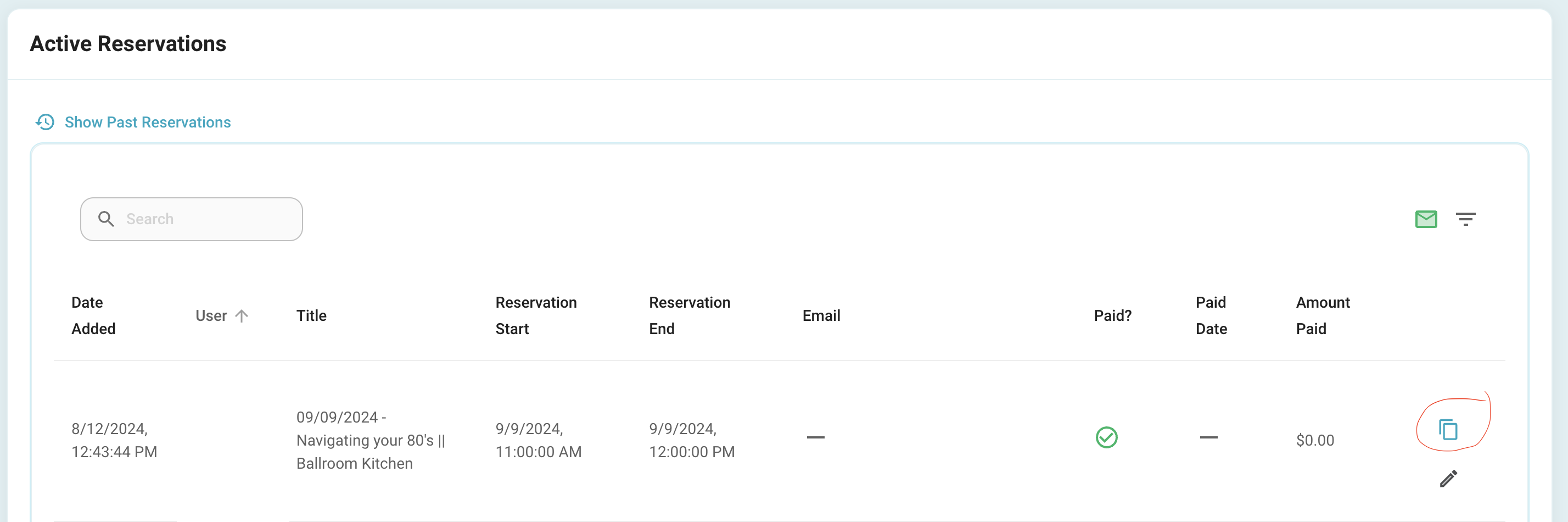
Click the copy icon on the reservation you would like to copy:
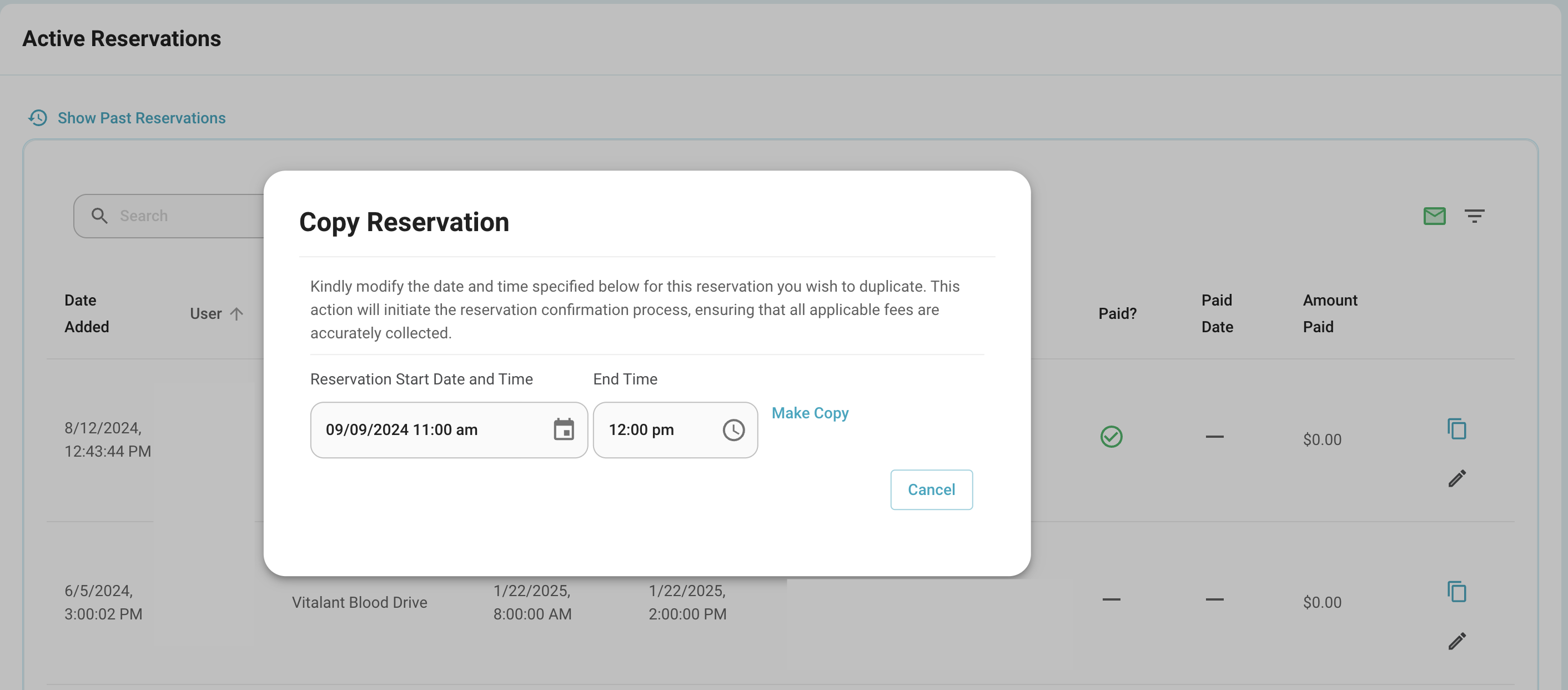
A new popup will appear that will allow you to select the new date and time for the individual reservation:
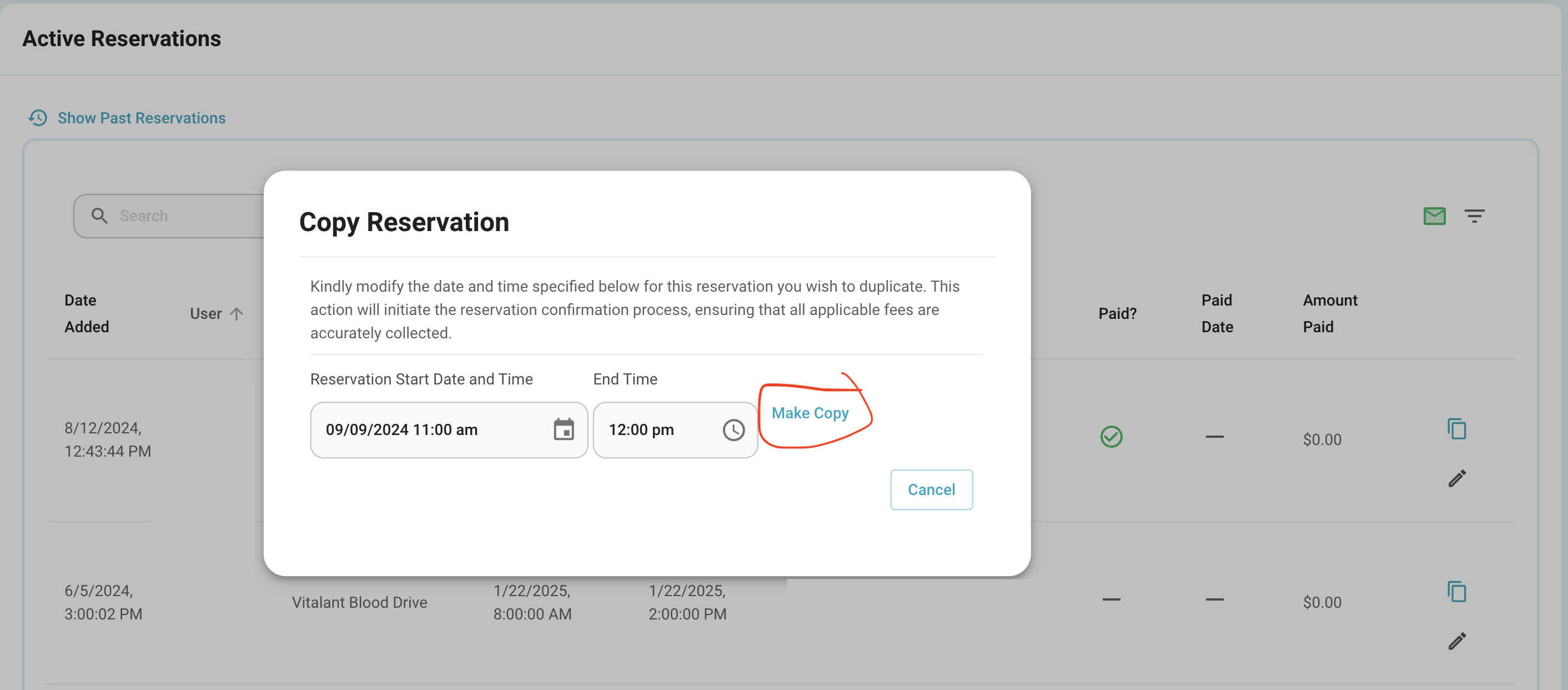
Set the new start and end time, and then click "Make Copy"
This will now take you to the screen to confirm fees for the new time:
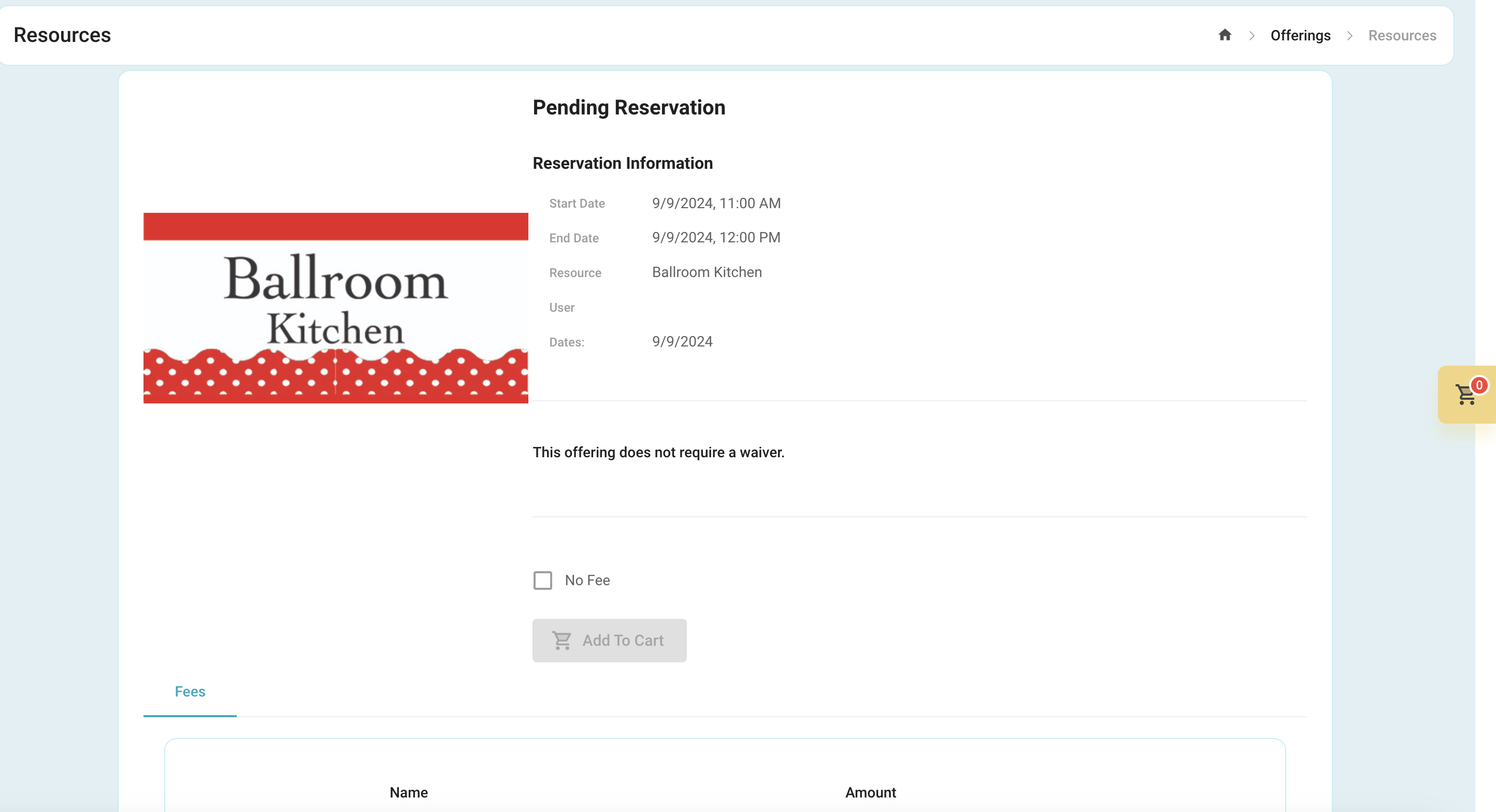
You can now add to cart and complete the transaction.
Was this article helpful?
That’s Great!
Thank you for your feedback
Sorry! We couldn't be helpful
Thank you for your feedback
Feedback sent
We appreciate your effort and will try to fix the article