We have added a new feature that will allow admins and those with Refund ability to Manually adjust Punch Passes one Punch at a time.
Here's How:
https://hestiasoftware.freshdesk.com/a/solutions/articles/150000186930?portalId=150000055468
How to Manually Adjust Punches in a Punch Pass
Some conditions must be true for this to work:
- Pass Must Be Active
- User must have the ability to Refund
1. Navigate to User that you want to Adjust the Pass
2. Click on Passes:

3. Expand the Pass you would like to edit:
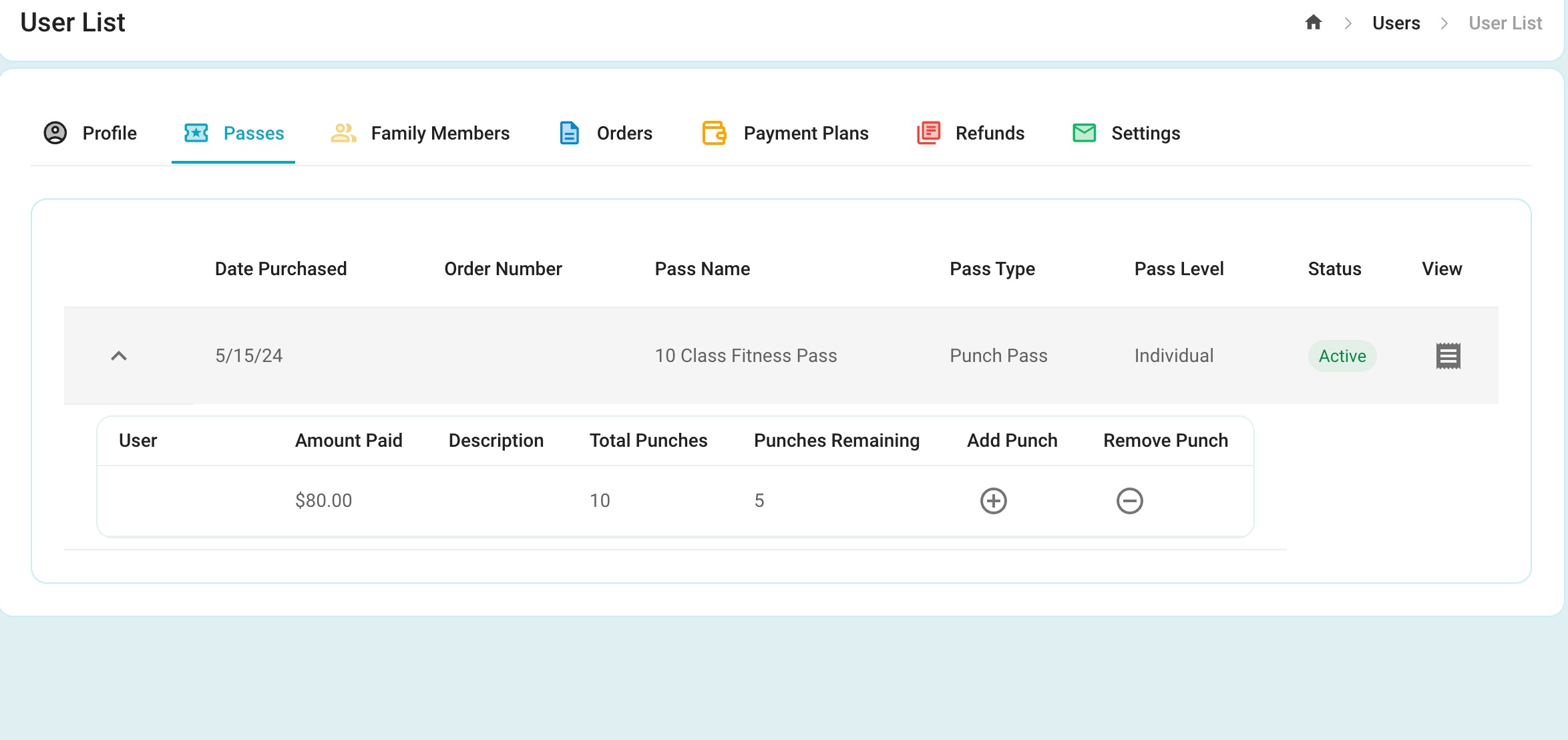
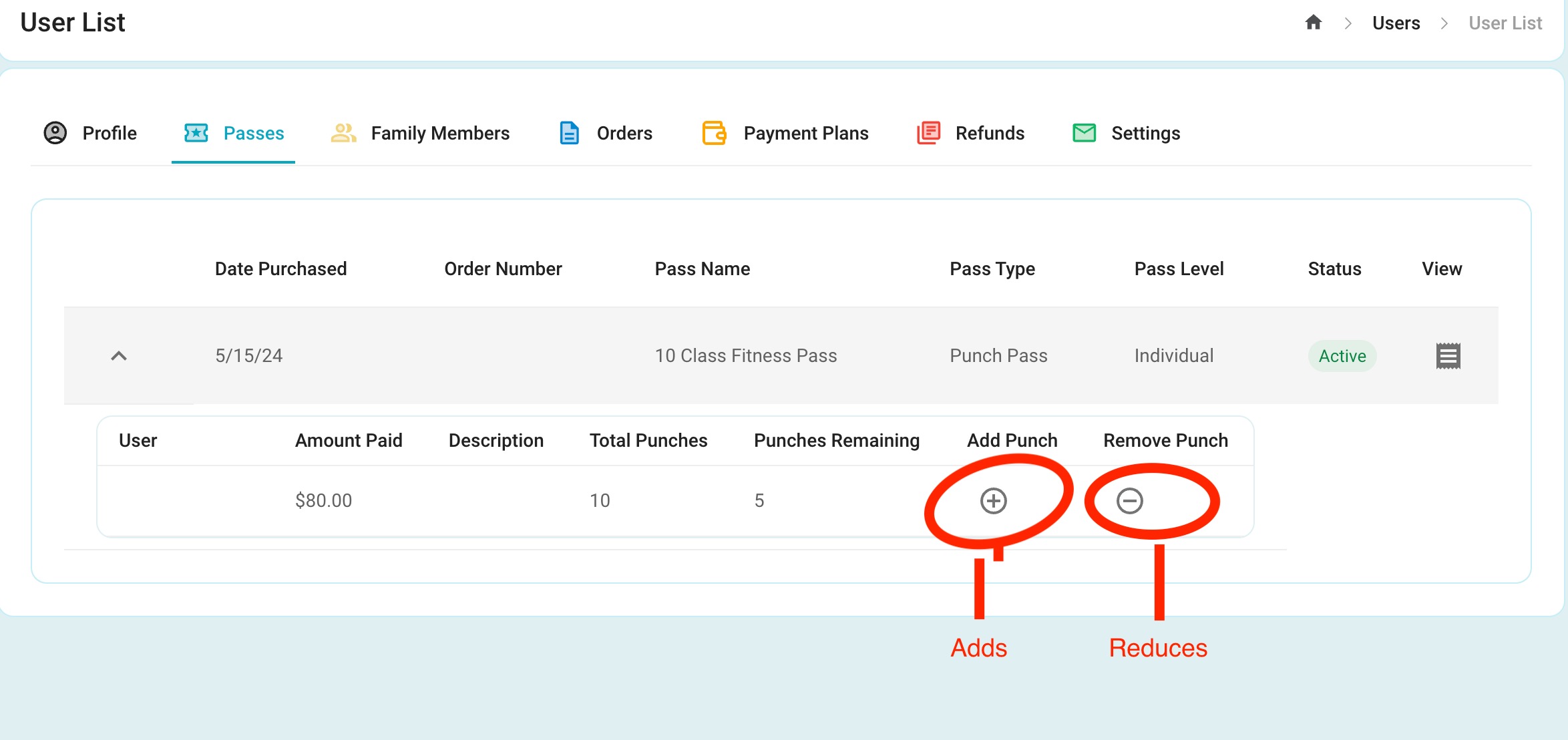
4. Click Add Punch to increase the Punches available and Remove Punch to Decrease
Was this article helpful?
That’s Great!
Thank you for your feedback
Sorry! We couldn't be helpful
Thank you for your feedback
Feedback sent
We appreciate your effort and will try to fix the article