1. "Family" and "User" Permission in Add User Screen
Within the user profile, when the family Permission level is selected, the Additional Permission field will disappear.
2. Issue with Expired Session Status and Time Difference in Reserved Session
We found a timing issue that displayed a 4 minute difference when looking at different screens within the system. This has been fixed.
3. Adjust Session registration sign up time before start to be more accurate.
We have added a field during session setup that will cover the registration start/end period before the session start time. This is on an individual basis per session.
We have also added the ability to set the time unit in Days OR hours. This is to help save on math vs the previous set up in hours only.
EX: Session starts on 5/25 at 10:00 am
The way these fields are set in the image below, this means this session occurrence will open for registration on 5/24 at 10:00 am , and registration will close on 5/25 at 9:00 am.

4. When the admin hovers over the + symbol on the Available Session screen, the information displayed states Cancel Session.
This has been fixed.
5. The session view has been improved to offer a better organization of information and a smoother experience when browsing records. Data is now grouped by session, with new filtering, search, and printing features.
- Sessions are now grouped by date and time in an accordion layout.
Each group represents a session and neatly displays all related records.
Expanding a session reveals a list of bookings associated with that specific date
All records, whether active or inactive, are shown within their respective session group.
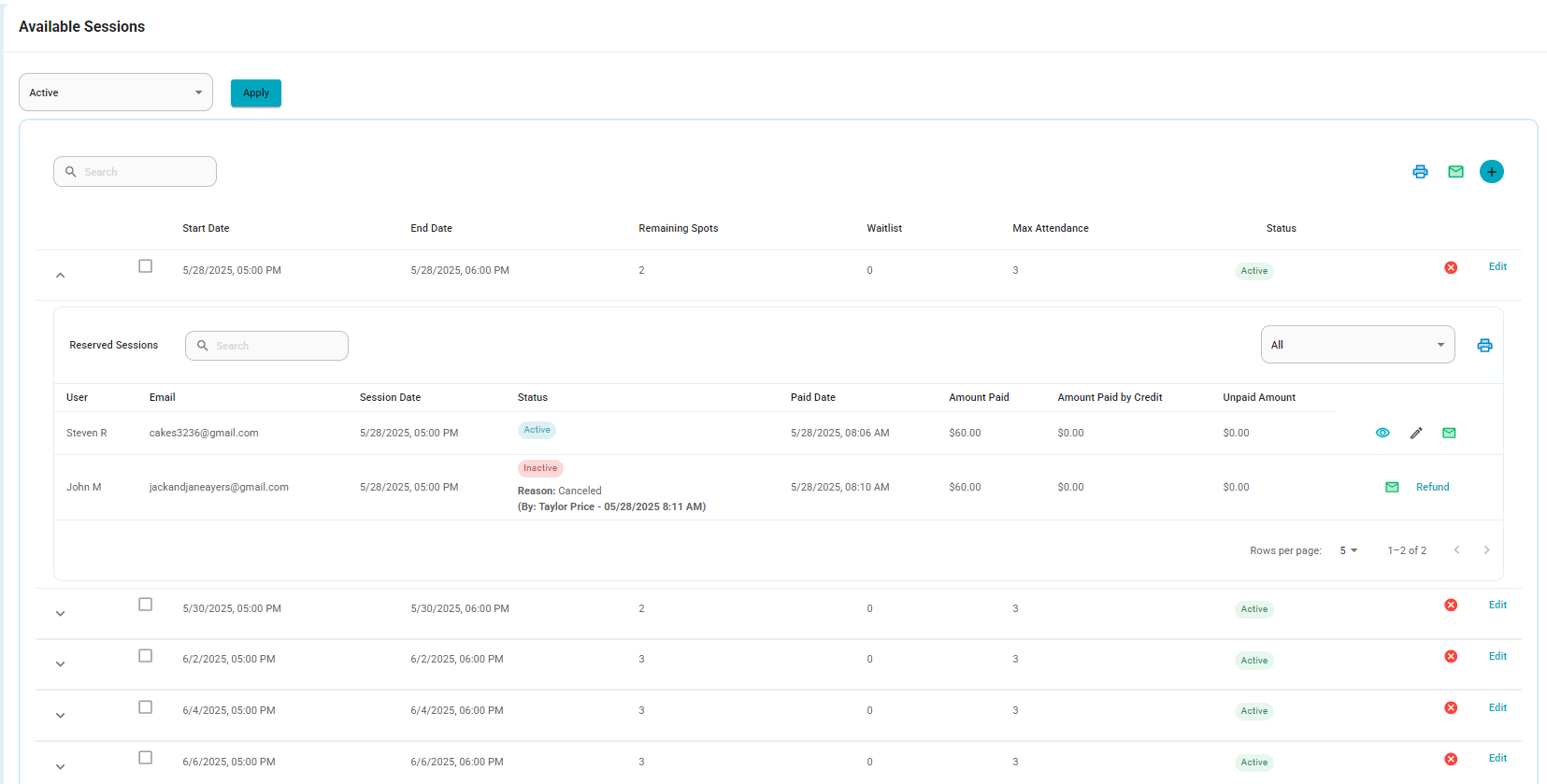
- Each entry displays:
Full name of the user
Email
Session date and time
Status
Payment date
Amount paid
Amount paid with credits
Outstanding amount
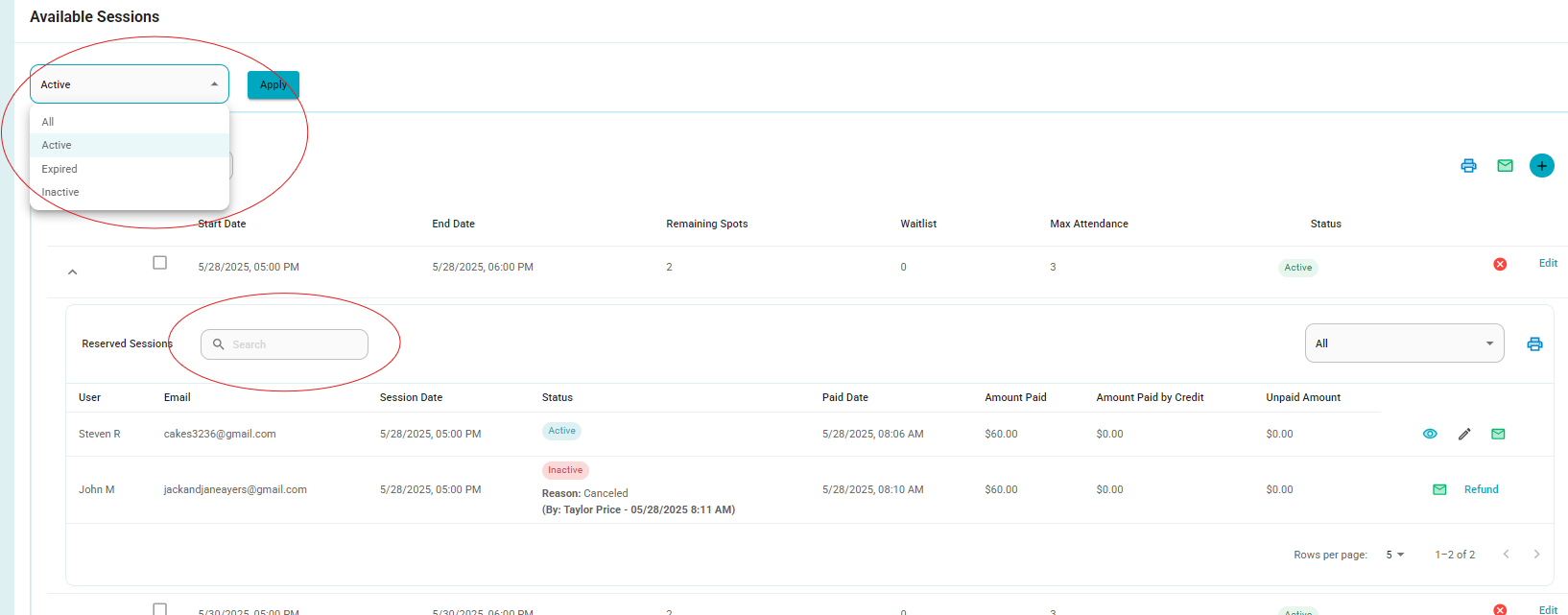
- Filters
Status filter to help you easily view records by their status (e.g., active or inactive).
Global search to quickly locate a session.
Session-specific search to find participants within a specific session.
Each session group includes pagination, showing up to 25 records per page
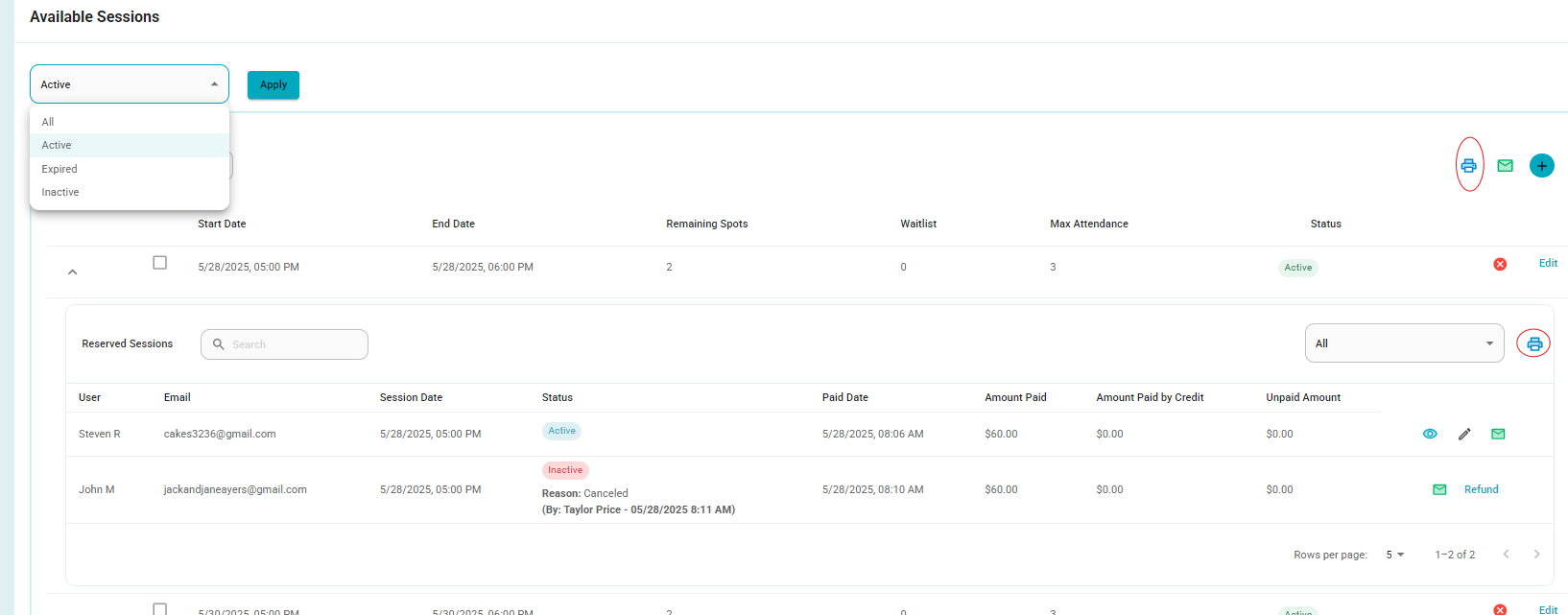
- Added print options:
Per session (button inside each accordion)
All sessions at once (button in the top right menu)
6. Users that are labelled Family are not editable by admins.
This has been fixed.
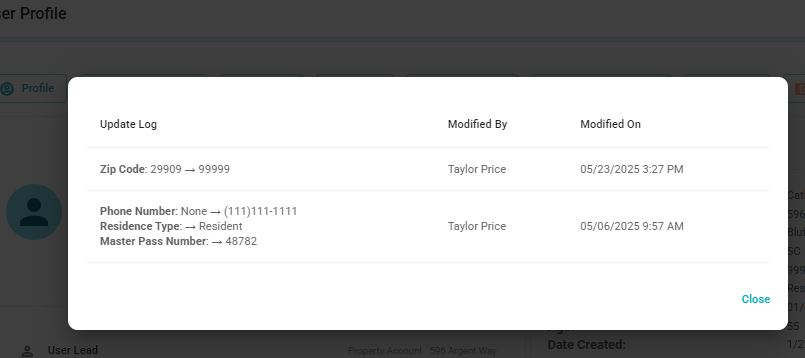
7. Track all user Changes, and have a tab where we can see change history.
We have now added a link within the User profile that will allow admins to track and see the history of changes made to the user.

When the link is selected, a new window will appear displaying the change information.
8. Frontdesk user login results in blank white page with no visible options in the application.
This has been fixed.
9. The waitlist for sessions should be able to be booked by the Frontdesk and The customer.
We found that sessions that were fully booked would display "Sold Out" and the selection box would not be visible. This has now been fixed, and full sessions can now have a bookable waitlist.
Was this article helpful?
That’s Great!
Thank you for your feedback
Sorry! We couldn't be helpful
Thank you for your feedback
Feedback sent
We appreciate your effort and will try to fix the article