Architectural Request Status Definitions
Architectural requests have several statuses in the ARC Central system and will be color coded for easy identification. This is a complete list of all available Statuses. Some of these are optional and may not be visible for your Association.
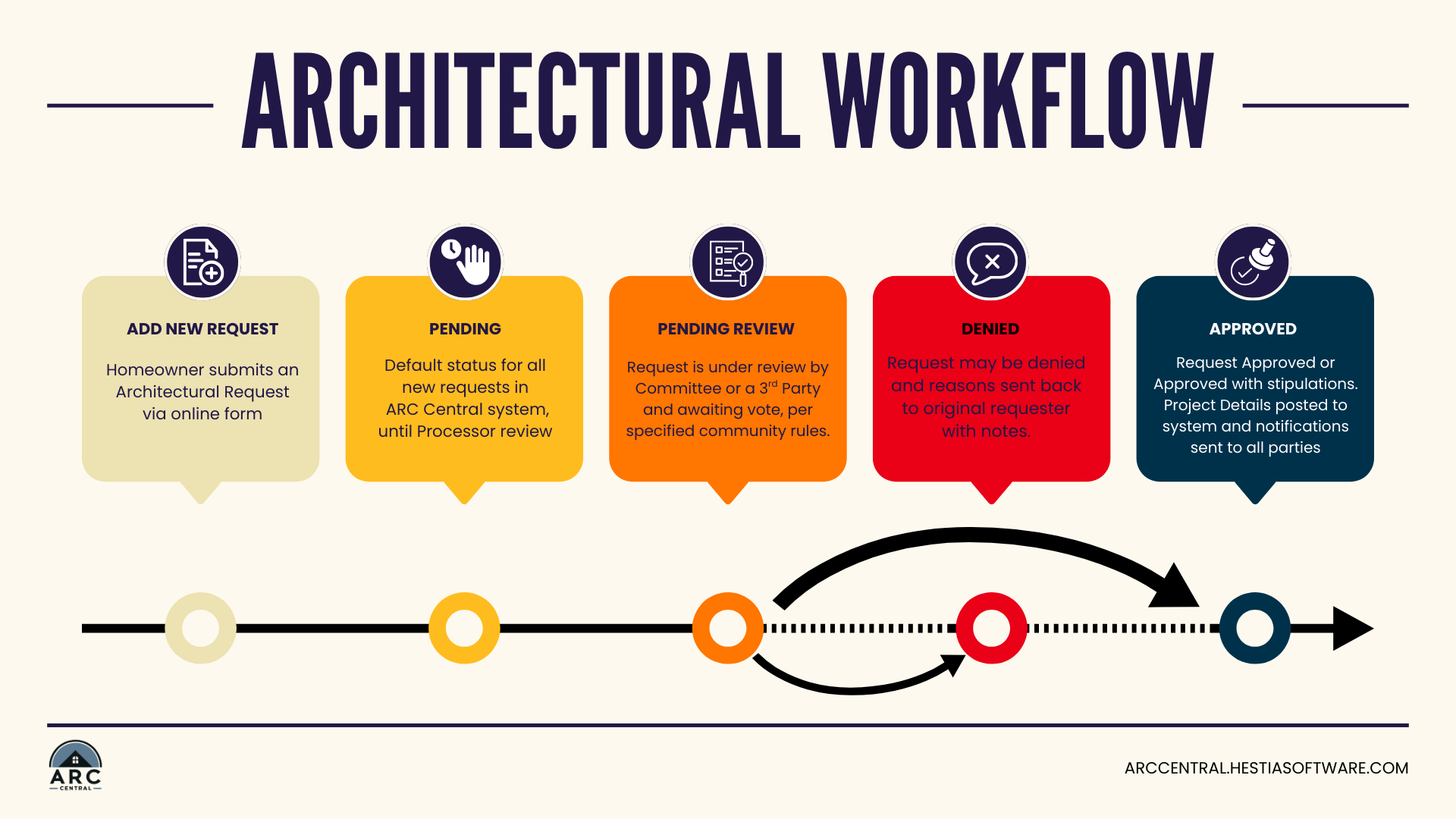
- Pending - newly submitted by the requester, has not been reviewed by Processor
- Pending Committee Meeting - request has been reviewed by Processor for completeness, but pending further review by the Board/Staff
- Pending Committee Vote and Under 3rd Party Review - being reviewed by Committee or other outside group and awaiting votes
- Decision Reached - Processing - required votes have been submitted and request is awaiting administrative recording
- More Information Requested - sent back to requestor for required details
- Missing Info Received - request form sent back with required details
- Completed - request process is complete and a decision has been recorded, all approved requests are sent to system of record (VMS for All Access customers)
- Denied - request process is complete but not approved, did not pass vote
- Withdrawn - homeowner withdraws request
- Appealed - request was denied and an appeal requested
- Final Inspection - these statuses occur after the project approval and decision. These are administrative tracking for the staff.
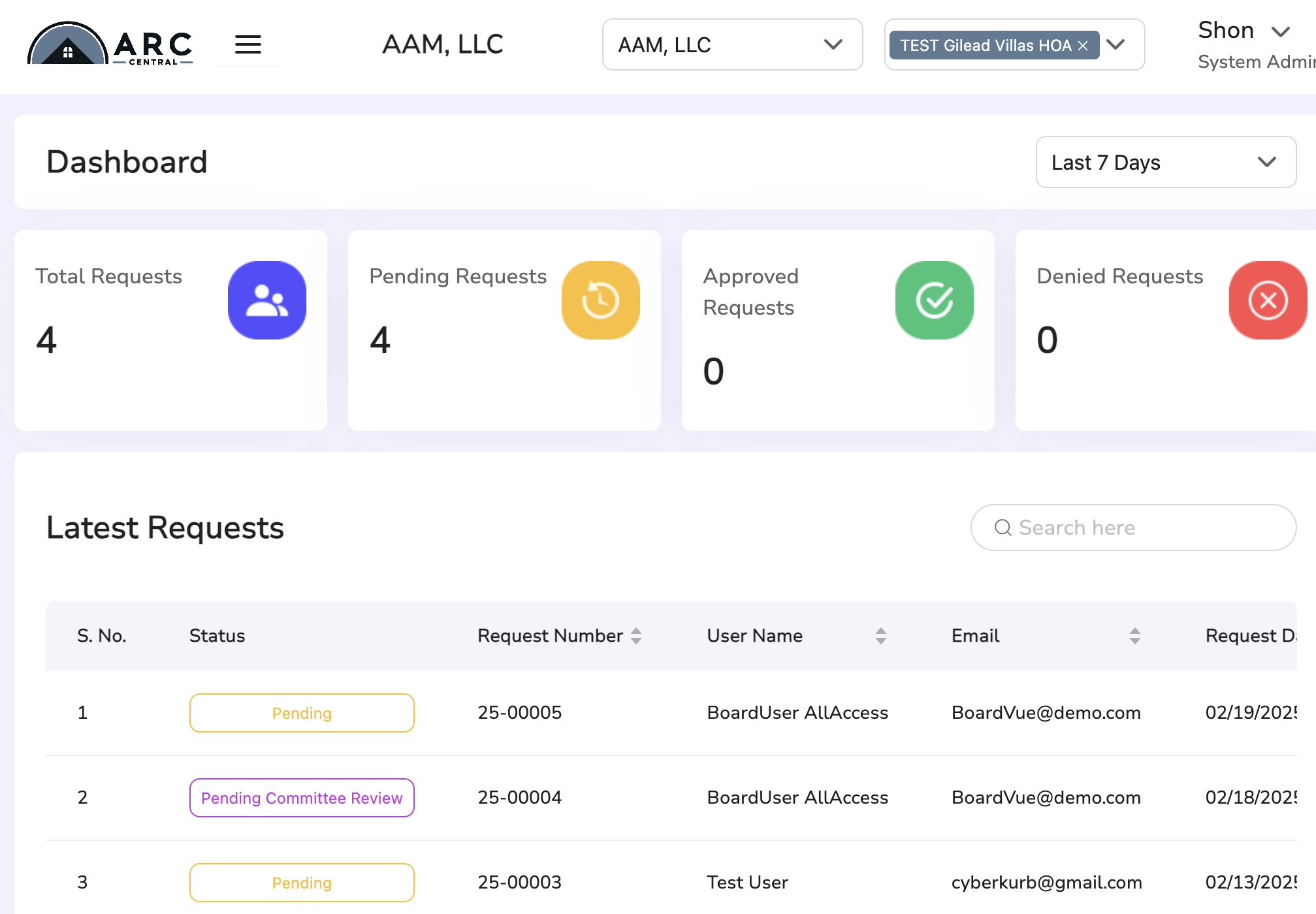
Here is a look at the ARC Central Dashboard with example requests listed.
The Dashboard also shows number of requests in the most common Statuses.
Approval Workflow
Reviewing a Request and Updating Status
Approval / Voting on a Request
Permissions and Roles
There are several different account roles for users in ARC Central. Each user will have access/permission to perform tasks according to their role.
The account roles available are:
- Homeowner - Submits design requests, can view status for their own requests.
AAM residents will use their All Access portal to create and review Arc requests.
- Read-Only - Can search and view all pending design requests for their community
- Processor - Can view newly submitted design requests and submit to Committee
- Committee Member - Can vote on design request
- Management Company Administrator - Can vote on design requests, update votes on behalf of another Committee Member and recommend final decision for a arc request. Add users for their Associations.
- System Administrator - ARC Central technical support staff with all ps
Voting on Behalf of Others
A Management Company Administrator will have the ability to Vote on behalf of other Committee members.
The history is maintained for all changes on a submission. In the event of proxy-voting, the Committee Member making an update should include relevant comments or copy of email approval for the submission records.
Was this article helpful?
That’s Great!
Thank you for your feedback
Sorry! We couldn't be helpful
Thank you for your feedback
Feedback sent
We appreciate your effort and will try to fix the article