We have now added a user level Emergency Contact Field. This will allow for 1 emergency contact to be added to their profile.
https://hestiasoftware.freshdesk.com/a/solutions/articles/150000186931?portalId=150000055468
Edit User to Add Emergancy Contact
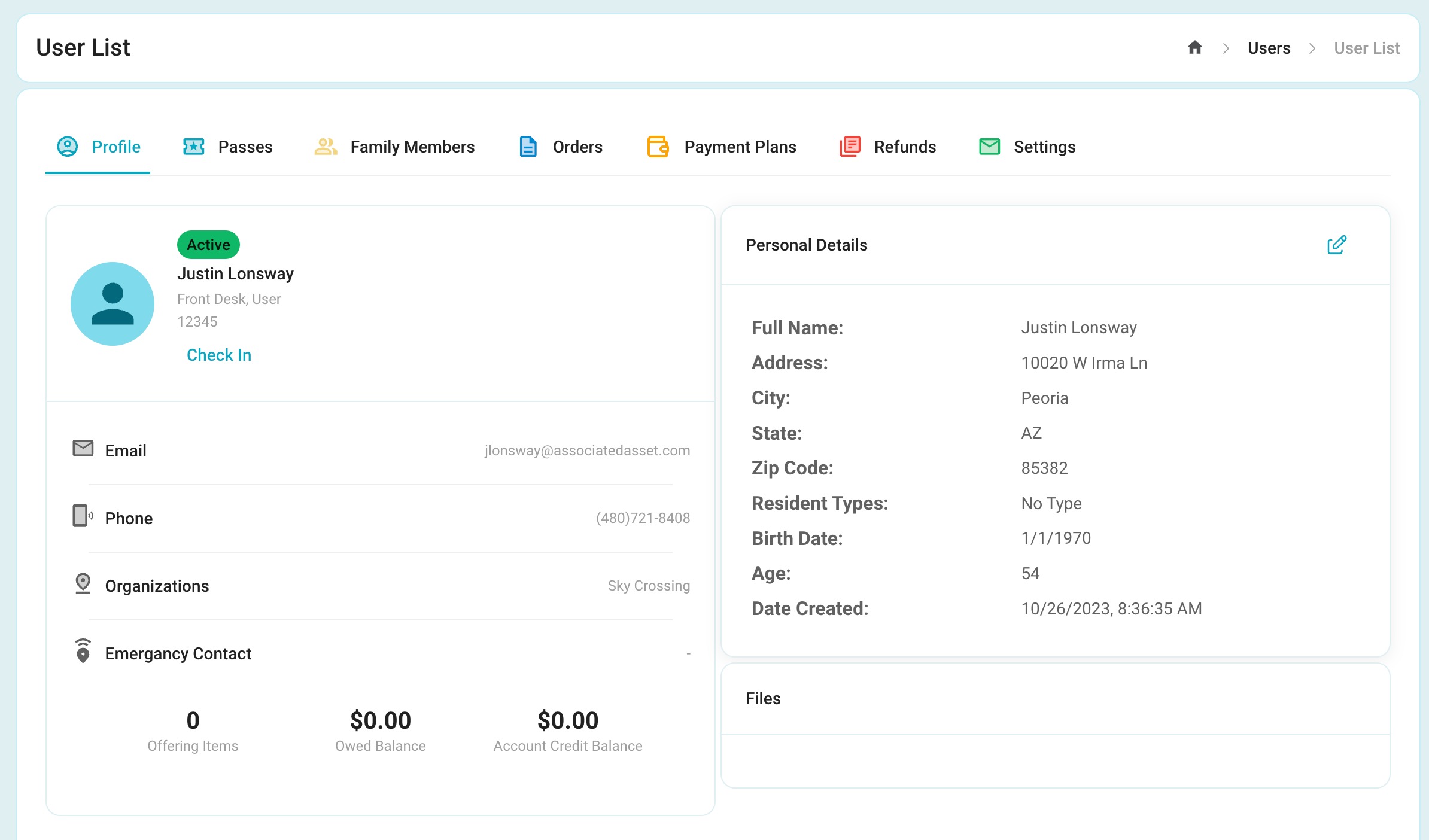
1. Navigate to the User you wish to Edit:
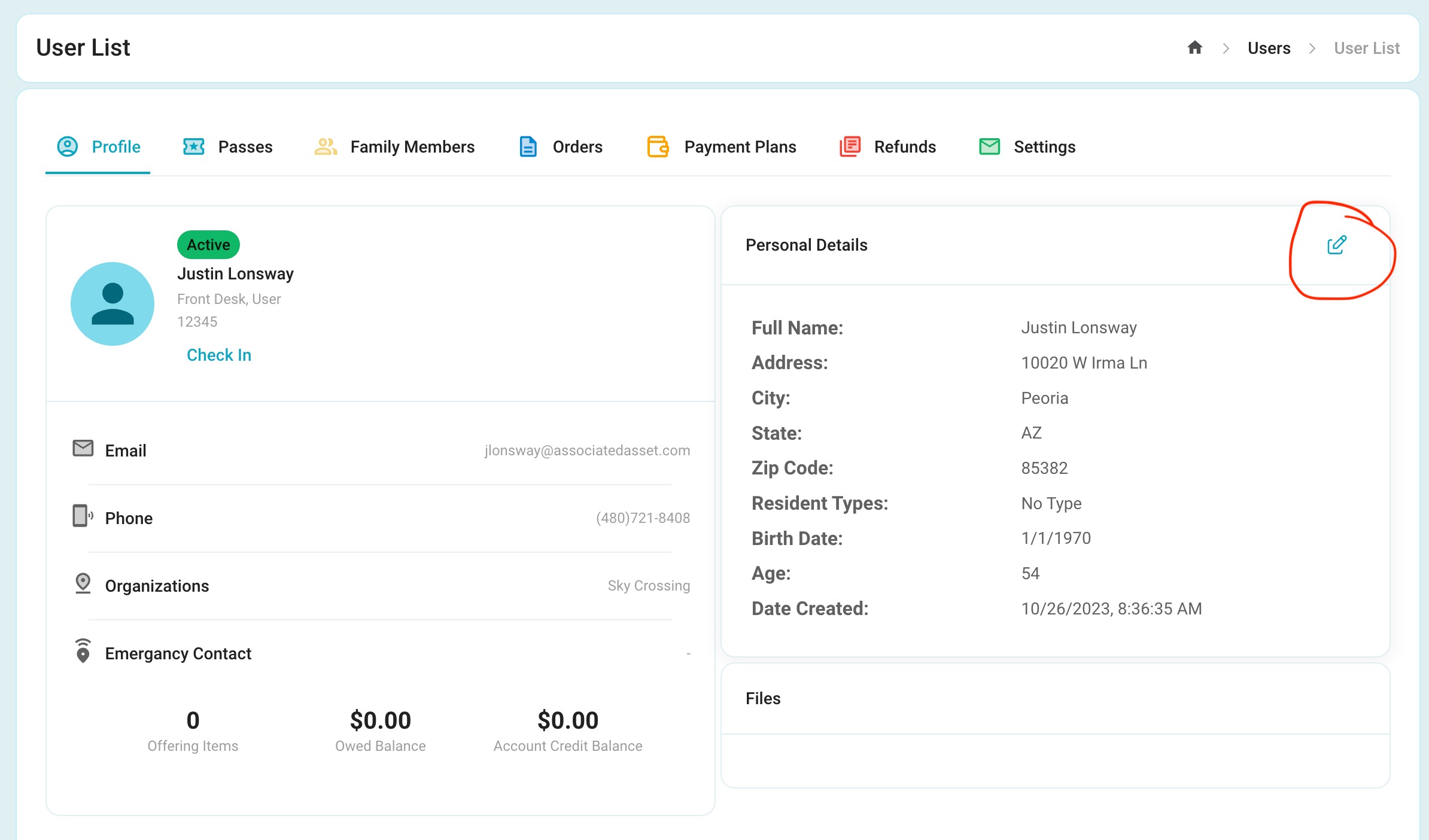
2. Click the Edit Pencil Icon to the right of "Personal Details:
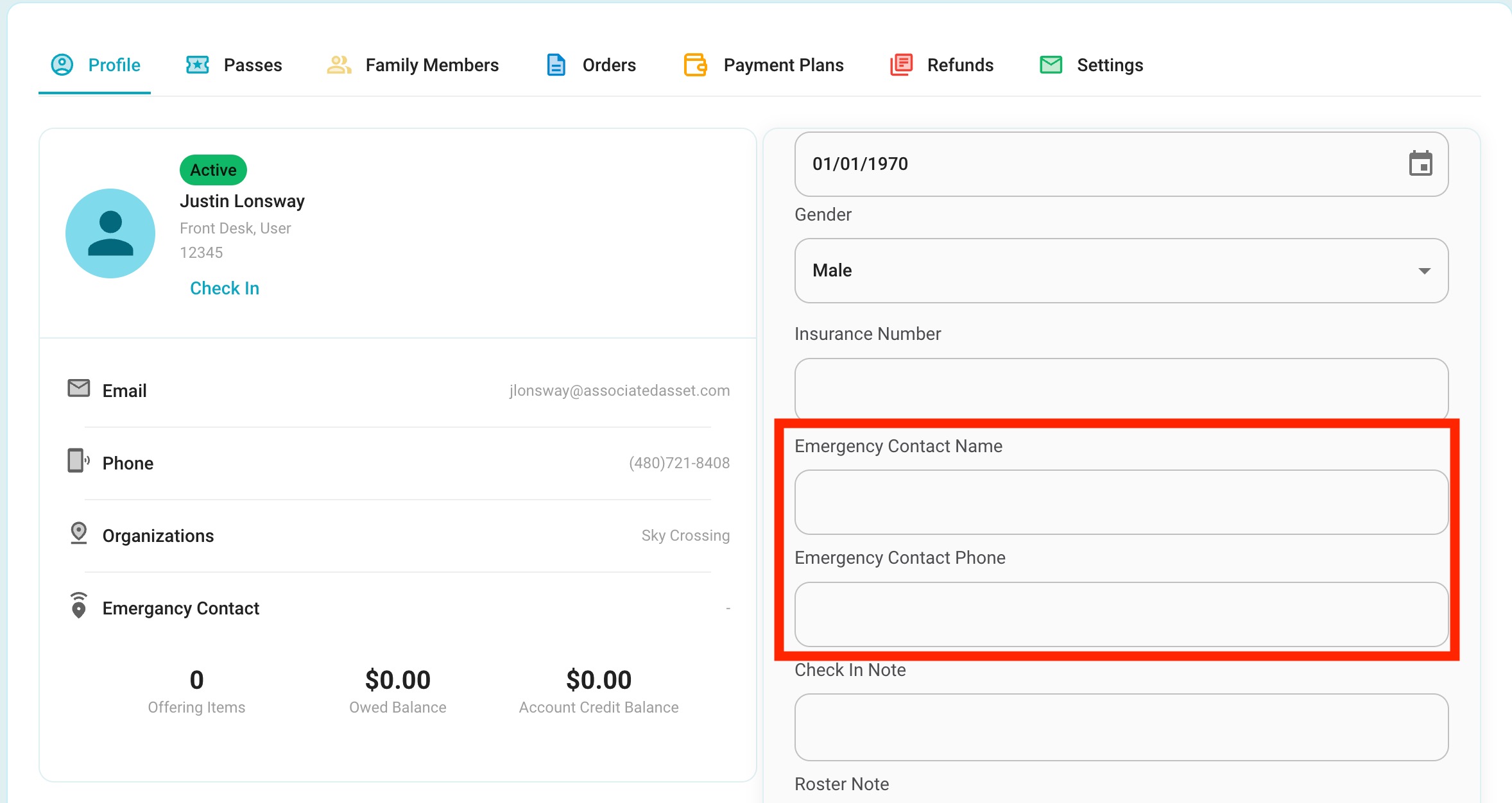
3. Scroll to towards the bottom of the Available fields and look for Emergency Contact Name:
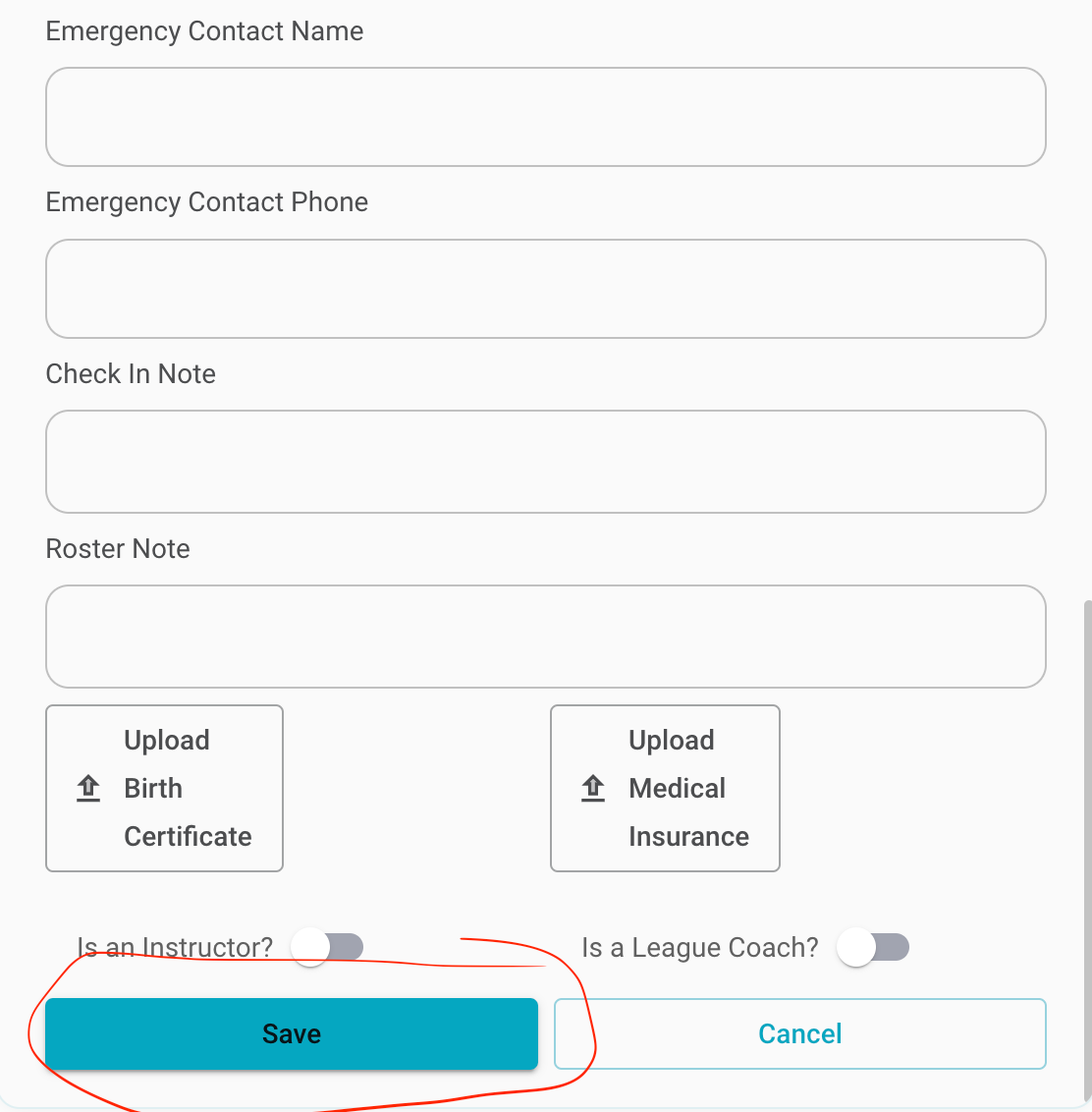
4. Complete the Information, and click Save
Was this article helpful?
That’s Great!
Thank you for your feedback
Sorry! We couldn't be helpful
Thank you for your feedback
Feedback sent
We appreciate your effort and will try to fix the article