Enhancements
Print Calendar - New Feature!
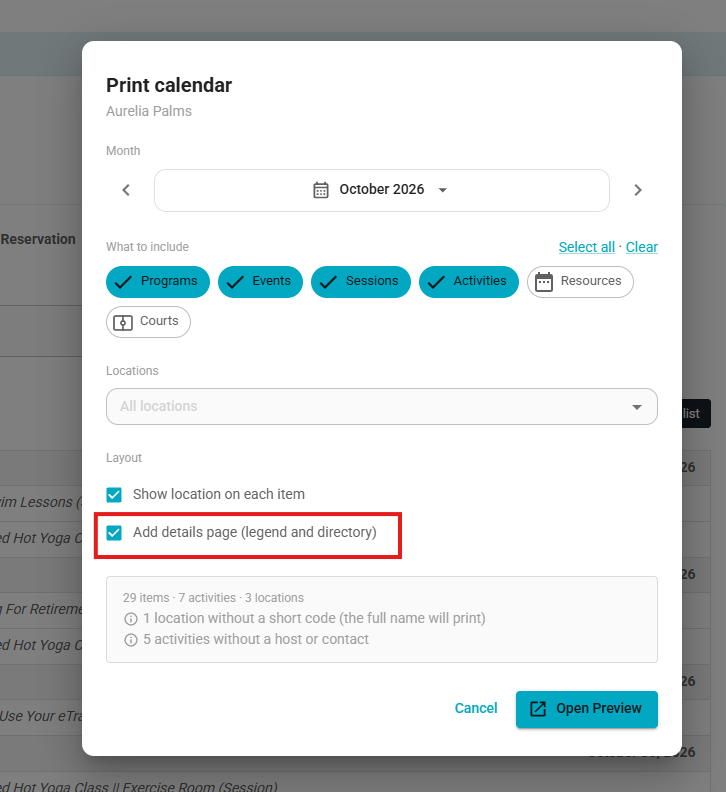
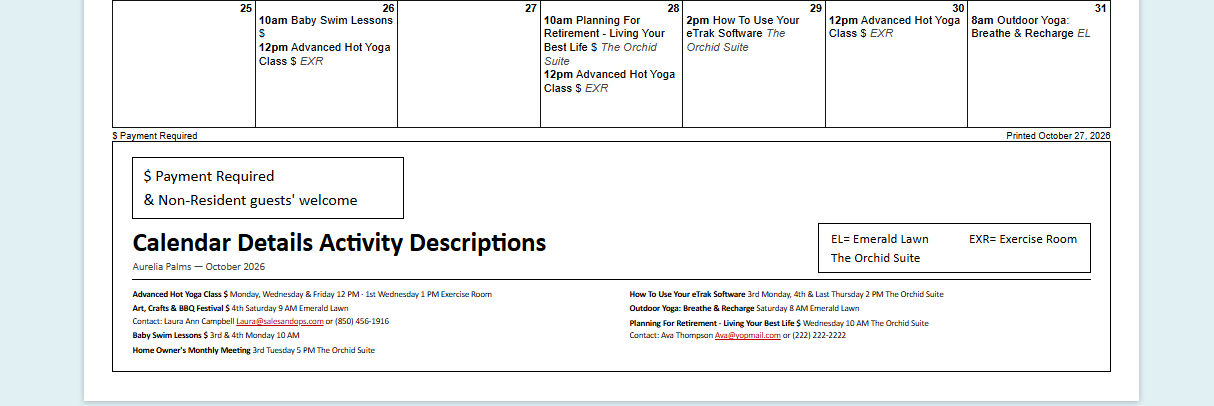
Staff can generate an editable calendar showing scheduled activities, times, locations and indicators for payment-required activities and non-resident guests.
An optional details page includes activity schedules, host contact information, a location legend, and the front desk phone number
Admins can customize the calendar's formatting before printing.
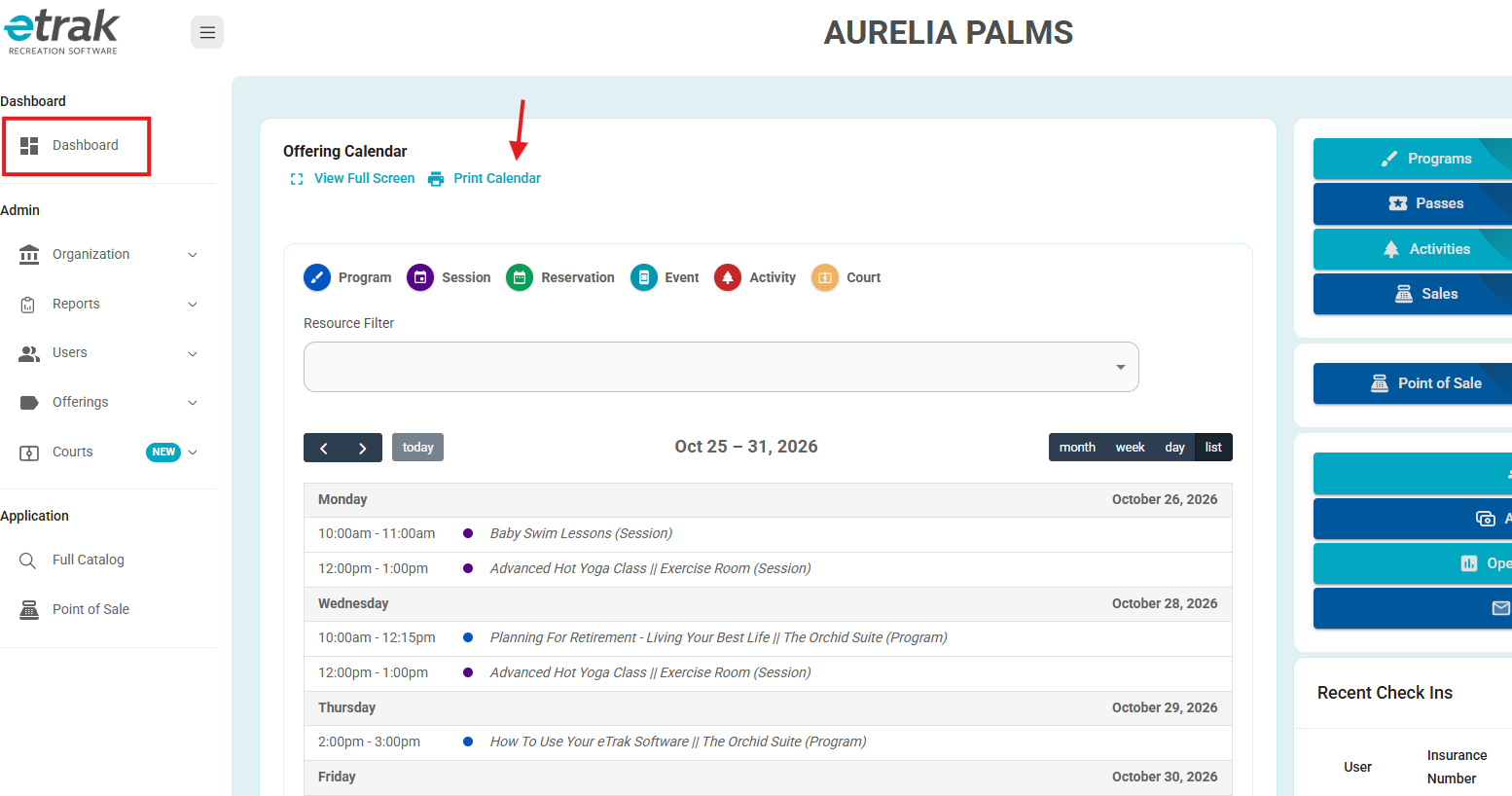
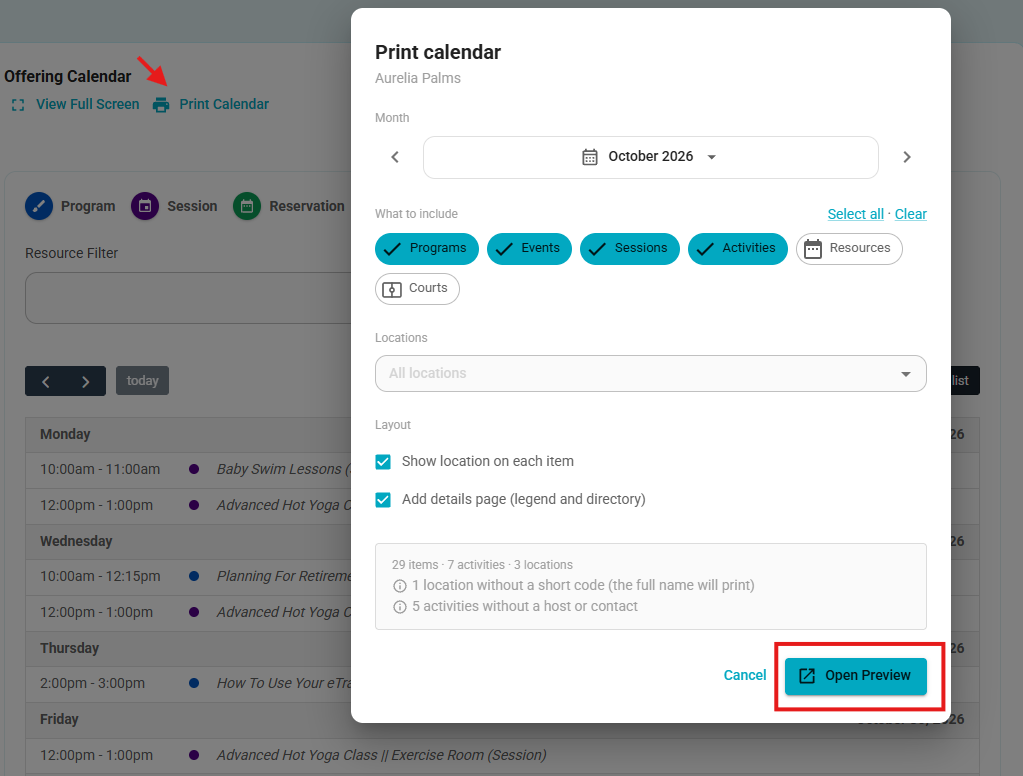
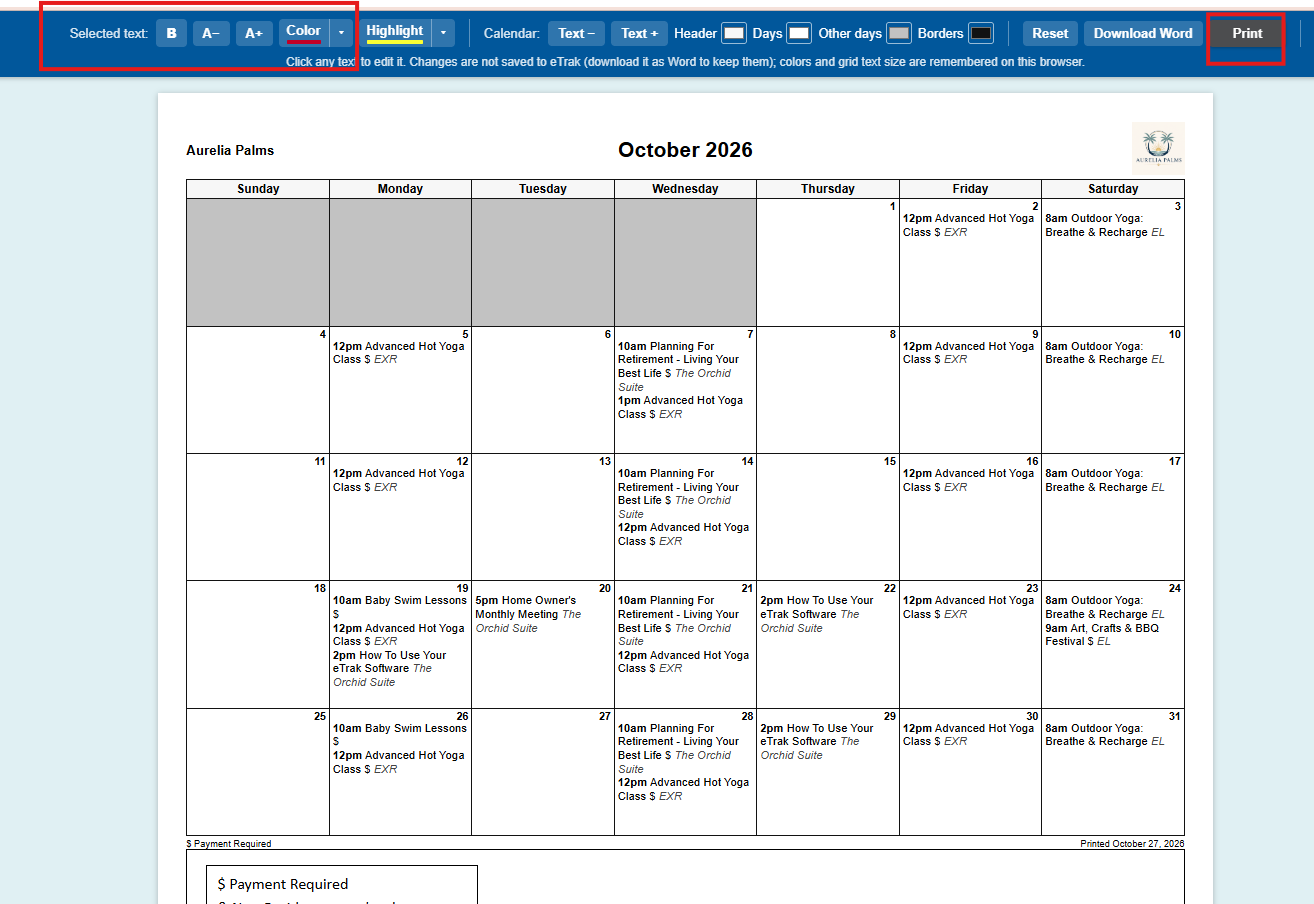
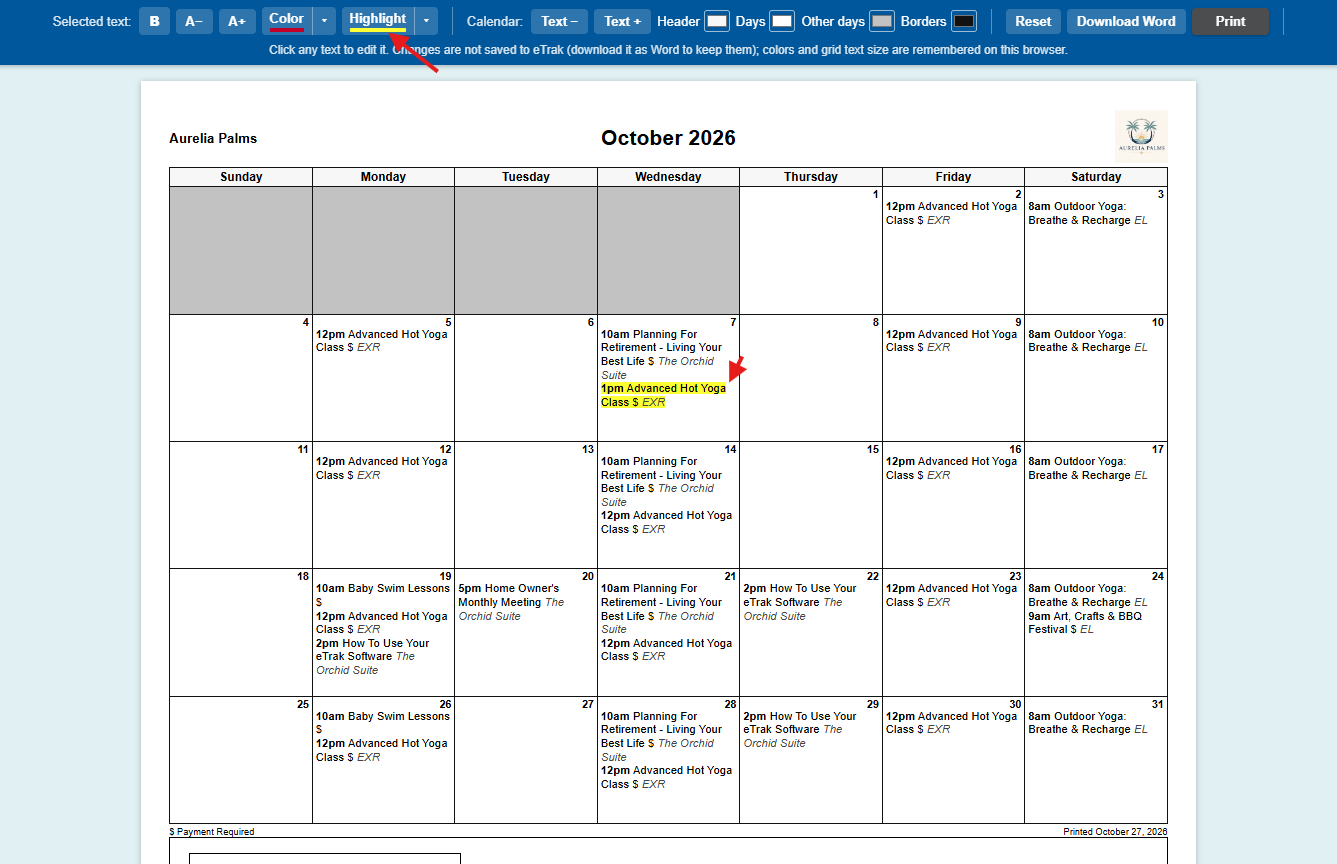
If you select the Add Details Page checkbox, an additional section with more information will be included when you print the calendar.
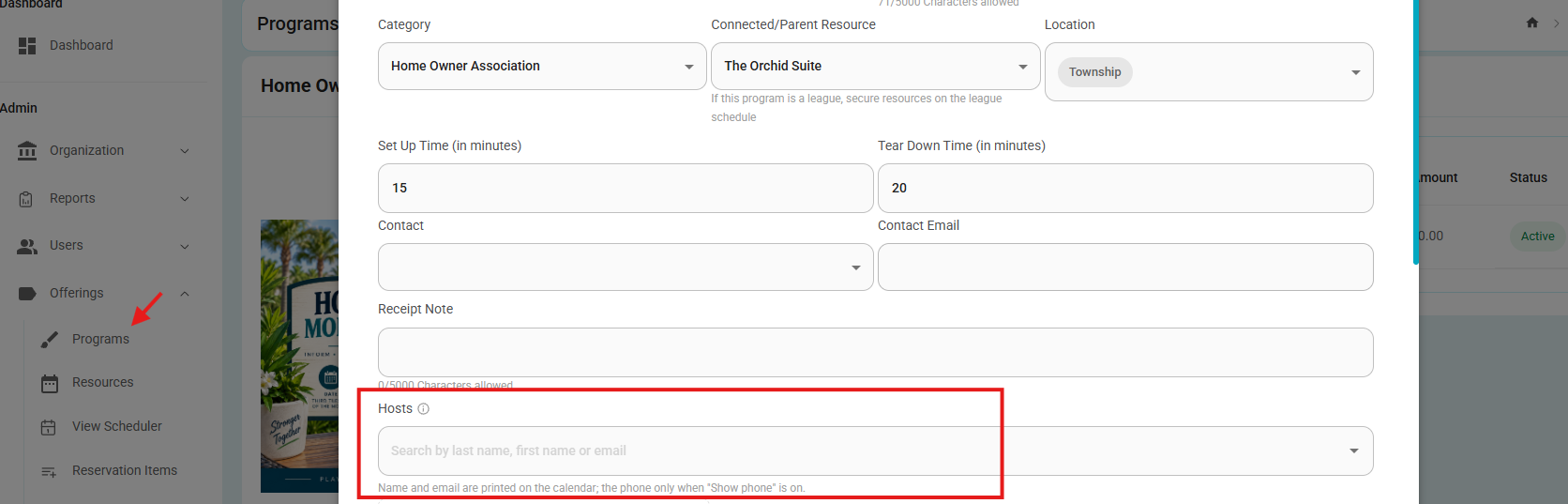
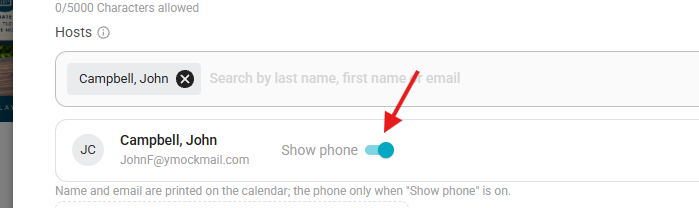
- You have a new option called "Hosts" - It is available in Programs - Sessions - Activities - Events.
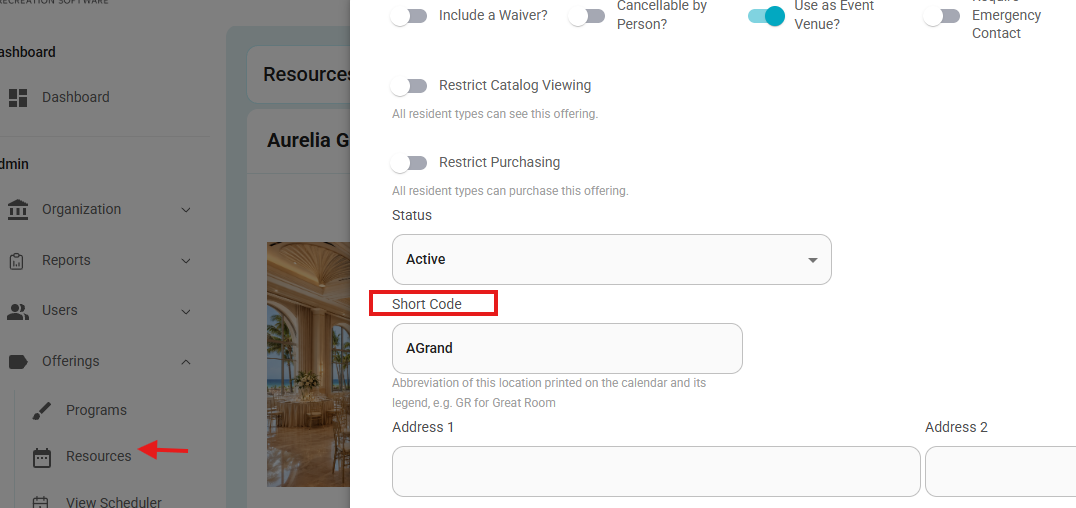
- And in Resources, you can add a Short Code.
- Order Receipt History Timeline
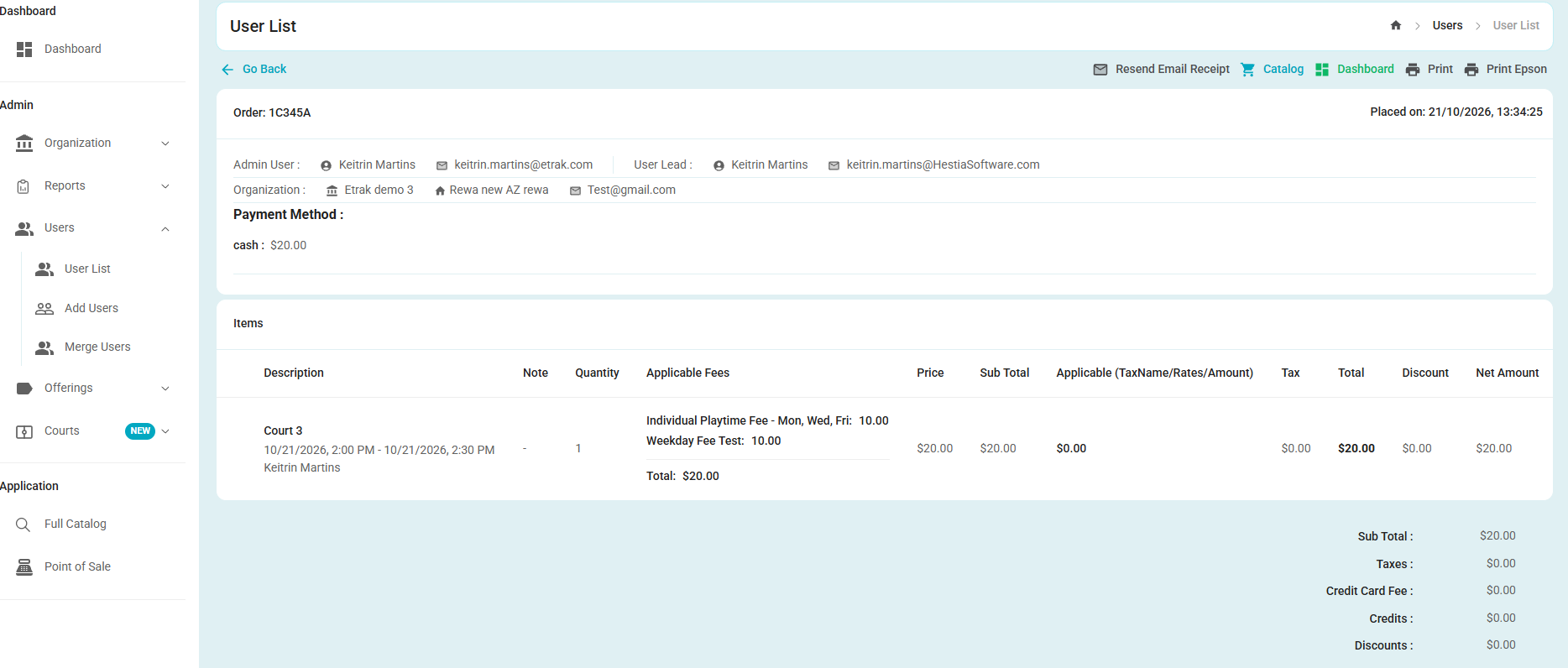
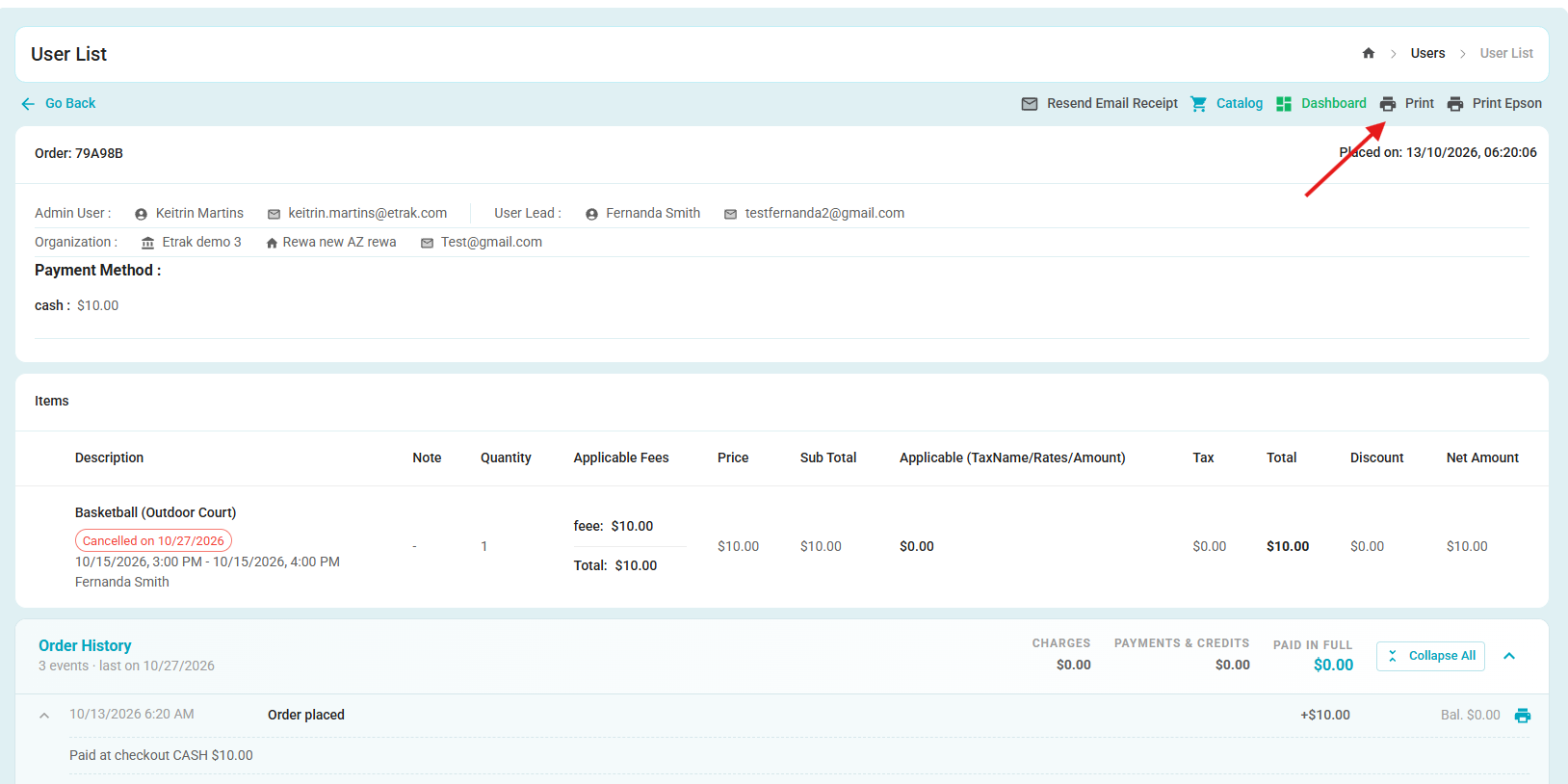
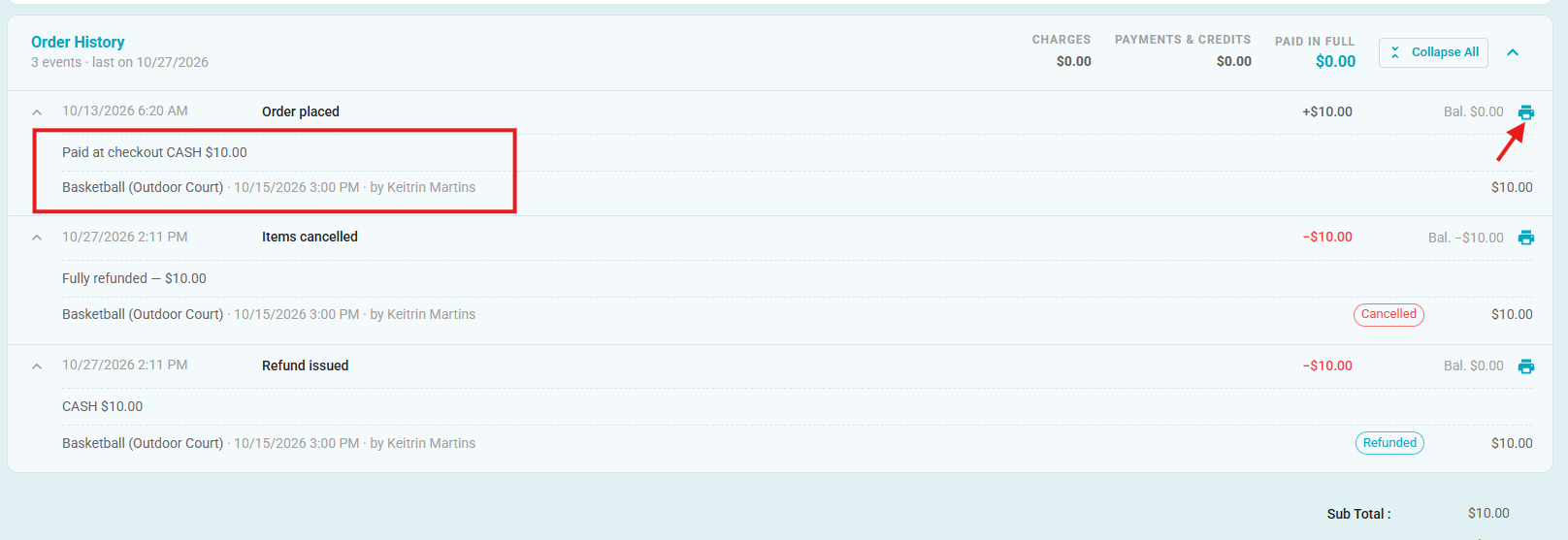
- A vertical timeline has been added to order receipts, grouped by date, to display reservation changes, added or cancelled items, payments, refunds, and payment plan updates, along with the running order total after each group.
Before
After:
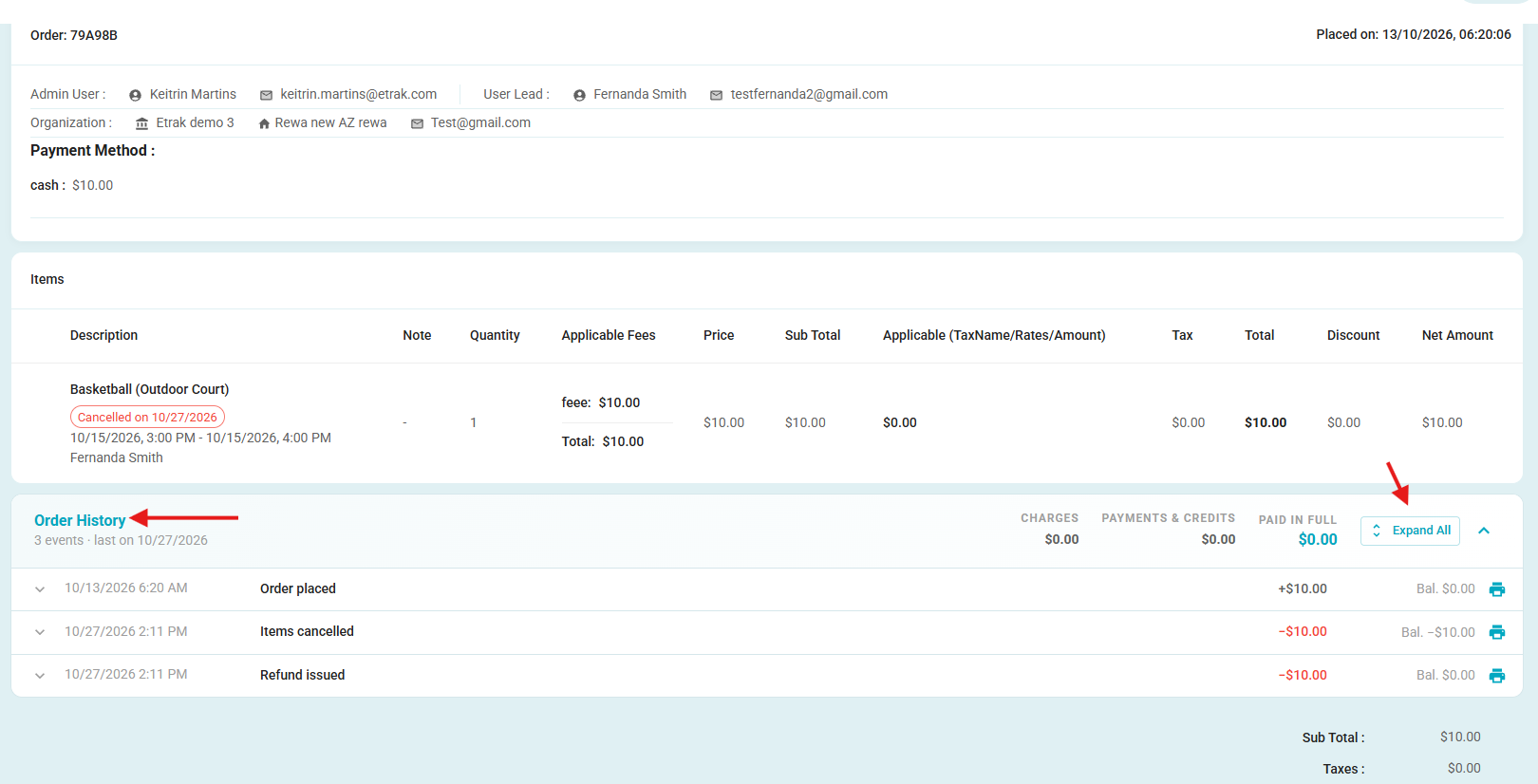
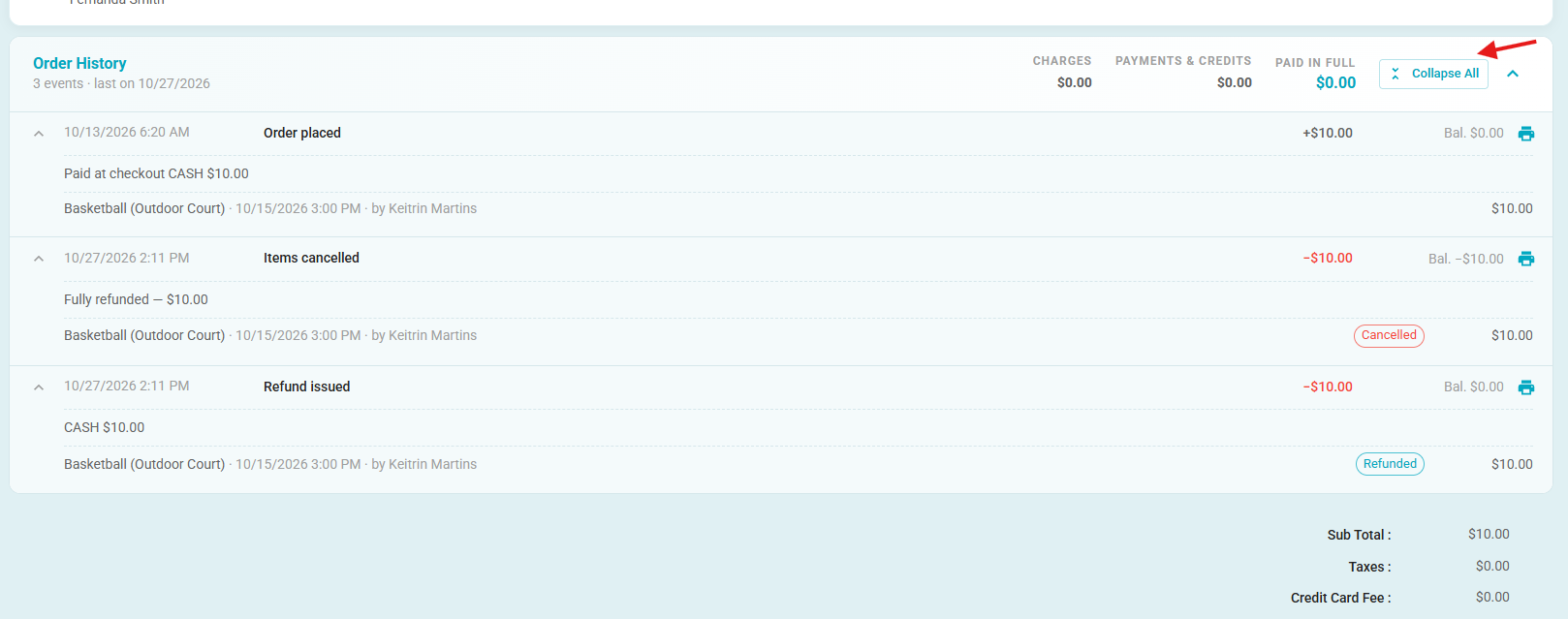
- You can always click Print in the top-right corner to print all the information.
- Alternatively, under Order History, you can click the print icon next to a specific item to print only that item's information.
- Order Receipt Print / PDF Improvements
- Improved the print and PDF layout of order receipts to ensure all content is displayed clearly across multiple pages, including order items, Order History, and totals.
- Added responsive formatting, proper page breaks, and readable status tags to prevent content from being cut off or overflowing the page.
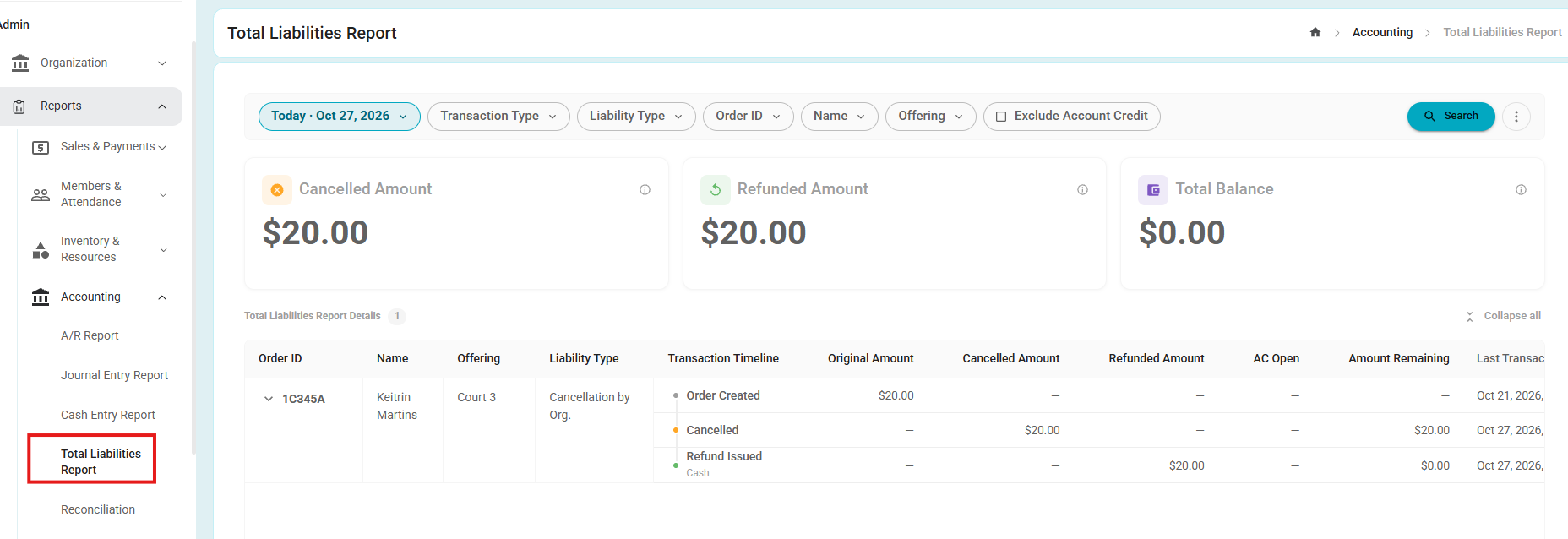
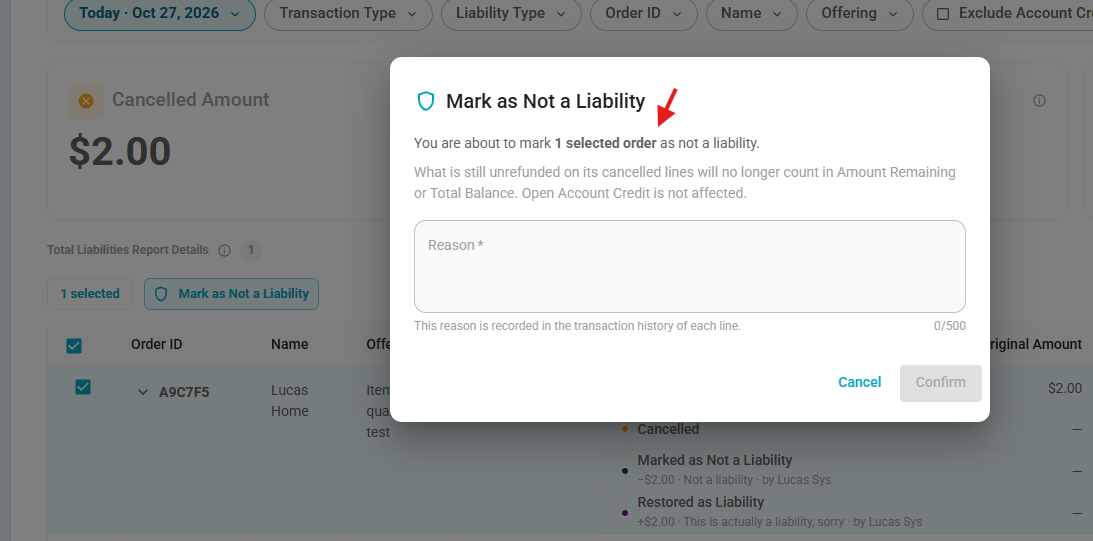
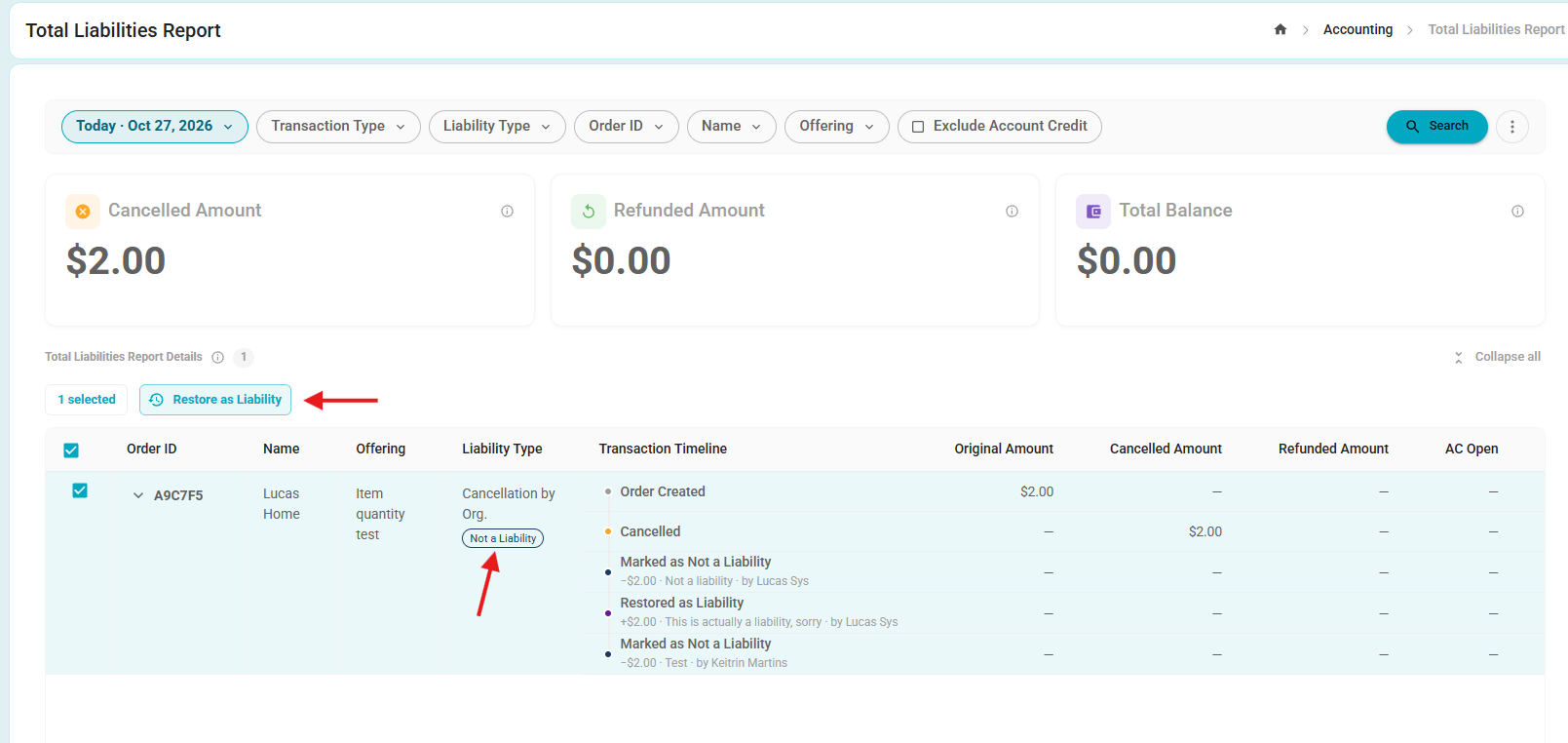
- Total Liabilities Report – Not a Liability Classification
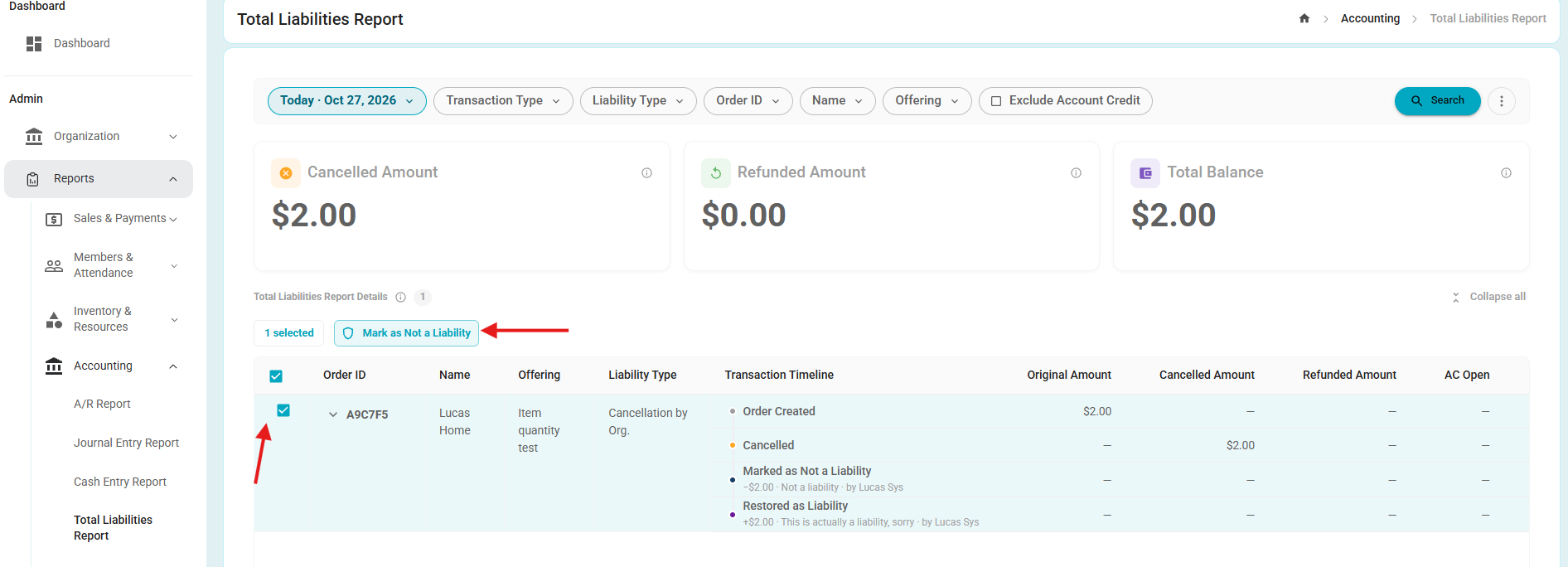
- Ability for Organization Admins to mark eligible cancelled order lines as Not a Liability, with a required reason and full audit tracking.
- Staff can also restore lines to liability status when needed.
- The report, transaction timeline, and CSV/PDF exports reflect the updated classification while preserving existing financial history and ensuring open Account Credit remains included in liability calculations.
Before:
After:
Bug Fixes
Bug Fix – Program Form Required Dates Validation
Fixed the validation feedback on the Add New Program form. When submitting the form with required date and time fields left blank, the fields are now clearly identified as required, providing better feedback and helping users understand why they cannot proceed.
The validation applies to the following fields:
Program start date and time
Program end time
Registration start date
Registration deadline
Bug Fix – Time Pass Expiration Date Inconsistency
Fixed an issue where updating the Time Pass Duration or Days/Months value did not consistently update the expiration date across the system.
The expiration date now reflects the updated values in both the User Profile and Time Pass > Active Person Passes.
Was this article helpful?
That’s Great!
Thank you for your feedback
Sorry! We couldn't be helpful
Thank you for your feedback
Feedback sent
We appreciate your effort and will try to fix the article