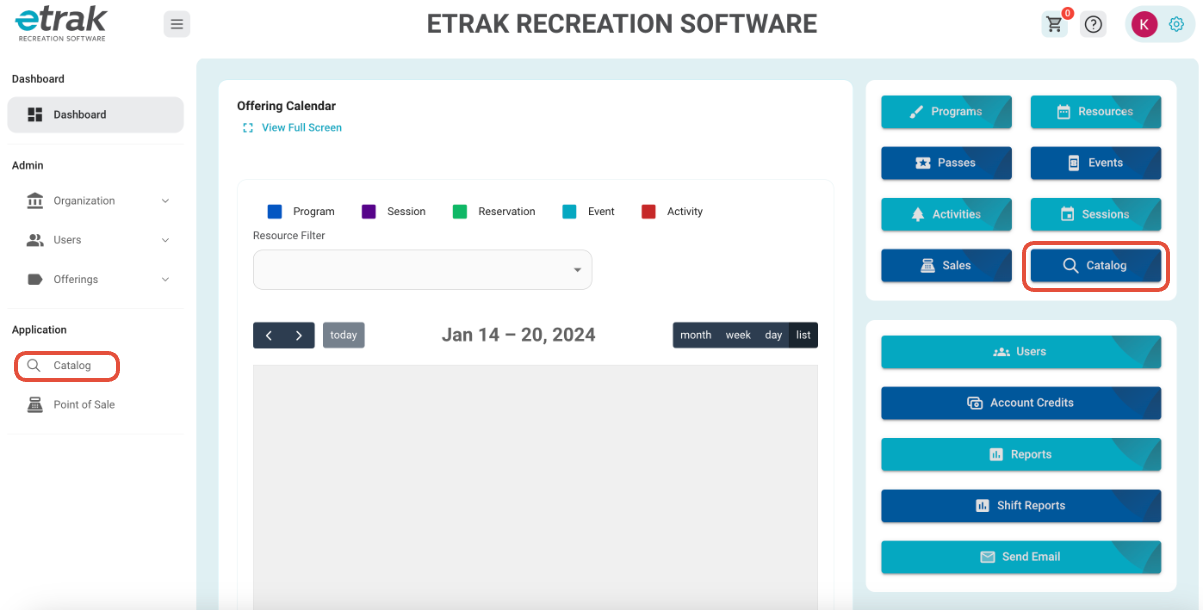
1. Select the ‘Catalog’ button from the menu on the left side of the screen or the blue button on the right side.
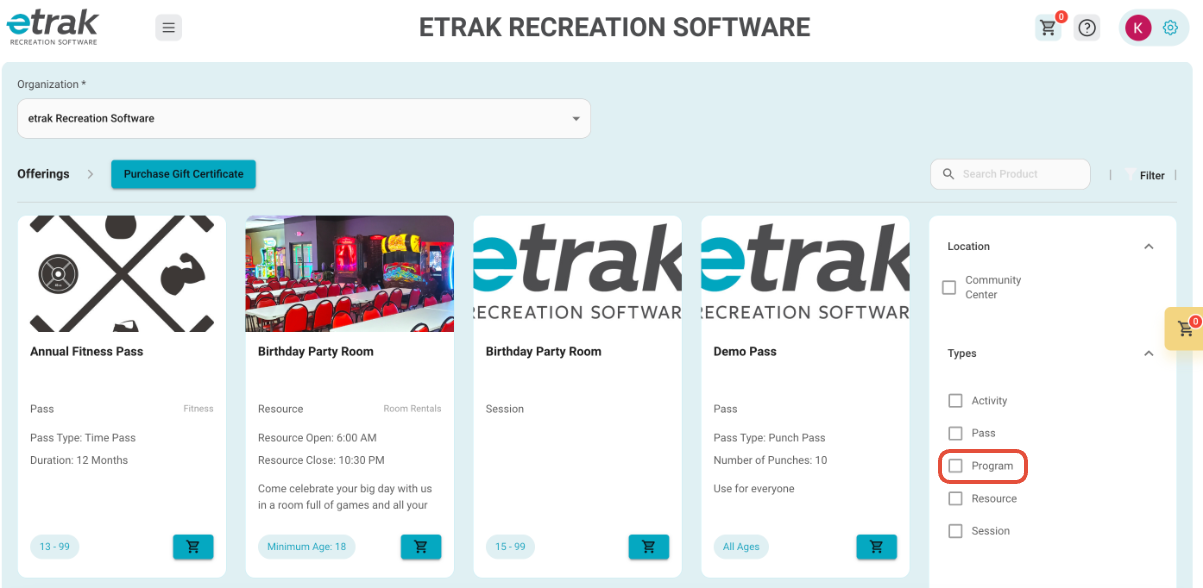
2. Filter the catalog down to just show the offering type ‘Program’
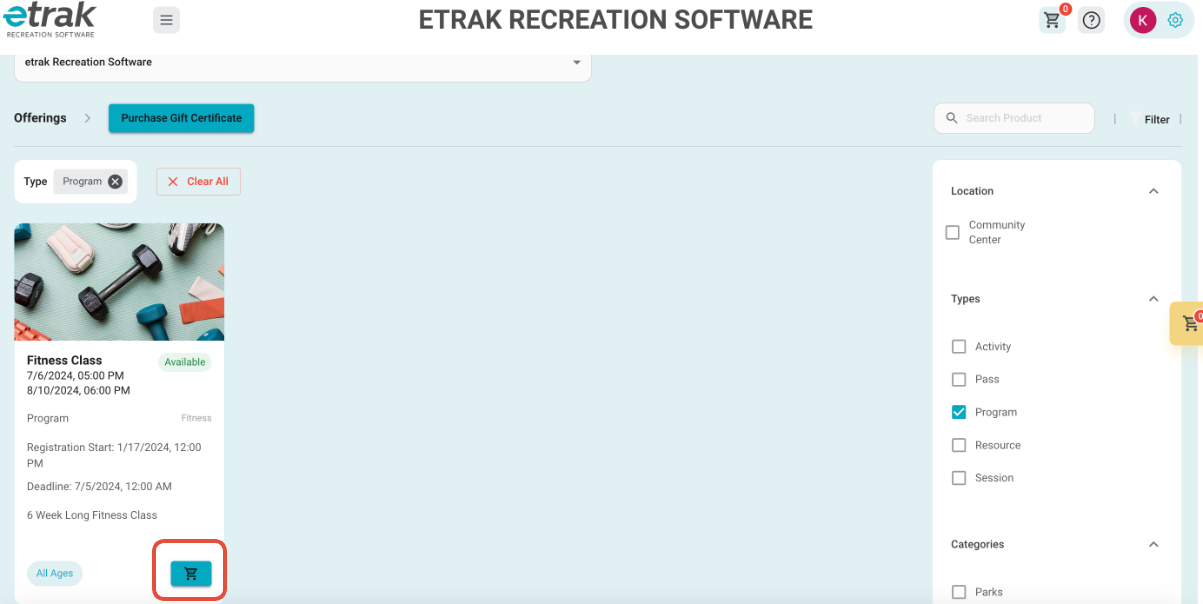
3. Press the ‘Cart’ icon that coordinates with the program the user wants to register for.
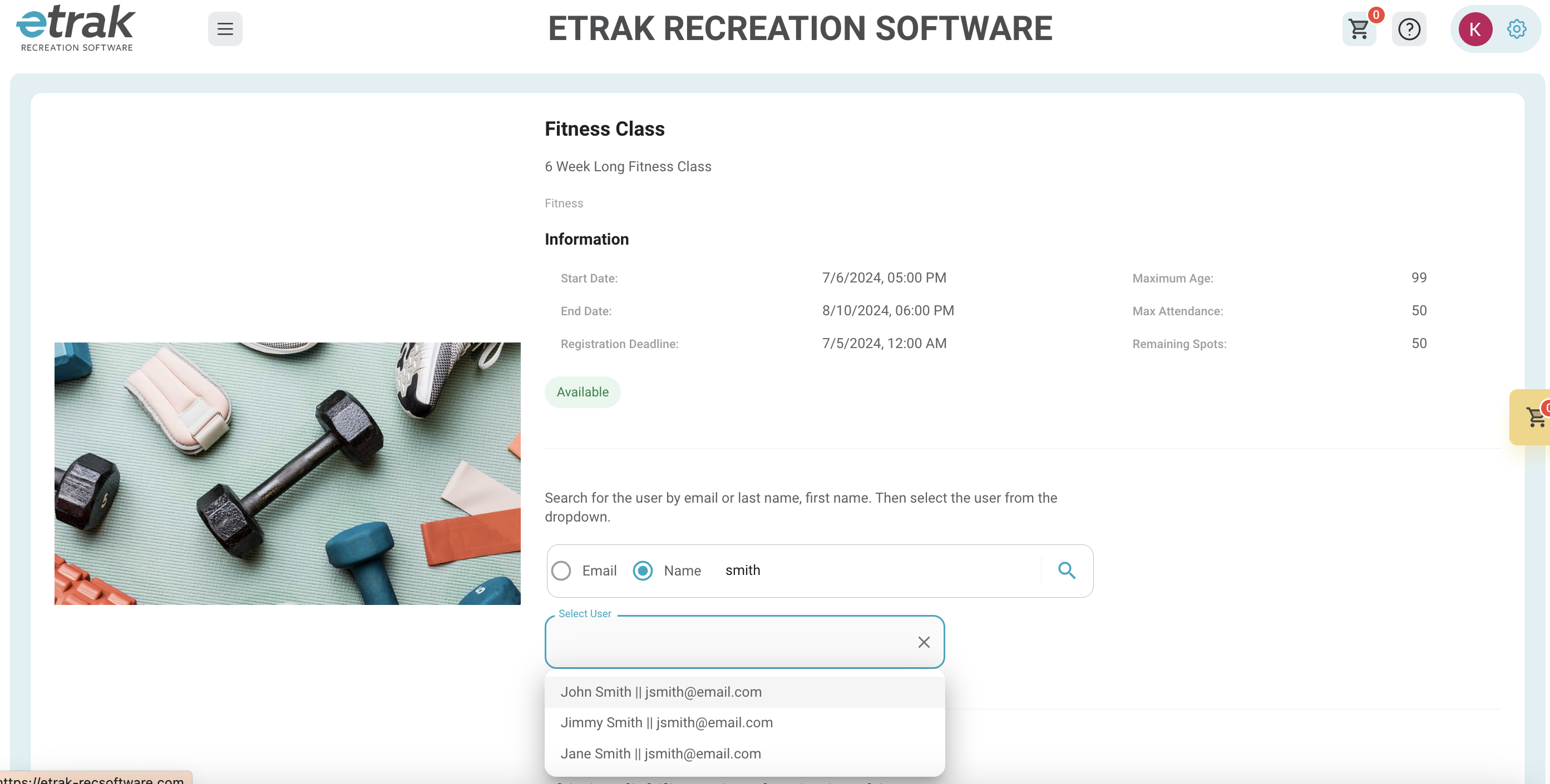
4. Search for the user that you are registering by at least the first 3 letters of their last name.
*If user is already registered for this program their name will not appear.
*If the user is not within age, gender or grade restrictions a message will appear and you can choose to get added to a pending approval list
5. If a waiver is attached to this program it MUST be checked to proceed.
6. Once all information is complete, press ‘Add to Cart’ at the bottom of the page.

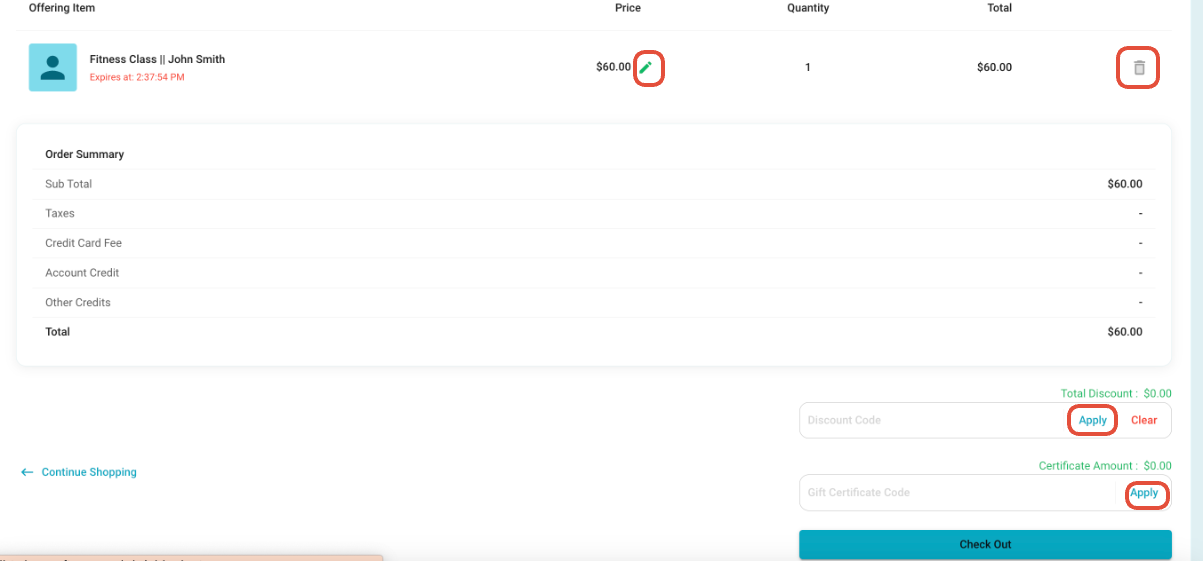
7. Review the items in the cart.
Prices can be adjusted using the pencil icon.
Items can be removed by selecting the trash icon.
If user is using a discount code or gift card enter the code and press ‘Apply' before proceeding to ‘Check Out’
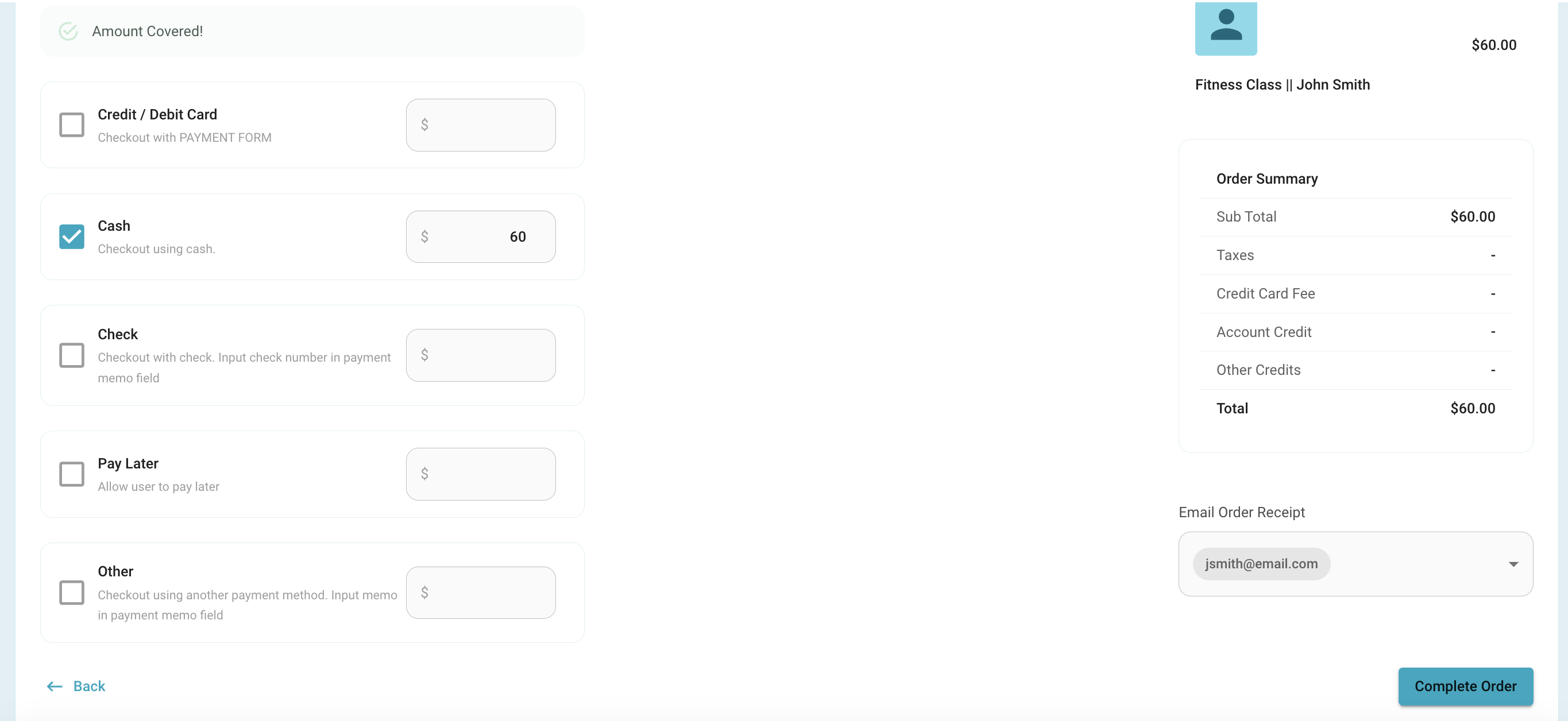
8. Select the payment method being used.
9. Select the users email to send a receipt to.
10. Press ‘Complete Order’ to allow order to process.
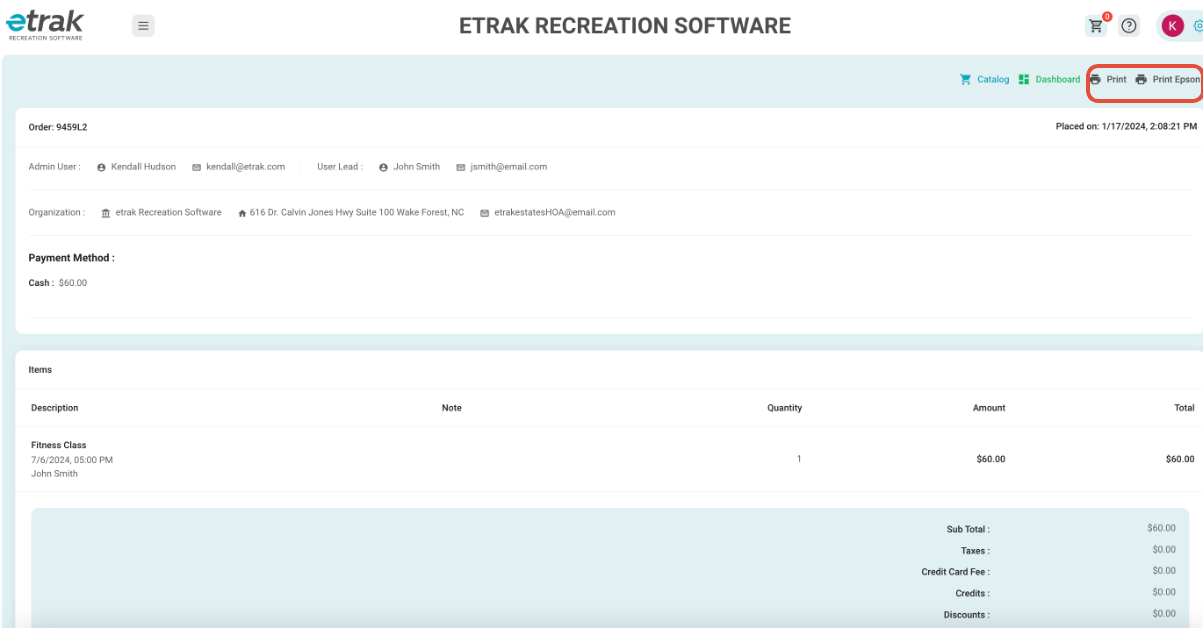
11. The receipt can be printed from this screen.
Was this article helpful?
That’s Great!
Thank you for your feedback
Sorry! We couldn't be helpful
Thank you for your feedback
Feedback sent
We appreciate your effort and will try to fix the article