Homeowners can make a new architectural request via the AAM All Access portal
Submitting Architectural Request via AAM All Access
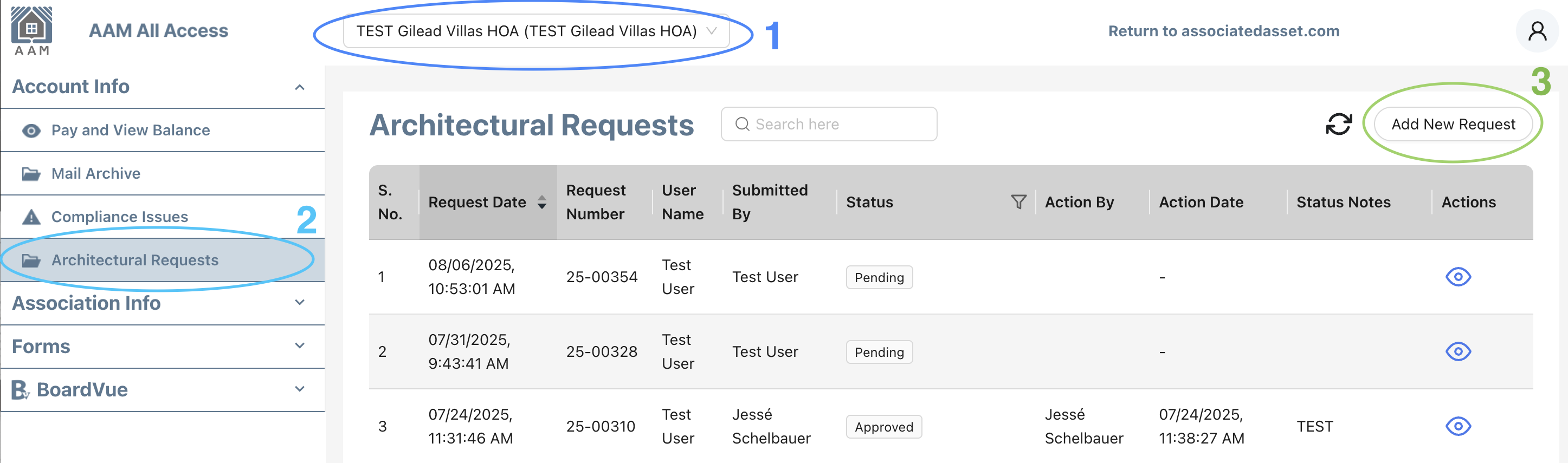
- Select the Association in top dropdown menu
- Click the Architectural Requests link from left navigation menu
- Press the button labelled "Add New Request"
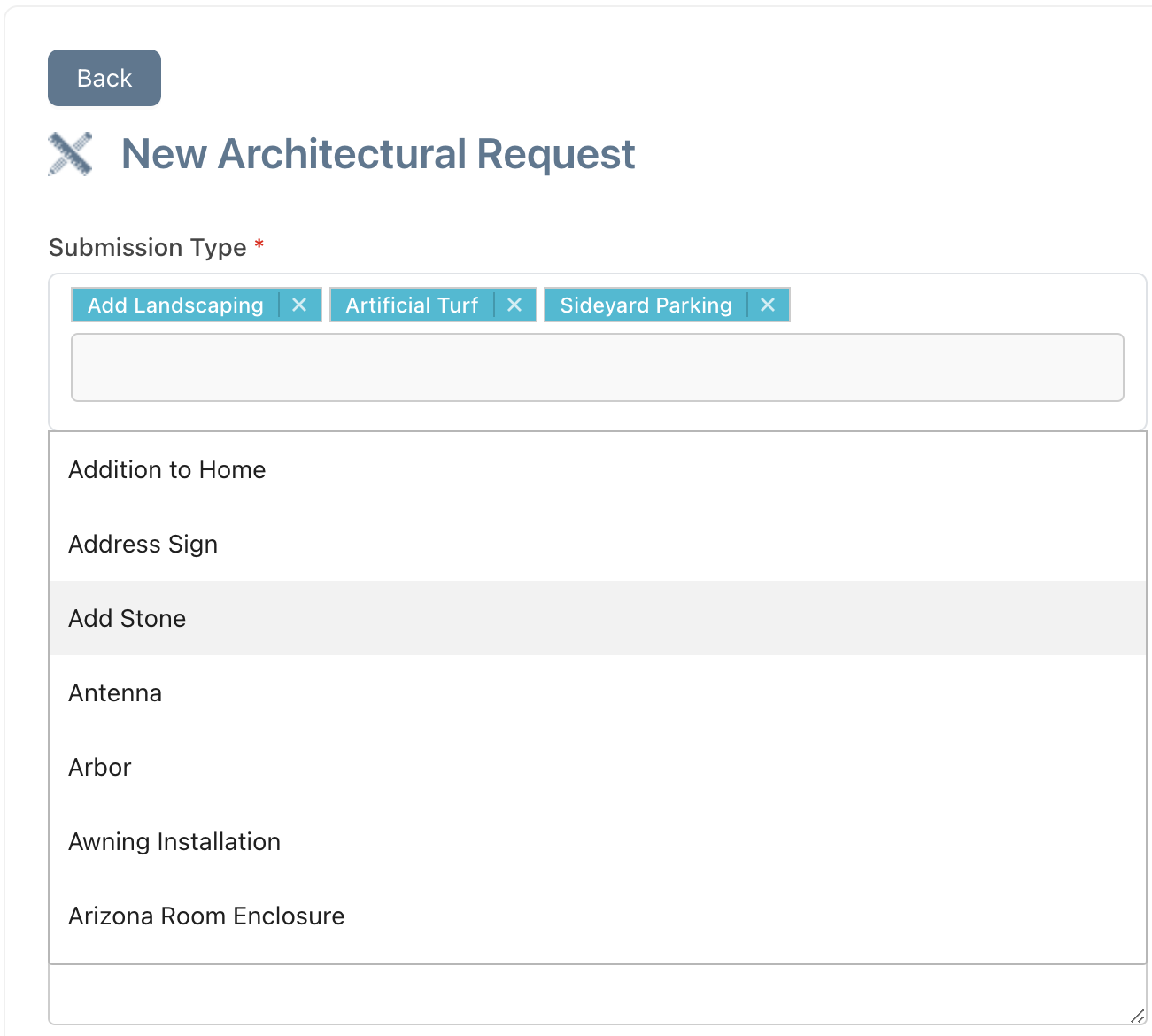
A new request form screen will open for the requester to input details about their project. For the first field "Submission Type" they may select multiple tags as needed (landscape, gutters, irrigation, casita, fencing, etc)
The remaining form fields will ask basic questions about the architectural project (colors, materials used, notes) and there will be option to upload file for additional info. After this form is submitted it will be entered into the ARC Central system and placed into "Pending" status for further review by the Processor.
Submitting Architectural Request directly in ARC Central
(for Managers Submitting on Owner Behalf):
- From the ARC Central Dashboard menu, left hand column,
select the option for "+ New Request"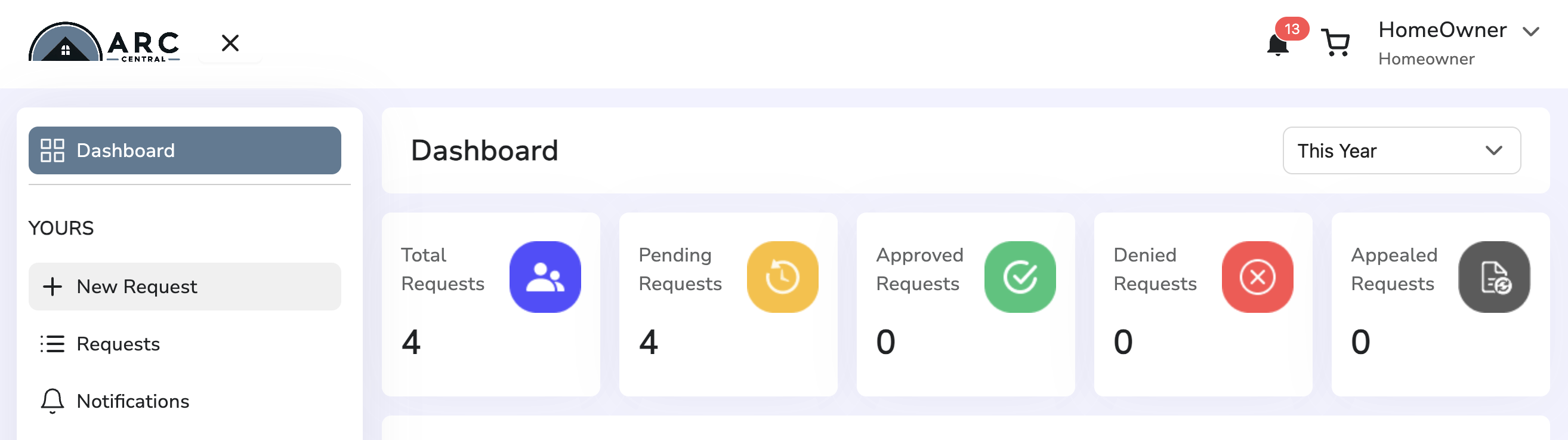
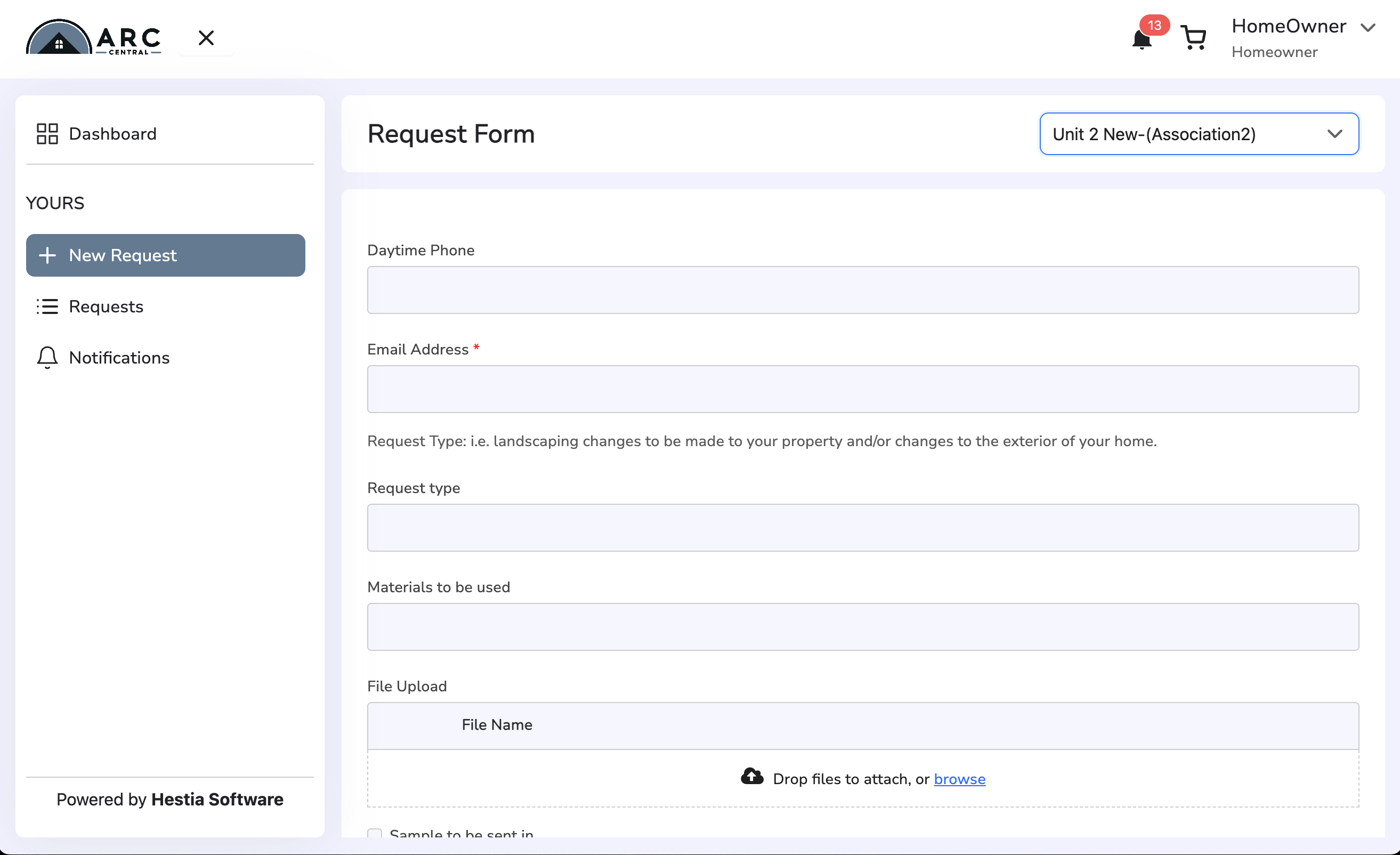
- A request form will open up on the right side of the screen for the requestor to enter details about their project. The form fields will ask basic questions about the architectural project (colors, materials used, notes) and there will be option to upload files for additional info. After this form is submitted it will be entered into the ARC Central system and placed into "Pending" status for further review by the Processor.
ARC Central Architectural Requests Process
After requests are made by Homeowners, the Board/Committee Members for that Association will use the ARC Central system to view requests, add comments and make a decision about the request (i.e. approve/deny projects).
The Architectural requests will be reviewed based on the timeframe specified in your Association's governing documents. Requests may be approved, denied or returned to original sender for additional information.
Return to Getting Started with ARC Central
Was this article helpful?
That’s Great!
Thank you for your feedback
Sorry! We couldn't be helpful
Thank you for your feedback
Feedback sent
We appreciate your effort and will try to fix the article